
At Scan N More, we understand the critical importance of protecting sensitive data.
In this guide, we’ll explore the secure destruction of hard drives, a vital step in safeguarding your information.
We’ll cover various methods and provide a step-by-step approach to ensure your data doesn’t fall into the wrong hands.
Why Hard Drive Destruction Is Essential
The Looming Data Breach Threat
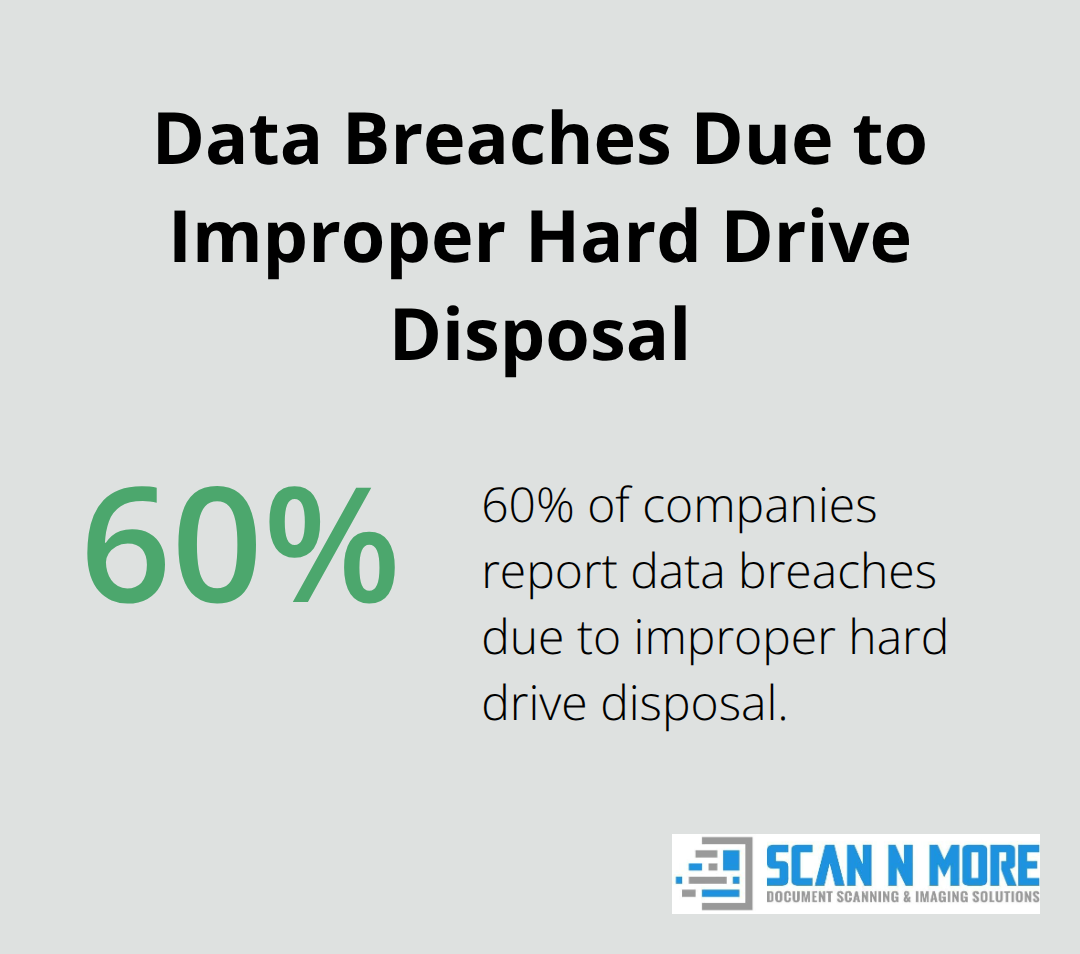
Data breaches pose a significant risk in today’s digital landscape. As of January 3, 2025, there have been 3,122 data breaches affecting 349,221,481 victims. This case exemplifies a widespread issue: over 60% of companies report data breaches due to improper hard drive disposal (according to IT Governance). Such breaches result in substantial financial losses and tarnish reputations irreparably.
Navigating Regulatory Compliance
Data protection regulations (e.g., GDPR, CCPA, and HIPAA) mandate secure data destruction. Non-compliance carries severe consequences. For instance, GDPR violations can lead to fines of up to €20 million or 4% of global turnover (whichever is higher). Proper hard drive destruction serves as a shield against these hefty penalties.
Thwarting Identity Theft and Corporate Espionage
A startling fact reveals that over 70% of hard drives contain residual data even after deletion attempts. This vulnerability exposes individuals and businesses to identity theft and corporate espionage risks. Cybercriminals employ advanced recovery tools to access seemingly deleted data. Physical destruction of hard drives eliminates this risk entirely.
The Power of Industrial-Grade Destruction
Industrial-grade shredders process multiple drives simultaneously. The National Institute for Standards and Technology (NIST) 800-88 is widely recognized as the current industry standard in the United States for data destruction. This level of destruction renders data recovery virtually impossible, providing unparalleled security and peace of mind.
Environmental Considerations
Responsible hard drive destruction extends beyond data security. Proper disposal prevents the release of hazardous materials into the environment. Professional destruction services often incorporate recycling programs, aligning with sustainability goals and reducing reliance on imported raw materials.
As we move forward, let’s explore the various methods available for secure hard drive destruction, each offering unique advantages in safeguarding your sensitive information.
How to Destroy a Hard Drive: Effective Methods
At Scan N More, we understand the importance of proper hard drive destruction. Let’s explore the most effective methods to ensure your data remains secure.
Physical Destruction: The Ultimate Safeguard
Physical destruction provides the most foolproof method for hard drive disposal. Industrial shredders process multiple drives simultaneously, reducing them to tiny fragments. These machines exert significant force, which makes data recovery impossible. For smaller operations, hydraulic crushers apply force to punch holes in drives, effectively destroying the platters inside.
Degaussing: Erasing Magnetic Fields
Degaussing uses powerful magnetic fields to erase data on hard drives. This method works effectively for traditional HDDs, but it doesn’t work on SSDs or flash drives. The National Security Agency (NSA) recommends using degaussers with a minimum field strength for optimal results.
Software-Based Wiping: A Digital Approach
For less sensitive data, software-based wiping offers a viable option. Tools like DBAN (Darik’s Boot and Nuke) overwrite the entire drive multiple times. However, this method takes time and may not suit SSDs due to their wear-leveling algorithms.
Professional Destruction Services: The Gold Standard
Professional services offer the highest level of security and compliance. These services provide a documented chain of custody and often issue certificates of destruction (crucial for regulatory compliance). A survey by the National Association for Information Destruction (NAID) found that used hard drives sold on the secondhand market still contained sensitive data, highlighting the risks of DIY methods.
For businesses handling sensitive information, professional destruction services (like those offered by Scan N More) provide the most secure option. These services typically include secure transport in locked containers, surveillance, and tracking to ensure complete data protection from pickup to destruction.

The method you choose should align with your specific security needs and regulatory requirements. In the next section, we’ll provide a step-by-step guide to help you navigate the process of securely destroying your hard drive, regardless of the method you choose.
How to Destroy Your Hard Drive Step by Step
Prepare Your Hard Drive for Destruction
Back up any important data you still need. Use an external drive or cloud storage to safeguard essential files. Power down your device and unplug it from any power source.
Locate the hard drive within your device. For desktop computers, remove the side panel and disconnect the drive. Laptop hard drives are often accessible through a panel on the bottom of the device. If you’re unsure, consult your device’s manual or seek professional assistance.
Select the Most Appropriate Destruction Method
Choose a method based on the sensitivity of your data and your available resources. For highly sensitive information, physical destruction provides the most secure option. This method ensures the secure disposal and destruction of HDDs as they are hydraulically crushed or mechanically shredded.
For less sensitive data, degaussing or software-based wiping may suffice. However, these methods aren’t foolproof and may not meet regulatory requirements for certain industries. The U.S. Department of Defense standard involves overwriting the data with specific binary patterns repeatedly (3 times or 7 times).

Verify Complete Data Obliteration
After you apply your chosen destruction method, verify that the data is truly unrecoverable. For physical destruction, visually inspect the drive to ensure thorough damage. If you’ve used software-based wiping, run a verification process to confirm complete data overwrite.
Professional destruction services often provide certificates of destruction (which serve as proof that your data has been securely eliminated). This documentation is particularly important for businesses that need to demonstrate compliance with data protection regulations.
Dispose of Hard Drive Remains Responsibly
Don’t simply toss your destroyed hard drive in the trash. Proper disposal prevents environmental harm and further protects against potential data recovery attempts. Many electronics retailers and recycling centers accept old hard drives for proper disposal.
Professional services (such as Scan N More) handle the entire process, including environmentally responsible disposal of the destroyed drive components. This ensures that your data security efforts don’t compromise environmental stewardship.
Final Thoughts
The secure destruction of hard drives protects sensitive data and maintains regulatory compliance. Risks of improper disposal include data breaches, identity theft, corporate espionage, and substantial fines. Physical destruction, degaussing, and software-based wiping offer different advantages, but professional destruction services provide the highest security level.
We at Scan N More prioritize thorough data protection. Our professional hard drive destruction services completely obliterate your sensitive information, eliminating any chance of data recovery. We manage the entire process from secure pickup to certified destruction and environmentally responsible disposal (ensuring you meet regulatory requirements effortlessly).
Your chosen method should match your specific security needs and data sensitivity. While DIY methods might seem cost-effective, they often fail to provide foolproof security. Professional services offer invaluable assurance in today’s data-driven world. Don’t compromise your data security. Select a method that guarantees complete data obliteration and secures your sensitive information permanently.