
Paper documents pile up fast in any business. Digital document scanning transforms these stacks into organized, searchable files that save time and space.
We at Scan N More see companies struggle with outdated filing systems every day. The right scanning approach makes document management simple and efficient.
This guide covers everything from choosing scanners to organizing your digital files properly.
Which Scanning Method Fits Your Needs
Flatbed Scanners Deliver Premium Quality
Flatbed scanners produce the highest quality results for important documents that need precise reproduction. These scanners work best for bound materials, fragile papers, and photographs where image quality matters most. The Epson Perfection V850 Pro produces scans at 6400 dpi optical resolution, which makes it perfect for archival work and legal documents that require exceptional clarity. Flatbed models handle thick books and delicate materials without damage, but they scan one page at a time, which makes them slow for large projects.
Sheet-Fed Scanners Excel at High-Volume Tasks
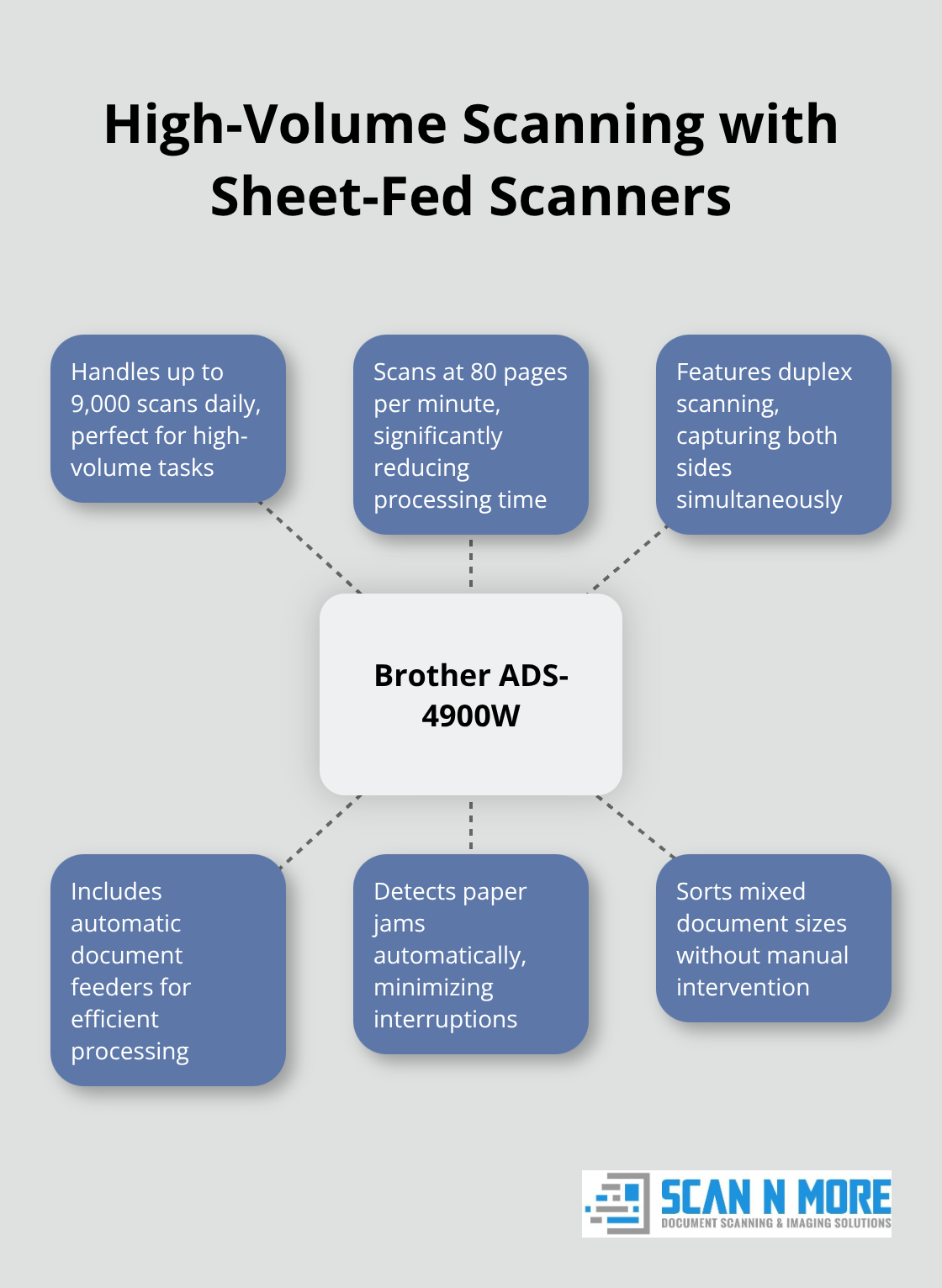
Sheet-fed scanners process hundreds of pages per hour through automatic document feeders. The Brother ADS-4900W handles up to 9,000 scans daily at 80 pages per minute, which makes it ideal for businesses with regular needs. These machines include duplex features to capture both sides simultaneously, which cuts time in half. Modern sheet-fed models detect paper jams automatically and sort mixed document sizes without manual intervention. However, they cannot handle bound books or fragile papers that might tear during the feed process.
Professional Services Tackle Complex Projects
Professional services become necessary when you deal with millions of pages, mixed media types, or specialized requirements. Companies like Iron Mountain report that they process over 2 billion pages annually with industrial scanners that cost $50,000 or more. These services include document preparation, quality control, OCR processing, and secure data management that small businesses cannot match internally.
Professional providers also handle fragile historical documents, oversized blueprints, and microfilm conversion that require specialized equipment (costs typically range from $0.07 to $0.12 per page based on complexity and volume). This eliminates equipment purchases and staff expenses while you maintain focus on your core business operations.
The next step involves proper document preparation and technical settings that determine your final scan quality.
How Do You Scan Documents Correctly
Document Preparation Makes the Difference
Remove all staples, paper clips, and sticky notes before you scan. Metal fasteners jam sheet-fed scanners and create shadows on flatbed models. Sort documents by size and thickness to maintain consistent settings throughout batches. Clean pages with a dry cloth to remove dust and fingerprints that appear as dark spots in final scans. Straighten bent corners and flatten folded papers completely. Damaged originals cause delays in professional operations. Group similar document types together because invoices, contracts, and photos require different resolution settings. Check for double-sided content before you start because mixed single and double-sided pages disrupt automatic workflows.
Resolution and Format Settings Drive Quality
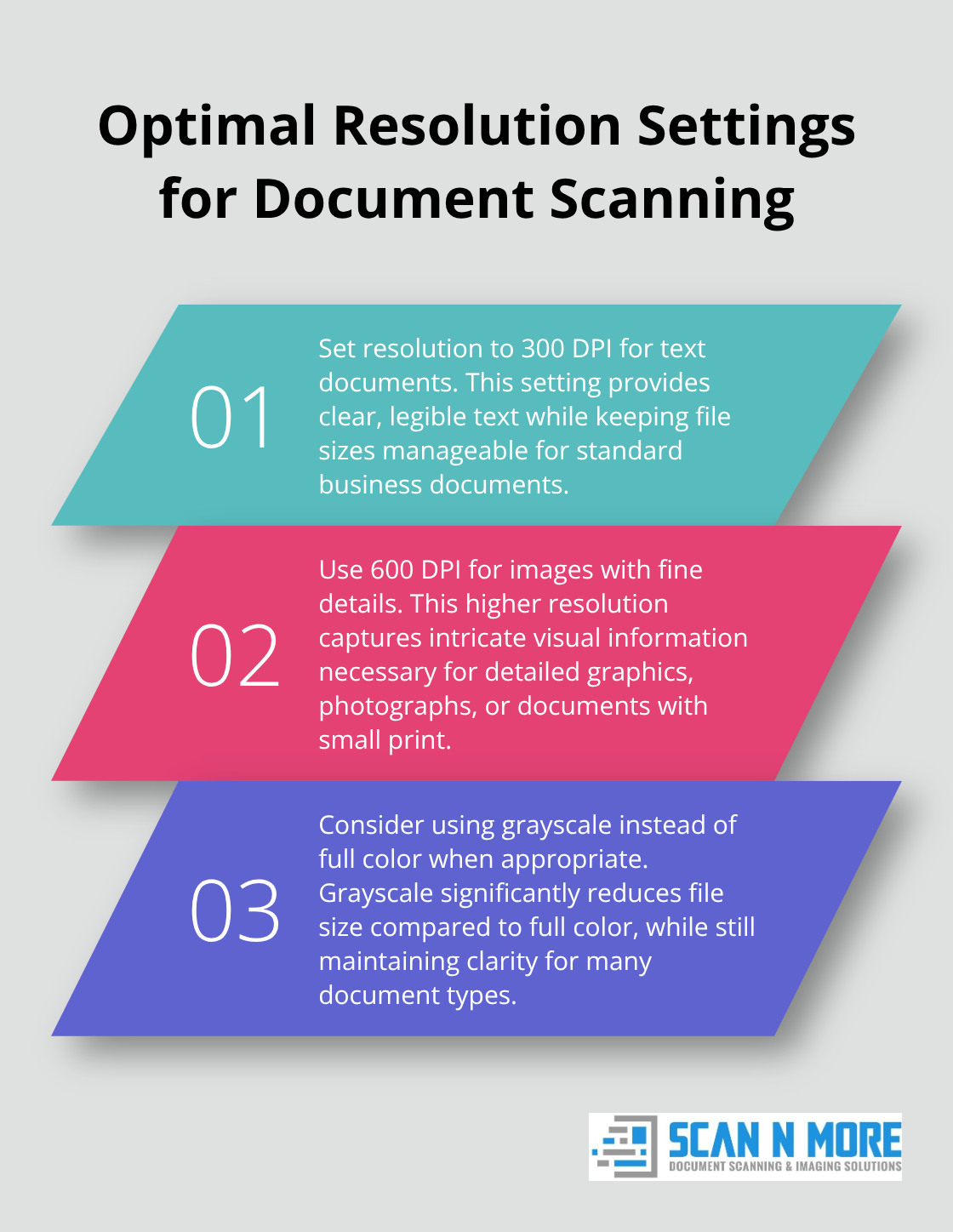
Set resolution to 300 DPI for text documents and 600 DPI for images with fine details. Higher resolutions create massive files without visible quality improvements for standard business documents. Adobe recommends PDF format for text because it maintains format across all devices and includes OCR capabilities. TIFF works best for archival purposes because it preserves original image quality without compression loss. JPEG compresses file sizes significantly but degrades text clarity, which makes it unsuitable for important documents. Color depth affects file size dramatically – grayscale reduces storage needs compared to full color when document content allows it.
Quality Control Prevents Future Problems
Review every tenth scanned page during large batches to catch resolution problems early. Blurry text indicates incorrect focus settings or document movement during capture. Dark edges signal improper document placement on flatbed glass. Modern scanners include automatic image enhancement that corrects brightness and contrast, but manual review catches orientation errors and missing pages. Create consistent file names with date, document type, and sequential numbers (like 2024-10-12_Invoice_001.pdf). Store files in logical folder structures that match your business workflow. Test OCR accuracy on sample pages before you process entire batches because poor text recognition requires complete re-scanning.
These technical foundations set the stage for long-term success, but proper organization and security protocols transform scattered digital files into a powerful business asset.
How Do You Organize Digital Documents Properly
Smart File Names Save Hours of Search Time
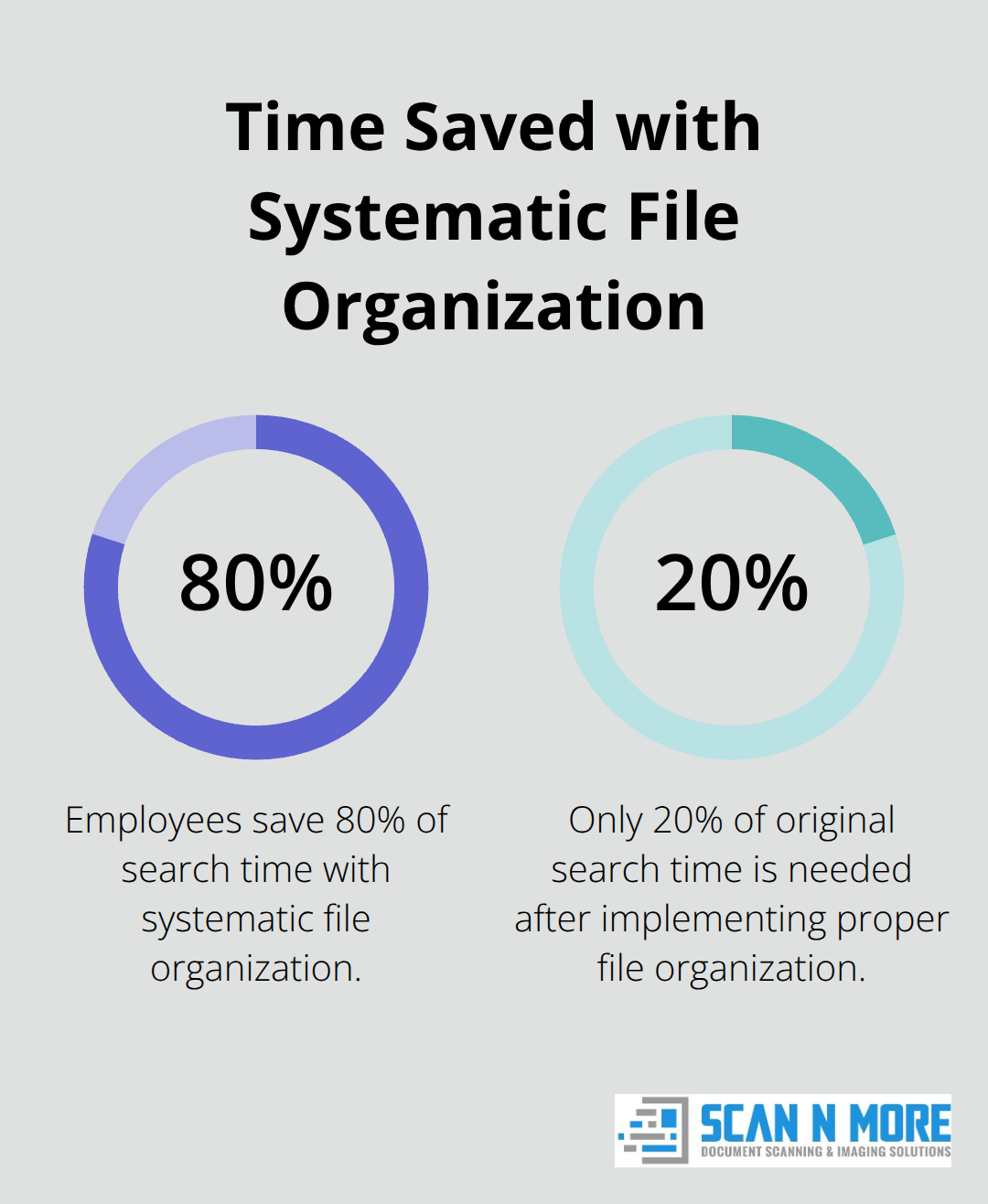
Your file system determines whether you find documents in seconds or waste hours searching. Use the format YYYY-MM-DD_DocumentType_Description_VersionNumber for every file. This puts chronological files together automatically and prevents confusion between similar documents. Microsoft research shows that employees spend 2.5 hours daily searching for information, which drops to 30 minutes with systematic approaches. Include client names, project codes, or department identifiers in consistent positions. Avoid spaces, special characters, and abbreviations that create confusion later. The Internal Revenue Service requires specific patterns for digital tax records, so check industry regulations before you finalize your system.
Password Protection and Encryption Block Data Breaches
Sensitive documents need multi-layer security that goes beyond basic folder permissions. Apply AES-256 encryption to financial records, medical files, and legal contracts because this standard was approved by the National Security Agency (NSA) to protect both secret and top-secret government information. Set up role-based access controls that limit access rights to specific employees or departments. IBM reports that companies with proper document security experience 80% fewer data breach incidents than those with basic protection.
Automated Backups Prevent Catastrophic Loss
Store digital documents in three separate locations with automated daily backups to prevent complete data loss. The 3-2-1 backup rule works best – keep three copies on two different media types with one stored offsite. Cloud services like AWS and Microsoft Azure maintain 99.9% uptime guarantees, but local network storage provides faster access for daily operations. Set backup schedules during off-peak hours to avoid system slowdowns, and test restoration procedures monthly (34% of companies never verify their backup integrity according to Veeam research). Monitor storage capacity regularly because full backup drives cause system failures without warning. Organize documents before scanning to reduce preparation costs and streamline your digitization workflow.
Final Thoughts
Digital document scanning eliminates physical storage costs while it improves document retrieval speed by 90%. Companies report annual savings of $20,000 on filing cabinets and office space after they complete digitization projects. Searchable PDFs with OCR technology locate specific information in seconds rather than hours that staff spend searching through paper files.
Professional services become worthwhile when you handle over 10,000 pages, work with mixed media formats, or need specialized equipment for fragile documents. We at Scan N More handle various document types with complete data security compliance, plus we offer on-site services to maintain document control throughout the process. Our team provides the expertise and industrial equipment that large-scale projects require.
Start your digitization project when you identify your highest-priority documents and calculate current storage costs (including space rental and staff time for document retrieval). Professional services pay for themselves within months through improved efficiency and reduced operational expenses. Professional document scanning services transform your paper-based workflow into a streamlined digital system while you focus on core business operations.