
Remote work document scanning has become non-negotiable for distributed teams. Paper sitting in filing cabinets while your team works across different time zones creates real friction.
At Scan N More, we’ve seen firsthand how digitizing documents transforms team productivity. When files live in the cloud instead of a desk drawer, work moves faster and compliance becomes manageable.
Why Remote Teams Struggle Without Digitized Documents
Paper documents in a distributed environment don’t just slow things down-they create cascading failures across your entire operation. When a team member in Chicago needs a contract that lives in a filing cabinet in Atlanta, someone must physically locate it, scan it, email it, and hope nothing gets lost in transit. IBM’s research revealed that paper documents accounting for a significant portion of security incidents. Employees spend an average of 1.8 hours each day just searching for information. Multiply that across a remote team of 20 people searching for files daily, and you lose hundreds of hours monthly to pure friction.
Geographic Barriers Block Real-Time Access
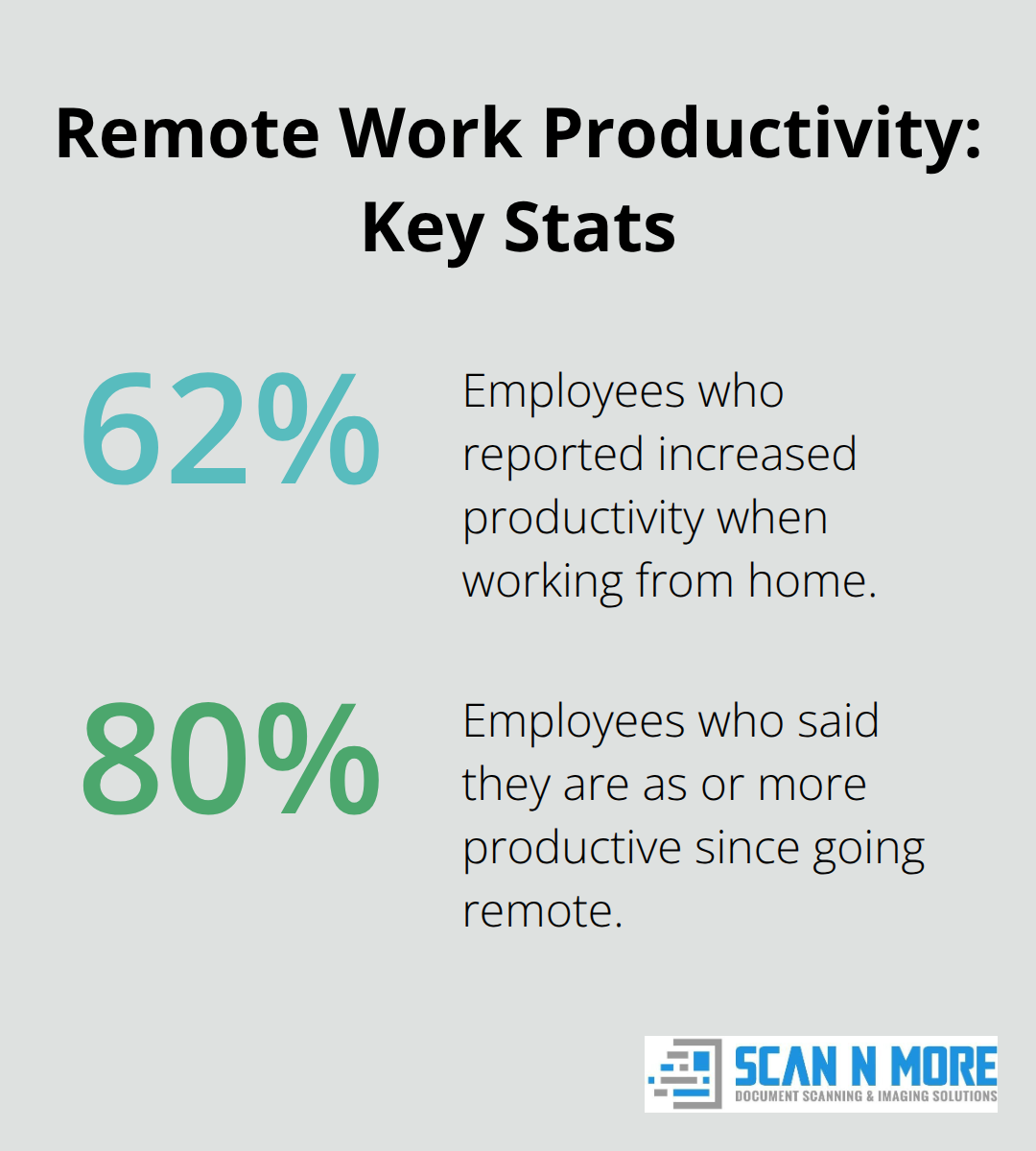
When documents exist only in physical form, your team cannot access them outside business hours, from different locations, or during unexpected disruptions. A client deadline at 6 PM doesn’t wait for someone to return to the office. Microsoft’s research on remote work showed that 62% of employees reported increased productivity when working from home, and seamless document access directly contributes to that gain.
Without cloud-based document access, remote workers waste time requesting files, waiting for responses, and working with outdated versions. Gaining remote access to scanned documents eliminates these delays and enables true asynchronous collaboration instead of email chains where version control falls apart.
Compliance Gaps Expose Your Company to Risk
Regulations like HIPAA for healthcare or SOX for finance require audit trails and access controls that paper files simply cannot provide. Physical records sitting in unsecured locations expose your company to regulatory fines, and you have no way to prove who accessed what and when. Data loss from physical damage, theft, or misplacement becomes permanent-there’s no version history, no recovery option. Compliance becomes a nightmare because you cannot demonstrate the controls regulators demand.
Cloud Storage Transforms Security and Compliance
Digitized documents stored securely in the cloud with encryption, multi-factor authentication, and role-based access controls meet regulatory requirements that physical files never could. You restrict who sees what, track every access attempt, and generate audit logs instantly. A distributed team handling sensitive information-client contracts, financial records, employee data-cannot afford the security gaps that come with physical storage. Digitization transforms compliance from a headache into a documented, automated process. Once your team moves documents into the cloud, the real work of optimizing your scanning workflow begins.
How Document Scanning Accelerates Work for Distributed Teams
Digitized documents eliminate the waiting game that drains remote team productivity. When files live in cloud storage instead of physical cabinets, your team accesses what they need instantly-no email chains, no phone calls, no delays. In a large global survey, 80% of employees reported being as or more productive since going remote, and that productivity jumps further when document retrieval takes seconds instead of days. A finance team processes invoices by pulling receipts instantly from any location. A legal team reviews contracts without waiting for someone to find the physical copy. Salespeople access client agreements from client sites without depending on office staff. This speed compounds across your distributed operation. If each team member saves just 30 minutes daily on document searching and retrieval, a 20-person remote team recovers 100 hours weekly-roughly 5,200 hours annually. That’s real capacity you reclaim for actual work instead of administrative friction.
Cloud Integration Creates a Single Source of Truth
Real-time collaboration requires one authoritative version of every document, and cloud storage with automatic version control delivers exactly that. When documents sync automatically across devices and locations, your team stops wrestling with email attachments marked final-FINAL-v3-revised.
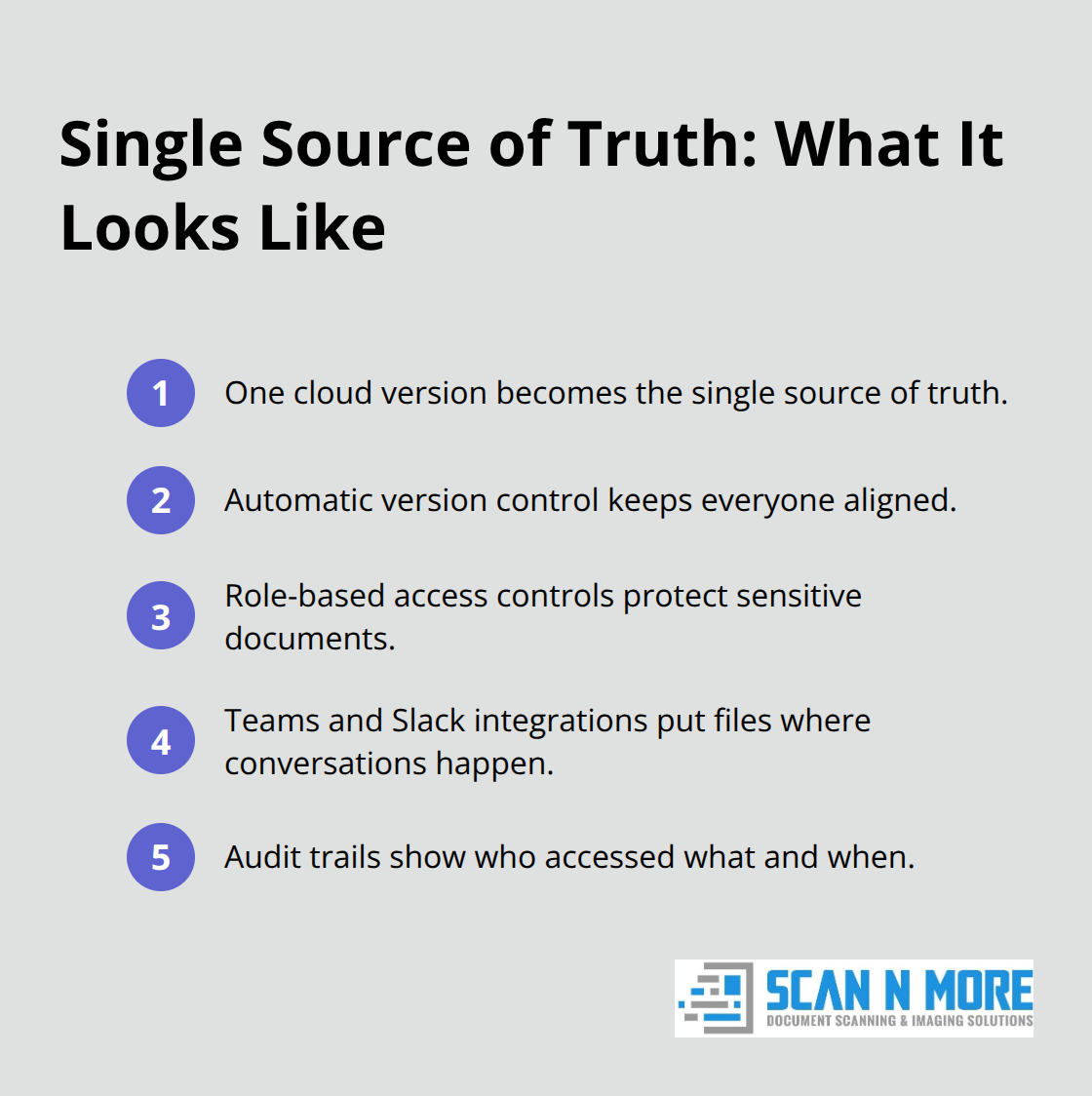
Role-based access controls restrict sensitive files to authorized people while others collaborate freely on shared documents. Integration with Microsoft Teams and Slack places scanned documents directly in chat threads, so decisions move forward without hunting through shared drives. Audit trails capture who accessed what and when, which satisfies compliance requirements while eliminating finger-pointing about who changed what. For remote teams handling contracts, financial records, or client deliverables, this centralized approach transforms document management from a source of conflict into a transparent, automated process. The moment you scan a document and upload it to the cloud, every team member sees the same current version instantly, regardless of time zone or device.
Batch Scanning Cuts Processing Time Dramatically
Processing high volumes of documents efficiently requires the right approach. Instead of scanning documents one at a time as they arrive, batch scanning-processing large stacks together-cuts handling time dramatically. A distributed team designates one person or location to handle weekly batch scans of incoming invoices, contracts, or receipts, then uploads everything simultaneously to cloud storage. This consolidation reduces the friction of multiple people scanning randomly throughout the week. Most organizations find that dedicating two focused hours weekly to batch processing beats scattered scanning across five days. Once documents are digitized and indexed with consistent metadata, retrieval becomes instant searchability rather than manual filing. Your team finds what they need by searching keywords, dates, or document type instead of navigating folder hierarchies or requesting files from colleagues. For organizations handling expense reports, vendor documentation, or client correspondence, this efficiency gain directly improves cash flow visibility and decision-making speed across distributed locations.
Metadata and Naming Conventions Enable Fast Retrieval
Searchability depends on how you organize scanned files from the start. Establish consistent naming conventions across your distributed team so everyone applies the same logic-for example, “Invoice-VendorName-Date-Amount” instead of random file names. Metadata tags (keywords, owner, project, date) transform your document repository into a searchable database rather than a filing cabinet. When a team member searches for “Q4 vendor contracts,” the system returns exactly what they need in seconds instead of requiring someone to remember which folder contains what. This standardization matters most when multiple locations or departments scan documents independently. Without clear conventions, your cloud storage becomes a mess of inconsistently named files that nobody can find. Implement these standards before you scale your scanning operation, and your distributed team will spend minutes retrieving documents instead of hours hunting for them.
Access Controls Protect Sensitive Information Across Locations
Distributed teams often handle sensitive data-client contracts, financial records, employee information-that requires strict access controls. Role-based permissions ensure that only authorized people view or edit specific documents, while others access only what their role requires. Multi-factor authentication adds an extra layer of identity verification, preventing unauthorized access even if someone obtains a password. Encryption protects documents both in transit and at rest, so data remains secure whether it’s traveling between locations or stored in the cloud.
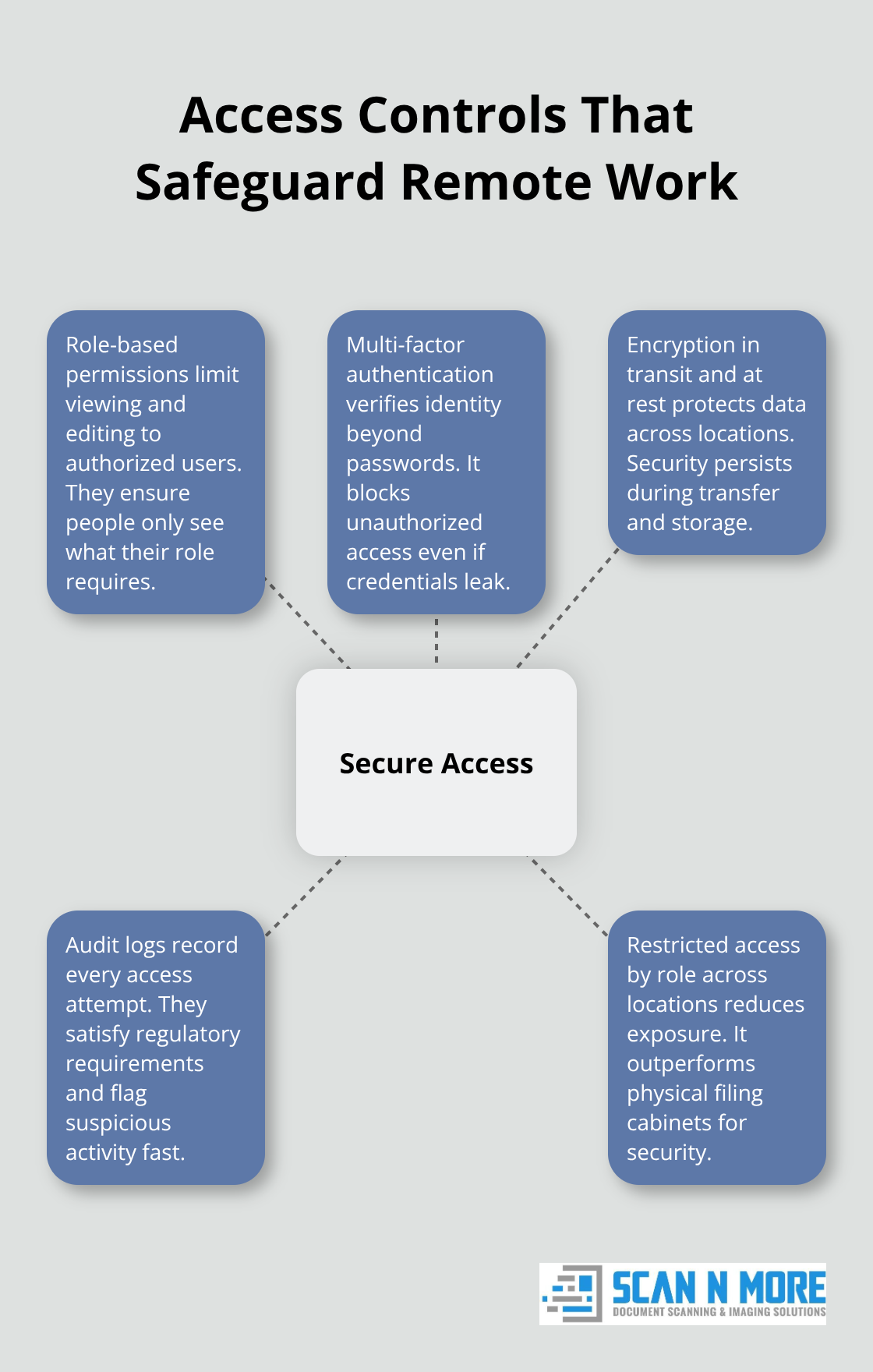
Audit logs document every access attempt, which satisfies regulatory requirements and helps you identify suspicious activity immediately. These controls work together to create a security posture that physical filing cabinets simply cannot match. Once your team implements these protections, you’re ready to establish the scanning workflows and backup protocols that keep your digitized documents safe and accessible.
Scanning Strategies That Actually Work for Remote Teams
Establish naming conventions and metadata standards from Day One
A distributed team needs consistent processes from the start, not workarounds invented on the fly. Decide which documents your team scans regularly-invoices, contracts, receipts, HR paperwork-and establish naming conventions that everyone follows without exception. A finance team handling vendor invoices should use a format like Invoice-VendorName-YYYYMMDD-Amount rather than allowing people to name files randomly. When your Chicago office, Atlanta location, and remote workers all scan documents using the same pattern, searching becomes instant rather than frustrating.
Metadata tags amplify this efficiency: assign keywords like vendor, client project, or fiscal year to every document during scanning so your team finds files by searching those attributes instead of guessing folder locations. This upfront work takes a few hours to implement but saves hundreds of hours annually when your team retrieves documents in seconds instead of minutes.
Process Documents in Focused Weekly Batches
Batch processing documents weekly or biweekly beats scattered scanning throughout the day. Designate specific times-say Tuesday mornings-when one person or location processes all accumulated documents together, uploads them to cloud storage with consistent naming and metadata, then notifies the team the batch is live. This consolidation prevents the inefficiency of multiple people scanning randomly while also reducing the cognitive load of deciding where each file belongs.
Most organizations find two focused hours weekly outperforms five days of interrupted scanning across different people. Once documents land in your cloud repository with proper organization, the real protection begins.
Implement automated backup and version control protocols
Enable version history immediately so your team recovers previous versions if needed. Configure automatic syncing to prevent local-only storage, and verify that your cloud provider encrypts files both during transit and at rest. These backup layers protect against accidental deletion, device loss, or unexpected disruptions.
A distributed team handling sensitive client data or financial records cannot afford the data loss that comes from relying on single copies stored locally. Test your backup recovery process quarterly-actually restore a document to confirm the system works-rather than discovering your backups failed when you actually need them. Encryption protects documents both in transit and at rest, so data remains secure whether it travels between locations or sits in the cloud.
Final Thoughts
Remote work document scanning transforms how distributed teams operate by replacing paper delays with instant digital access. When your team stops hunting for physical files and starts retrieving digitized documents from cloud storage in seconds, productivity jumps measurably. The 1.8 hours employees waste daily searching for information vanishes when documents are indexed, searchable, and accessible from any location, allowing your distributed team to reclaim thousands of hours annually for actual work instead of administrative overhead.
Three concrete actions accelerate your transition to streamlined workflows. Establish consistent naming conventions and metadata standards across your distributed locations so every team member applies the same logic to file organization. Process documents in focused weekly batches rather than scattered scanning throughout the day, which reduces inefficiency and keeps your team aligned. Implement automated backup and version control protocols immediately so your team recovers previous versions if needed and protects against data loss from device failure or unexpected disruptions.
We at Scan N More understand that transforming paper-based processes into digital solutions requires professional expertise and reliable execution. Our document scanning services deliver high-quality digitization for all formats, including legal and medical documents, with on-site and off-site options that ensure data security and compliance. Let us handle the scanning complexity so your distributed team focuses on work that matters.