
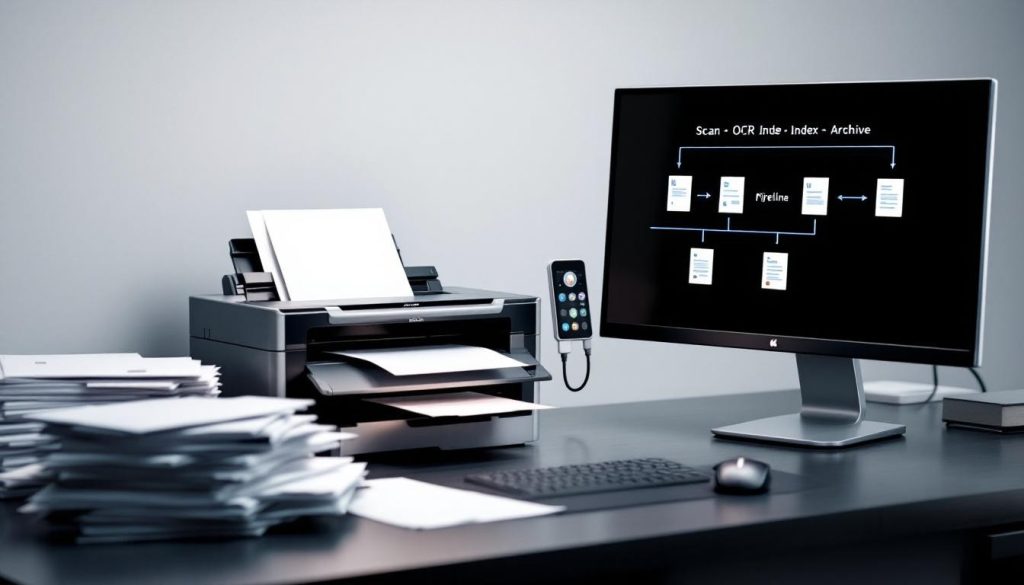
Most businesses still process incoming mail the same way they did twenty years ago: by hand, one piece at a time. This approach wastes hours every week and creates errors that ripple through your operations.
At Scan N More, we’ve seen firsthand how mail scanning transformation changes everything. When you convert paper mail into digital workflows, you eliminate bottlenecks, reduce mistakes, and free your team to focus on work that actually matters.
Why Mail Scanning Matters for Modern Businesses
The Hidden Cost of Paper-Based Mail Processing
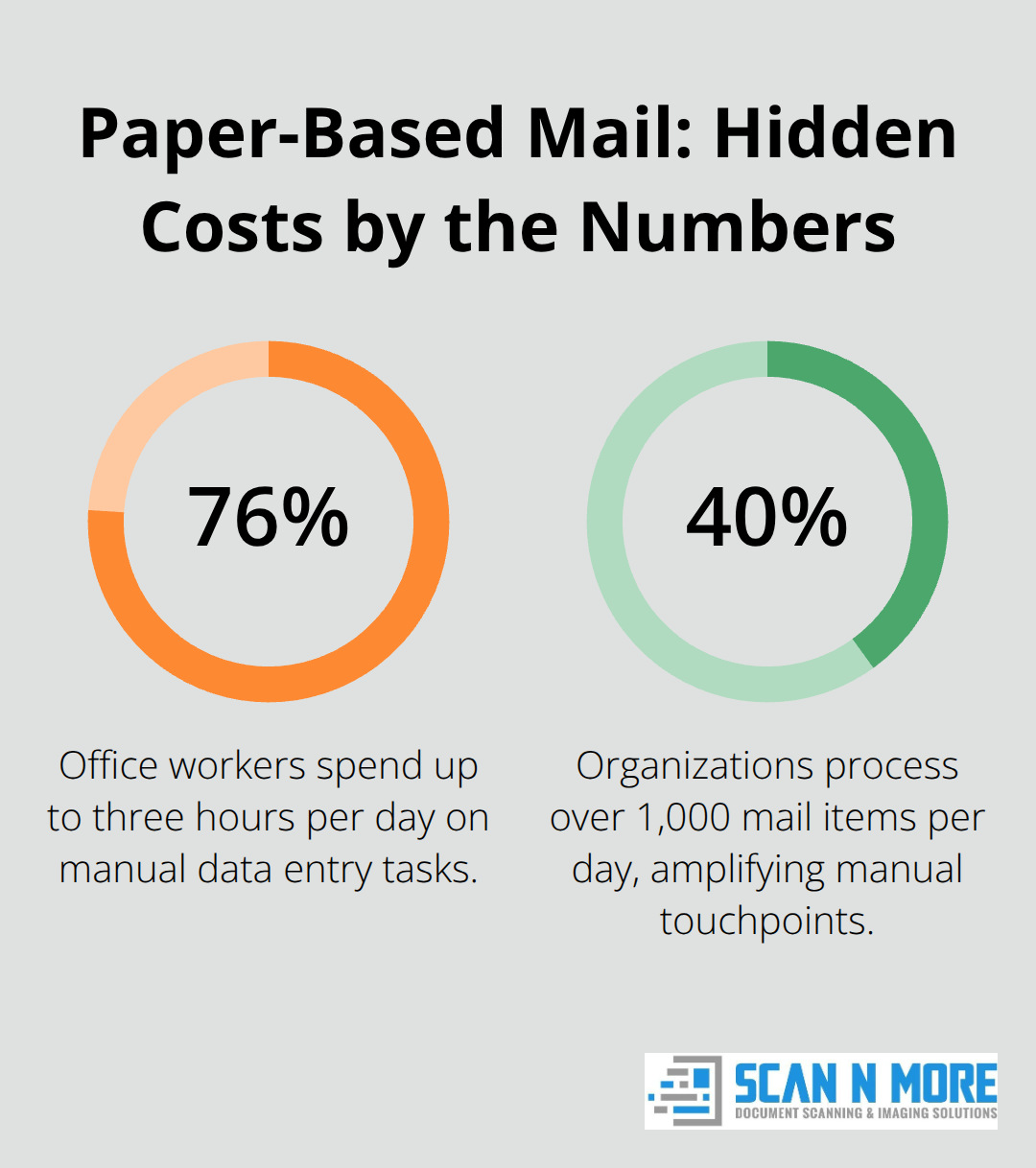
76% of office workers spend up to three hours per day performing manual data entry tasks. When mail arrives, staff manually sort, scan, and route it to departments in a central mailroom. This process introduces delays at every step. A single invoice might take three to five days to reach accounts payable because it sits in the sorting queue. Checks get lost in stacks. Contracts miss critical deadlines because they never reach the right person. The real cost isn’t just the time spent handling paper-it’s the decisions delayed, the payments missed, and the customer service failures that follow.
AIIM research found that 40 percent of organizations process over 1,000 mail items per day, and the volume of paper continues to increase. That’s thousands of manual touchpoints every week where errors can happen and bottlenecks can form.
Manual Data Entry Compounds the Problem
When staff transcribe information from physical mail into your systems, accuracy drops significantly. A mistyped invoice number, a wrong account code, or a transposed amount creates rework that cascades through your entire operation. These errors don’t just cost time-they damage relationships with vendors, delay payments, and create audit headaches. Your team wastes cognitive energy on administrative tasks instead of focusing on revenue-generating work.
How Digital Workflows Eliminate These Friction Points
When mail arrives at a scanning facility, trained professionals prioritize, index, and digitize it on the same day. Your team accesses scanned documents within hours, not days. Automated data extraction pulls key information directly into your accounting software, CRM, or case management system without manual transcription. Remote employees can access urgent documents from anywhere, which matters whether your team works hybrid or distributed.
The Financial and Environmental Impact
Physical mailroom operations drain resources through staff salaries, facility space, storage cabinets, and document destruction services. Organizations that implement mail scanning can save as much as $48,000 per year by going paperless. They reclaim office space that now serves collaboration instead of filing. Less paper means lower waste disposal costs and a smaller carbon footprint.
These operational improvements set the stage for implementing a mail scanning service effectively. The next section covers the specific practices that ensure your transformation succeeds.
How Mail Scanning Transforms Your Document Processes
Capture and Indexing at the Source
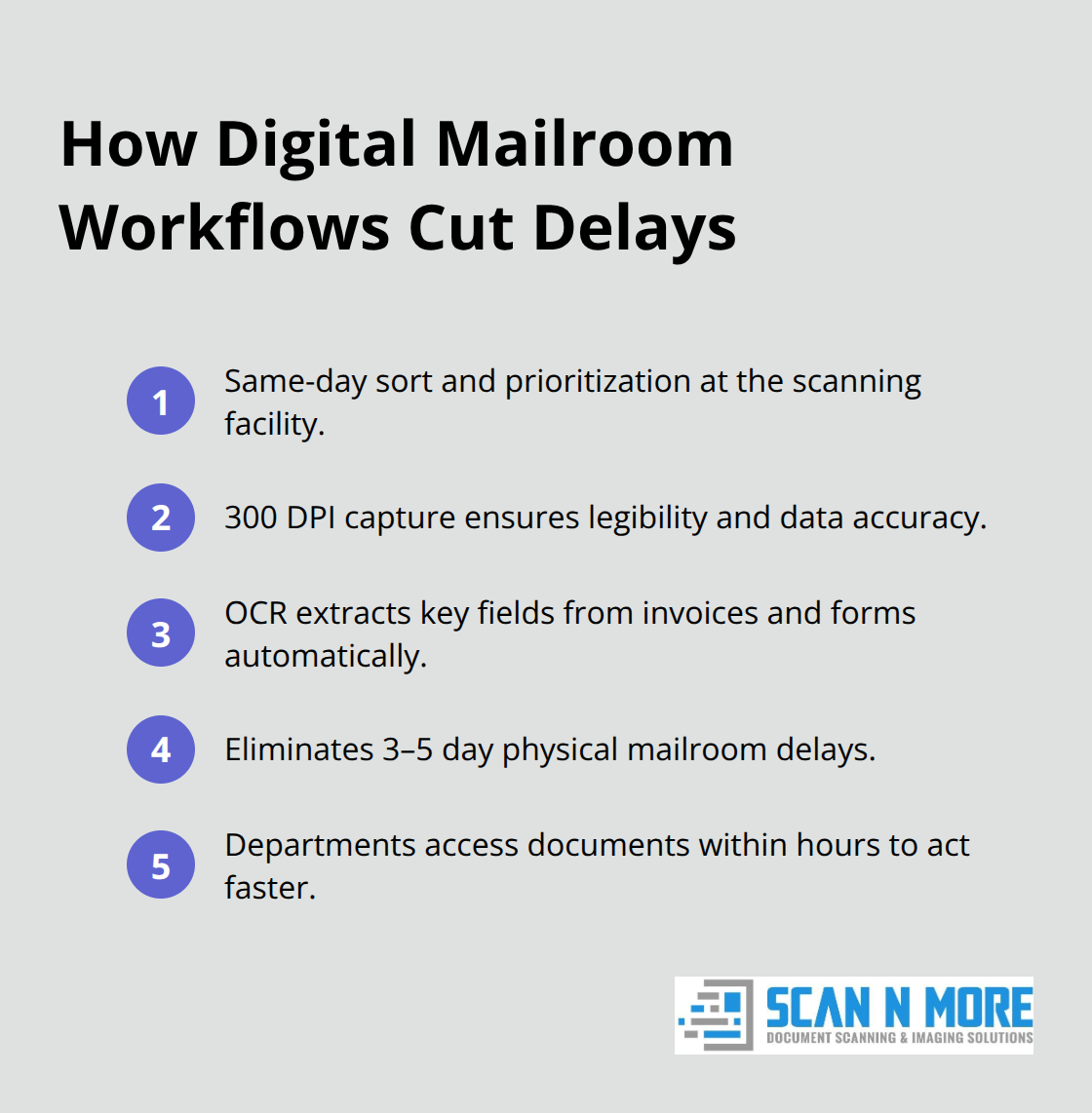
Mail arrives at a scanning facility where trained professionals sort and prioritize it on the same day. High-quality scanners capture each piece at 300 DPI, ensuring legibility for both human review and automated data extraction. Optical character recognition technology automates data extraction from various documents, including invoices, converting them into machine-readable text quickly and accurately. This process eliminates the three to five day delay that typically occurs when mail sits in your physical mailroom. Departments receive documents within hours, not days, which means accounts payable processes invoices faster, HR onboards new employees without waiting for paperwork, and legal teams access contracts before deadlines pass.
Real-Time Access Across Your Organization
The speed advantage compounds when your team works remotely or distributed across multiple locations. A finance manager approves an invoice from her phone the moment it arrives. A field representative accesses a customer contract without returning to the office. This real-time access prevents the bottlenecks that plague paper-based workflows. Employees gain immediate visibility into documents that previously sat in sorting queues, transforming how quickly your organization responds to time-sensitive matters.
Intelligent Routing Eliminates Manual Sorting
When documents are scanned, metadata tags and automated rules direct each piece to the correct department folder or workflow. An invoice automatically routes to accounts payable. A benefits form routes to HR. A check routes to the cash application team. This intelligent routing eliminates manual sorting and the errors that come with it. Organizations reduce document processing time by 40 percent simply because the right person receives the right document on the first attempt.
Integration: The Make-or-Break Factor
Integration capabilities determine whether your transformation delivers results or creates new problems. Your scanning service must connect seamlessly with your existing systems. If your accounting software doesn’t receive invoice data automatically, your team still manually enters information, and you’ve solved only half the problem. The best scanning providers offer pre-built integrations with major ERP, CRM, and accounting platforms, or they provide APIs that allow your IT team to build custom connections. Without integration, mail scanning becomes a document storage solution rather than a transformation. With integration, it becomes a workflow accelerator that touches every part of your operation.
Setting Up for Success
The most successful implementations focus on speed and accuracy rather than perfection. Your scanning partner should prioritize high-quality capture and reliable routing over unnecessary complexity. These technical foundations matter because they determine whether your team actually uses the system and whether you see measurable improvements in processing time and accuracy. The next section covers the specific practices that establish security and governance standards your organization needs to protect sensitive documents throughout the scanning process.
Securing Your Mail Scanning Implementation
Implementing a mail scanning service without establishing clear standards and security measures creates chaos. Documents sit in folders under inconsistent names, making them unsearchable. Sensitive information remains accessible to unauthorized staff. Your team resists the new system because no one trained them properly. These failures don’t stem from the technology-they stem from poor planning before the first document arrives at the scanning facility. Organizations that skip the groundwork spend thousands on scanning infrastructure only to watch adoption fail. The difference between a successful transformation and a failed one comes down to three decisions you make before scanning begins: how you’ll name and organize documents, how you’ll protect sensitive information, and how you’ll prepare your team for the shift away from paper.
How to Organize Documents So Your Team Actually Finds Them
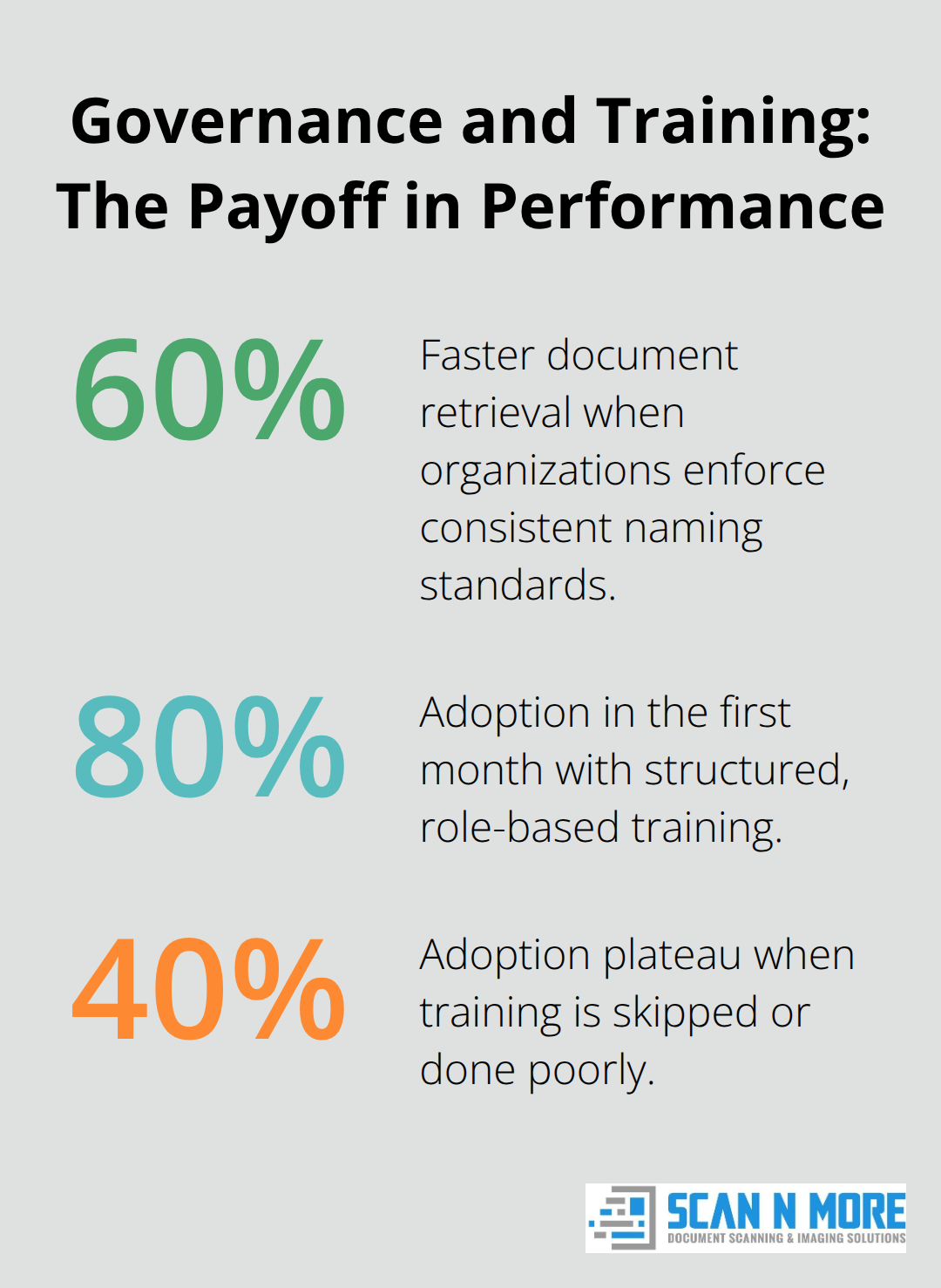
Inconsistent naming conventions destroy searchability faster than anything else. One department names invoice files as VENDOR_DATE_AMOUNT while another uses INVOICENUMBER_DEPARTMENT_DATE. Within months, your digital mailroom becomes a filing nightmare where documents exist somewhere but nobody can locate them. Establish a single naming standard across your entire organization before scanning starts. This standard should include vendor name, document type, date, and reference number in a fixed order. For example, use ACME_INVOICE_20260115_INV5847. This format ensures every invoice is findable through any search parameter. Assign one person responsibility for documenting and communicating this standard to all departments. Include this standard in your scanning partner’s setup process so they apply it consistently from day one. Organizations that enforce naming standards report 60 percent faster document retrieval compared to those that allow departmental variation. Faster retrieval directly reduces the time your team spends searching for information and accelerates downstream processes like invoice approval and contract review.
Protecting Sensitive Information Throughout the Scanning Process
Security protocols must address three stages: during scanning, in storage, and during access. At the scanning facility, your provider should maintain SOC 2 certification and require staff to sign confidentiality agreements. Documents containing personally identifiable information, payment card data, or protected health information require encryption both in transit and at rest. Set up granular access controls so employees see only documents relevant to their role. An accounts payable clerk should never access employee records. A recruiter should never view financial statements. Define these access rules before documents arrive and build them into your system configuration. Establish audit trails that track who accessed which documents and when. This creates accountability and simplifies compliance audits when regulators ask how you protect sensitive data. Organizations in healthcare and financial services require these controls to demonstrate HIPAA and PCI compliance. Even if your industry doesn’t mandate specific compliance standards, audit trails protect your organization from internal threats and document mishandling.
Making the Shift From Paper to Digital Actually Work
Training happens too late in most implementations. Organizations announce the new system on Monday and expect staff to use it on Tuesday. Your team has spent years moving mail from one physical location to another. Suddenly they’re expected to navigate a digital system with zero practice. Start training before the first document arrives. Show your team exactly where documents appear, how to search for them, and how routing works. Let them practice on sample documents in a test environment. Identify power users in each department-the people who embrace change naturally-and train them first. These champions become internal advocates who help colleagues navigate the system and answer questions. Conduct training in small groups organized by department, not large all-hands sessions. A finance team’s needs differ completely from HR’s needs. Department-specific training addresses actual workflows. After launch, keep training resources accessible. Create a quick reference guide with screenshots showing the most common tasks. Assign one person per department as the primary contact for questions. Organizations that invest in structured training see adoption rates above 80 percent within the first month. Those that skip training or do it poorly watch adoption plateau at 40 percent, meaning half your team still prints documents and handles paper because they never learned the digital alternative.
Final Thoughts
Paper-based mail processing wastes thousands of hours annually and introduces errors that compound across your organization. A mail scanning transformation eliminates these inefficiencies by converting physical documents into searchable digital files within hours instead of days. Your team stops sorting mail by hand and starts accessing the information they needs immediately, which accelerates every downstream process from invoice approval to contract review.
The financial impact proves substantial through lower staffing needs in physical mailrooms, eliminated storage expenses, and reduced document destruction fees. More importantly, faster document access accelerates decision-making because invoices reach accounts payable the same day they arrive, contracts reach legal teams before deadlines pass, and checks get processed without sitting in sorting queues. These speed improvements directly impact your bottom line through faster cash flow and fewer missed opportunities. We at Scan N More help organizations complete this transformation with professional document scanning services that handle all document formats while maintaining strict data security and compliance standards. Contact Scan N More to discuss how mail scanning can modernize your document processes and free your team to focus on work that drives revenue.