
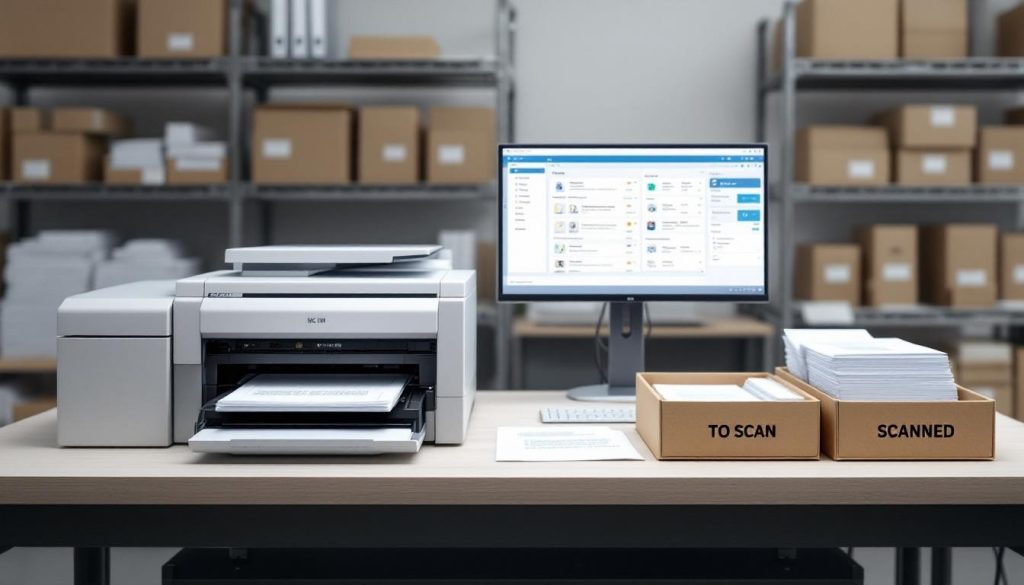
Businesses handling thousands of documents annually face a critical choice: continue drowning in paper or embrace bulk document imaging. We at Scan N More know that high-volume digitization isn’t just about going paperless-it’s about reclaiming time, cutting costs, and eliminating the errors that manual processing creates.
This guide walks you through the strategies, tools, and practices that make large-scale digitization work without the headaches.
What Makes Bulk Document Imaging Worth the Investment
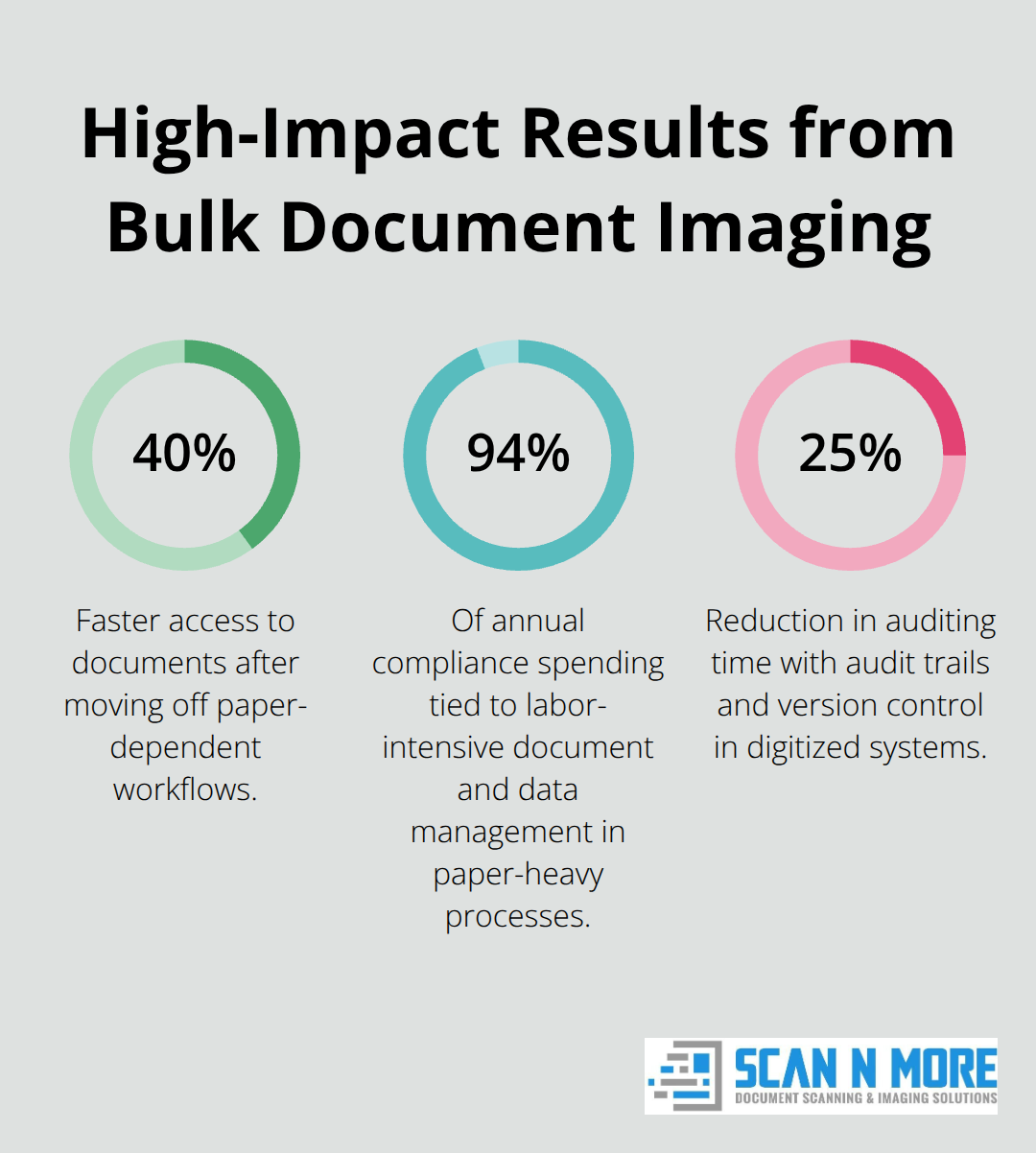
Bulk document imaging delivers measurable financial returns that extend far beyond simply storing files digitally. Organizations that shift from paper-dependent workflows report 40% faster access to documents and information, which translates directly into productivity gains. When employees spend less time hunting through filing cabinets or waiting for records to be retrieved, they spend more time on revenue-generating work. The math is straightforward: a mid-sized organization with 50 employees handling document requests could save roughly 26,000 hours annually just from centralized digital access. That’s not theoretical-companies implementing high-volume scanning see these gains materialize within months of going live.
The Real Cost of Staying Paper-Based
The financial case against paper is overwhelming. Organizations still holding onto paper-heavy processes face staggering compliance costs, with 94% of annual compliance spending tied directly to labor-intensive document and data management. Every hour spent manually sorting, filing, or retrieving documents is an hour not spent on strategic work. Storage costs compound the problem: physical documents require dedicated space, climate-controlled facilities, and regular off-site archival services. About half of global companies plan to cut office space by 2026, with reductions typically ranging from 10–20%, and digitization is the primary driver of these space reclamations. When you factor in the risk of document loss, water damage, or regulatory violations from inadequate record-keeping, the cost of inaction becomes untenable.
How Searchable Systems Transform Operations
The real advantage of high-volume digitization surfaces when documents move into searchable systems where they become actionable assets rather than static records. Intelligent document processing automates what would otherwise require manual data entry, eliminating transcription errors that plague paper-based operations. Scanned documents indexed with proper metadata turn a warehouse of information into a repository where finding a specific contract, invoice, or patient file takes seconds instead of hours. Organizations report productivity gains after implementing bulk scanning, driven by faster searches, reduced paper handling, and streamlined approval workflows.
Compliance and Accessibility Advantages
In regulated industries like healthcare and finance, digitized documents with complete audit trails and version control reduce auditing time by approximately 25%, cutting both the cost and complexity of compliance work. The accessibility factor matters equally: digital documents accessible from anywhere enable remote teams to collaborate without geographical constraints, which has become non-negotiable for hybrid work environments. These operational improvements set the stage for understanding how to plan and execute a large-scale digitization project without disrupting your business.
Planning and Executing Large-Scale Digitization Without Disruption
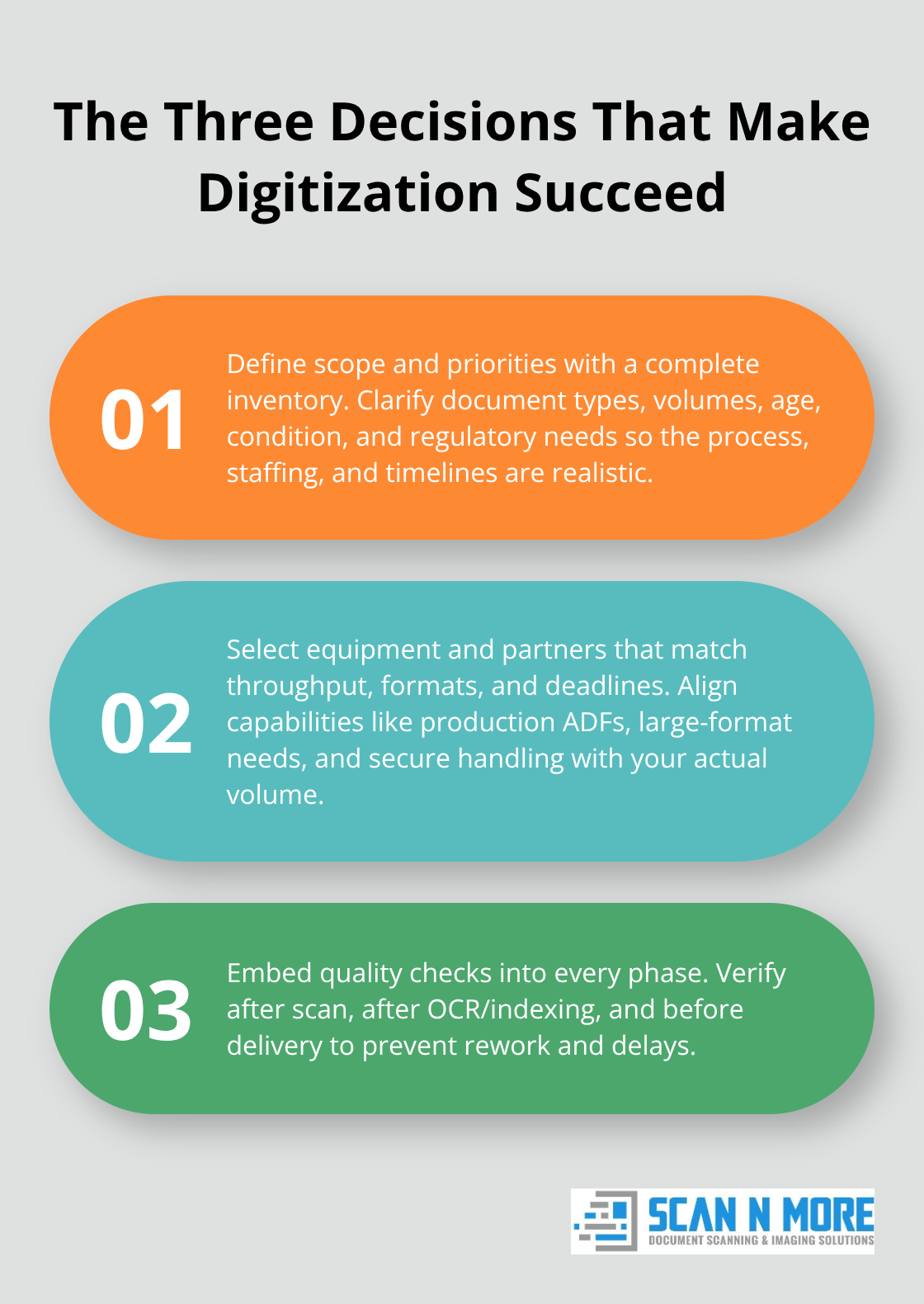
Success in bulk document imaging depends entirely on how well you plan before the first page hits a scanner. The difference between a project that runs smoothly and one that derails comes down to three concrete decisions: knowing exactly what you’re scanning, selecting equipment and partners that match your volume and timeline, and building quality checks into every phase of work.
Map Your Document Collection First
Start with a thorough inventory of your document collection. Categorize documents by type, age, condition, and regulatory requirements. This work directly determines your scanning approach, equipment choice, and staffing needs. A healthcare provider with 500,000 patient files faces entirely different challenges than a financial services firm with 200,000 invoices spanning 15 years. Knowing your document mix upfront prevents costly mid-project pivots.
Consider factors like whether documents are bound, fragile, oversized, or mixed in condition. San Luis Obispo County Assessor’s Office digitized 168,000 property files and achieved 98.6% accuracy partly because they invested time mapping their collection before scanning began. That level of accuracy doesn’t happen by accident-it comes from understanding your inventory deeply enough to design a process that handles your specific challenges.
Document your metadata strategy early too. Decide whether you’ll index by date, customer, project, employee, or another criterion. Simple indexing plans reduce costs significantly compared to overly granular schemes that require manual tagging of every document.
Choose Between In-House and Outsourced Scanning
The decision between in-house scanning and outsourced services isn’t about ideology-it’s about capacity and risk tolerance. High-volume projects typically require production-grade scanners with automatic document feeders that process thousands of pages daily, plus large-format equipment if you handle blueprints or maps. If you lack the capital for equipment or the space to operate scanning stations, outsourcing makes financial sense.
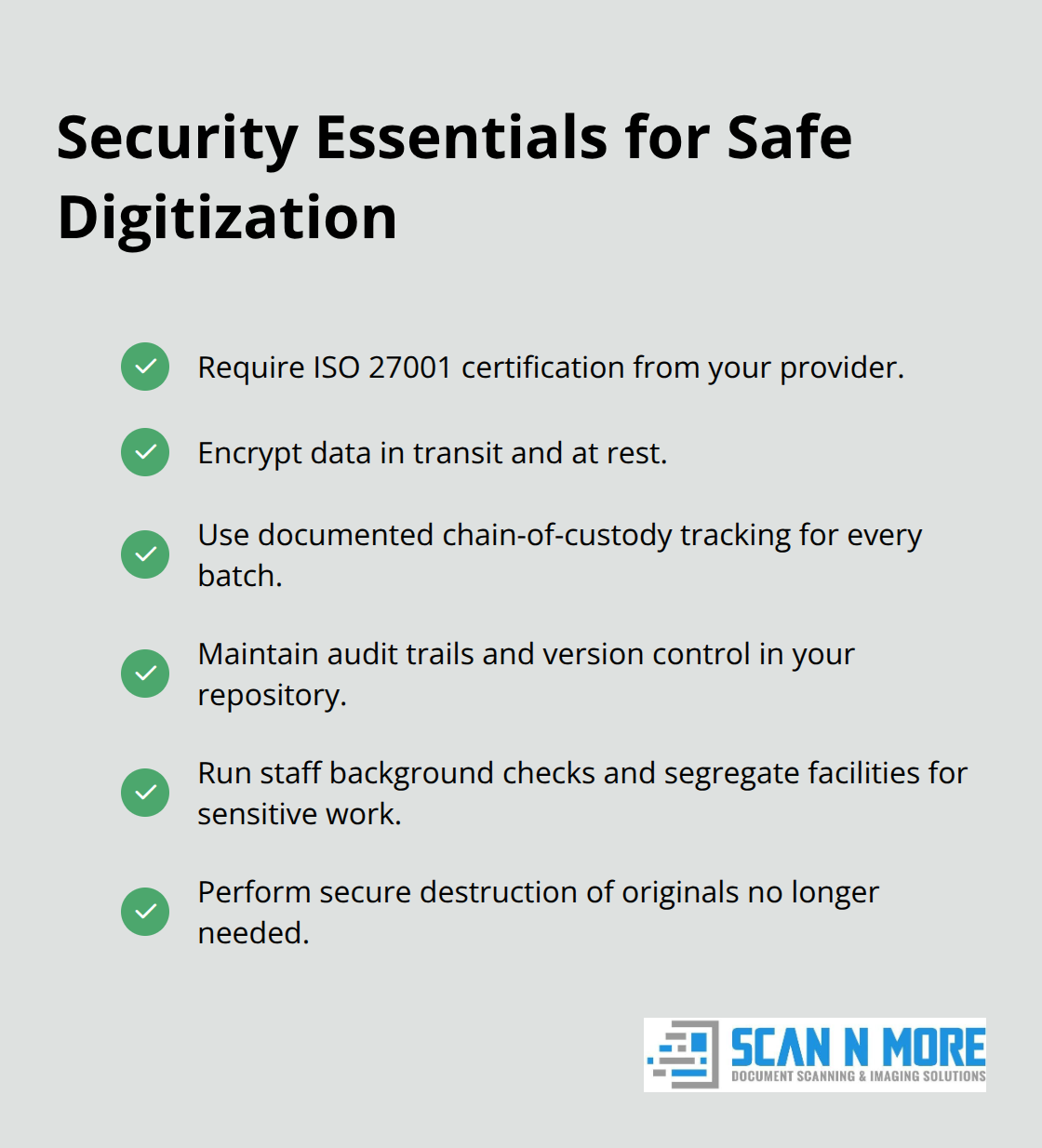
When evaluating service providers, demand ISO 27001 certification as a non-negotiable baseline, along with transparent security measures, documented chain-of-custody procedures, and verifiable client references. Ask potential partners how they handle exceptions-misfeeds, document jams, quality issues-because those exceptions directly impact your project timeline.
Build Quality Control Into Every Phase
Professional digitization requires more than just running documents through a scanner. Quality control measures throughout the scanning process prevent rework and keep projects on schedule. Implement verification checks at three critical points: after initial scanning to catch equipment errors, after OCR or indexing to verify data accuracy, and before final delivery to confirm the digital files match your requirements.
Organizations that treat quality control as a phase rather than a continuous process typically experience 15–20% rework rates that balloon project costs. Exception detection tools automatically flag potential problems-blank pages, skewed images, barcode misreads-and reduce manual QA burden while catching issues early. If you’re handling regulated documents like medical records or financial statements, build in a secondary review layer where a different team member validates a sample of scanned files against originals. This redundancy costs more upfront but prevents compliance violations that cost far more later.
Ensure Proper Delivery and Long-Term Access
Your final delivery format matters significantly. Ensure your service provider delivers files in standard formats like PDF or TIFF and stores them in systems where you can search, retrieve, and manage them long-term without vendor lock-in. Once your digitized documents are accessible and properly organized, the real challenge emerges: protecting that data and maintaining compliance as your organization grows and regulations evolve.
How to Handle Real-World Scanning Obstacles
Bulk document imaging introduces practical complications that planning alone cannot prevent. Mixed document sizes, fragile originals, security vulnerabilities, and retrieval bottlenecks emerge once scanning begins, and how you address them determines whether your project delivers promised efficiency gains or stalls mid-execution. Organizations that anticipate these obstacles and build specific countermeasures into their workflows complete projects on schedule and protect sensitive data throughout the process.
Sorting and Preparing Mixed Document Types
Documents rarely arrive uniform in size, condition, or sensitivity level. A typical corporate archive contains standard 8.5×11 office documents alongside 11×17 ledgers, fragile bound books, oversized blueprints, and damaged materials that cannot tolerate aggressive handling. Production scanners with automatic document feeders handle standard office documents efficiently, but mixed batches require operator intervention to separate document types and adjust settings mid-run, which slows throughput significantly.
Large-format scanners designed specifically for blueprints, maps, and engineering drawings become necessary when your collection includes these materials, adding equipment cost and requiring specialized operator training. The practical solution involves sorting documents into discrete batches before scanning begins, grouping standard office documents separately from oversized materials and fragile items. San Luis Obispo County Assessor’s Office achieved their 98.6% accuracy rate partly through rigorous pre-scanning preparation that removed staples, separated bound documents, and organized files by condition. This upfront work costs time but prevents scanner jams, misfeeds, and image quality problems that multiply costs during the scanning phase.
Exception detection tools automatically flag unusual pages (blank scans, severely skewed images, barcode read failures) and route them to operators for manual correction rather than letting flawed files propagate through your entire batch. Document preparation also includes deciding which materials warrant special handling or imaging formats. Healthcare providers scanning X-rays need DICOM format capability, not standard PDF output, which means your scanning partner must have specialized equipment and software. Legal firms preserving historical documents may require FADGI-compliant scanning that meets federal digitization standards for archival quality. Specify these requirements during partner selection, not after scanning begins.
Protecting Data Throughout the Digitization Process
Data security and compliance violations during digitization can expose your organization to regulatory penalties, client lawsuits, and operational disruption. Documents in transit between your facility and a scanning partner, stored on external hard drives, or staged in cloud environments before final delivery represent security exposure points where breaches occur. Demand that your service provider maintains ISO 27001 certification and implements encryption for data both in transit and at rest, with documented chain-of-custody procedures that track every document batch from intake through delivery.
Audit trails and version control within your digital storage system become non-negotiable once files enter your environment, allowing you to prove who accessed what information and when. Organizations handling HIPAA-regulated healthcare records or PCI-compliant financial data must verify that their scanning partner conducts background checks on all staff with document access and maintains segregated facilities where sensitive materials never intermingle with non-confidential batches. For documents you no longer need after digitization completes, secure destruction (not dumpster disposal) protects against data recovery attempts by unauthorized parties.
Optimizing Retrieval Through Strategic Indexing
Once digitized files enter your organization, retrieval efficiency depends entirely on how thoroughly you indexed them during the scanning process. Simple indexing by date range and document type enables faster searches than systems requiring manual categorization of every page, yet overly simplistic indexing creates retrieval chaos where employees cannot locate needed files without operator assistance. Try the balance by indexing on fields that match how your team actually searches for documents: by customer name in client-facing operations, by project code in engineering environments, by employee ID in HR archives.
Metadata discipline from project launch prevents the costly rework of re-indexing millions of pages after scanning completes. Cloud-based document management platforms with searchable full-text indexing eliminate the retrieval delays inherent in physical file systems, but vendor lock-in remains a genuine risk if you choose a proprietary platform that makes exporting your data difficult or expensive. Demand that your digital storage solution delivers files in standard formats like PDF or TIFF that you can access independently of any single vendor’s software, preserving your organization’s ability to migrate platforms if service quality or pricing deteriorates.
Final Thoughts
Bulk document imaging transforms how organizations manage information, but success requires more than purchasing equipment or hiring a vendor. The real payoff comes from treating digitization as a strategic project with clear planning, quality discipline, and the right partner handling the technical work. Organizations that complete high-volume scanning projects recover thousands of hours annually through faster document retrieval, eliminate the compliance costs buried in paper-based workflows, and reclaim physical space that can be repurposed or eliminated entirely.
Starting your digitization journey begins with honest assessment of your document collection and realistic evaluation of your internal capacity. If you lack production-grade scanning equipment or dedicated staff to manage high-volume projects, outsourcing eliminates the capital investment and operational complexity while accelerating your timeline. The key is selecting a partner with documented security practices, transparent processes, and proven experience handling your specific document types and compliance requirements (including ISO 27001 certification as a baseline standard).
Professional scanning services handle the technical complexity that derails many in-house projects, managing equipment maintenance, operator training, quality control, and secure data handling so your team focuses on integrating digitized files into your workflows. We at Scan N More specialize in transforming paper-based processes into digital solutions through professional document scanning services that address the full lifecycle of document management, from intake through secure disposal. Contact Scan N More to discuss your specific needs and timeline.