
Paper documents pile up fast in any business, creating storage headaches and slowing down workflows. Converting physical files to digital formats saves space and improves accessibility.
We at Scan N More see companies struggle with inefficient document scanning and imaging processes daily. The right approach can transform how your team handles information while cutting operational costs significantly.
What Equipment and Settings Work Best for Scanning?
Scanner Selection Based on Document Volume
High-volume businesses need scanners that handle 20,000 pages daily without breaking down. The Ricoh fi-8170 processes 70 pages per minute with duplex capability, which makes it ideal for enterprises that manage large document loads. Small offices that scan fewer than 500 pages weekly can use desktop models like the Epson WorkForce ES-400, which costs 80% less than production scanners while it maintains adequate speed.
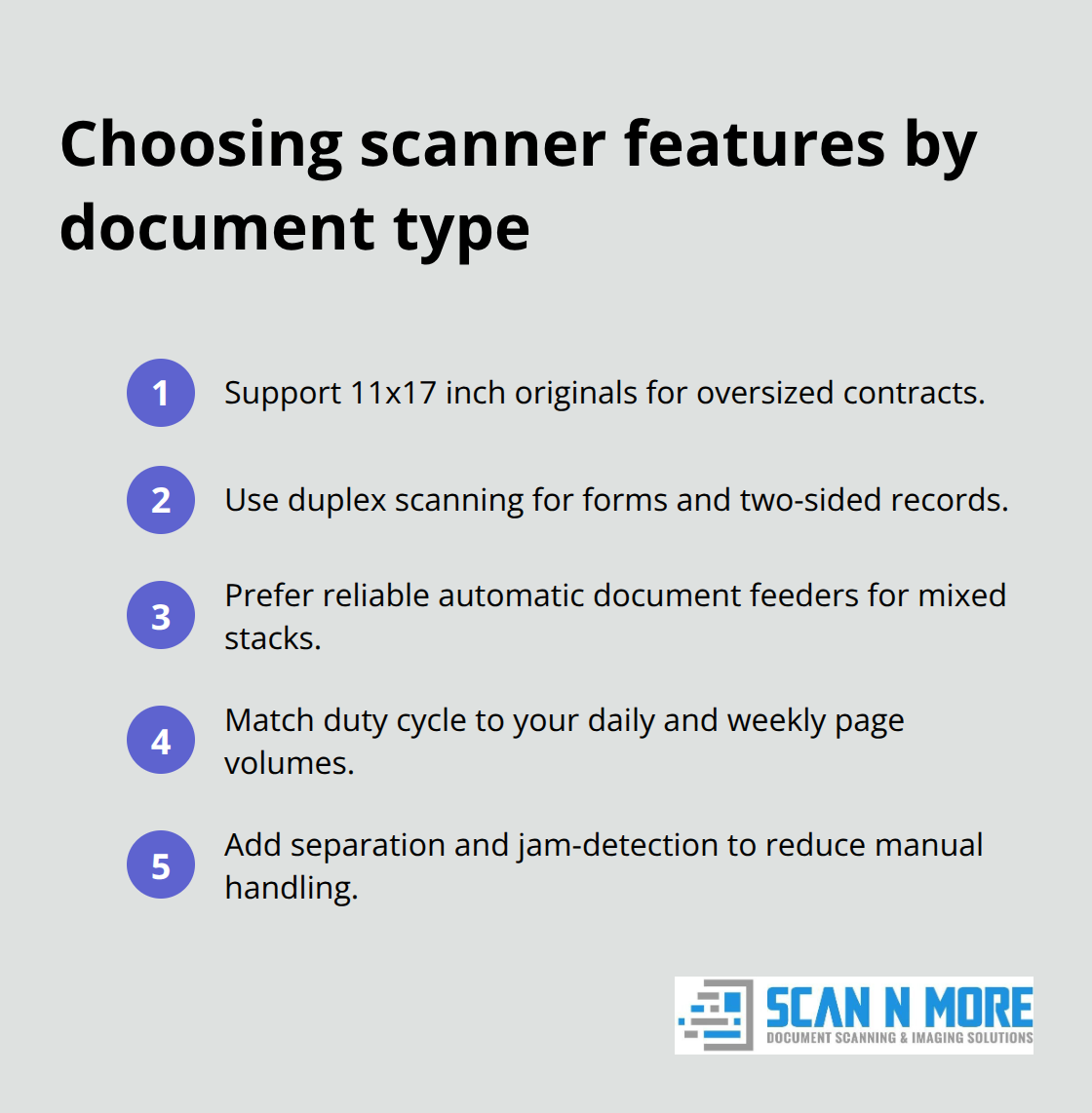
Document types determine scanner features more than volume alone. Legal firms need 11×17 inch capability for oversized contracts, while medical practices require duplex functionality for insurance forms. Mixed document environments benefit from automatic document feeders that separate pages without manual intervention (this reduces processing time by 40% according to industry studies).
Resolution and File Size Management
Set text documents to 300 DPI for optimal character recognition without oversized files. Photos and graphics need 600 DPI minimum, but anything higher creates files too large for efficient storage and sharing. Black and white mode reduces file sizes by 85% compared to color options while it maintains text clarity for most business documents.
OCR accuracy is significantly influenced by the quality of document input, which makes documents unsearchable and defeats digitization benefits when resolution is too low. Test different settings with sample documents to find the sweet spot between quality and storage efficiency. Most organizations waste 30% of server space on unnecessarily high-resolution scans that provide no additional value.
File Organization Systems That Work
Create folder structures based on document creation dates rather than arbitrary categories. Monthly folders like 2024-11 prevent endless subfolder nesting that confuses users and slows retrieval. Name files with date-first format: 2024-11-15_InvoiceABC123 enables chronological sorting and quick location of specific documents.
Standardize conventions across all departments to prevent chaos when employees change roles. Include document type, date, and unique identifier in every filename (this system cuts document retrieval time from minutes to seconds and eliminates duplicate scans of misplaced files).
Quality Control Before You Scan
Remove staples, paper clips, and sticky notes before you feed documents into scanners. These items cause jams that damage both equipment and documents. Straighten bent pages and separate stuck sheets to prevent multiple pages from feeding together. Clean scanner glass weekly to avoid streaks and spots that require rescans.
Check document orientation before batch processing starts. Mixed orientations create inconsistent digital files that need manual correction later. Sort documents by size when possible – this prevents smaller items from getting lost behind larger pages during automatic feeding.
These preparation steps connect directly to the quality control processes that transform good scans into professional digital archives.
How Do You Turn Scans Into Professional Digital Assets
Quality Control That Actually Works
Post-scan review determines whether your digitization effort succeeds or fails. Check every scanned batch within 24 hours while source documents remain available for rescans. Examine thumbnail previews at 100% zoom to spot alignment issues, missing pages, or poor contrast before you finalize files. Skewed pages impact OCR performance, which makes text searches less effective.
Implement a three-point verification system: visual clarity check, page count confirmation, and OCR readability test. Documents with handwritten text or faded content need manual review since automated systems miss problematic scans. Set minimum standards like 300 DPI resolution and high OCR confidence levels – anything below these thresholds goes back for rescans.
OCR Technology That Works Every Time
Adobe Acrobat Pro delivers high accuracy rates for clean business documents, while free alternatives like Tesseract achieve lower accuracy on the same files. This difference translates to less reliable search results and frustrated employees who cannot locate information quickly. Commercial OCR software handles multiple languages and document layouts without constant manual corrections.
Process OCR immediately after scans while image quality settings remain fresh in memory. Batch processing saves significant time compared to individual file conversion, but split large batches into manageable groups to prevent software crashes that corrupt entire sets. Clean scanned images before OCR processing – noise removal and contrast adjustment improve text recognition compared to raw scanner output.
Storage Systems That Scale
Cloud storage costs have decreased significantly in recent years, which makes services like Microsoft SharePoint and Google Workspace more economical than local server maintenance for most businesses. Set up automated daily backups with version control to prevent data loss from accidental deletions or system failures. Local backup systems fail more often than cloud solutions according to recent industry data.
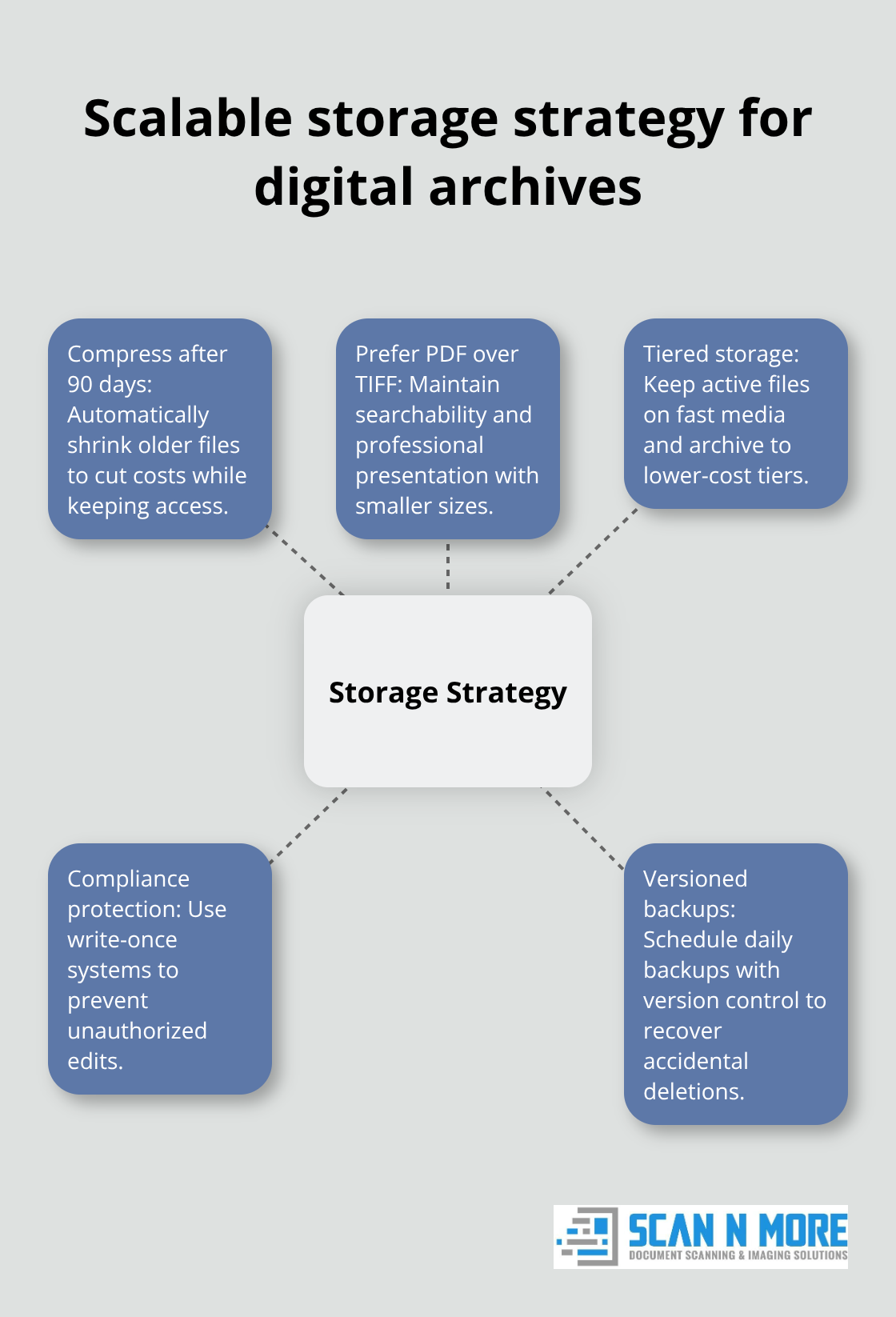
Configure automatic file compression for documents older than 90 days to reduce storage costs without lost accessibility. PDF files compress significantly smaller than TIFF formats while they maintain searchability and professional appearance. Create separate storage tiers: active documents on fast access drives, archived files on slower but cheaper storage, and legal compliance documents on write-once systems that prevent unauthorized changes.
Professional document scanning services require more than just good scans and storage – the real value comes from smart cost analysis that helps you choose the right approach for your specific needs.
When Should You Outsource Document Scanning
Professional Services vs Internal Operations
In-house scanning makes financial sense only when your monthly volume exceeds 10,000 pages and you have dedicated staff for the task. Companies that scan fewer documents pay more per page with internal operations due to equipment depreciation, maintenance costs, and employee training time. Professional services charge between $0.10-$0.30 per page, which includes equipment, labor, quality control, and storage – costs that quickly exceed internal expenses for smaller volumes.
Professional services complete projects 300% faster than internal teams because they use industrial equipment and trained operators. The Ricoh fi-8170 scanner processes 70 pages per minute in professional settings, while typical office scanners handle 15-20 pages per minute. Professional services also provide compliance guarantees for industries like healthcare and legal, which eliminates liability risks that internal operations cannot match.
Batch Processing Economics
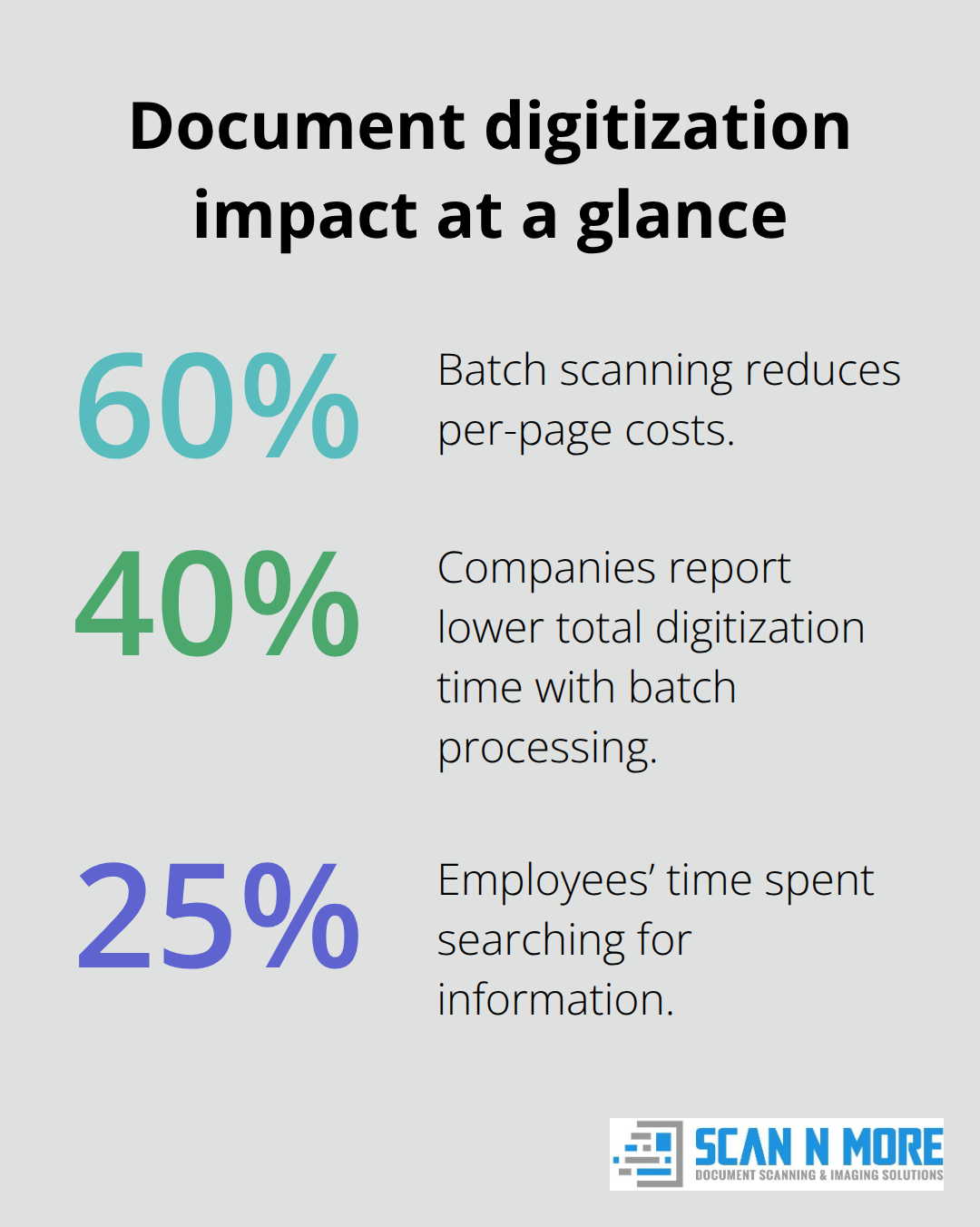
Batch scanning reduces per-page costs by 60% compared to individual document processing. Process documents in groups of 500-1,000 pages to maximize efficiency while you maintain quality control oversight. Large batches above 2,000 pages create bottlenecks when errors occur, since entire batches need reprocessing rather than small corrections.
Schedule batch processing during off-peak hours to avoid workflow disruptions. Document preparation takes 2-3 times longer than actual scanning, so dedicate separate staff for sorting, staple removal, and quality checks. Companies that implement batch processing report 40% reduction in total digitization time compared to ad-hoc approaches.
Digital Transformation Returns
Calculate ROI based on storage space savings, retrieval time reduction, and compliance cost avoidance rather than just expenses. Physical document storage costs $3-5 per square foot annually, while digital storage costs less than $0.01 per gigabyte. A typical filing cabinet holds 2,000-3,000 documents that convert to approximately 2GB of digital storage (this represents massive space savings for most offices).
Employee productivity improvements generate the highest returns from digitization projects. Employees spend almost 25% of their time searching for information, making digital retrieval essential for productivity gains. Intelligent document scanners deliver immediate ROI by dramatically reducing staffing needs and boosting processing throughput.
Final Thoughts
Document scanning and imaging transforms paper chaos into organized digital assets that boost productivity and cut costs. The right scanner selection, optimal resolution settings, and consistent file organization create the foundation for successful digitization projects. Quality control processes prevent costly rescans while OCR technology makes documents searchable and accessible.
Automated backup systems protect your investment and maintain business continuity. Professional services often deliver better value than internal operations for companies that process fewer than 10,000 pages monthly. Digital transformation generates measurable returns through reduced storage costs, faster document retrieval, and improved employee productivity (companies report significant operational improvements within months of deployment).
Organizations that implement streamlined processes see immediate benefits from their digitization efforts. Modern technology eliminates the inefficiencies that plague paper-based workflows. Scan N More provides professional document scanning services with quality and compliance for all document formats.