
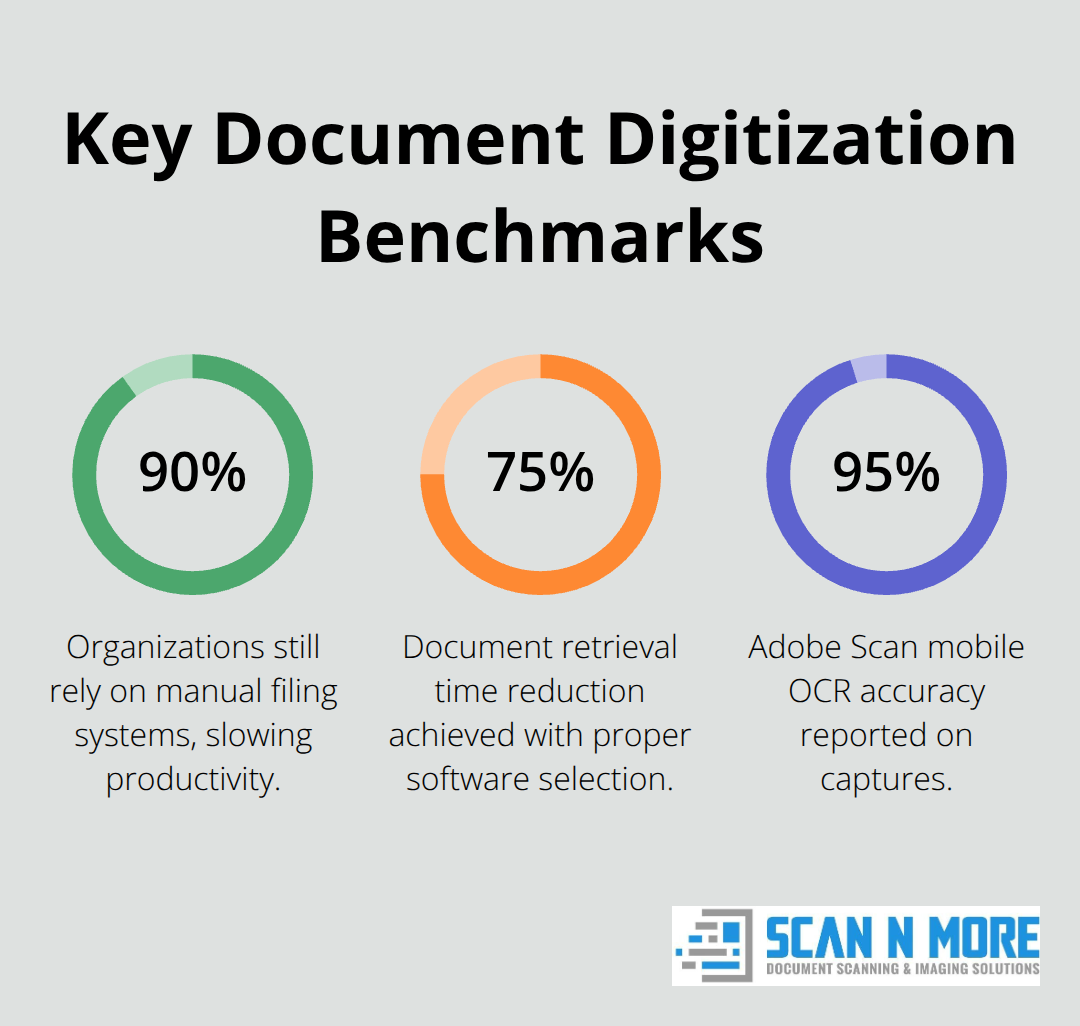
Businesses process over 2.5 billion documents daily, yet 90% still rely on manual filing systems that waste countless hours. The right document scanning and indexing software transforms this chaos into organized, searchable digital archives.
We at Scan N More have seen companies reduce document retrieval time by 75% with proper software selection. The key lies in understanding which features matter most for your specific workflow and compliance requirements.
Key Features to Look for in Document Scanning Software
OCR Accuracy Powers Document Recognition
OCR technology forms the backbone of effective document scanning solutions. ABBYY FineReader delivers advanced AI OCR solutions for software developers, while Adobe Scan reaches 95% accuracy on mobile captures. Multi-language support becomes essential when you handle international documents – software must recognize at least 50 languages to meet modern business needs.
Companies that process invoices in multiple languages report fewer data entry errors when they use advanced OCR systems compared to basic recognition tools. The software converts scanned images into searchable, editable text that eliminates manual retyping and reduces human error rates significantly.
Batch Processing Accelerates Document Workflows
Modern businesses cannot afford single-document processing methods. Effective software handles high-volume document processing through batch operations. PaperScan and similar enterprise tools process entire file cabinets overnight, while basic solutions struggle with smaller batches.
Automated workflows eliminate manual sorting by routing scanned documents based on content type, sender, or date ranges. Organizations that use automated document routing see significant reduction in processing time. Smart software detects document boundaries automatically, separates multi-page files, and applies appropriate metadata without human intervention.
Integration Capabilities Shape System Performance
Document scanning software must connect seamlessly with existing systems or risk creating data silos. Direct integration with Microsoft 365, Google Workspace, and major CRM platforms eliminates file transfer steps that waste valuable time. API availability allows custom connections to proprietary systems – particularly important for specialized industries.
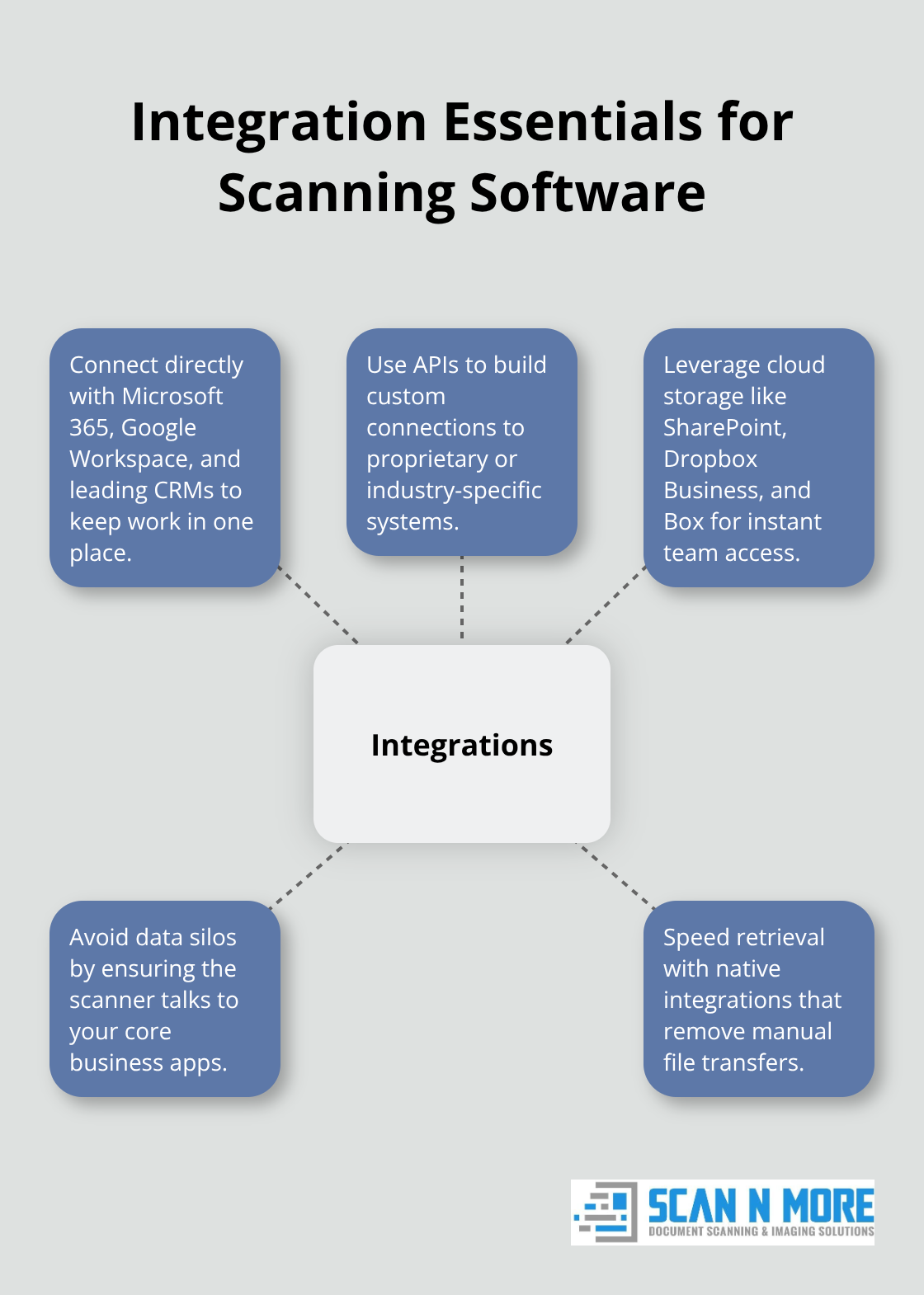
Cloud storage integration with platforms like SharePoint, Dropbox Business, and Box enables instant document access across teams. Companies report faster document retrieval when scanning software integrates directly with their primary business applications rather than requiring separate uploads or transfers.
These technical capabilities set the foundation for effective document management, but the real value emerges when you examine how software organizes and retrieves your digitized content.
Evaluating Indexing and Search Functionality
Metadata Management Powers Document Intelligence
Smart indexing transforms scanned documents from digital paperwork into searchable business intelligence. Metadata fields capture document attributes like creation date, department, client name, and document type during the scan process. Metadata scanning enhances accessibility and streamlines search and retrieval processes, opening up new possibilities for document management.
Nanonets automates data extraction from invoices and contracts, while Swift Scan connects metadata directly to cloud storage systems for instant access. Custom field creation allows businesses to tag documents with industry-specific information (project codes, client references, or regulatory categories) that standard software overlooks.
Advanced Search Separates Professional Tools
Full-text search capabilities scan entire document contents, not just filenames or basic tags. Adobe Scan provides keyword search within PDFs, while ABBYY FineReader offers boolean search operators that combine multiple criteria. Professional software searches through document text, metadata, and even handwritten notes when OCR technology supports it.
Search filters narrow results by date ranges, document types, or specific departments. Organizations that process complex document workflows need search functions that locate files through multiple criteria simultaneously rather than simple keyword matching.
Document Classification Automates Organization
Document classification systems automatically sort files by type, sender, or content patterns. Organizations that process large volumes of documents need auto-tagging features that apply consistent labels based on document content recognition. MyQ provides secure classification with user authentication, which prevents unauthorized access to sensitive documents during automated processing.
Smart classification reduces manual sorting time and maintains consistent file organization across departments. Software learns from user corrections and improves accuracy over time, adapting to specific business terminology and document patterns.
These search and indexing capabilities create the foundation for efficient document retrieval, but they mean nothing without proper security measures that protect your digital assets from unauthorized access and data breaches.
Security and Compliance Considerations
Document security failures cost businesses significant amounts per data breach according to IBM’s reports. Document scanning software handles your most sensitive information – financial records, medical files, legal contracts, and personal data that criminals actively target. Software without proper encryption transforms your digital transformation into a security nightmare.
Data Protection Requires Military-Grade Security
End-to-end encryption protects documents during transmission and storage, while role-based access controls limit file visibility to authorized personnel only. MyQ implements user authentication with audit trails that track every document interaction, which prevents unauthorized access to confidential materials. Software must encrypt data with AES-256 standards – anything less exposes your organization to preventable security risks.
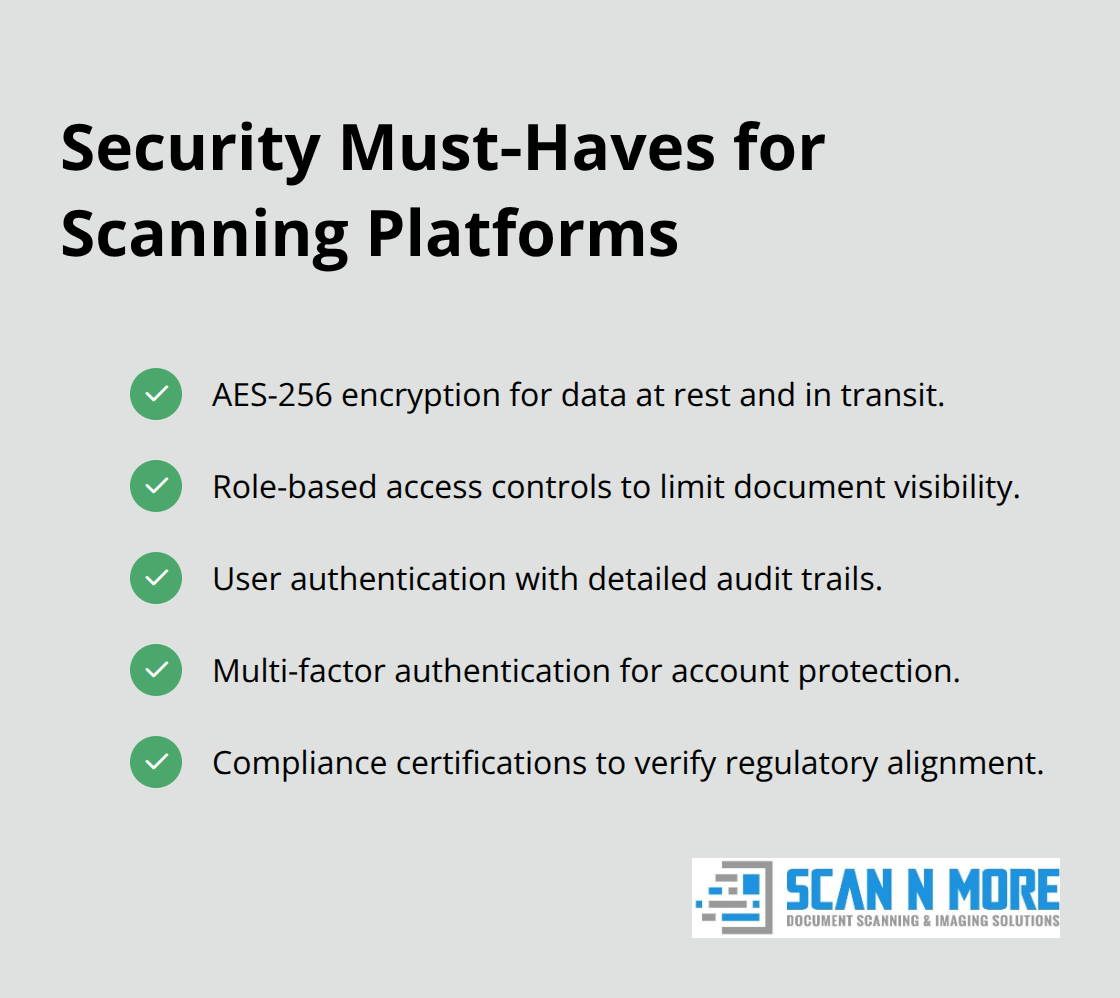
Multi-factor authentication adds another security layer that requires secondary verification beyond passwords. This approach prevents attacks effectively through proper implementation. Professional document scanning combines these security measures to create comprehensive protection systems that safeguard sensitive business documents.
Regulatory Compliance Demands Specific Features
HIPAA compliance requires healthcare organizations to use software with encrypted storage, access logs, and automatic data retention policies. Financial institutions need software that meets SOX requirements through detailed audit trails and tamper-proof document versions. GDPR compliance mandates data processing transparency, user consent tracking, and the right to deletion – features that basic software completely lacks.
Software vendors must provide compliance certifications rather than vague security promises that offer no legal protection during regulatory audits. Organizations face substantial penalties when they use non-compliant software that fails to meet industry standards.
Version Control Prevents Document Chaos
Professional document management tracks every file modification with timestamps, user identification, and change descriptions that create comprehensive audit trails. Version control prevents accidental overwrites and maintains document history for legal discovery processes. ABBYY FineReader provides detailed version capabilities while Klipka DocHorizon offers automated backup systems that protect against data loss.
Organizations that handle contracts or regulatory documents need software that maintains original document integrity while it allows controlled modifications through approval workflows. These systems prevent unauthorized changes and maintain complete records of document evolution (essential for security and compliance and business continuity).
Final Thoughts
Document scanning and indexing software selection demands careful evaluation of technical capabilities against business requirements. OCR accuracy above 95%, batch processing features, and seamless system integration create the foundation for effective solutions. Advanced search functionality with metadata management transforms scanned documents into searchable business intelligence that drives operational efficiency.
Security features protect organizations from costly data breaches through AES-256 encryption, role-based access controls, and compliance certifications. Version control and audit trails maintain document integrity while they meet regulatory requirements across industries. Implementation success depends on thorough needs assessment before software selection occurs.
Test OCR accuracy with your actual document types, verify integration capabilities with existing systems, and validate security features against industry standards. Staff training and gradual rollout prevent workflow disruptions during transition periods (essential for smooth digital transformation). Scan N More provides professional document scanning services that transform paper-based processes into secure digital solutions for successful business modernization.