
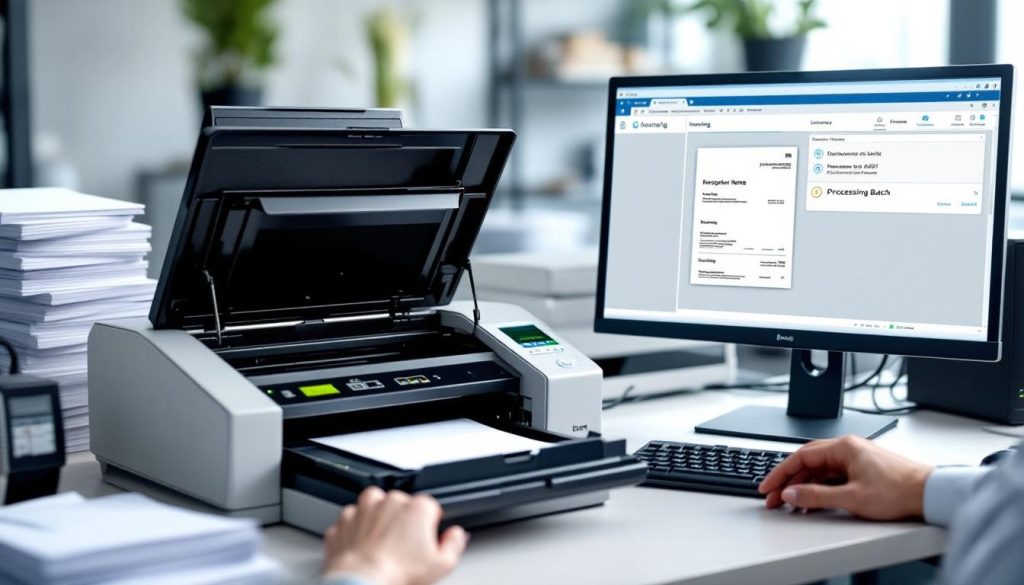
Businesses waste thousands of hours each year processing incoming mail manually. At Scan N More, we’ve seen firsthand how mail scanning for businesses transforms operations by cutting through the paperwork chaos.
When you digitize your mail, you eliminate data entry errors and free your team to focus on work that actually matters. The result is faster processing, cleaner data, and significantly lower costs.
Why Mail Scanning Transforms Your Operations
The Hidden Cost of Manual Mail Processing
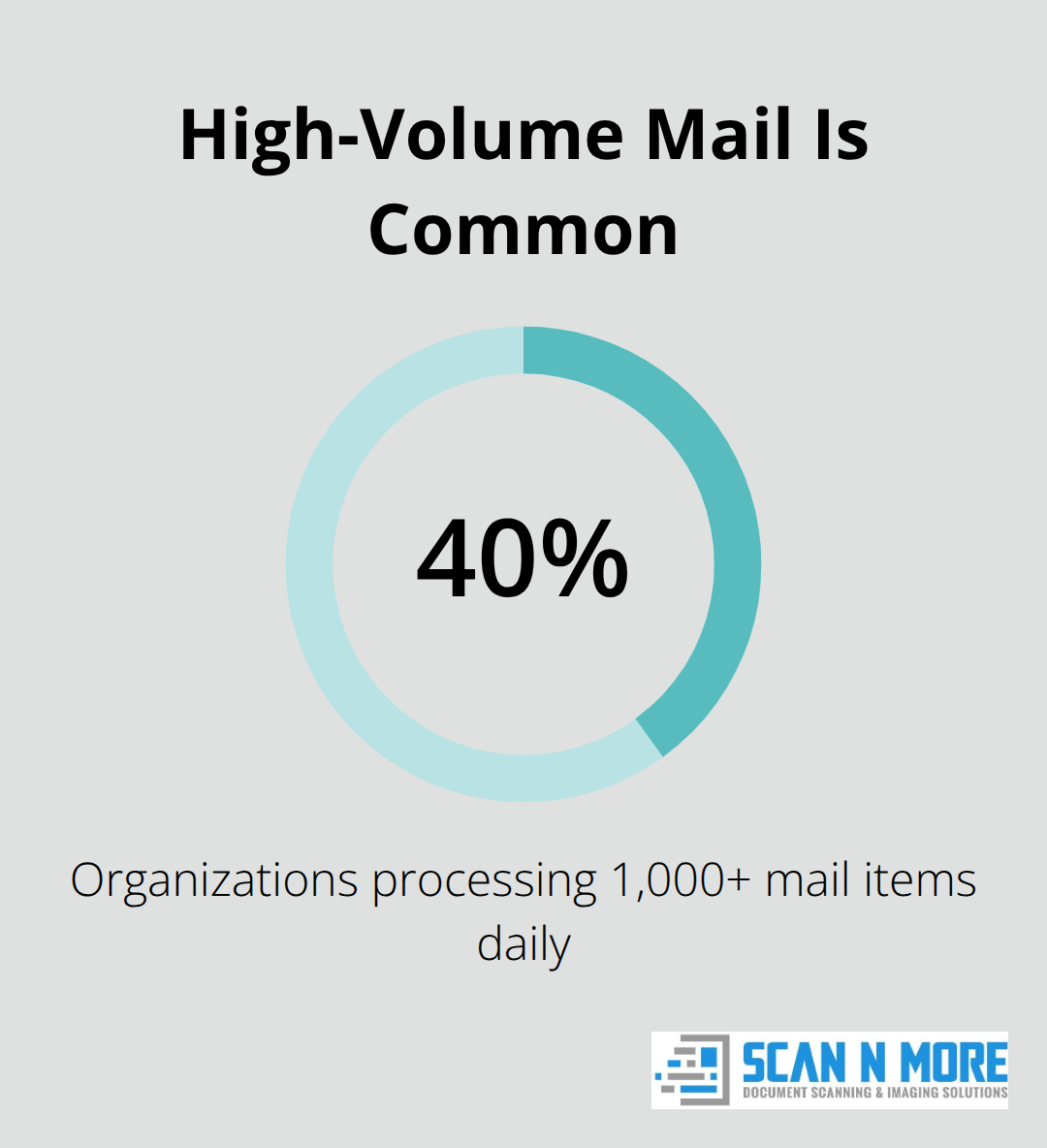
Manual mail processing drains resources that most businesses never quantify. According to AIIM, 40% of organizations process over 1,000 mail items daily, yet most still rely on staff to open envelopes, read documents, and type information into systems. Each person who handles mail introduces opportunities for transcription errors, misrouted documents, and lost time.
When your team spends hours sorting physical mail instead of solving actual business problems, productivity collapses. Mail scanning eliminates this bottleneck entirely. Documents arrive digitized and searchable within hours, not days. Your staff accesses invoices, contracts, and statements from any device without walking to a filing cabinet or waiting for someone to locate a physical folder.
How Digitization Improves Data Accuracy
Data quality improves dramatically once mail becomes digital. Handwritten addresses get misread, invoice numbers get transposed, and critical details slip through because they’re buried in a stack on someone’s desk. Optical Character Recognition converts scanned pages into searchable, structured data with 99%+ accuracy. This means your accounting team can search for a specific invoice by amount or date in seconds instead of hours. The system captures information consistently, preventing the duplicate records and data inconsistencies that plague manual entry workflows.
Eliminating Physical Storage and Overhead
Physical storage costs vanish when you digitize mail. A typical office processes thousands of pages annually, requiring filing cabinets, dedicated storage rooms, and staff time to organize and retrieve documents. Organizations reduce their physical footprint, lower their environmental impact, and free up valuable office space. More importantly, scanned mail integrates directly with your existing systems-your ERP, accounting software, or CRM-so data flows automatically into the places where it matters.
Accelerating Approval and Payment Cycles
Integration prevents duplicate records, standardizes how information enters your systems, and accelerates approval workflows. When your AP team can instantly access a scanned invoice and match it to a purchase order without manual searching, payment cycles compress from weeks to days. This speed matters most when you’re managing time-sensitive documents (contracts, claims, statements) that require immediate attention and routing to the right department.
How Mail Scanning Turns Raw Documents Into Structured Data
Scanned mail only delivers value when the system converts images into data your business can actually use. Raw PDFs sitting in a folder accomplish nothing. What matters is extracting information accurately, categorizing documents automatically, and validating quality before documents enter your workflows. The scanning process itself is just the first step-what follows determines whether your team gains hours back or wastes time correcting errors.
OCR Accuracy Demands More Than Standard Automation
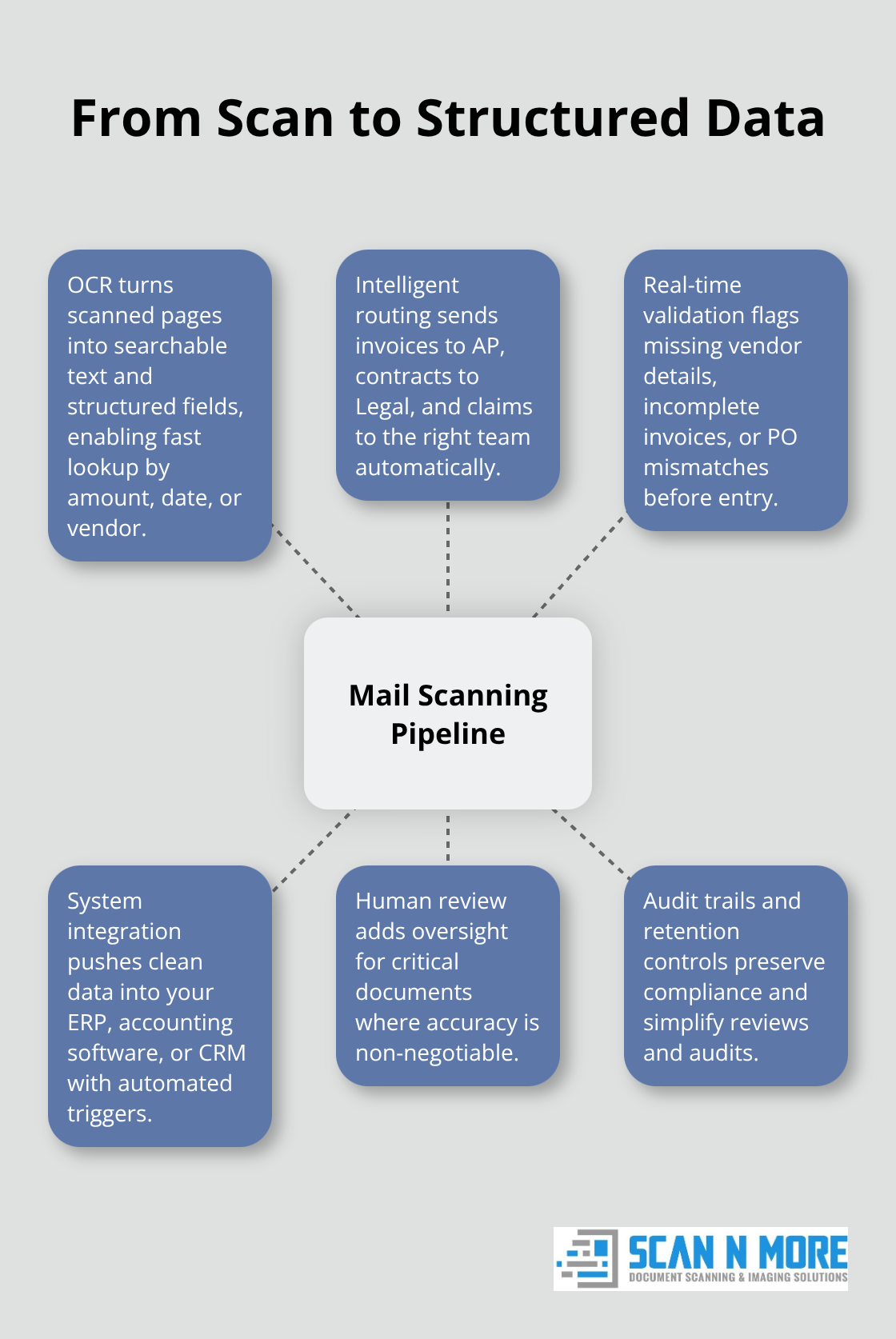
Optical Character Recognition converts scanned pages into machine-readable text, but not all OCR performs equally. Quality scanning services achieve 99%+ accuracy on typed documents as standard, but this number masks critical limitations. Handwritten fields, degraded originals, and unusual formatting reduce accuracy significantly. When OCR misreads an invoice amount or supplier name, that error propagates downstream into your accounting system, creating reconciliation headaches weeks later.
The best approach combines automated OCR with AI-assisted review for questionable content, catching errors before they contaminate your data. For documents where accuracy is non-negotiable (contracts, medical records, financial statements), human verification adds a layer of confidence that pure automation cannot provide. Your team should understand which documents received human review and which ones passed through fully automated processing.
Categorization Systems Route Documents Without Manual Intervention
Once documents are digitized, intelligent systems classify them automatically. An invoice routes to Accounts Payable, a contract to Legal, and a claim to the appropriate department without manual intervention. This routing happens instantly when your scanning provider integrates with your ERP or accounting software, eliminating the manual sorting step that consumes hours daily.
Real-time validation checks catch common issues immediately-missing vendor information, incomplete invoice data, or mismatched purchase orders-allowing your team to request corrections before documents lock into your system. Organizations that implement validation at the point of scanning rather than discovering problems later report 40–60% faster processing cycles.
Quality Checks Prevent Downstream Problems
The difference between efficient and inefficient mail scanning lies in when your team fixes problems. Staff who spend time fixing errors after documents enter your system waste resources that could move approved documents forward. Validation at the scanning stage stops bad data before it travels deeper into your workflows.
Your scanning provider should flag incomplete or suspicious data immediately, not weeks later when your accounting team discovers mismatches during reconciliation. This front-end approach transforms mail scanning from a simple digitization tool into a data quality checkpoint that protects your entire operation.
The real power of mail scanning emerges when you combine accurate OCR, intelligent routing, and quality validation into a single process. What happens next-how you integrate these clean, categorized documents into your existing systems-determines whether you gain competitive advantage or simply replace one bottleneck with another.
Getting Your Mail Scanning Setup Right
Off-Site vs. On-Site: Which Approach Fits Your Operation
Choosing the right scanning approach determines whether your team gains efficiency or inherits new problems. Off-site scanning services handle high volumes efficiently-they manage the infrastructure, staff, and quality control, which works well for companies without dedicated mailroom space or those managing distributed mail streams across multiple locations. However, off-site scanning requires you to physically send mail to their facility, creating a lag between receipt and digitization. On-site scanning gives you immediate control and eliminates mail transport time, but demands upfront equipment investment, trained staff, and ongoing maintenance. Most mid-size organizations find off-site services more practical-you avoid capital expenses and staff overhead while maintaining fast turnaround. The typical onboarding timeline is 2–3 weeks, starting with a free consultation and culminating in a detailed proposal with pricing, timeline, and deliverables.
Integrating Scanned Documents Into Your Systems
Integration into existing workflows separates successful implementations from costly failures. Scanned documents must flow directly into your ERP, accounting software, or CRM without manual intervention-this is where the actual time savings materialize. Your scanning provider should support integration with 7,000+ tools via Zapier or direct API connections to your critical systems, enabling automated data capture and workflow triggers. A scanned invoice automatically matches to a purchase order, routes to the appropriate approver, and flags discrepancies before payment processing begins. Organizations that skip integration planning waste hours manually moving scanned files into their systems, negating the efficiency gains entirely.
Security, Compliance, and Legal Requirements
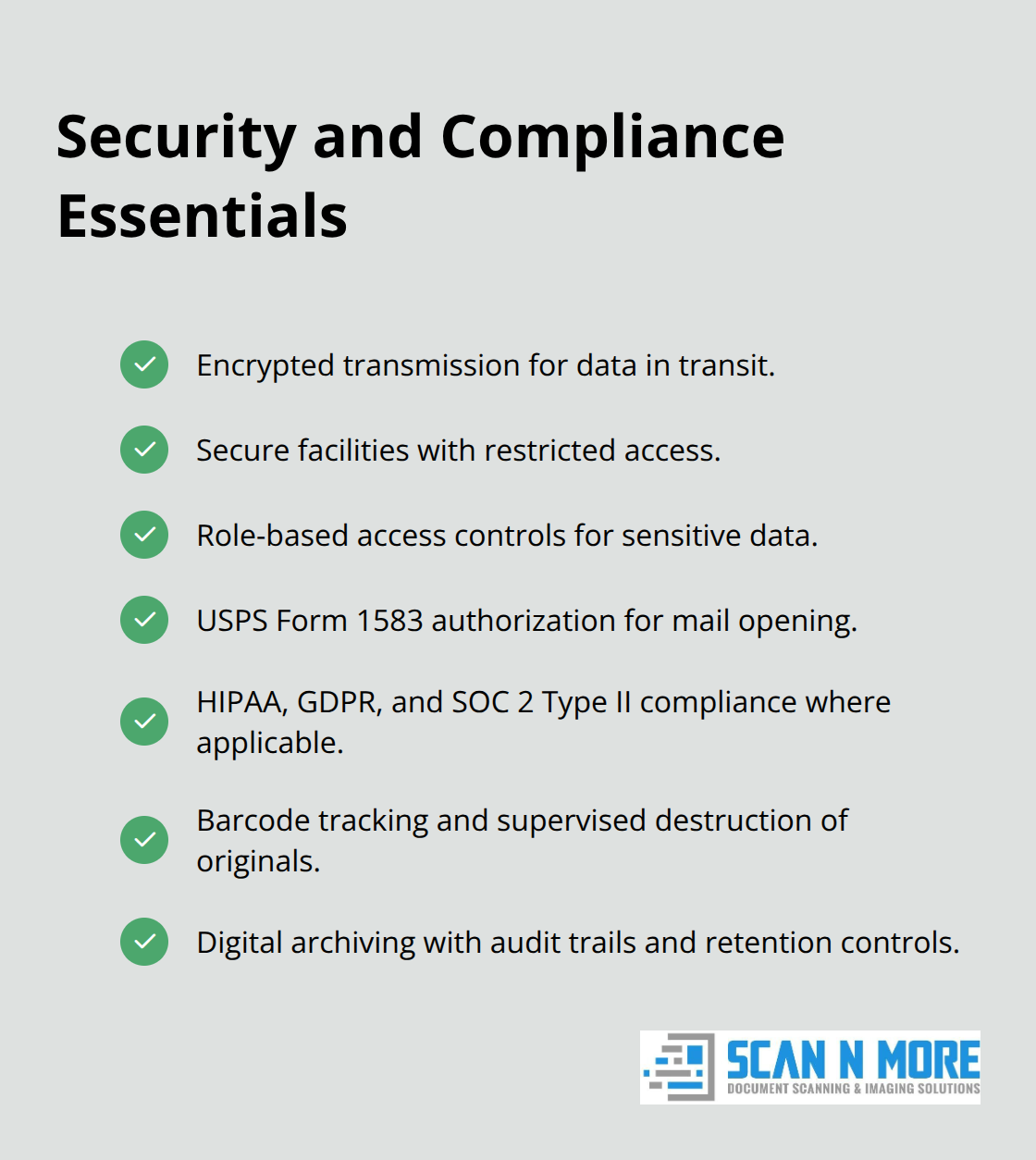
Security requirements demand encrypted transmission, secure facilities with restricted access, and role-based access controls protecting sensitive data. Your scanning provider must maintain USPS authorization with barcode tracking and supervised destruction of physical originals. USPS Form 1583 is legally required to authorize mail opening at virtual addresses, and compliance obligations vary significantly across industries. Healthcare providers face different requirements than financial services firms, so audit your specific compliance needs before implementation begins. Confirm your scanning provider meets those standards explicitly and can demonstrate HIPAA, GDPR, and SOC 2 Type II compliance where applicable. Digital archiving creates secure audit trails and retention controls that protect your organization during regulatory reviews and internal audits.
Final Thoughts
Mail scanning for businesses eliminates the operational friction that drains productivity and inflates costs. Your team stops wasting hours on manual data entry, documents reach the right people in minutes instead of days, and your physical storage footprint shrinks dramatically. Organizations that implement scanning report measurable ROI within months, not years, with a Fortune 500 insurer saving approximately $35 million over a decade by digitizing their mail operations.
The long-term savings compound across multiple areas: you reduce staff overhead by eliminating dedicated mailroom positions, lower facility costs by reclaiming storage space, and minimize errors that would otherwise require expensive corrections downstream. When your accounting team processes invoices in days instead of weeks, you improve cash flow and vendor relationships simultaneously. These gains persist year after year, making mail scanning one of the highest-ROI operational investments most businesses can make.
Start your implementation by auditing your current mail volume and identifying which documents consume the most processing time, then evaluate whether off-site or on-site scanning fits your operation and budget constraints. Contact Scan N More to discuss your specific needs and receive a customized proposal that covers your mail scanning requirements with guaranteed data security and compliance. The transition takes just 2–3 weeks, and the efficiency gains start immediately.