
Remote teams face a real problem: physical mail piles up in one location while team members work across different cities or countries. Documents get lost, delayed, or stuck in someone’s inbox, grinding productivity to a halt.
Mail scanning for teams solves this by converting incoming documents into digital files that everyone can access instantly. At Scan N More, we’ve seen firsthand how this simple shift eliminates the friction that slows down remote collaboration.
Why Remote Teams Bleed Productivity Over Paper
Physical Mail Creates Immediate Information Gaps
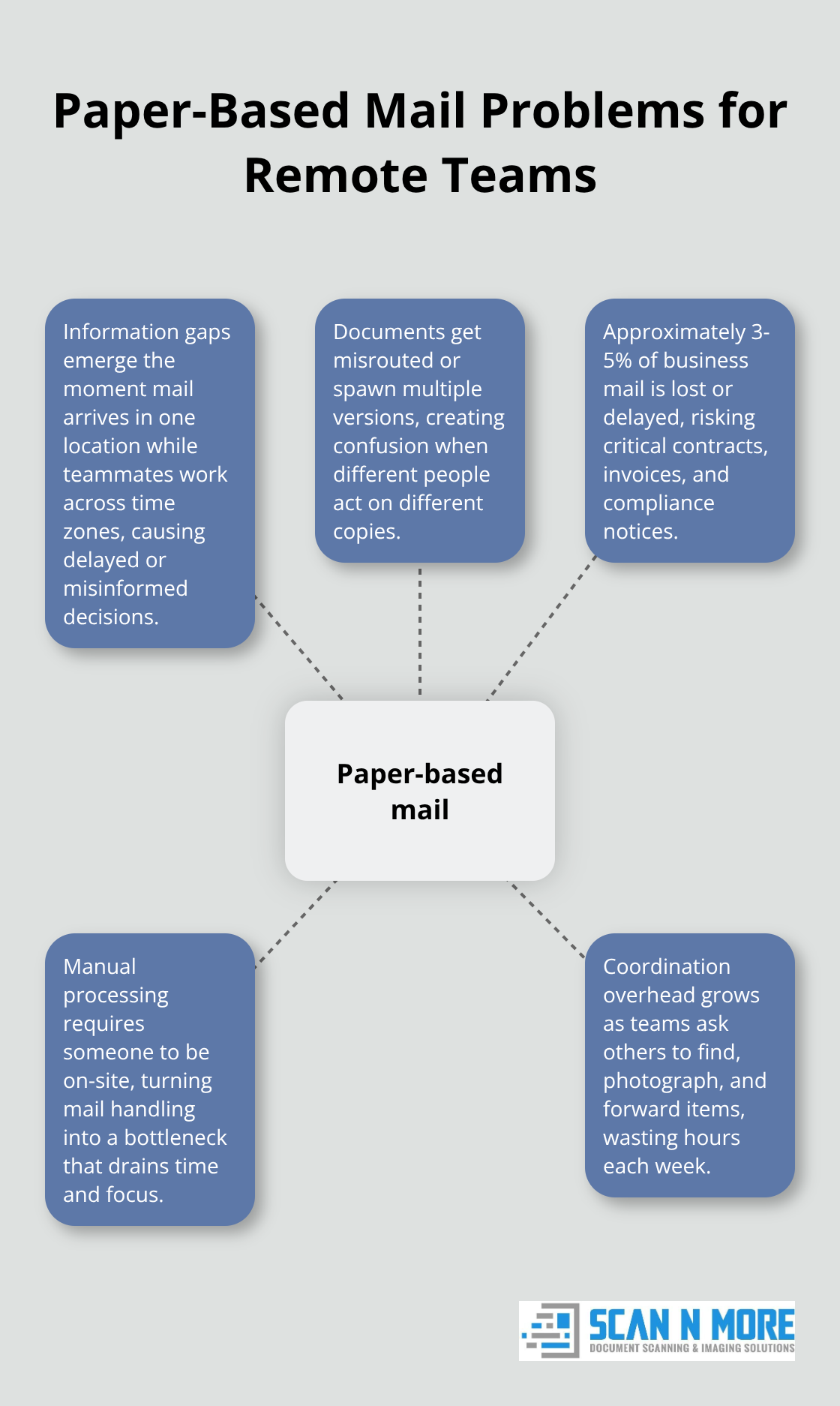
The moment a package arrives at your office while your team works across three time zones, you lose control of critical information. One person opens the mail, scans it manually, sends it to Slack, and someone else has already made a decision based on outdated information. This isn’t a minor inconvenience-it’s a productivity killer that compounds daily. Companies with distributed teams report that manual document handling adds 2-3 days to standard workflows, according to research from the International Data Corporation.
Documents Get Lost in Routing and Storage
The real damage happens when documents reach the wrong person or disappear in someone’s email. A team member in Singapore can’t access a contract that arrived in your New York office without asking someone to find it, photograph it, and send it over. This back-and-forth communication wastes hours weekly and creates version control nightmares (suddenly three people have different copies of the same document). Lost mail compounds the problem further. According to USPS data, approximately 3-5% of business mail gets lost or delayed during transit, which means critical documents simply vanish.
Manual Processing Drains Resources and Slows Decisions
For remote teams, missing documents directly impact cash flow, compliance deadlines, and client relationships. Manual sorting and distribution consume resources that should focus on actual work, especially when your team members spend time playing mail courier instead of doing their jobs. The inefficiency multiplies when you consider that someone must be physically present at the office to handle incoming documents (creating a bottleneck that slows decisions and frustrates team members working remotely). When invoices, contracts, or regulatory documents sit in a physical pile waiting for someone to process them, your team operates in information gaps that no distributed workforce can afford.
The Cost of Staying Paper-Based
Every day your team relies on manual mail handling, productivity suffers. Documents that should take hours to process take days. Team members in different locations can’t collaborate effectively because they lack simultaneous access to the same information. The solution isn’t to accept these delays as normal-it’s to transform how your team handles inbound content from the moment it arrives.
How Mail Scanning Transforms Distributed Teams Into Information-Aligned Units
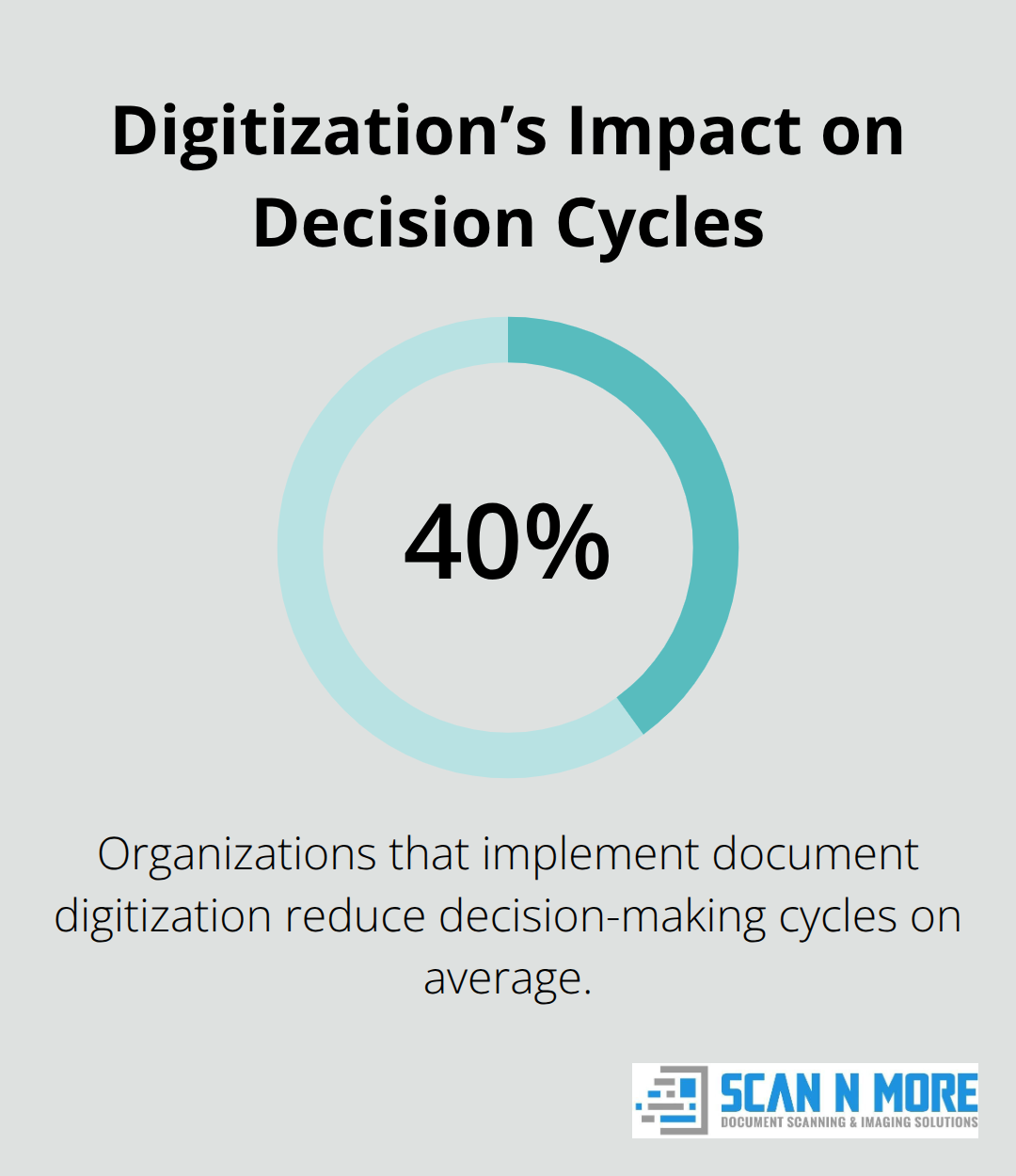
Mail scanning converts paper into searchable digital files that your entire team accesses simultaneously, regardless of location. When documents arrive at your office, a professional scanning service transforms them into digital formats within 24-48 hours, meaning your team in Tokyo views that contract at the same moment as your team in Berlin. This speed matters because information delays directly impact business outcomes. Organizations that implement document digitization reduce decision-making cycles by an average of 40% because teams no longer wait for physical mail to travel between locations.
Professional scanning services handle the entire conversion process with high-quality scanning for all document formats, which removes the manual work that slows remote teams down and introduces errors into your workflow.
Getting Documents to the Right People Instantly
Scanned documents automatically route to team members based on predefined rules you establish. Invoices go directly to accounting, contracts to legal, and purchase orders to procurement-without anyone manually forwarding emails or asking where something ended up. This automation prevents the information chaos that kills productivity in distributed teams. When documents sit unrouted for even a few hours, your team makes decisions with incomplete information, approval chains stall, and compliance deadlines slip. Professional scanning services integrate with your existing tools (whether that’s SharePoint, Google Drive, or your internal project management platform) so documents land exactly where your team expects them without extra steps. This integration eliminates the version control nightmare where three people have different copies of the same document floating through email.
Building a Single Source of Truth for Your Entire Team
Centralized document storage stops your team from searching across email folders, shared drives, and individual computers for information that should be instantly accessible. A unified repository with proper naming conventions and folder structures (which you should establish before you start scanning) allows any team member to find what they need in under 30 seconds rather than 30 minutes. This matters more than it sounds because your team spends 9.3 hours per week searching for information they’ve already seen, according to workplace research. Mail scanning feeds directly into a centralized system, so documents become indexed, tagged, and organized consistently from day one. Remote teams especially benefit because no single person controls access to information-everyone has simultaneous visibility into what’s arrived, what’s pending, and what’s been processed.
Why Integration With Your Existing Tools Matters
Documents that land in isolated systems create new problems instead of solving old ones. Your scanning service must connect with the platforms your team already uses daily (project management software, cloud storage, communication tools) so information flows naturally into existing workflows. When integration happens correctly, team members never leave their normal work environment to access scanned documents. This seamless connection prevents the friction that emerges when your team must switch between multiple systems to complete a single task. The right scanning partner understands that technology should disappear into your operations, not add complexity.
The infrastructure you build now determines whether your remote team operates with complete information or continues working in gaps. Setting up proper document management before you implement scanning prevents chaos later and positions your team to handle growth without rebuilding systems.
Setting Up Your Scanning Workflow for Remote Teams
Prioritize Speed in Your Service Selection
Fast turnaround times matter more than most teams realize because every day a document sits unscanned is another day your team operates with incomplete information. When you evaluate scanning services, ask specifically how quickly they process documents after pickup or delivery. Professional scanning services that handle document conversion within 24-48 hours allow your distributed team to access critical information without waiting days for manual processing. Compare this directly with in-house scanning, which typically takes 5-7 days per batch because your team juggles scanning alongside their actual responsibilities. The speed difference directly impacts your cash flow and approval cycles. If your team processes 50 invoices weekly and each one sits unscanned for 5 days instead of 2 days, you’re looking at a 60-day cash flow delay across your entire invoice pipeline. That compounds quickly for remote teams that depend on rapid information access to function.
Establish Naming Conventions Before You Start Scanning
The infrastructure you build around scanning determines whether documents actually improve collaboration or create new bottlenecks. Before you send a single page to be scanned, establish naming conventions and folder structures that match how your team actually works, not how you think they should work. If your accounting team searches by invoice number first and vendor name second, your folder structure should reflect that priority, not force them into a different search pattern. Create separate folders for document types (invoices, contracts, compliance documents, receipts) and include date stamps in file names so older versions don’t get confused with current ones. Most teams that fail at document centralization skip this step and end up with folders named things like Old Files, Documents2, and Final Final FINAL, which defeats the entire purpose of having a searchable repository.
Connect Scanning to Your Existing Tools
Integration with your existing collaboration tools must happen during setup, not after you’ve already scanned thousands of documents. If your team uses Google Drive, SharePoint, or a project management platform like Asana or Monday.com, configure your scanning service to push documents directly into those systems with proper folder assignments. This prevents the two-system problem where documents land in a scanning portal that nobody actually uses because your team already has their workflows built around other tools. When documents arrive in the places your team already works, adoption happens naturally without training or behavior change. The person in your Sydney office doesn’t need to remember to check a separate scanning portal because the contract they need appears automatically in the shared project folder where they already spend eight hours daily.
Final Thoughts
Remote teams that continue handling physical mail manually waste productivity every single day. Mail scanning for teams eliminates the delays that slow distributed workforces and replaces them with instant document availability across every location. When your entire team accesses the same information simultaneously, decision-making accelerates and collaboration becomes frictionless instead of fragmented.
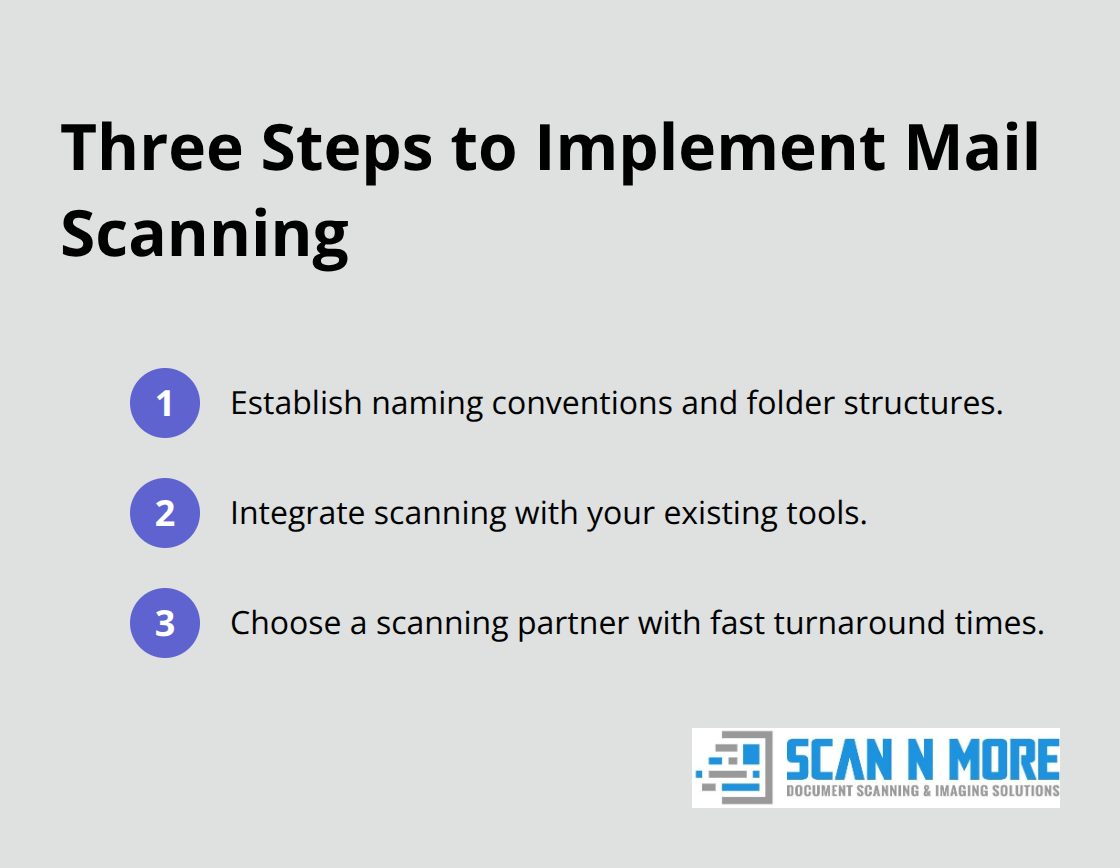
Implementation requires only three steps: establish naming conventions, integrate with your existing tools, and partner with a scanning service that delivers fast turnaround times. Documents no longer disappear in routing, team members stop wasting hours searching for information, and approval chains move forward without waiting for physical mail to travel between offices.
Your remote team gains the information alignment that makes distributed work actually function at scale.
Scan N More transforms your inbound content into searchable digital files within 24-48 hours, so your distributed team accesses critical information without delays. We handle the entire scanning process with high-quality digitization for all document formats while maintaining data security and compliance standards. The question isn’t whether your team can afford mail scanning-it’s how much productivity you’re willing to lose while waiting for paper to move between locations.