

Physical mail still piles up on desks across most offices. Teams waste hours sorting, organizing, and routing documents that could be handled in minutes with the right system.
Mail scanning for teams transforms this chaos into order. At Scan N More, we’ve seen firsthand how digitizing incoming mail eliminates bottlenecks, cuts labor costs, and gives your team instant access to documents from anywhere.
How Mail Scanning Cuts Through Administrative Waste
Manual mail handling drains resources that should go toward actual work. Teams typically waste 15 to 20 minutes per day on incoming mail, according to industry data on office productivity. When you multiply that across five employees, you lose roughly 12.5 to 20 hours weekly to a task that adds no value. Mail scanning eliminates this entirely. Instead of staff opening envelopes, reading documents, and routing papers to the right person, incoming mail gets scanned and digitized within minutes of arrival. The document lands in a centralized system where team members access it instantly, regardless of location.

This shift matters because it removes the physical handoff that slows everything down. The result is straightforward: fewer hours wasted, faster information flow, and people actually doing their jobs instead of managing mail.
Labor costs drop when scanning replaces manual sorting
Reducing headcount on mail handling is one of the fastest ways to improve your bottom line. A full-time employee dedicated to sorting and distributing mail typically costs between 35,000 and 45,000 dollars annually when you factor in salary, benefits, and overhead. If that person spends even half their time on mail tasks, you’re spending 17,500 to 22,500 dollars yearly on something a scanning system handles automatically. Even smaller teams feel this impact. Reassigning just two hours weekly from one employee to mail duties adds up to roughly 5,200 dollars in annual labor cost. Automated mail distribution eliminates the need for this work entirely. Documents route themselves based on predefined rules-vendor invoices go to accounting, client correspondence goes to sales, benefits paperwork goes to HR. No human intervention required. Your team shifts to higher-value work immediately.
Speed transforms how quickly teams respond to incoming documents
When mail sits in a physical pile waiting for someone to open it, response time stretches. Email gets answered in hours; physical mail often takes days. Scanning collapses that timeline. Documents become accessible within minutes of arriving at your office, and team members can access them from their desk, home, or client site. This matters for compliance-heavy industries. Medical offices and legal firms that scan mail can respond to requests without delay and share documents with clients and opposing counsel in real time. Financial services companies that scan account statements and notices can flag issues before deadlines pass. The speed advantage compounds across every department. Sales teams spot customer requests faster. Operations teams react to supplier notices immediately. Accounting catches invoice discrepancies before they become reconciliation nightmares. Faster access means faster decisions, and faster decisions mean competitive advantage.
Centralized systems eliminate lost documents and duplicate work
Physical mail creates blind spots. One person files a document in a drawer; another person files the same document elsewhere. Your team wastes time searching for the original, then wastes more time reconciling duplicates. Digital scanning prevents this chaos. A centralized repository (accessible to authorized team members across locations) becomes the single source of truth. Everyone knows where documents live. Search functions replace file cabinet hunts. Version control prevents confusion about which document is current. This efficiency matters most when multiple departments touch the same mail. An invoice might need approval from operations, then accounting, then finance. With physical mail, the document travels from desk to desk, and tracking it becomes impossible. With scanning, all three departments access the same file simultaneously, add their notes, and move the process forward without the document ever leaving anyone’s hands.
What Makes Mail Scanning Work for Distributed Teams
Centralized systems eliminate scattered documents and confusion
A centralized digital repository transforms how teams access information. When mail arrives at your office, staff scan it immediately and upload it to a single system where every authorized team member can access it. Your sales team in one location, accounting in another, and operations working remotely all view the same document simultaneously. No more forwarding emails with attachments, no more confusion about which version is current, and no more time wasted asking colleagues whether they’ve seen a particular invoice or contract.

Teams working across multiple locations face real friction when documents exist only in physical form. A centralized system removes that friction entirely. Search functions replace the need to call someone and ask whether they’ve filed something. Permissions protect sensitive documents like payroll paperwork or client contracts while keeping them accessible to authorized staff. Teams stop duplicating work because everyone accesses the same source of truth.
Real-time access accelerates document processing
Real-time access transforms how quickly your team responds to time-sensitive documents. When an invoice arrives, accounting sees it within minutes, not days. When a client sends updated requirements, your project team accesses them immediately from anywhere-office, home, or a client site. This speed matters because delays compound across departments.
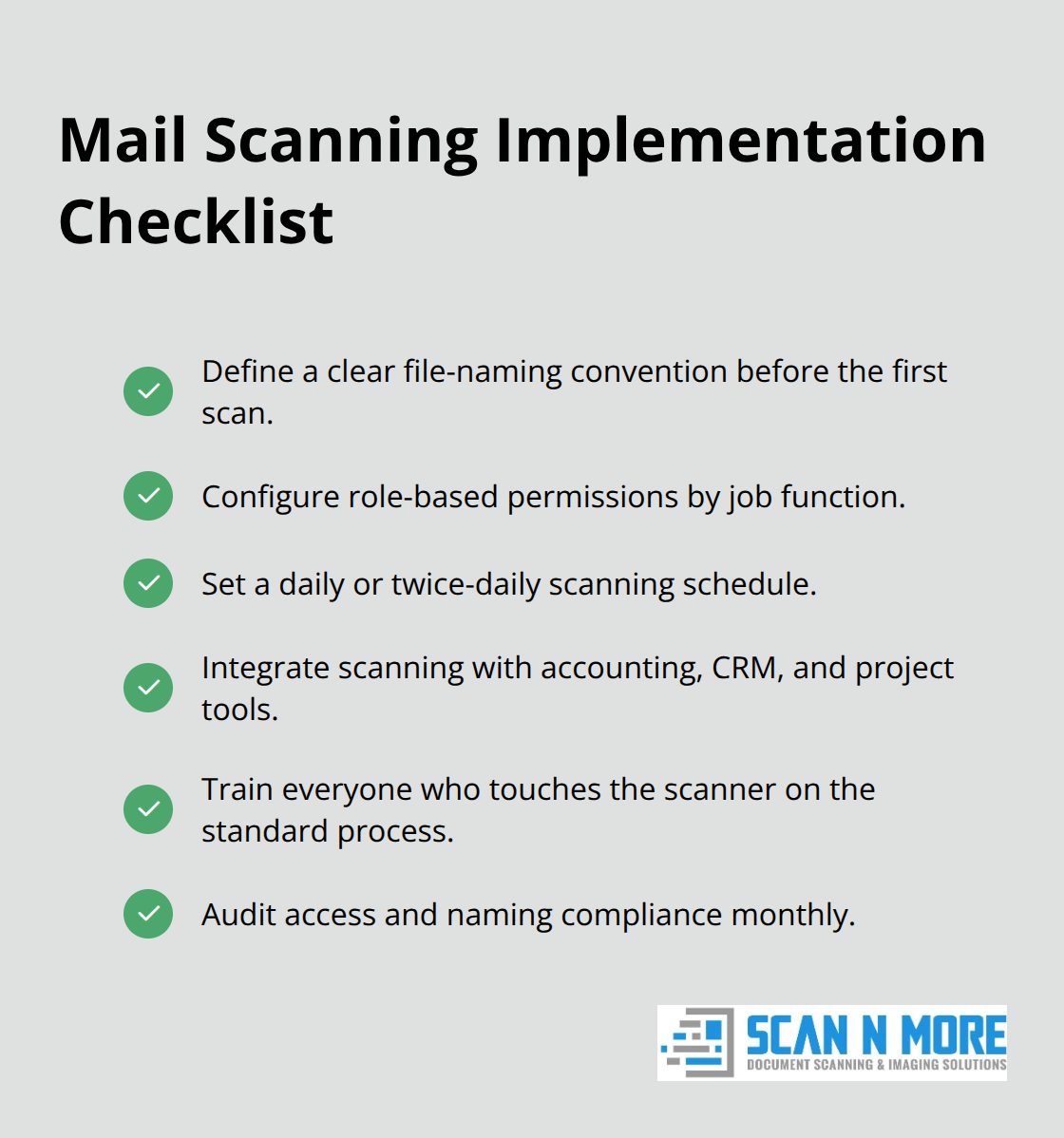
Integration with your existing workflow systems means documents don’t sit idle waiting for manual routing. Mail scanning systems connect directly to your accounting software, CRM, project management platform, or whatever tools your team already uses daily. This integration eliminates the manual step of downloading a document, opening another application, and uploading it again. Workflows that once required five separate actions now happen automatically. A vendor invoice scans in, automatically routes to the right cost center, and lands in your accounting system ready for approval. A customer payment arrives, scans, and updates your accounts receivable records without anyone touching it.
Automation cuts processing time dramatically
This automation cuts processing time dramatically while removing opportunities for human error. Teams that implement mail scanning see significant improvements in document processing speed because the bottleneck of manual routing simply disappears. The financial impact extends beyond speed-fewer errors mean fewer corrections, fewer duplicate entries, and fewer compliance issues down the road.
When your team stops handling physical mail, they start handling actual business. The next step involves establishing the systems and practices that make this transition stick.
Making Your Scanning System Actually Work
Getting mail scanned is only half the battle. Without deliberate structure, your team will recreate the same chaos in digital form-documents scattered across folders with inconsistent names, access confusion causing delays, and scanning backlogs that pile up faster than anyone can process them. The teams that see real productivity gains aren’t the ones with the fanciest scanning equipment. They’re the ones with systems in place before the first document gets scanned.
Establish naming conventions that your team can actually follow
Your file naming approach determines whether your team finds documents in seconds or spends hours searching. Establish a naming convention that includes the document type, date received, and sender or subject. An invoice from Acme Corp arriving on October 11, 2026 becomes Invoice_Acme_10-11-2026, not random names like Doc1 or Important_Stuff. This consistency matters because search functions rely on predictable patterns.
When your team scans 200 documents monthly, bad naming conventions multiply the time cost exponentially. One team member searching for a single vendor contract wastes time digging through poorly named files. Multiply that across your organization, and you burn hours weekly on something that takes seconds with proper naming. Implement your naming system before scanning begins, not after. Train everyone who touches the scanner on the exact format, and make that format a non-negotiable requirement. Most teams that skip this step regret it within weeks.
Set up permission levels before your first scan
Access controls prevent the wrong people from viewing sensitive documents while allowing the right people to work with what they need. A payroll document shouldn’t be visible to the entire team, but your finance department needs it instantly. A client contract belongs with your legal and sales teams, not operations. Set up permission levels based on job function, and they’re non-negotiable for compliance.
Healthcare organizations handling patient records and financial services handling account information face regulatory requirements that demand strict access controls. Configure permissions before your first scanning project launches. Accounting staff get full access to invoices and expense reports. HR gets access to employment documents. Sales gets access to customer correspondence. This separation prevents access violations that could cost thousands in compliance fines.
Establish a scanning schedule that prevents backlogs
Scanning volume predictably grows, and backlogs destroy the entire system’s value. A team that scans mail twice weekly will eventually fall behind, leaving documents in physical form while the system sits idle. Establish a scanning schedule that handles your current volume plus 20 percent growth. For most small teams, daily scanning takes ninety minutes and prevents the pile-up that kills momentum. Larger organizations benefit from twice-daily scanning runs.
The key is consistency. When your team knows mail gets scanned every morning at 9 AM, they stop treating the scanner like an afterthought. Documents move from physical to digital reliably, and your team accesses current information without delay. This predictable rhythm keeps your system functioning as intended rather than becoming another source of frustration.
Final Thoughts
Mail scanning for teams transforms how your organization handles documents and processes information. Your sales team accesses customer correspondence instantly, accounting processes invoices in minutes rather than days, and HR retrieves employment records from anywhere without searching through filing cabinets. These efficiency gains stack across departments because everyone works with current information simultaneously, and your team stops wasting time on administrative tasks that don’t generate revenue.
The financial impact speaks for itself. Teams waste 15 to 20 minutes daily on incoming mail, and a single employee dedicated to mail handling costs 35,000 to 45,000 dollars annually. Automated scanning eliminates this expense while freeing your staff to focus on work that matters. You also eliminate costs tied to lost documents, duplicate efforts, and delayed responses to time-sensitive information. Implementation requires consistent naming conventions, permission levels that protect sensitive data, and a scanning schedule that prevents backlogs from forming-these systems take hours to establish but save hundreds of hours annually once operational.
We at Scan N More handle the scanning itself so your team focuses on what matters. Our professional document scanning services transform paper-based processes into digital solutions with the security and compliance your organization needs, whether you require on-site or off-site scanning for legal, medical, or standard business documents. Start your transition to a digital environment with Scan N More and stop letting physical mail slow you down.