

At Scan N More, we’ve seen firsthand how automated document scanning can revolutionize business operations.
This powerful technology streamlines workflows, boosts productivity, and significantly reduces errors in document processing.
In this post, we’ll explore the key features of modern scanning solutions and provide practical guidance on implementing them in your organization.
How Automated Document Scanning Transforms Businesses
Supercharging Efficiency and Productivity
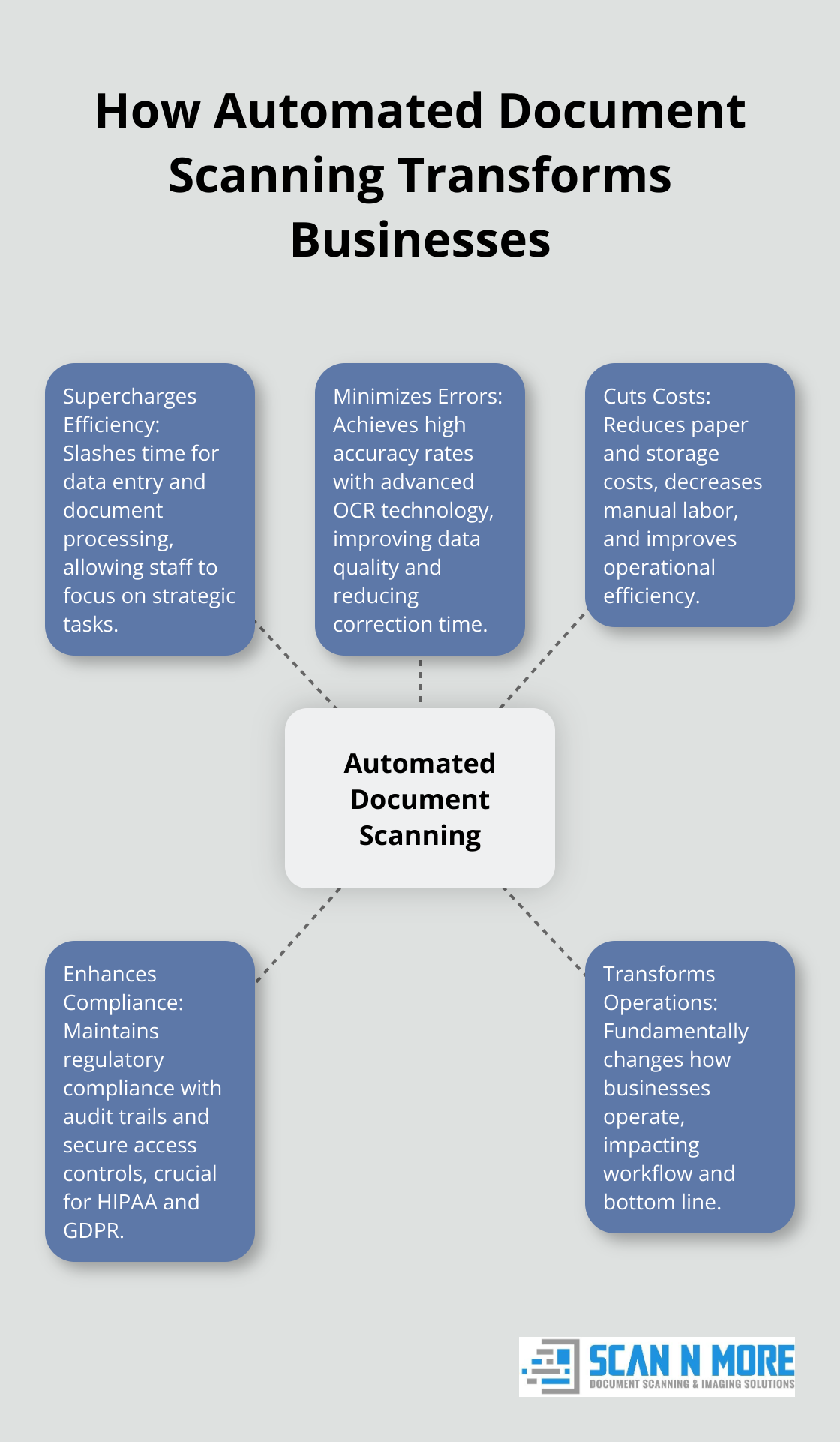
Automated document scanning revolutionizes business operations. This technology slashes the time required for manual data entry and document processing. Organizations implementing automated document management solutions can experience significant improvements in process efficiency. This boost stems from the ability to process large volumes of documents quickly and accurately, allowing staff to concentrate on more strategic tasks.
Minimizing Errors, Maximizing Accuracy
Manual document processing often leads to human errors. Automated scanning systems, equipped with advanced Optical Character Recognition (OCR) technology, achieve high accuracy rates. This level of precision improves data quality and reduces time and resources spent on error correction.
Cutting Costs, Boosting Bottom Lines
The financial impact of automated document scanning is substantial. These savings result from reduced paper and storage costs, decreased manual labor, and improved operational efficiency.
Enhancing Compliance and Security
Automated document scanning plays a vital role in maintaining regulatory compliance. Features like audit trails and secure access controls (essential in industries such as healthcare and finance) ensure the protection and traceability of sensitive information. This is particularly important for compliance with strict regulations like HIPAA and GDPR.
Transforming Business Operations
Implementing automated document scanning transcends mere digitization of papers; it fundamentally changes how businesses operate. The benefits extend beyond efficiency gains, impacting every aspect of an organization’s workflow and bottom line. As we explore the features and implementation strategies of these systems in the next section, consider the profound impact they can have on your business operations.
What Sets Modern Document Scanning Solutions Apart?
Modern document scanning solutions have transformed significantly, offering features that revolutionize document management processes. These advancements reshape how businesses handle their information.
Blazing Scanning Speeds
Today’s scanning solutions process hundreds of pages per minute. This rapid digitization enables businesses to tackle large document backlogs quickly. AIIM helps solve information-driven business challenges with expert insights on information management, business automation, and AI. This trend highlights the growing demand for high-speed scanning capabilities in modern business environments.
Intelligent Data Extraction with OCR
Optical Character Recognition (OCR) technology has advanced considerably. Modern OCR extracts data accurately from various document types, including handwritten notes and complex forms. This growth reflects the increasing adoption and effectiveness of OCR technology in document management.
Smart Classification and Sorting
Automated document classification and sorting capabilities have become game-changers for businesses dealing with high volumes of varied documents. These systems use machine learning algorithms to categorize documents based on content, format, and other criteria.
Enhanced Security Features
Modern scanning solutions prioritize data security. They offer features like encryption, access controls, and audit trails to protect sensitive information. This aspect is particularly important for industries handling confidential data (such as healthcare and finance).
Cloud Integration
Many modern scanning solutions integrate seamlessly with cloud storage platforms. This integration allows for easy access to scanned documents from anywhere, facilitating remote work and collaboration. Cloud integration also provides scalable storage solutions, eliminating the need for physical storage space.

The implementation of these advanced features leads to substantial time and cost savings. Modern scanning solutions with intelligent classification drastically reduce document search time and improve overall productivity.
As we explore how to implement these powerful tools in your business, it’s essential to understand how they can address your specific document management needs. Legal document scanning services are a prime example of how these solutions can transform modern law firms, enhancing efficiency, security, and client service through improved accessibility.
How to Implement Automated Document Scanning
Assess Your Document Management Needs
Start with a thorough audit of your current document management processes. Identify pain points, bottlenecks, and areas where automated document scanning could improve efficiency. Workflow automation can eliminate the need for human involvement in repetitive tasks like routing documents for approval or getting status updates. Quantify the volume of documents you process (daily, weekly, or monthly). This data will help you determine the scale of the scanning solution you need.
Consider the types of documents you handle. Are they mostly standard forms, or do you deal with a variety of document types? Do you need to process handwritten documents? Understanding these details will inform your choice of OCR technology.
Select the Right Scanning Solution
When choosing a scanning solution, prioritize scalability and flexibility. Your needs may evolve, so select a system that can grow with your business. Look for solutions that offer high-speed scanning capabilities and advanced OCR technology. OCR technology automates data extraction from identity documents, reducing time and resources needed for manual data entry.
Security features are essential, especially if you handle sensitive information. Ensure the solution you choose offers robust encryption, access controls, and audit trails. If your industry is subject to specific regulations (like HIPAA or GDPR), verify that the scanning solution is compliant.
Cloud integration is another key factor to consider. A cloud-based solution can offer greater accessibility and collaboration opportunities, particularly for businesses with remote workers or multiple locations.
Train Staff and Integrate into Workflows
The success of your automated document scanning implementation largely depends on user adoption. Develop a comprehensive training program for your staff. This should cover not only the technical aspects of using the new system but also the benefits it brings to their daily work.
Start with a pilot program in one department or team. This allows you to identify and address any issues before rolling out the solution company-wide. Gather feedback from users during this phase and make necessary adjustments.
When integrating the new scanning solution into your existing workflows, look for opportunities to streamline processes. For example, you might eliminate redundant steps or automate certain approvals.
Change management is important. Communicate clearly with your team about the reasons for implementing automated document scanning and the benefits it will bring. Address any concerns proactively and provide ongoing support during the transition period.

Monitor and Optimize Performance
After implementation, monitor the performance of your new scanning solution. Track key metrics such as processing speed, error rates, and user satisfaction. Use this data to identify areas for improvement and optimize your workflows.
Try to regularly review and update your document management processes to ensure they align with your business goals and take full advantage of the scanning solution’s capabilities.
Final Thoughts
Automated document scanning has revolutionized business operations across industries. This technology improves efficiency, accuracy, and cost-effectiveness through high-speed scanning, advanced OCR, and intelligent classification. The long-term impact extends beyond digitization, touching every aspect of business operations and paving the way for better decision-making.
In today’s digital landscape, adopting automated document scanning solutions is essential for maintaining competitiveness. Streamlined workflows and reduced manual tasks allow staff to focus on higher-value activities, which drives innovation and growth. Organizations ready to take the next step in their digital transformation journey can benefit from comprehensive solutions tailored to meet diverse business needs.
Scan N More offers expertise in handling various document types with a commitment to data security and compliance. We provide the tools and support necessary to transition smoothly into a more efficient, digital-first operational model. Embracing automated document scanning is a strategic move towards a more agile, efficient, and competitive future for your business.