
![Digital Mailroom for Remote Teams [Guide]](https://scannmore.com/wp-content/uploads/emplibot/digital-mailroom-for-remote-teams-hero-1762646862-1024x585.jpeg)
Remote work has transformed how businesses handle physical mail, creating new challenges for teams scattered across different locations. Traditional mail processing methods simply don’t work when employees aren’t in the office to receive and sort correspondence.
We at Scan N More understand that a digital mailroom for remote teams solves this problem by converting physical mail into digital formats that can be accessed from anywhere. This technology allows distributed workforces to maintain efficient mail operations without geographic limitations.
How Digital Mailrooms Transform Remote Mail Processing
The Digital Mail Processing System
A digital mailroom operates as a centralized mail processing hub that converts physical correspondence into searchable digital files. Mail arrives at a designated address where trained staff scan each piece with high-resolution scanners, typically achieving 98-99% accuracy in data extraction according to automated document processing studies. The system categorizes documents, extracts key information through Optical Character Recognition technology, and routes files to appropriate team members via secure digital channels.
Organizations that process 500 to 1,000 payments monthly (like the average U.S. financial professional) benefit significantly from this automation. The system handles invoices, contracts, regulatory documents, and customer correspondence. Staff members receive notifications when new mail arrives, view documents instantly through web portals or mobile apps, and collaborate on responses without physical document handling.
Essential Technology Components
The core infrastructure includes high-speed scanners that process various document sizes and formats, secure cloud storage systems, and workflow management software. Advanced OCR technology captures text from scanned documents, makes them fully searchable, and enables automatic data extraction for accounting systems or customer relationship management platforms.
Integration capabilities connect the digital mailroom with existing business software and allow automatic routing of invoices to accounting departments or customer inquiries to service teams. Security features include end-to-end encryption, role-based access controls, and audit trails that track every document interaction. These components work together to create a seamless mail processing environment that supports remote operations.
Measurable Advantages for Remote Teams
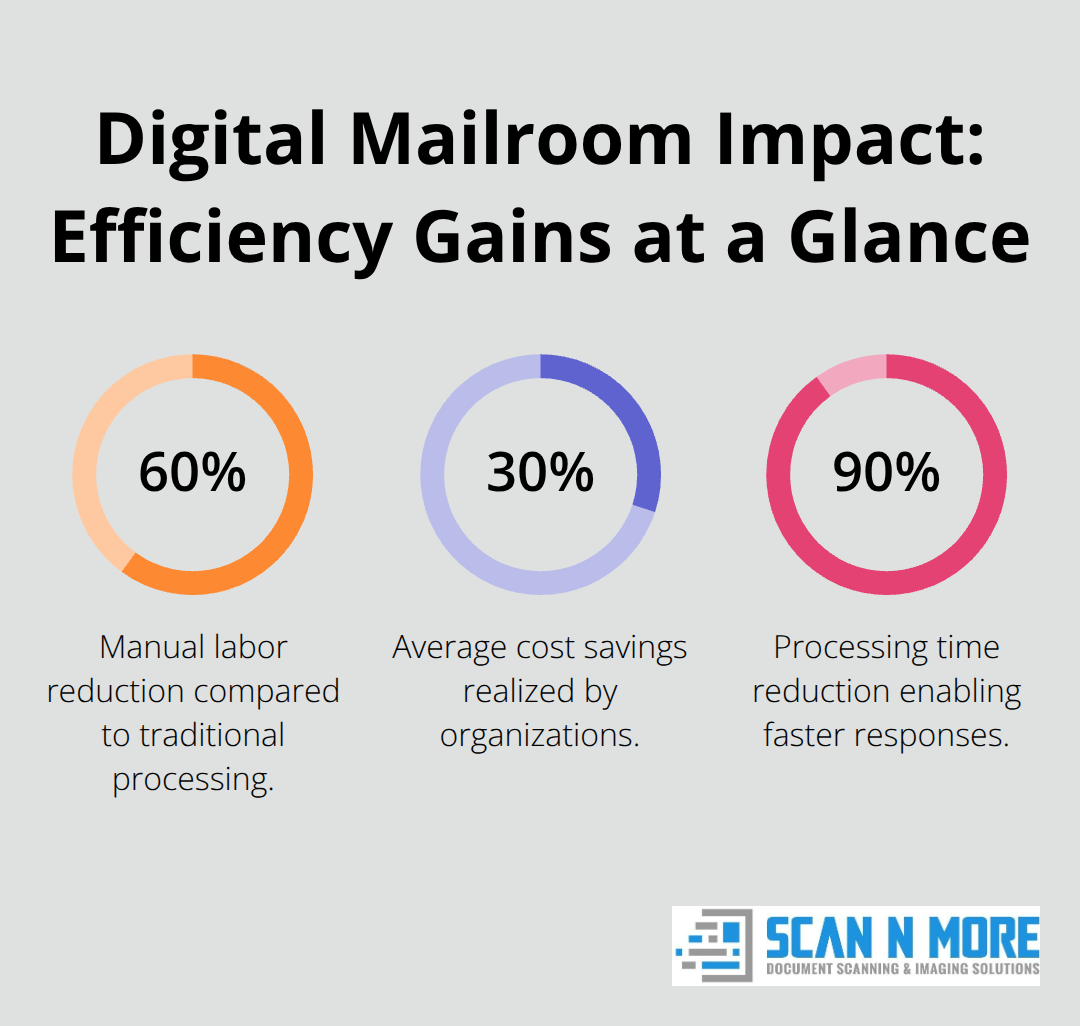
Digital mailrooms reduce manual labor by up to 60% while achieving average cost savings of 30% compared to traditional methods according to industry research. Remote teams access critical correspondence within minutes rather than days and eliminate delays that previously disrupted business operations. Processing times decrease by up to 90%, which enables faster decision-making and improved customer service response times.
The system eliminates geographic barriers that previously prevented remote workers from handling time-sensitive documents. Teams collaborate on documents in real-time, maintain version control, and track document status throughout approval processes. This technology proves particularly valuable for industries that handle sensitive information, where HIPAA compliance and secure payment processing remain essential requirements.
Implementation Considerations
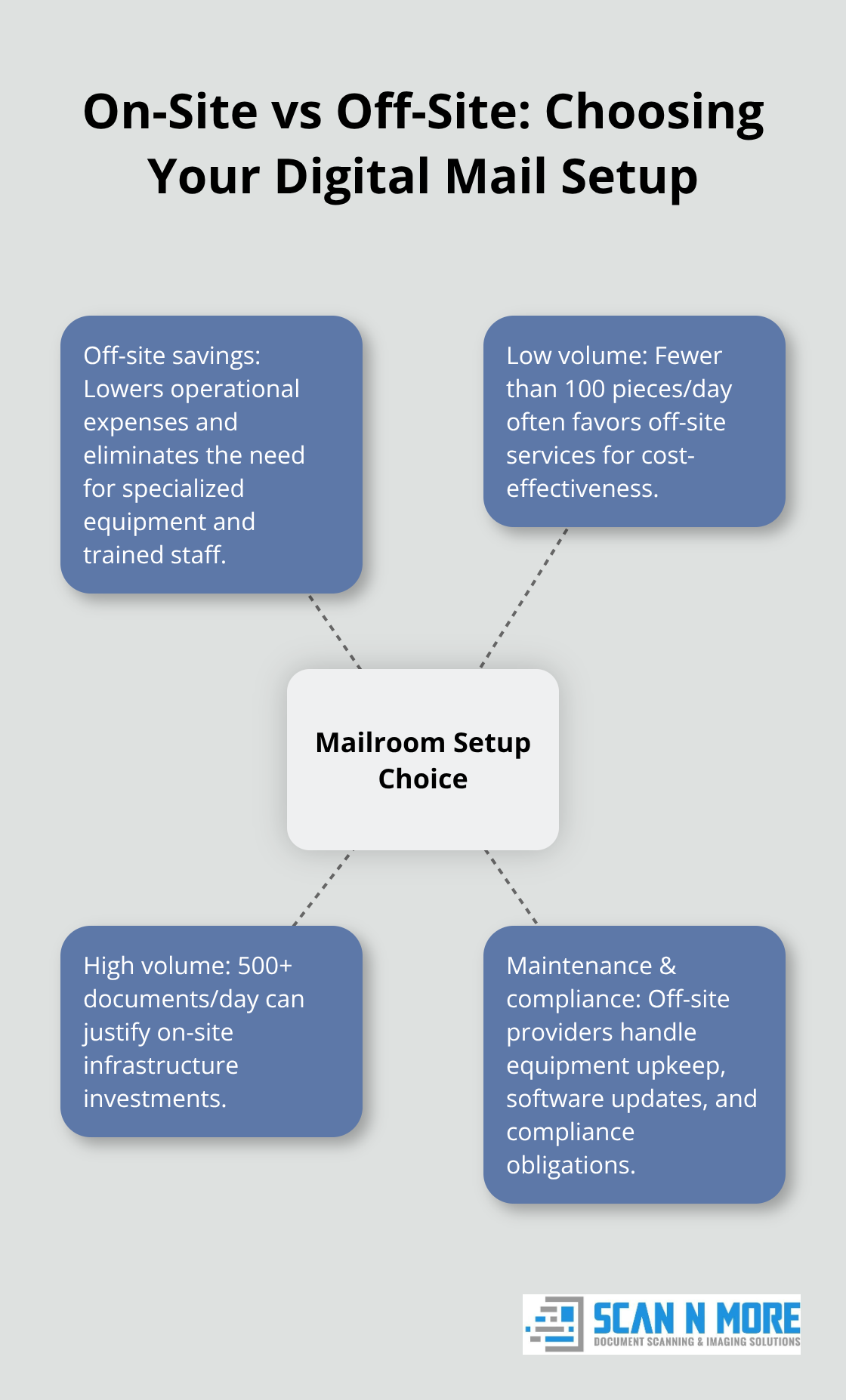
Organizations must evaluate their specific mail volume and document types before selecting a digital mailroom solution. Companies that receive high volumes of checks or legal documents require different features than those that primarily handle general correspondence. The choice between on-site and off-site scanning services depends on security requirements, budget constraints, and operational preferences.
How Do You Choose the Right Digital Mail Setup
The decision between on-site and off-site scanning services fundamentally shapes your digital mailroom operations and costs. Off-site solutions typically reduce operational expenses while they eliminate the need for specialized equipment and trained personnel. Companies that process fewer than 100 pieces of mail daily often find off-site services more cost-effective, while organizations that handle 500+ documents daily may justify on-site infrastructure investments. Off-site providers handle equipment maintenance, software updates, and compliance requirements, which removes technical burdens from internal teams.
Essential Features That Determine Success
Modern mail scanning solutions must include OCR technology that achieves 98%+ accuracy rates for text extraction and data capture. High-resolution scanning at 300 DPI minimum preserves document quality and readability across different file formats. Real-time processing capabilities allow remote teams to access new mail within 15-30 minutes of arrival rather than wait hours or days. Automated routing systems distribute documents based on predefined rules, sender information, or document types.
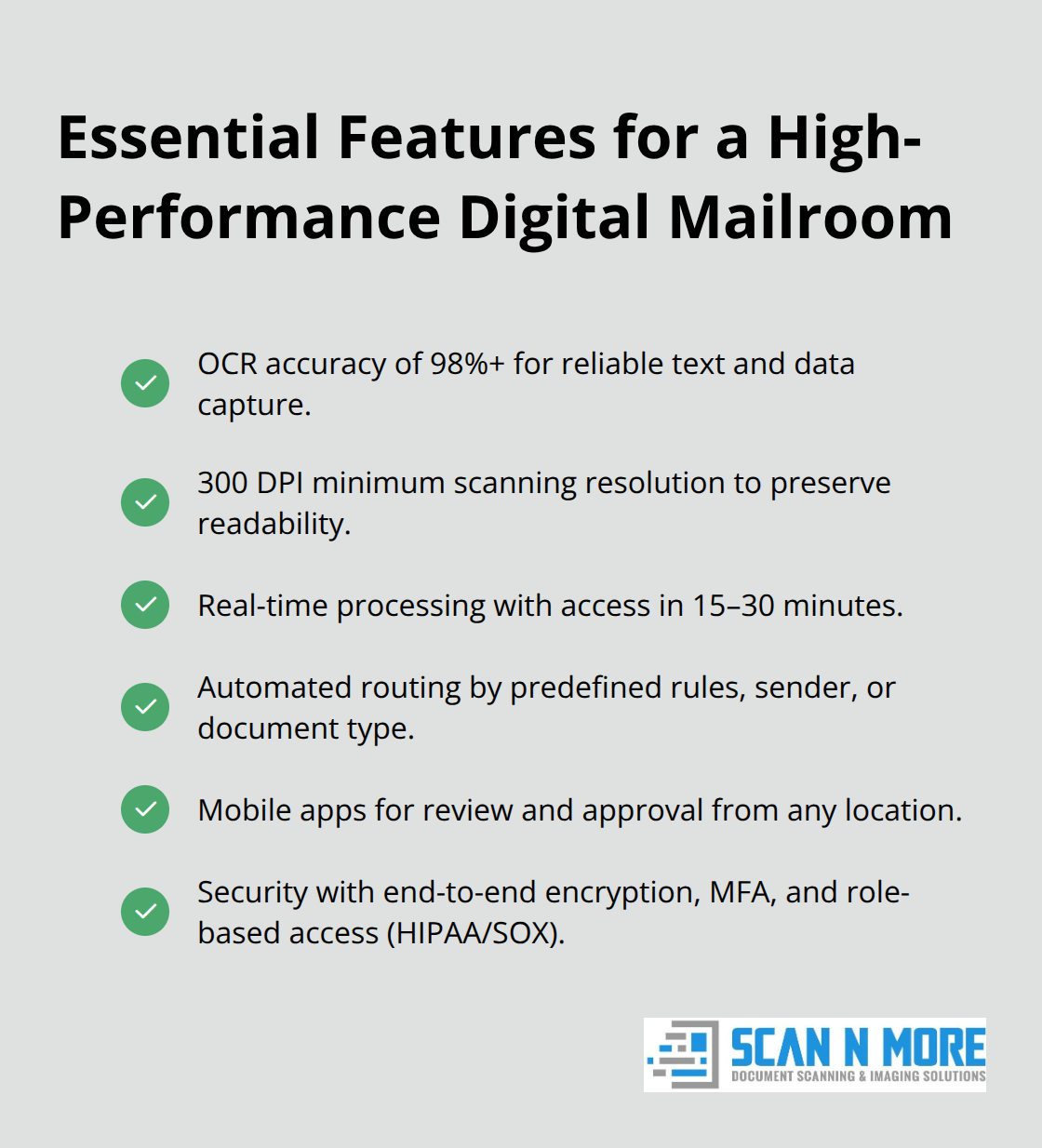
Mobile accessibility through dedicated apps enables team members to review and approve documents from any location. Security features must include end-to-end encryption, multi-factor authentication, and role-based access controls that meet industry compliance standards (like HIPAA or SOX requirements).
System Integration Requirements
Your digital mailroom must connect seamlessly with existing business applications to maximize efficiency and reduce manual data entry. API compatibility with popular CRM platforms like Salesforce or HubSpot allows automatic customer correspondence routing. Accounting software integration enables direct invoice processing into QuickBooks, Xero, or SAP systems without manual intervention. Document management systems require two-way synchronization to maintain consistent file versions across platforms. Cloud storage integration with Microsoft 365, Google Workspace, or Dropbox facilitates team collaboration and document sharing (essential for remote operations). Workflow automation tools should trigger notifications, approvals, and follow-up actions based on document content and business rules.
Security and Compliance Considerations
Remote teams face unique security challenges when they handle sensitive documents through digital channels. End-to-end encryption protects documents during transmission and storage phases. Multi-factor authentication prevents unauthorized access to confidential correspondence. Role-based permissions control which team members can view, edit, or share specific document types. Audit trails track every document interaction and provide compliance documentation for regulatory reviews. These security measures become particularly important when organizations handle financial documents, medical records, or legal correspondence that requires strict privacy protection.
Once you establish these technical foundations, the next step involves creating efficient workflows that maximize your team’s productivity and maintain consistent document handling standards across all remote locations.
How Do You Build Effective Mail Workflows for Remote Teams
Successful remote mail management requires structured workflows that eliminate confusion and prevent document bottlenecks. Clear mail categorization rules automatically route invoices to accounting teams within 30 minutes of arrival, while contracts go directly to legal departments and customer inquiries reach service representatives. Organizations that implement automated routing see processing times drop by 90% according to McKinsey research.
Define specific approval hierarchies where documents above certain dollar amounts trigger multi-level authorization processes. Set response time expectations of 24 hours for standard correspondence and 4 hours for urgent communications to maintain customer satisfaction rates above 68% (which AIIM studies show is achievable with digital processes).
Security Protocols That Actually Work
Remote document handling demands aggressive security measures that go beyond basic password protection. Implement multi-factor authentication for all team members who access sensitive documents, especially financial records where the average data breach costs $4.88 million according to recent findings.
Use end-to-end encryption for document transmission and storage, with role-based access controls that limit access permissions to specific document types. Create audit trails that track every document interaction, download, and modification to meet HIPAA and GDPR compliance requirements. Never allow document downloads to personal devices without encrypted containers, and require VPN connections for all remote access to maintain security standards.
Team Access Management Systems
Remote teams need granular document sharing controls that prevent unauthorized access while they maintain collaboration efficiency. Establish department-specific permissions where HR staff cannot access financial documents and accounting teams cannot view personnel files.
Use time-limited sharing links for external stakeholders that expire after 72 hours to prevent unauthorized forwarding. Create project-based access groups that automatically include relevant team members when new documents arrive for specific clients or contracts. Monitor access patterns to identify unusual download behavior that might indicate security breaches, and require manager approval for access to documents outside normal work hours.
Workflow Automation Rules
Automated workflows reduce manual intervention and speed up document processing across remote teams. Set up conditional routing that sends invoices over $10,000 to senior management while standard invoices go directly to accounts payable. Configure notification systems that alert team members within 15 minutes when priority documents arrive.
Create escalation procedures that automatically reassign documents when initial recipients don’t respond within specified timeframes. Use metadata extraction to populate customer relationship management systems automatically and eliminate duplicate data entry tasks that waste remote workers’ time.
Final Thoughts
Digital mailroom for remote teams transforms how distributed workforces handle physical correspondence with measurable results. Organizations achieve 30% cost savings while they reduce manual labor by 60% and cut processing times by 90%. Remote teams access critical documents within minutes instead of days, which eliminates geographic barriers that previously disrupted operations.
Implementation success depends on the right scanning approach based on mail volume and security requirements. Companies that process fewer than 100 daily documents benefit from off-site solutions, while higher-volume organizations may justify on-site infrastructure. Essential features include OCR technology with 98%+ accuracy (minimum requirement for reliable text extraction), real-time processing, and seamless integration with existing business systems.
Security protocols must include end-to-end encryption, multi-factor authentication, and role-based access controls to protect sensitive information. Automated workflows with clear routing rules and approval hierarchies prevent bottlenecks while they maintain compliance standards. We at Scan N More provide professional document scanning services that transform paper-based processes into secure digital solutions for remote teams ready to modernize their mail operations.