
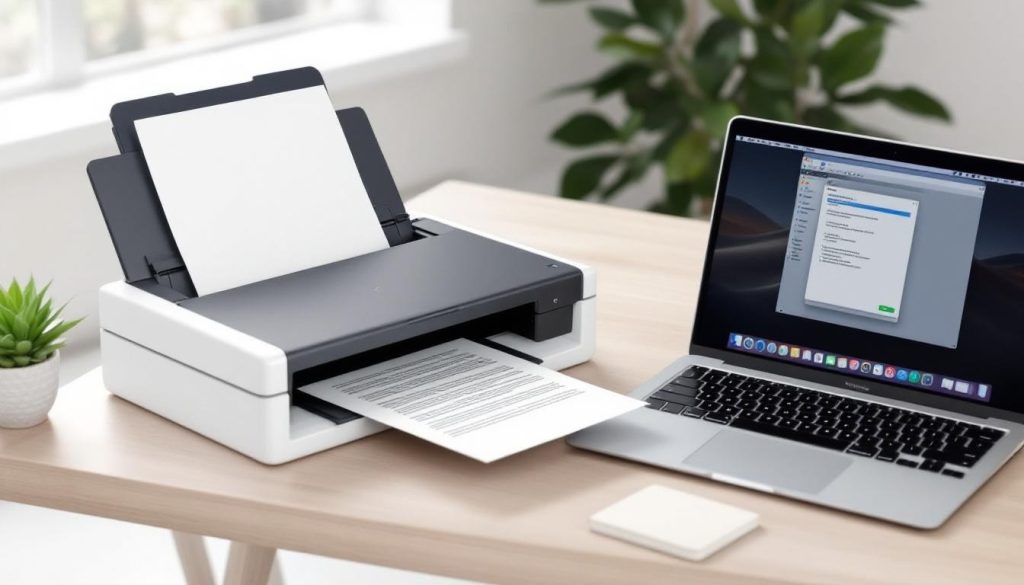
Choosing the right document scanning OCR software can make or break your digitization efforts. Poor software leads to inaccurate text recognition, wasted time, and frustrated teams.
We at Scan N More have tested dozens of OCR solutions to help you avoid these pitfalls. This guide breaks down the most important features, compares top software options, and shows you how to calculate real ROI for your investment.
Key Features to Look for in OCR Software
Accuracy Rates Define Professional Performance
Accuracy rates separate professional OCR software from basic solutions, and the numbers tell the story clearly. High-quality OCR systems achieve 97-99% accuracy on clean documents, while complex layouts drop performance to 75-85%. Adobe Acrobat Pro consistently delivers above 95% accuracy across multiple document types, making it worth the investment for businesses that process critical documents. ABBYY FineReader supports 201 languages with similar accuracy rates, which positions it as the top choice for global operations. Language support matters more than most buyers realize – Latin-based scripts perform at 97-99% accuracy while East Asian languages range from 90-95%.
Speed and Volume Capacity Drive Real Productivity
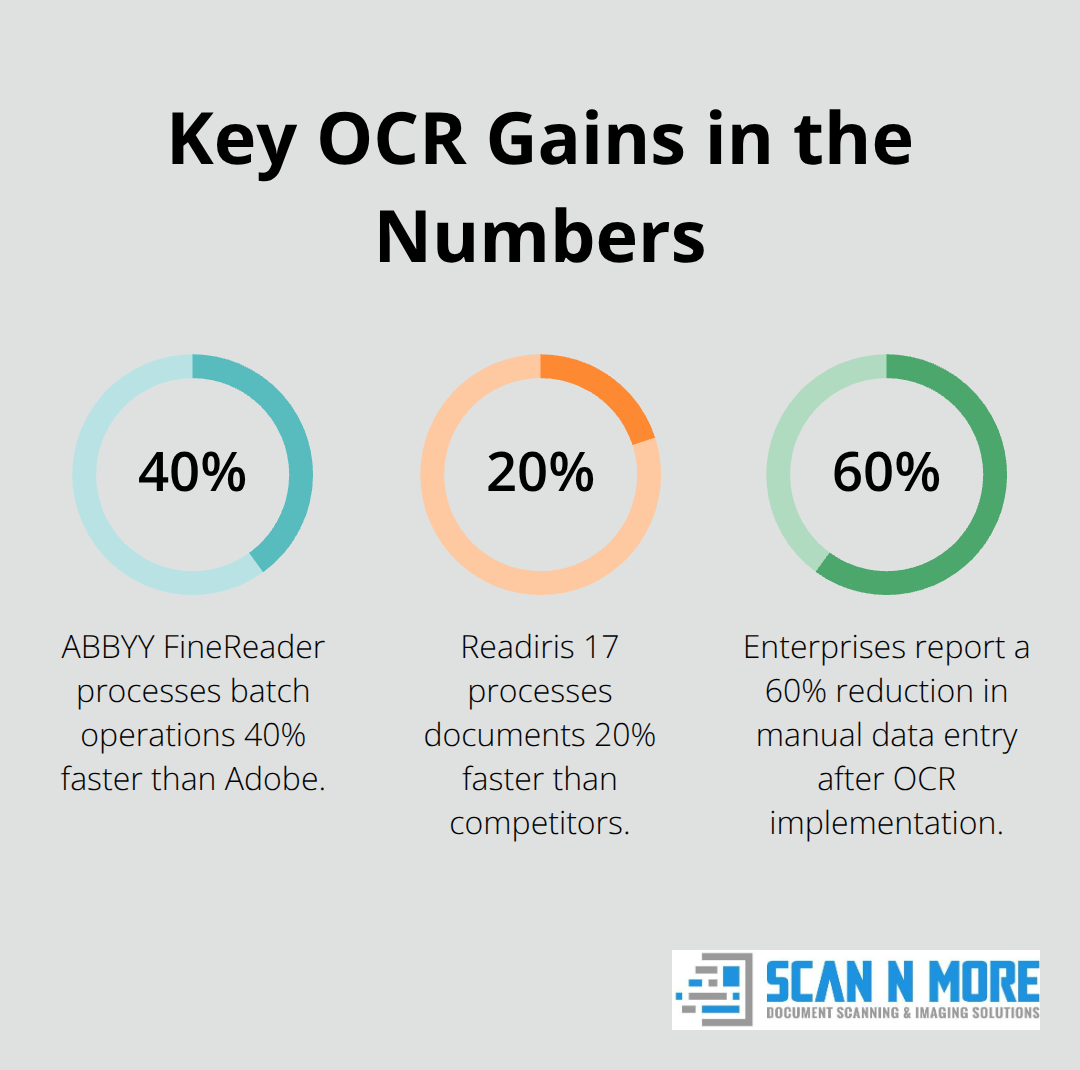
Batch processing capabilities determine whether your OCR software saves time or creates bottlenecks. Readiris 17 processes documents 20% faster than competitors and handles hundreds of pages without manual intervention. Modern OCR systems should process at least 50 pages per minute for standard business documents. File format compatibility affects workflow efficiency – look for software that handles PDF, TIFF, JPEG, and PNG inputs while it outputs to searchable PDFs, Word documents, and Excel spreadsheets.
Output quality matters as much as speed because searchable PDFs with preserved format eliminate the need for manual corrections that destroy productivity gains.
Integration Options Make or Break User Adoption
Cloud integration separates enterprise-ready solutions from consumer tools. Microsoft Lens offers seamless integration with Office 365, while other solutions require manual file transfers that slow workflows. Direct integration with popular cloud platforms (like Google Drive, Dropbox, and SharePoint) eliminates extra steps that reduce user adoption. API availability allows custom integrations with existing business systems – this feature becomes non-negotiable for companies with established document management workflows.
Security Features Protect Sensitive Information
Data protection capabilities vary dramatically between OCR solutions. Enterprise software includes encryption protocols that protect documents during processing and storage. Some solutions offer redaction features that automatically hide sensitive information (such as social security numbers or financial data) before documents enter your system.
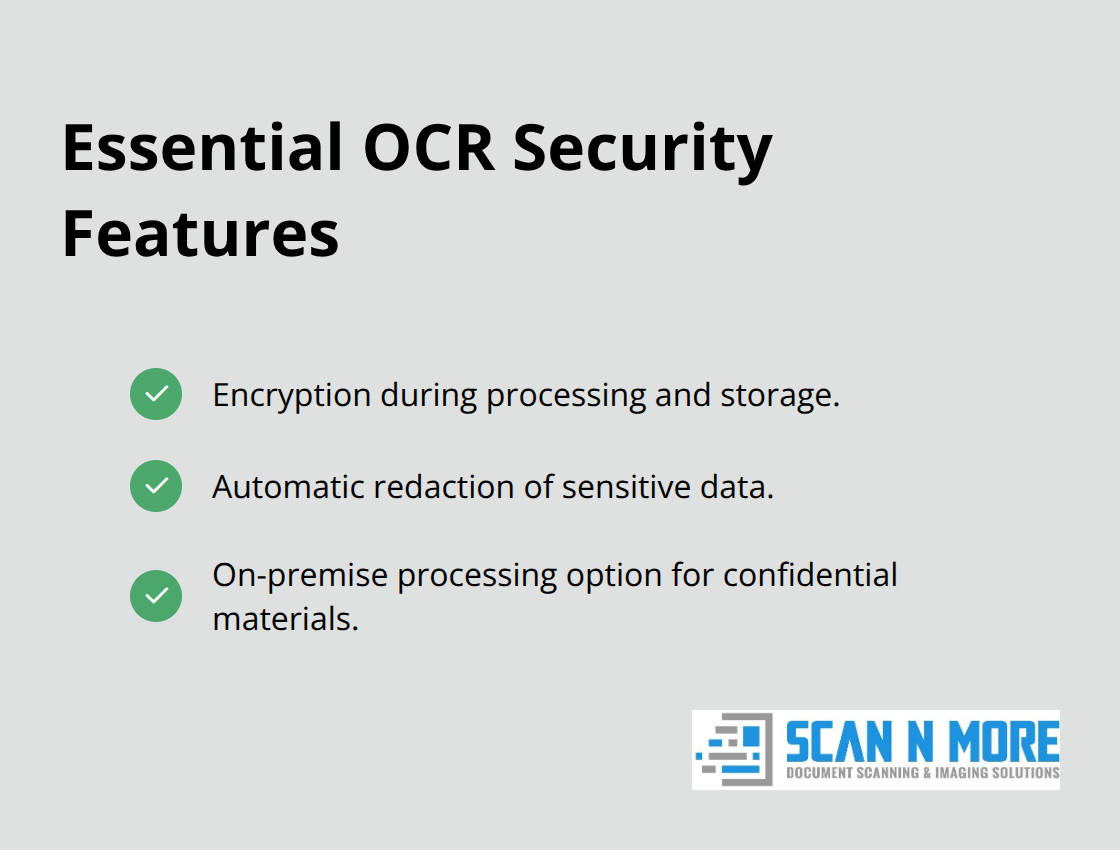
On-premise processing options eliminate cloud security concerns for organizations that handle confidential materials.
These technical specifications directly impact your software selection process, but understanding how different solutions perform in real-world scenarios requires a detailed comparison of the market leaders.
Comparing Popular OCR Software Solutions
Adobe Acrobat Pro DC Leads Performance Standards
Adobe Acrobat Pro DC delivers 95%+ accuracy rates across document types, though its $239 annual subscription creates budget concerns for smaller operations. The software handles complex layouts better than competitors and integrates seamlessly with existing Adobe workflows. Automated document processing improves business processes and increases team efficiency by delivering speed, accuracy, and scalability. The learning curve requires 2-3 weeks for full adoption, and advanced features like batch OCR demand additional training time that impacts immediate productivity.
ABBYY FineReader Excels at Multi-Language Recognition
ABBYY FineReader justifies its $199 annual cost through superior language recognition across 198 languages and exceptional handwriting detection capabilities. The software processes 40% faster than Adobe on batch operations and maintains 99.8% accuracy on degraded documents that challenge other solutions. Enterprise customers report 60% reduction in manual data entry tasks after implementation. The complex interface overwhelms casual users (creating adoption barriers), and cloud integration requires third-party tools that add operational complexity to workflows.
Tesseract Provides Budget-Conscious Flexibility
Tesseract offers free OCR processing with 92-95% accuracy on clean documents, which makes it attractive for cost-conscious businesses and developers who build custom solutions. The open-source nature allows unlimited customization and processing volumes without licensing restrictions. Tech-savvy teams achieve excellent results when they combine Tesseract with preprocessing tools and custom training datasets. Technical expertise requirements create the major limitation – successful implementation demands programming knowledge and server management skills that most businesses lack. Support relies entirely on community forums rather than dedicated customer service (creating operational risks for mission-critical applications).
These performance differences directly impact your total cost of ownership calculations, where initial software prices represent only part of your actual investment.
Cost Analysis and ROI Considerations
OCR software costs extend far beyond initial license fees, and businesses that focus only on subscription costs make expensive mistakes. Adobe Acrobat Pro DC’s $239 annual subscription seems straightforward until you factor in training costs that average $150 per employee and implementation delays that cost $2,000-5,000 per month in lost productivity. ABBYY FineReader’s $199 price looks competitive, but enterprises that process over 10,000 documents monthly face additional server costs and integration expenses that double the total investment. Free solutions like Tesseract appear attractive until you calculate developer time at $75-100 per hour for setup and maintenance that consumes 40-60 hours monthly for technical support.
Time Savings Generate Primary ROI
Companies report significant reduction in manual data entry tasks after proper OCR implementation. Organizations that process 1,000 documents monthly save approximately $3,200 annually in labor costs when OCR accuracy exceeds 95-99% accuracy, while businesses that handle 10,000+ documents achieve $32,000+ annual savings. Adobe users report average speeds of 50 pages per minute compared to 5-8 pages for manual entry, which creates immediate productivity gains that justify premium costs. Hidden maintenance expenses include software updates, server hosting for enterprise solutions, and ongoing training that adds 20-30% to your annual software budget.
Enterprise Support Structures Require Investment
Enterprise OCR deployments require dedicated support structures that cost $5,000-15,000 annually for mid-sized operations. Adobe and ABBYY provide comprehensive customer service with guaranteed response times, while open-source solutions rely on community forums that create operational risks when processing stops. Technical issues with OCR software typically require specialist knowledge that costs $150-200 per hour for external consultants (making vendor support packages worthwhile investments for mission-critical applications).
License Models Affect Long-Term Costs
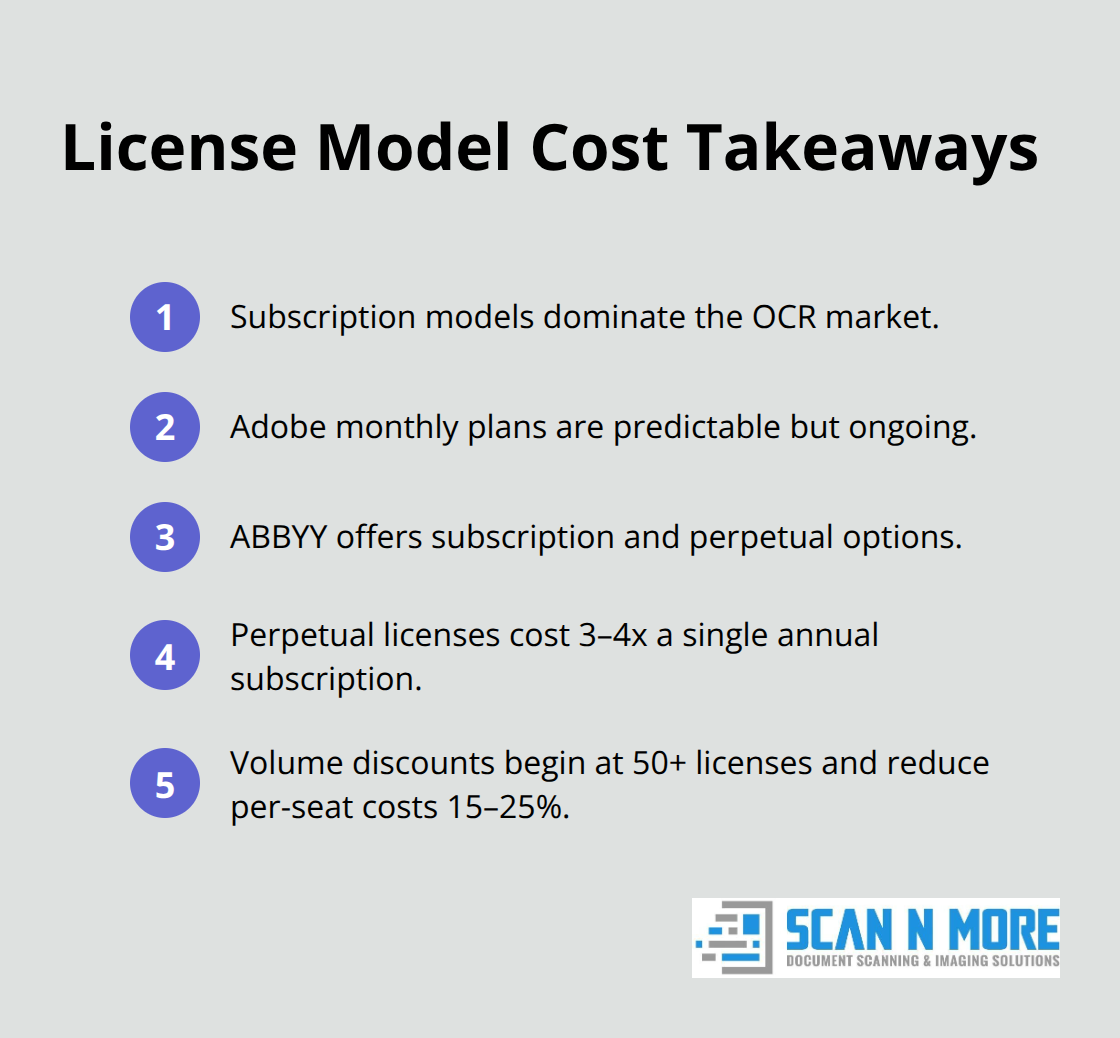
Subscription models dominate the OCR market, but perpetual licenses still exist for specific solutions. Adobe’s monthly subscription model provides predictable costs but locks businesses into ongoing payments that accumulate over time. ABBYY offers both subscription and perpetual options, with perpetual licenses costing 3-4 times the annual subscription rate upfront. Volume discounts kick in at 50+ licenses for most vendors, reducing per-seat costs by 15-25% for larger deployments.
Final Thoughts
Adobe Acrobat Pro DC delivers the best document scanning OCR software performance for businesses that demand accuracy and seamless integration. Its 95%+ accuracy rates and workflow compatibility justify the $239 annual cost for organizations that process critical documents. ABBYY FineReader excels for global operations with 198-language support and faster batch processing speeds, which makes the $199 investment worthwhile for international businesses.
Your software choice depends on document volume, accuracy needs, and available technical resources. Companies that process under 1,000 documents monthly can succeed with basic solutions, while enterprises that handle 10,000+ pages require professional-grade software with dedicated support. Calculate total ownership costs (including training, maintenance, and integration expenses) rather than compare subscription prices alone.
Test accuracy with free trials on your actual documents before you commit to annual contracts. Tesseract works for budget-conscious companies with technical expertise, though implementation complexity limits its appeal for most organizations. For businesses that need comprehensive digitization beyond software capabilities, Scan N More provides professional document scanning services that transform paper-based processes into secure digital solutions.