
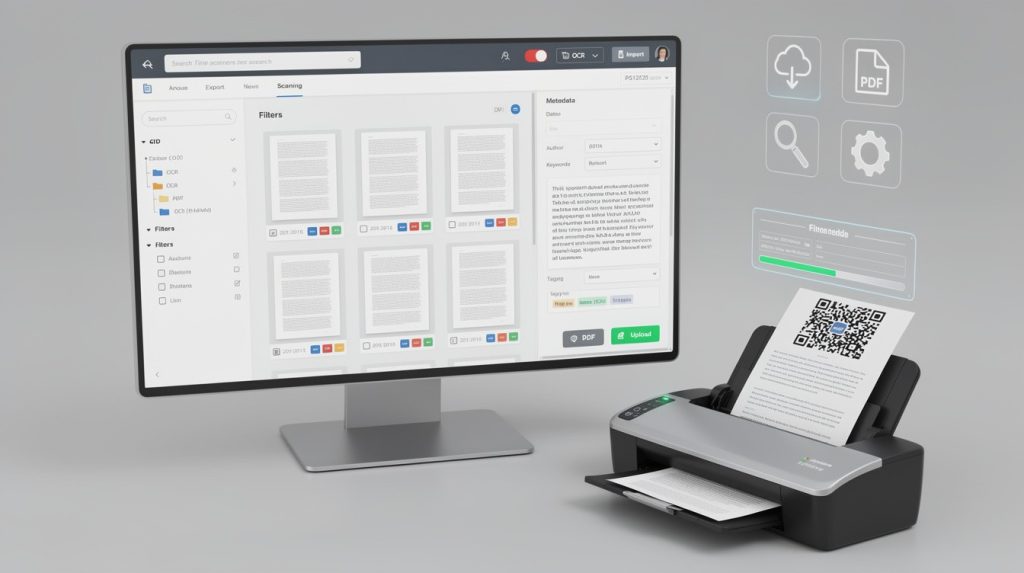
Picking the wrong document scanning and filing software wastes time and money. We at Scan N More know that businesses struggle with outdated filing systems that slow down operations and create security risks.
The right solution transforms how your team works. This guide walks you through the features that matter, compares real options, and shows you how to implement change without disrupting your business.
What Makes Scanning Software Actually Work for Your Business
OCR accuracy separates useful tools from expensive mistakes
OCR accuracy determines whether your scanned documents become searchable assets or expensive paperweights. Most scanning software claims high accuracy rates, but real-world performance varies dramatically based on document quality and language complexity. Adobe Scan handles 18 languages, which matters if your business processes multilingual invoices, contracts, or customer documents. However, Adobe Scan struggles with handwritten text, while Google Docs and vFlat’s Google Cloud OCR perform significantly better on handwriting. If your team frequently scans forms with handwritten notes or signatures, you need software that handles that specific task well rather than settling for a general-purpose solution.
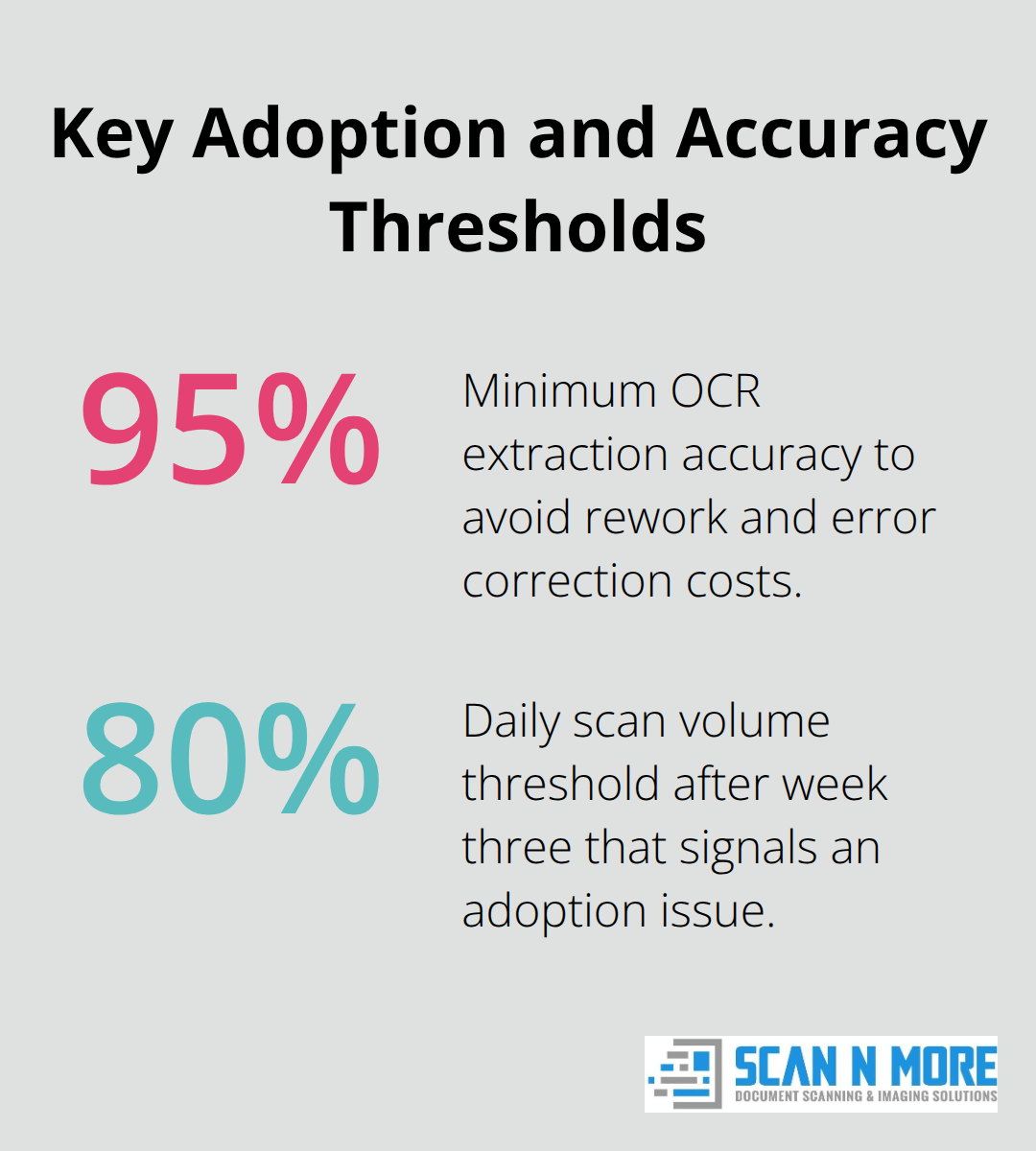
Test your scanning software with actual documents from your workflow before committing, not with pristine sample PDFs. Run OCR on five to ten real invoices, customer forms, or contracts you currently process, then check how accurately the software extracted vendor names, dates, and amounts. If extraction accuracy falls below 95 percent, you’ll spend more time correcting errors than you saved by digitizing.
Integration determines whether your team actually adopts the software
Scanning software that doesn’t connect to your existing systems creates duplicate work and slows adoption. If your team uses Dropbox, Google Drive, or Microsoft SharePoint, the scanning app must upload directly to those platforms without manual file transfers. Adobe Scan integrates tightly with Adobe Document Cloud and Acrobat, enabling you to edit, sign, and annotate scans across devices automatically. vFlat lacks built-in cloud sync, requiring manual uploads that frustrate users and break workflow momentum.
Your software choice either accelerates your team’s transition to digital workflows or creates friction that kills adoption momentum. Direct integration with your existing tools removes the friction that causes people to revert to paper-based processes.
Security and compliance requirements demand built-in protections
For regulated industries like healthcare or finance, security and compliance capabilities aren’t optional extras. Your software must support role-based access controls, audit trails (showing who accessed which documents and when), and encryption both in transit and at rest. Document Management Systems emphasize these features because regulators specifically require proof that sensitive data remains protected and that you can track every access.
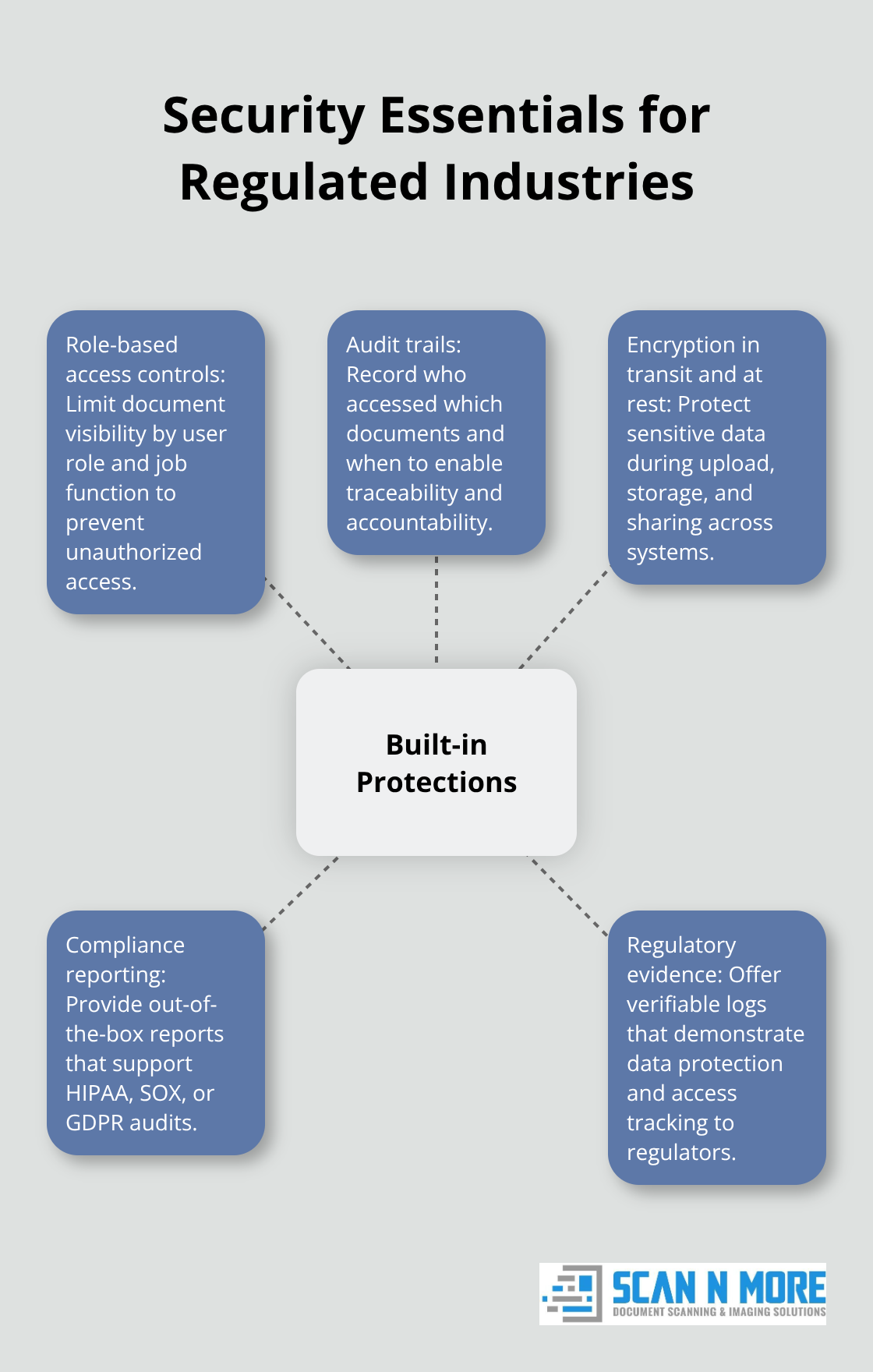
If your industry involves HIPAA, SOX, or GDPR compliance, choose software with built-in compliance reporting rather than hoping your IT team can bolt security on afterward. The scanning software you select today either meets regulatory requirements from day one or creates compliance headaches that multiply as your digital archive grows.
Which Scanning Solution Fits Your Business Model
Manual scanning software works for small document volumes
In-house scanning software and professional scanning services address different business problems, and your choice determines both upfront costs and long-term operational efficiency. Adobe Scan costs nothing to download but requires your team to manually scan documents one page at a time using smartphones or tablets, limiting throughput to roughly 10-15 pages per person per hour depending on document condition and setup time. vFlat processes four pages in 17 seconds according to speed tests, but still demands that your staff handle every document. The choice hinges on your document volume, staff availability, and whether your business can afford the time cost of manual scanning.
For businesses processing fewer than 500 pages monthly, in-house software makes financial sense. Adobe Scan’s free tier with unlimited scans and 2GB storage works well for small teams handling invoices, contracts, or occasional forms. Your team uploads directly to Google Drive or Dropbox, maintaining control over sensitive data without paying subscription fees.
Professional services become cost-effective at higher volumes
Once you exceed 1,000 pages monthly, the math shifts dramatically. A staff member spending five hours weekly on manual scanning costs your business roughly $2,500-3,500 annually in labor alone, before accounting for accuracy errors that require rescans.
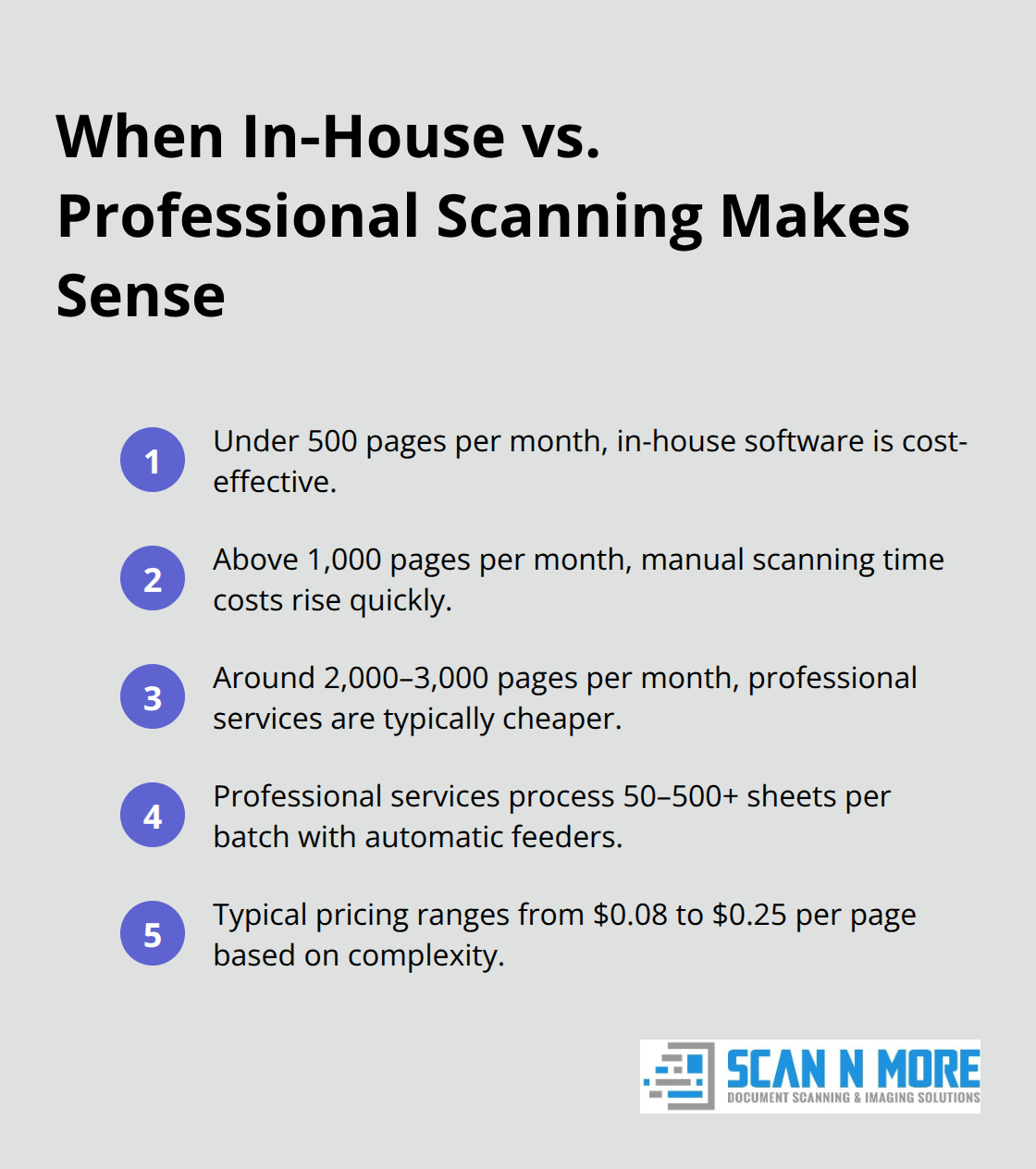
Professional scanning services eliminate this bottleneck by handling bulk volumes through dedicated equipment and trained operators, processing 50-500+ sheets per batch with automatic document feeders.
The break-even point typically arrives around 2,000-3,000 pages monthly, where professional services become cheaper than internal labor. Pricing varies by volume and document complexity, but most professional scanning operates on a per-page basis ranging from $0.08 to $0.25 per page depending on whether you need duplex scanning, color handling, or specialized format support like legal documents or medical records.
Vendor quality separates reliable partners from cost-cutters
Cheaper doesn’t mean better-vendors offering rates below $0.08 per page often cut corners on OCR accuracy or security compliance, creating downstream problems when your team discovers extracted data contains errors or documents lack proper audit trails. Customer support quality separates reliable vendors from those who disappear after the contract is signed.
Request references from current customers processing similar document types and volumes as your business. Ask specifically whether the vendor responded promptly when OCR accuracy fell short or when file organization didn’t match expectations. Adobe Scan offers community support through forums and basic help articles, but no dedicated account management for free users. Professional scanning services should assign you a dedicated contact who understands your workflow, can adjust processes if initial results don’t match requirements, and handles exceptions like damaged documents or unusual formats without generating surprise fees.
Evaluating your actual document processing needs
Your decision between in-house and professional scanning depends on honest assessment of your monthly document volume and the true cost of staff time. Calculate how many hours your team currently spends on manual scanning, then multiply by your average hourly labor cost. Compare that figure against professional scanning quotes for your actual monthly volume. Most businesses discover that professional services pay for themselves within months once they account for labor, error correction, and the productivity gains from freeing staff to focus on higher-value work.
The scanning approach you select today shapes how efficiently your team accesses information tomorrow. Your next step involves planning how to transition your existing paper archives and establish processes that keep new documents flowing into your digital system consistently.
Moving from Paper to Digital Without Disrupting Operations
Calculate your migration timeline realistically
Transitioning to scanning software requires a realistic timeline that accounts for your existing paper volume, staff capacity, and business operations. Most businesses underestimate migration timelines because they fail to account for document preparation, quality control, and staff learning curves. Start by calculating your actual document volume: count pages in your filing cabinets, storage boxes, and active work areas, then add your monthly incoming document volume. A business with 50,000 pages of archived documents plus 500 monthly new pages needs a fundamentally different approach than one with 5,000 archived pages.
If you selected professional scanning services, the vendor typically handles archived volumes in batches while you implement software for new incoming documents simultaneously. This parallel approach keeps operations moving while eliminating your paper backlog over weeks rather than months. Set a hard deadline for completing archived scanning-typically 8-12 weeks for medium-sized businesses-rather than allowing the project to drift indefinitely.
Assign clear ownership and accountability
Assign one staff member as the scanning project owner with explicit responsibility for tracking progress, communicating blockers, and adjusting timelines when delays occur. Without clear ownership, migration projects consistently slip because no single person feels accountable for momentum. Your project owner should report weekly on scanning volume completed, quality issues encountered, and any obstacles that threaten your timeline.
Frame training around immediate time savings
Staff adoption determines whether your scanning investment actually reduces paper handling or simply adds another system your team ignores. Employees resist new software when they perceive it as extra work rather than a productivity tool, so frame training around time savings specific to their role. Show your accounts payable team that OCR-powered invoice scanning reduces processing time from 8 minutes per invoice to 2 minutes by extracting vendor names and amounts automatically. Demonstrate to your legal department how searchable PDFs eliminate work time that researchers currently waste searching for documents, according to workplace studies.
Conduct hands-on training with actual documents your team processes daily rather than generic sample files, because your staff learns faster when they see immediate relevance to their work. Train in small groups of 4-6 people rather than all-hands sessions, allowing participants to ask role-specific questions without holding others back.
Launch with a pilot group first
Go live with a pilot group first-perhaps your accounting department or a single office location-then expand after two weeks once early adopters have worked through initial problems and can mentor others. This staged rollout prevents the chaos that occurs when untrained staff encounter software problems simultaneously across your entire organization. Early adopters become your internal champions who answer questions and demonstrate that the new system actually saves time.
Monitor adoption metrics aggressively
Monitor adoption metrics aggressively during the first month: track how many documents your team scans daily, measure OCR accuracy on extracted data, and count how many times staff revert to manual filing or paper searches. If daily scans drop below 80 percent of your target volume after week three, you have a training or software problem that requires immediate attention rather than hoping adoption improves naturally.
Your project owner should investigate whether staff struggle with the software interface, lack confidence in OCR accuracy, or simply need additional hands-on support to build their skills.
Final Thoughts
Choosing the right document scanning and filing software requires matching your business volume, security requirements, and workflow integration needs to the solution that actually delivers results. OCR accuracy, seamless integration with your existing systems, and robust security controls separate tools that transform operations from those that create frustration. Your decision between in-house scanning software and professional services hinges on honest calculation of labor costs and document volume rather than assumptions about what should work.
The long-term payoff extends far beyond eliminating filing cabinets. Businesses that implement effective scanning workflows report dramatic improvements in document retrieval speed, reduced compliance risks, and staff productivity gains that compound over years. Employees spend less time searching for information and more time on work that generates revenue, while your digital archive becomes a searchable asset that supports data-driven decisions about cash flow, hiring patterns, and customer trends.
Your next step involves assessing your current document volume and calculating whether in-house software or professional scanning services makes financial sense for your business. If your monthly document volume exceeds 1,000 pages, professional services typically become cost-effective within months. Scan N More offers professional document scanning services designed to handle your transition smoothly, with on-site and off-site scanning for all document formats including legal and medical records, ensuring data security and compliance throughout the process.