
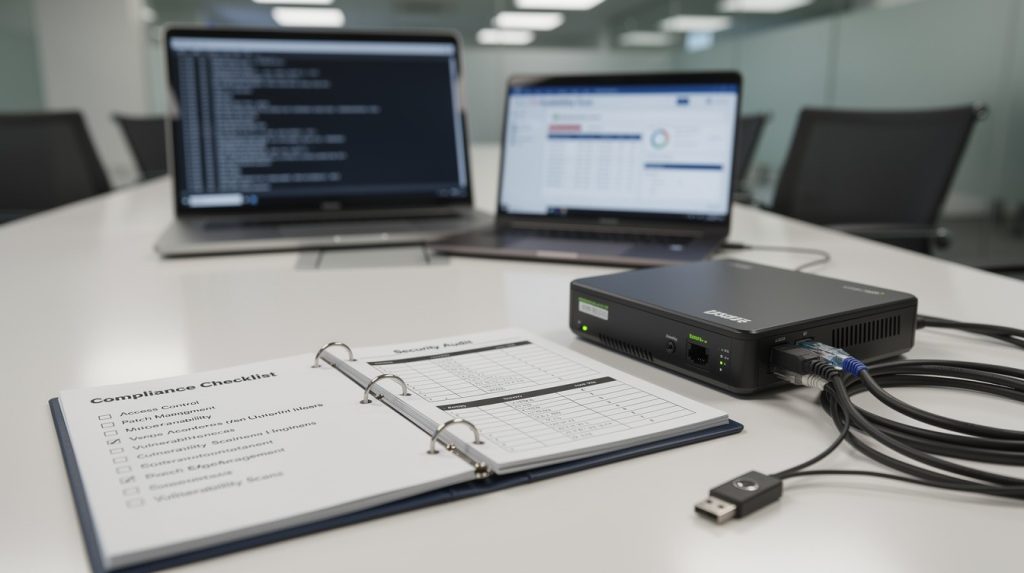
Audits fail because companies can’t find their documents. We at Scan N More know that compliance scanning guidelines separate organizations that pass inspections from those that scramble at the last minute.
This guide walks you through organizing, scanning, and protecting your documents so you’re always audit-ready. No surprises, no missing files, no stress.
How to Organize Documents So Auditors Find Everything
Audits fail when organizations can’t locate their documents. We at Scan N More know that compliance scanning guidelines separate organizations that pass inspections from those that scramble at the last minute. You need a system where any document-whether it’s a policy update from three years ago or yesterday’s access log-surfaces in minutes, not hours.
Map Your Regulatory Requirements First
Start by identifying every regulatory requirement that applies to your organization. If you handle healthcare data, HIPAA controls demand documentation. If you process payments, PCI DSS requirements specify what evidence you must preserve. If you face SOC 2 audits, you must prove access controls and incident response procedures exist. Create a master list of these requirements and assign each one a code. HIPAA-001 could represent patient data encryption standards, while PCI-DSS-002 represents network segmentation. Tag every document that satisfies a requirement with its corresponding code. This approach prevents gaps and helps auditors immediately understand how your documentation aligns with regulatory obligations.
Build a Three-Level Filing Structure
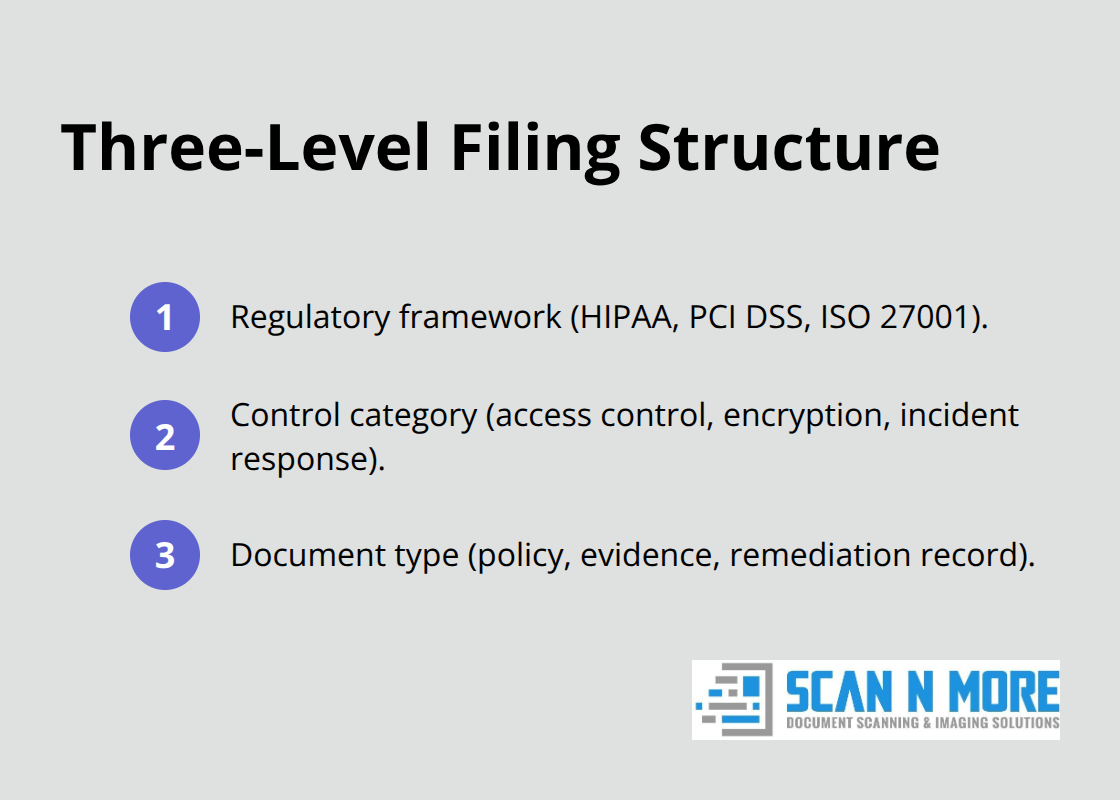
A consistent filing structure eliminates the chaos that derails audits. Organize documents across three levels: regulatory framework (HIPAA, PCI DSS, ISO 27001), control category (access control, encryption, incident response), and document type (policy, evidence, remediation record). A file path might read HIPAA/Access Control/Policy or PCI DSS/Encryption/Scan Results.
Store everything digitally-paper backups scatter and deteriorate. When you digitize documents through professional scanning services, ensure your storage system follows this structure from day one. Don’t scan first and organize later; that approach creates digital clutter that defeats the purpose of having organized records.
Create and Enforce a Retention Schedule
Document retention isn’t optional-it’s a legal obligation with serious consequences. HIPAA requires six years of records. PCI DSS mandates one year of logs. GDPR gives individuals the right to deletion after their data’s purpose expires. Create a document retention schedule that lists every document type, how long to keep it, and when deletion occurs. Assign ownership: finance owns tax records, IT owns access logs, HR owns employment files. Set calendar reminders to review and purge expired documents quarterly. Organizations using automation saved 4.6 hours per week on evidence collection, according to Vanta’s 2024 State of Trust Report-time you can redirect toward maintaining your retention schedule. Keeping documents past their required retention date creates liability during audits and wastes storage costs. Deleting them before the deadline violates compliance rules.
Prepare Your Evidence Package for Auditors
Auditors expect organized, accessible evidence that demonstrates your compliance efforts. Collect scan results, identified vulnerabilities, remediation actions, and re-scan confirmations in one centralized location. Maintain clear documentation showing which controls address which regulatory requirements. Include timestamps, ownership details, and approval records to establish accountability. This evidence package (organized by the three-level structure above) allows auditors to verify your compliance posture without requesting additional searches or clarifications. When your documentation is this organized, auditors move through their review efficiently and focus on substantive compliance questions rather than hunting for missing files.
Scanning Your Documents Without Compromising Compliance
The documents you scan must be audit-ready from day one. Poor scanning practices create liability rather than protection. When you scan at low resolution, skip verification steps, or fail to track who accessed what and when, you’ve created a digital liability that auditors will question immediately. The scanning process itself must follow standards that match your regulatory obligations.
Choose Approved Vendors for Critical Scans
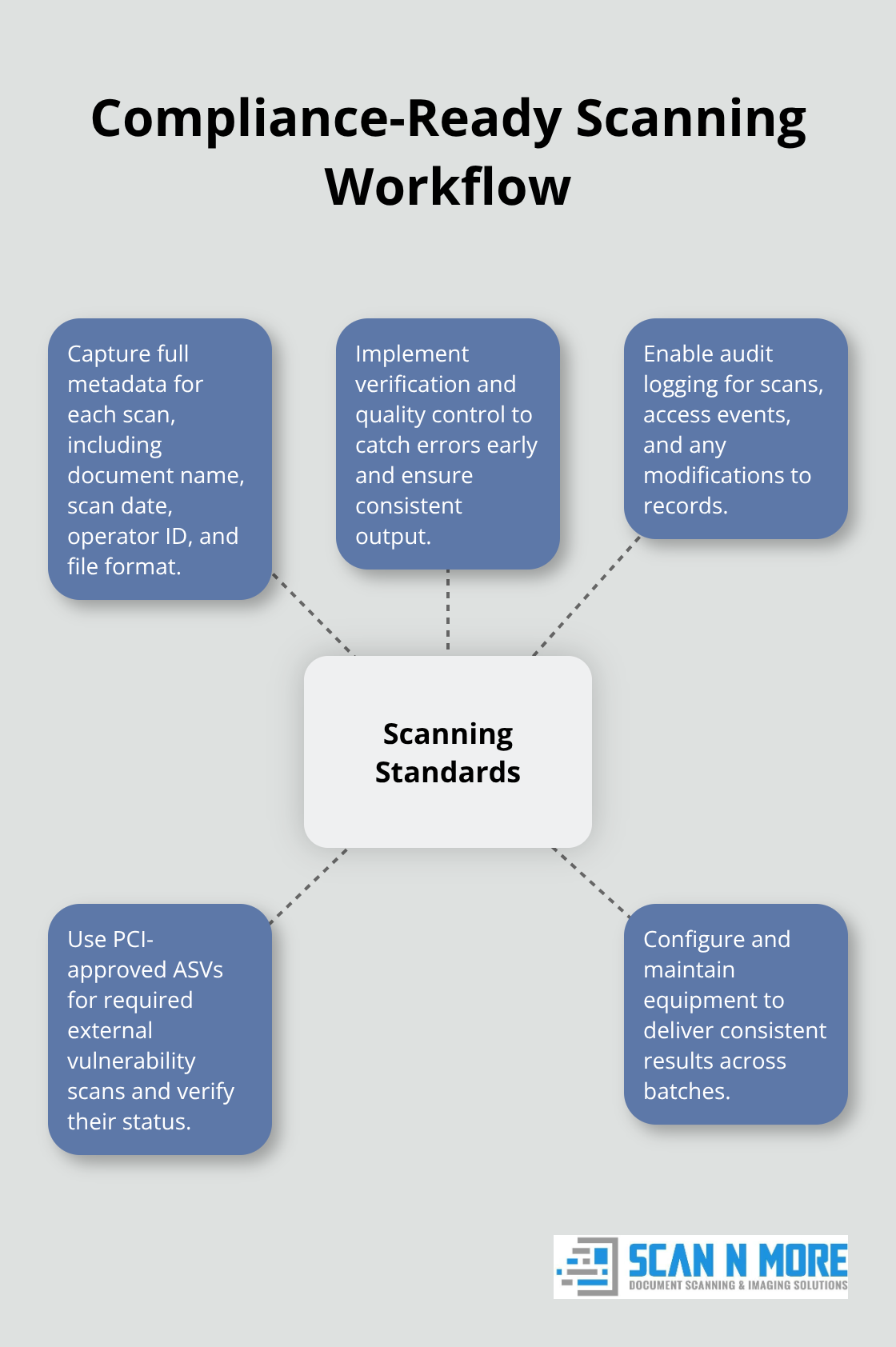
For PCI DSS compliance, external vulnerability scans must come from PCI Security Standards Council-approved Approved Scanning Vendors (ASVs), who undergo testing and re-approval before appearing on the official list. You cannot cut corners on who performs critical scans-the vendor’s approval status matters as much as the scan results themselves. Before contracting scanning services, verify the ASV’s current status on the PCI SSC list rather than relying on outdated communications. An ASV marked “In Remediation” indicates a qualification violation; confirm remediation progress before using their services. This verification step takes minutes but prevents audit failures caused by using unapproved vendors.
Capture Complete Metadata During Scanning
When you scan documents in-house or through service providers, demand that scans capture full metadata including document name, scan date, operator ID, and file format. This metadata becomes your proof that scanning happened under controlled conditions. Credentialed scans provide significantly more accurate snapshots and enable checks unavailable to non-credentialed approaches. If credentialed scanning isn’t feasible on certain assets, augment with non-credentialed scans paired with agent-based scanning to fill the gaps. Your scanning equipment must produce consistent output across batches, which requires proper configuration and regular maintenance.
Implement Verification and Quality Control
Quality control during scanning separates compliant organizations from those facing audit failures. Implement verification steps that catch errors before documents enter your permanent record: verify page counts match originals, confirm text is readable at standard zoom levels, and test that your scanning equipment produces consistent output across batches. Maintain detailed audit logging features showing every scan performed, who initiated it, when it occurred, and what the results were. If you’re using automated scanning platforms, enable audit logging that tracks access to scanned documents and records any modifications. Organizations using automation through compliance platforms saved 4.6 hours per week on evidence collection according to Vanta’s 2024 State of Trust Report, but only when their scanning processes included proper verification and logging.
Maintain Accurate Asset Inventory and Purge Obsolete Records
Maintaining an accurate asset inventory serves as the foundation of vulnerability management-the same principle applies to document scanning. Delete decommissioned or obsolete scans to reduce clutter and improve reporting accuracy, similar to how you’d purge expired documents from your retention schedule. When auditors review your scanning practices, they’re verifying that your processes are repeatable, documented, and resistant to human error. This foundation of clean, verified scans positions you to protect sensitive information throughout its lifecycle, which brings us to the critical question of how you safeguard that data once it’s digitized.
Data Security and Protection During the Scanning Process
Scanning documents creates a security paradox: you’ve converted physical records that require someone to physically locate into digital files that anyone with network access could theoretically reach. Encryption, access controls, and security audits aren’t optional additions to your scanning workflow-they’re foundational requirements that determine whether your audit passes or fails. The moment your documents become digital, they need protection that exceeds what a locked filing cabinet provides.
Encrypt Data Before and During the Scanning Process
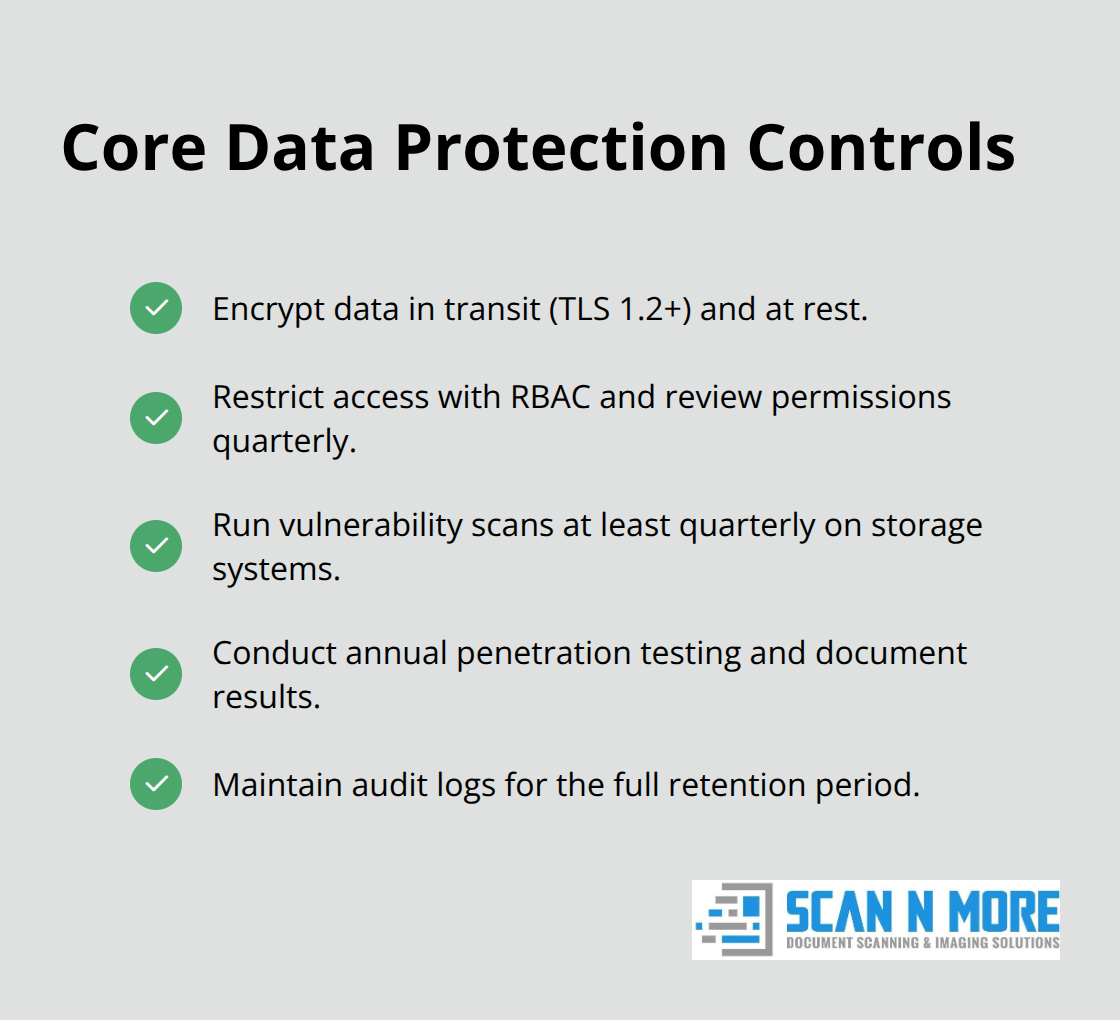
Start with encryption before scanning begins. HIPAA-covered entities must encrypt patient data, and PCI DSS requires encryption of cardholder information during transmission and storage. If you’re handling sensitive documents, encryption should activate at the scanning device itself, not after files land in your repository. When you work with professional scanning services, confirm they encrypt data during transit using TLS 1.2 or higher and that encrypted files remain encrypted in storage. Many organizations assume their scanning vendor handles this automatically-verify it explicitly in writing. Once encrypted, your scanned documents need access controls that prevent anyone from viewing files they shouldn’t see.
Restrict Access Through Role-Based Controls
Role-Based Access Control restricts who can scan documents, who can view results, and who can modify or delete records. Misconfigured RBAC creates scan failures and incomplete audit trails. Assign permissions granularly: a compliance analyst might view all scans, but a regular employee sees only documents relevant to their role. IT staff who manage scanning infrastructure shouldn’t automatically access patient records or financial documents. Document every access permission in writing and review them quarterly-people change roles, teams reorganize, and old access rights linger.
Run Continuous Security Audits and Vulnerability Scans
Security audits must happen continuously, not annually. Run vulnerability scans on the systems that store your scanned documents at least quarterly, and more frequently if you handle high-risk data like healthcare or payment information. Each scan should generate a detailed audit log showing what was scanned, when it happened, who initiated it, and what vulnerabilities appeared. Maintain this audit trail for your entire retention period-auditors will request it.
If your scanning infrastructure connects to a cloud platform, enable cloud-native security monitoring that tracks unauthorized access attempts and alerts your team immediately.
Test Encryption and Document Access Controls
Conduct penetration testing annually to identify weaknesses before auditors do. Organizations that implement continuous monitoring catch security gaps early, avoiding the emergency remediation work that consumes resources during audit season. Test your encryption regularly by attempting to access encrypted files without proper credentials-if you can read them, your encryption isn’t working. Document these tests and their results as part of your compliance evidence package.
Final Thoughts
Audit readiness demands three core practices that work together: you organize documents so auditors locate them instantly, you follow compliance scanning guidelines that match your regulatory obligations, and you protect sensitive information through encryption and access controls. Organizations that pass audits consistently implement these practices year-round rather than scrambling weeks before inspections. The stress and emergency remediation work that consumes resources during audit season disappears when you treat compliance as an ongoing discipline instead of a seasonal event.
Your team gains immediate operational benefits beyond audit compliance. Staff members spend less time searching for documents and more time on strategic work, while auditors move through their reviews faster when they don’t request clarifications or hunt for missing files. Your organization reduces storage costs by purging expired documents on schedule rather than accumulating years of unnecessary records. Professional scanning services can accelerate your digitization while maintaining compliance standards from day one, and we at Scan N More help organizations implement proper scanning infrastructure that positions them for audit success.
Start by conducting a gap analysis comparing your current document organization against your regulatory requirements. Identify which documents you’re missing, which retention periods you’re violating, and which scanning processes lack proper verification. Assign ownership for each gap and set realistic deadlines for remediation.