
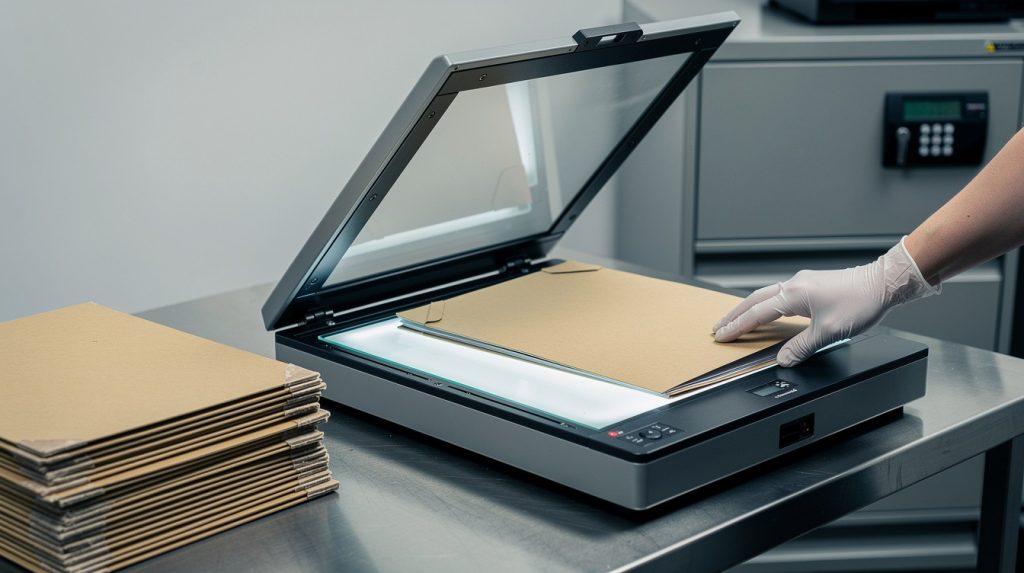
Law firms handle case files containing sensitive client information that demands protection under strict regulations. At Scan N More, we understand that legal records scanning isn’t just about convenience-it’s about compliance and security.
When you digitize confidential case files, you’re responsible for maintaining the same level of protection throughout the entire process. This guide walks you through the standards, security measures, and best practices that keep your firm’s data safe.
What Compliance Standards Apply to Your Digitized Case Files
Federal and State Regulations Governing Case Files
Legal practices operate under a web of federal and state regulations that govern how case files must be stored, accessed, and eventually destroyed. The Health Insurance Portability and Accountability Act applies when case files contain patient information, requiring encryption at rest and in transit, strict access controls limiting staff to only the data they need, and audit trails documenting every access to sensitive records. State Bar Association rules vary by jurisdiction, but most require law firms to maintain records for a minimum of five to seven years after case closure, with some states like California and New York demanding longer retention for specific matter types.

Chain of Custody Documentation Throughout the Scanning Lifecycle
Your firm must establish and document chain of custody procedures that track who handled physical documents before scanning, who accessed digital files after conversion, and how destruction occurred once retention periods ended. This documentation protects your firm if opposing counsel or regulators question whether evidence was altered or accessed improperly during litigation. The scanning process itself introduces compliance risks that demand careful attention-documents must pass through secure facilities with restricted access, encrypted transfer protocols, and quality verification steps that confirm no pages were lost or corrupted during conversion.
Metadata and Tagging for Audit Compliance
Many law firms underestimate the importance of metadata during scanning. Tagging each document with case number, date, document type, and privilege status creates an auditable trail and prevents accidental disclosure of privileged materials. After scanning completes, your firm needs a documented destruction plan for original paper files that complies with state regulations and your retention schedule, with certificates of destruction from professional shredding services serving as proof of compliance.
The Business Case for Rigorous Document Management
The cost of non-compliance far exceeds the investment in proper scanning and storage. Regulatory fines, malpractice exposure, and reputational damage make rigorous document management a business imperative, not an optional expense. Professional scanning services handle the technical requirements of secure digitization, allowing your firm to focus on practice while maintaining the compliance standards regulators expect. With these compliance foundations in place, your firm can move forward to implementing the specific security measures that protect digitized files throughout their lifecycle.
How to Protect Data During the Scanning Process
Confidential case files face real vulnerabilities the moment they leave your office for scanning. Your firm must control every step from pickup through final digital storage to maintain the security standards regulators expect. When documents arrive at the scanning facility, staff verify the contents match the packing list, log the materials into a tracking system, and immediately store them in locked, climate-controlled areas with restricted access. Physical security at the facility matters more than most law firms realize-the scanning vendor should maintain 24/7 surveillance, enforce badge-access entry systems, and limit personnel to only those with background checks and confidentiality agreements. During the actual scanning process, OCR and full-text imaging enable searchability while maintaining document integrity, but quality control steps are non-negotiable. A second reviewer verifies that all pages scanned correctly, no documents were lost during conversion, and the digital file matches the original before the paper copy moves to destruction.

Encryption Standards That Protect Your Files
Encrypted data transfer and secure cloud storage require specific technical standards, not generic assurances. Your scanning vendor should use TLS 1.2 or higher for data in transit and AES-256 encryption for files at rest. Ask your vendor directly about their encryption implementation rather than accepting vague promises about security. The vendor’s technical team should explain exactly how they encrypt data, where they store encryption keys, and how they handle key rotation to prevent unauthorized access.
Access Controls That Limit Exposure
Role-based access controls mean that paralegals handling litigation support cannot access files from unrelated matters, and attorneys see only cases assigned to them. Multi-factor authentication should be mandatory for all digital access, not optional. User authentication systems must generate detailed audit logs showing who accessed which files, when they accessed them, and what actions they performed. These logs become critical evidence if your firm faces questions about whether files were altered or improperly viewed during litigation.
Security Audits That Identify Vulnerabilities
Your firm should conduct quarterly security audits that test access controls, verify encryption functions correctly, and confirm backup systems operate as designed. These audits satisfy regulatory expectations and identify vulnerabilities before problems occur. These audits also provide documentation that your firm took reasonable steps to protect confidential information-a defense that matters if a breach occurs despite your precautions.
With these protective measures in place during the scanning process, your firm can move forward to managing digitized files securely throughout their entire lifecycle, from initial access through eventual destruction.
Managing Digitized Case Files Securely
Digitized case files require ongoing management practices that extend far beyond the initial scanning project. Your firm cannot simply scan documents, store them in the cloud, and assume they remain secure. The architecture you build around access permissions determines whether your firm maintains control over sensitive information or exposes it to unnecessary risk.
Implement Role-Based Access Controls
Role-based access controls must be granular enough to reflect your firm’s actual workflow. A paralegal working on personal injury litigation should never access corporate transaction files from a different client, and junior associates should not view partner-level strategy documents. This means your document management system needs clearly defined permission levels tied to specific cases, matter types, and document classifications. When you implement these controls properly, they prevent the accidental disclosure that occurs far more often than intentional breaches.
Most law firms fail here because they treat access permissions as a one-time setup task rather than an ongoing maintenance requirement. Staff roles change constantly as attorneys move between practice areas, paralegals transition to new responsibilities, and support staff members are promoted or leave the firm. Your firm must conduct regular access reviews that verify each person still needs the permissions they currently hold and remove access for departed employees within 24 hours of their exit. These reviews should be documented and retained as evidence of your compliance efforts if regulators ever question your security practices.
Establish Backup Systems That Survive Disasters
Disaster recovery planning separates firms that survive data loss from those that face catastrophic consequences. A $100 hard drive stores approximately 2.7 million documents, meaning your entire case file archive fits on affordable hardware, but that affordability means nothing if backups fail when you need them most. Your firm’s backup strategy should include at least three copies of critical files: one on-site for fast access, one off-site in a geographically separate location to survive fires or natural disasters, and one archived copy retained according to your retention schedule.
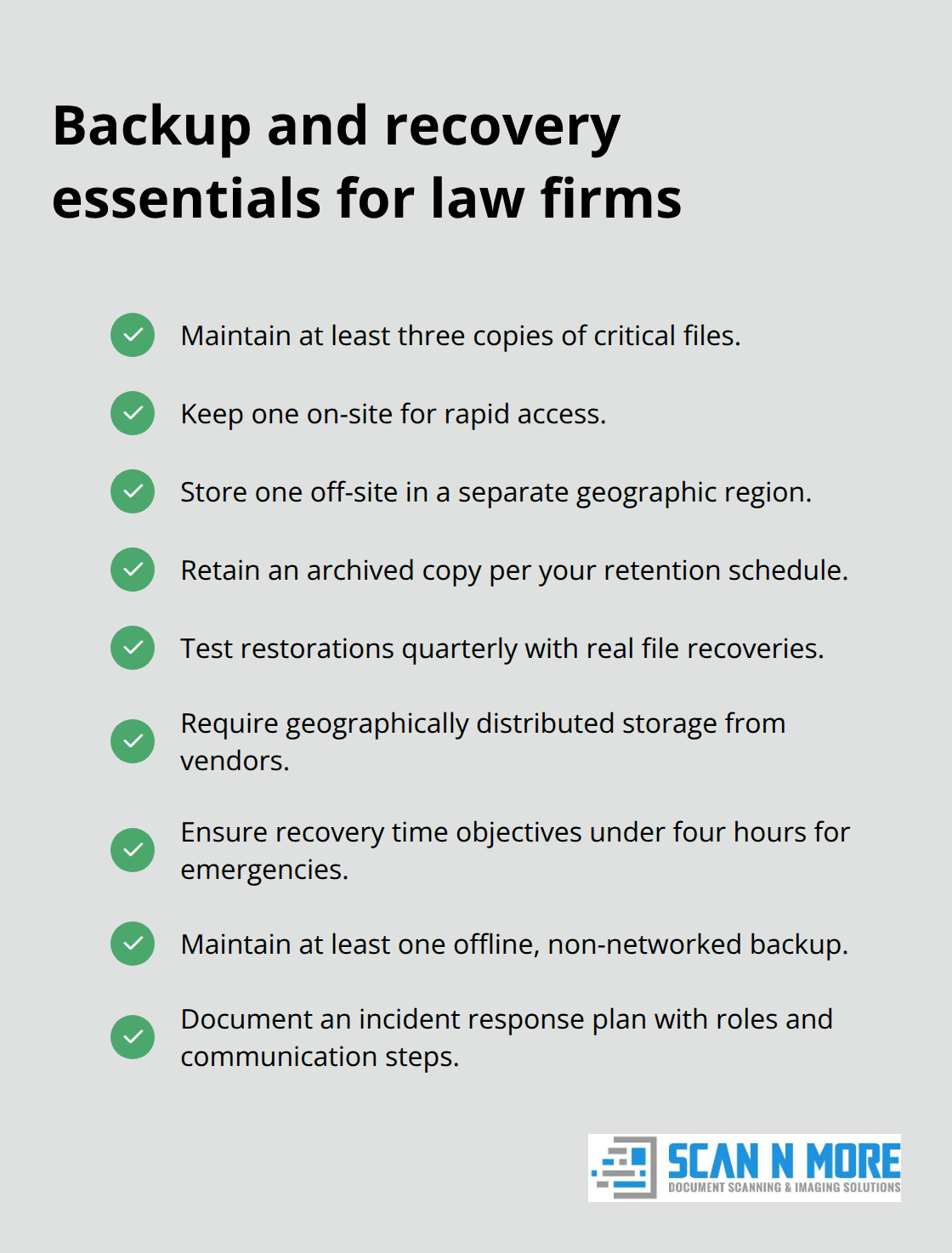
Test your backup restoration process quarterly by actually recovering a sample of files and verifying they open correctly and contain all expected pages. Many firms discover their backup system is broken only when they attempt recovery during a crisis. Schedule these restoration tests on your calendar just as you would any other compliance obligation, and document the results. If your scanning vendor handles backups, review their Service Level Agreement to confirm they test restorations themselves, maintain geographically distributed storage, and provide recovery time objectives of less than four hours for emergency access.
Ransomware attacks targeting law firms have increased significantly, making offline backup copies essential. At least one backup copy should be stored without network connectivity so that if your primary systems are compromised, you retain an uncorrupted archive. Your firm also needs a documented incident response plan that specifies exactly what happens if files are encrypted by ransomware or accidentally deleted. This plan should identify who gets notified, what data restoration steps occur, and how you communicate with clients if their files are affected. The firms that recover quickly from data incidents are those that have practiced their response procedures in advance rather than improvising under pressure.
Conduct Quarterly Compliance Verification
Quarterly compliance verification should test specific scenarios, such as attempting to access files from unassigned cases or trying to modify document metadata to confirm your system rejects these actions. Document the results of each audit and maintain them for at least three years as evidence that your firm took reasonable precautions to protect confidential information.
If your firm uses external scanning vendors, require them to provide audit reports that demonstrate their facilities maintain the security standards they promised. Reputable vendors maintain compliance documentation and can demonstrate their controls through third-party audit results. Firms that skip these verification steps often discover too late that their backup systems failed, their encryption keys were mismanaged, or their access logs stopped functioning months earlier. The cost of conducting these audits is negligible compared to the cost of discovering security failures during litigation or regulatory investigation.
Final Thoughts
Secure legal records scanning transforms how your firm protects confidential case files while meeting regulatory obligations. The scanning process itself becomes your first line of defense, establishing chain of custody documentation that proves your firm handled sensitive materials responsibly from pickup through destruction. When you implement encryption standards, access controls, and physical security protocols during scanning, you eliminate vulnerabilities that expose firms to breach, regulatory fines, and malpractice liability.
The real protection emerges after scanning completes, as role-based access controls prevent accidental disclosure by limiting staff to only the information they need for their specific role. Quarterly security audits and backup restoration tests catch failures before they become crises, and these ongoing practices demonstrate to regulators and clients that your firm takes data protection seriously as a permanent operational standard rather than a one-time project. Digitized case files offer advantages that paper storage cannot match-your attorneys access files instantly from any location, opposing counsel receives documents in hours rather than days, and your audit logs prove exactly who accessed what and when.
We at Scan N More handle the technical complexity of secure digitization so your firm can focus on practice. Contact Scan N More to discuss how professional legal records scanning protects your firm’s most valuable asset: client trust.