
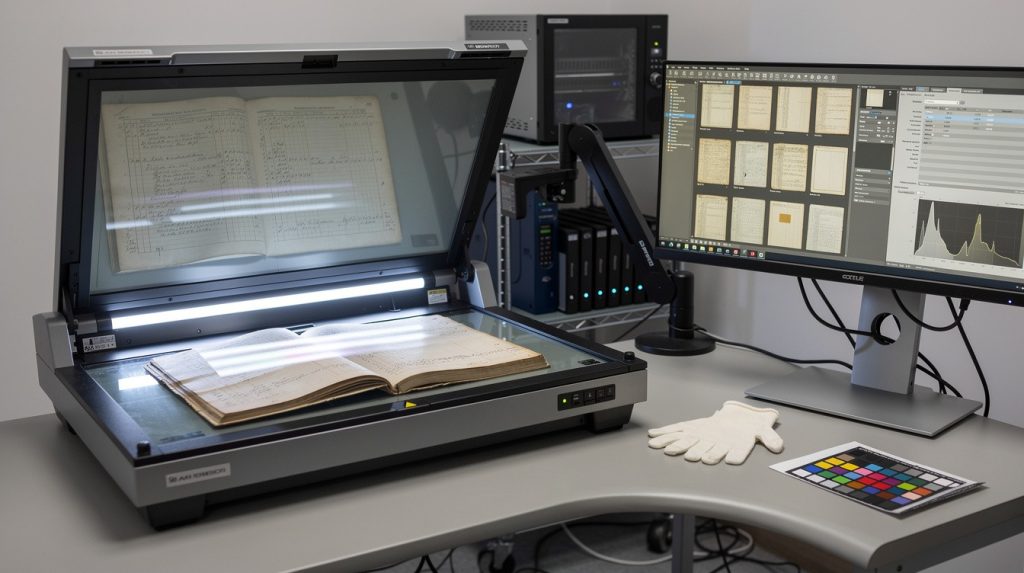
Organizations are sitting on mountains of paper documents that cost thousands to store and take hours to find. At Scan N More, we’ve helped hundreds of companies transform their archives into searchable digital systems that work harder and cost less.
Your historical records deserve better than filing cabinets and deteriorating boxes. Modern digital archive solutions give you instant access while protecting what matters most.
Why Your Organization Needs Digital Archives Now
Paper storage drains your budget and slows your operations. The average organization spends between 50–95 cents per box, per month to maintain physical documents in off-site storage facilities, and retrieval takes days when you actually need something. Teams waste thousands of hours annually searching through filing cabinets and storage rooms for documents that should take seconds to find. Physical deterioration compounds the problem-humidity damages contracts, sunlight fades critical information, and rodents destroy irreplaceable records. The real issue isn’t that you have too much paper; it’s that paper makes your operations slower and your costs higher.
The Hidden Cost of Manual Document Searches
When your team spends 15 minutes searching for a single document instead of 15 seconds, that compounds quickly across hundreds of daily requests. A healthcare organization with 50 staff members handling patient records loses roughly 40 hours weekly to manual searches, which translates to $25,000 in lost productivity annually based on average salary costs. Compliance teams face the same drain when audits require pulling historical contracts or correspondence-what should take hours now takes weeks. Digital archives eliminate this friction entirely.
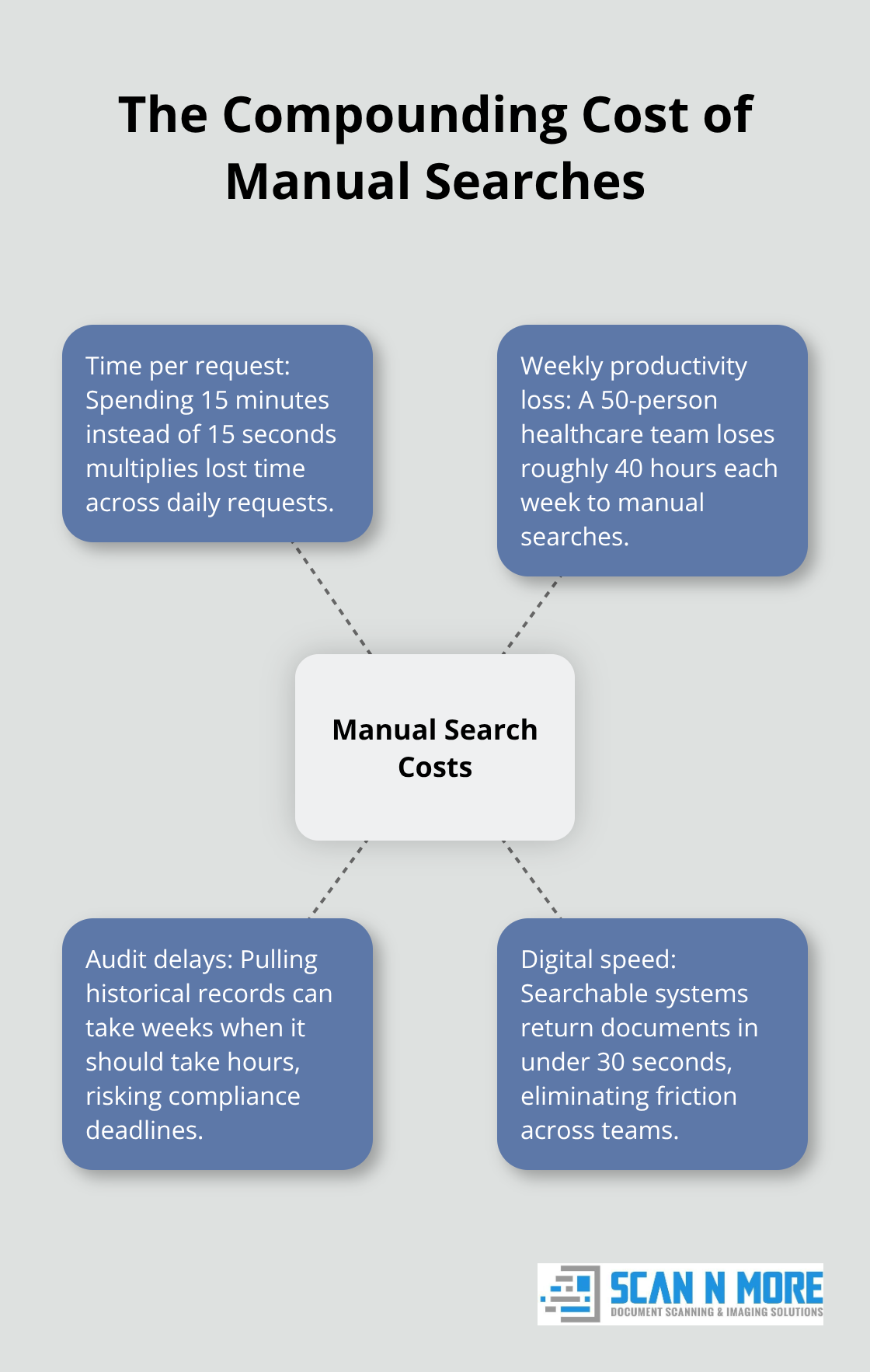
Organizations that implement searchable digital systems find documents in under 30 seconds, and that speed matters when regulators ask for proof of compliance or customers need contract verification.
Regulatory Requirements Demand Digital Solutions
Compliance isn’t optional anymore. HIPAA requires healthcare organizations to maintain patient records for six years minimum. SOX mandates financial document retention for seven years. GDPR imposes strict data handling rules across the EU. Paper-based systems fail these requirements because you cannot prove data integrity, control access properly, or demonstrate audit trails. Digital archives with proper indexing, access controls, and tamper-proof formats solve this directly. When the National Archives and Records Administration manages over 12 billion pages of archival material, they digitize because physical storage becomes impossible at scale and because digital systems provide the access controls and documentation that regulators demand. Your organization faces the same pressure-the only difference is scale.
Physical Deterioration Threatens Your Records
Documents stored in filing cabinets and boxes deteriorate faster than most organizations realize. Humidity warps paper and fades ink. Temperature fluctuations crack bindings. Pests damage irreplaceable contracts and correspondence. Once these records deteriorate, recovery becomes impossible-you lose the information permanently. Digital archives protect against all of these threats. A scanned document stored in a secure digital system remains readable and intact for decades (provided you maintain proper backup protocols and format migration strategies). The British Museum learned this lesson when they lost over 1,500 artifacts to theft; they responded by planning to digitize their entire permanent collection of over 8 million pieces. Your organization doesn’t need to experience a loss to act-you can prevent it now.
Speed and Accessibility Transform Daily Operations
Instant access to historical records changes how your teams work. Instead of waiting days for documents, employees retrieve what they need in seconds. This matters for customer service teams responding to inquiries, compliance officers preparing for audits, and project managers referencing past decisions. The speed advantage compounds across your entire organization. When information becomes instantly searchable and accessible from any device, your teams make faster decisions and respond to requests without delay. This is where digital archives move beyond cost savings and into operational transformation.
Your organization sits at a crossroads: continue paying for storage and losing productivity to manual searches, or transform your archives into a system that works for you. The next step involves assessing what you actually have and determining the best path forward.
Building Your Digital Archive Strategy
Starting a digital archive requires honest assessment of what you currently have and realistic decisions about how to get it scanned. Most organizations dramatically underestimate their document volume until they attempt inventory. A typical mid-size company with 50 employees holds between 2,000 and 5,000 boxes of paper documents scattered across filing rooms, storage facilities, and departmental cabinets. Spend two weeks walking through your physical spaces and counting boxes before you contact a scanning vendor. Document where records sit, estimate their age, and note which documents face regulatory retention requirements. This inventory becomes your roadmap. Prioritize scanning based on regulatory deadlines first-HIPAA-regulated patient records, SOX financial documents, and GDPR-protected personal data must be digitized within strict timeframes. Then prioritize high-retrieval documents: contracts your legal team accesses monthly, customer files your sales team references constantly, and operational records your compliance team needs for audits. Documents rarely touched can wait. This staged approach prevents you from scanning everything at once, which costs more and delays access to the records that actually drive your business.
On-Site Versus Off-Site Scanning: Security and Cost Trade-Offs
On-site scanning means a vendor brings equipment to your location and processes documents in your facility. Off-site scanning means you box documents and ship them to a scanning center. On-site scanning protects sensitive materials because they never leave your building-medical records, financial statements, and proprietary contracts stay under your control throughout the process. Off-site scanning costs 30 to 40 percent less because scanning centers operate at higher volumes and lower overhead. The trade-off is straightforward: pay more for security and speed, or pay less and accept the risk and timeline of shipping boxes across the country. For highly sensitive documents like patient medical records or attorney-client correspondence, on-site scanning is the only defensible choice.
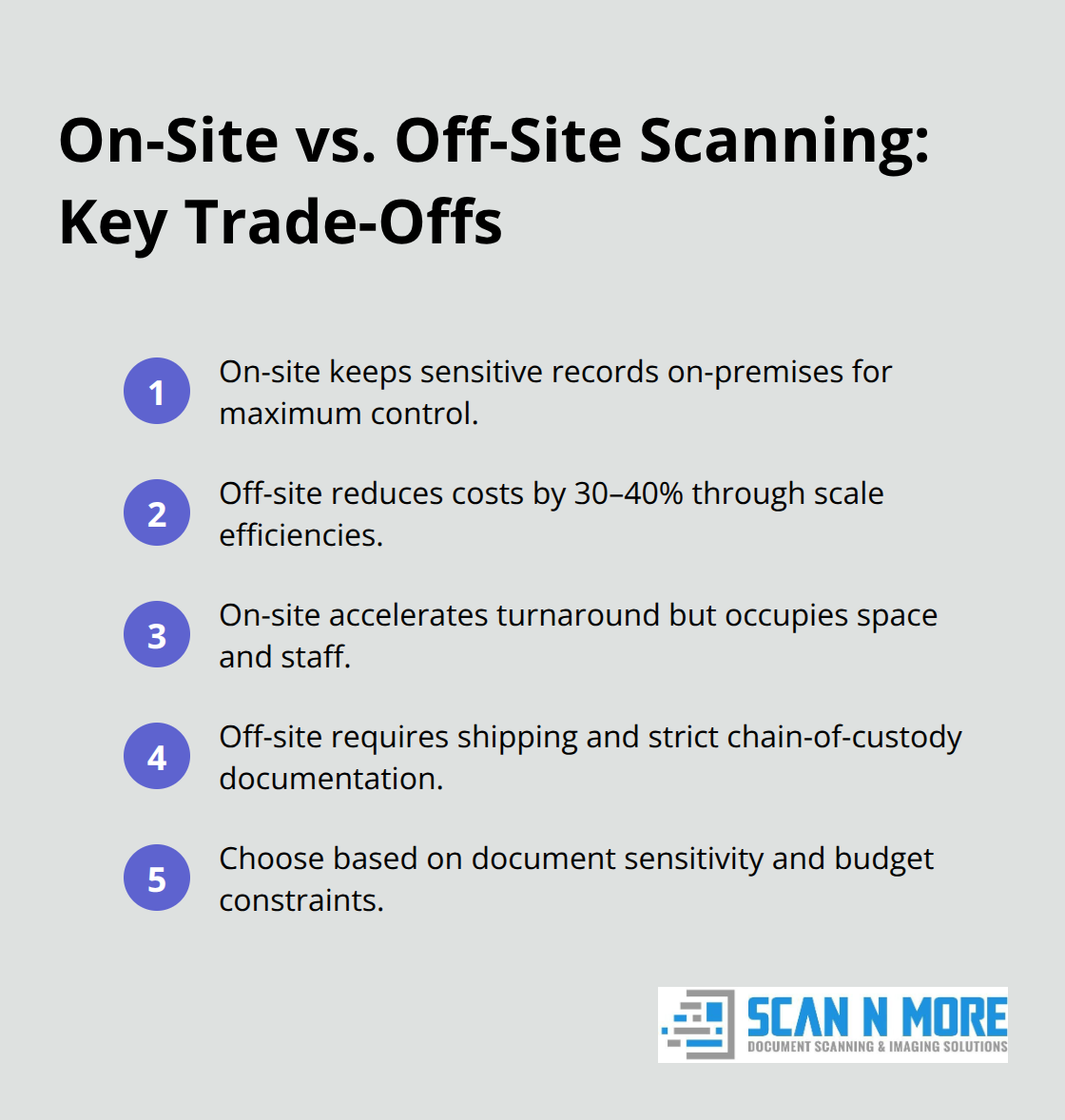
For general business documents like employee files or historical correspondence, off-site scanning works fine and saves money. Your choice depends entirely on your document sensitivity and budget constraints. Schedule timelines matter too-on-site scanning ties up your space and staff for weeks, while off-site scanning removes documents from your facility but requires careful chain-of-custody documentation.
Metadata and Indexing Transform Scanned Images Into Searchable Assets
Scanning documents without proper indexing creates a digital filing cabinet that’s only marginally better than the paper version. Metadata-information about the document like creation date, author, document type, and retention period-transforms scanned images into searchable, manageable assets. When you scan a contract without metadata, you get an image file. When you scan the same contract with metadata tagging it as a legal agreement with a five-year retention period and labeling it with the vendor name and contract value, your team finds it in seconds. Standardized metadata standards like ISAD(G) and EAD enable consistent description across thousands of documents, making your archive scalable and professional. The critical decision happens before scanning begins: define your metadata schema. What information must every document carry? For healthcare, that’s patient ID, service date, and document type. For legal, that’s client name, matter code, and contract value. For finance, that’s account number, transaction date, and expense category. Develop this taxonomy with the teams who will actually search your archive, not with IT alone. Teams know what information matters for their work. Your indexing approach determines whether your digital archive saves hours or wastes them.
Quality Control and Budget Allocation
Automated indexing using optical character recognition captures text from documents, but manual review for accuracy remains essential for critical records. Allocate 15 to 25 percent of your scanning budget to indexing and metadata quality-this investment pays back within months through faster retrieval and fewer misfiled documents. The teams responsible for maintaining your archive long-term depend on the quality of this foundational work. Poor indexing creates frustration and forces staff to revert to manual searches, defeating the entire purpose of digitization. Strong indexing and metadata create an archive that your organization actually uses and trusts.
How to Keep Your Digital Archive Secure and Accessible
Your digital archive holds value only if it remains accessible and protected for decades. Once documents are scanned and indexed, the real work starts: maintaining security, preventing data loss, and ensuring your archive stays readable as technology evolves. Most organizations treat archiving as a one-time project rather than an ongoing operational responsibility, which is why archives fail.
Implement Backup Protocols That Survive Hardware Failure and Ransomware
Data integrity requires constant attention. Industry data shows approximately 140,000 hard drives fail every week in the United States, and ransomware incidents continue to surge, making reliable backup protocols non-negotiable.
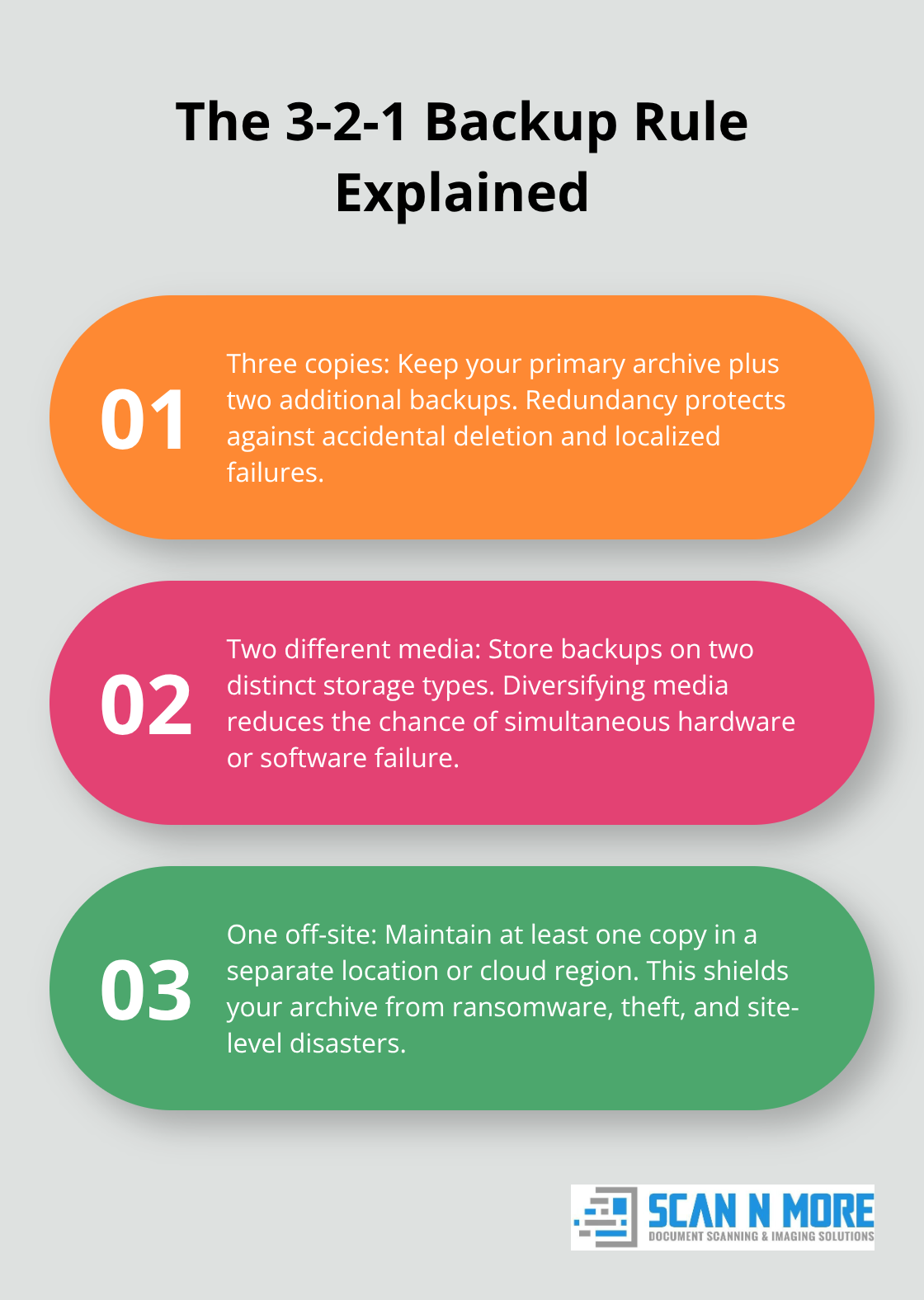
The 3-2-1 backup rule protects your archive immediately: maintain at least three copies of your archived data on two different storage media types, with one copy stored off-site or in the cloud. This approach protects against hardware failure, ransomware attacks, and physical disasters.
If your primary storage fails, your secondary copies remain intact. If ransomware encrypts one location, your off-site backup survives untouched. Cloud storage providers like Amazon S3 or Microsoft Azure offer geographic redundancy, meaning your data exists in multiple physical locations automatically. This costs less than maintaining your own off-site facility and provides better protection.
Establish a documented backup schedule: daily incremental backups for active archives, weekly full backups for less frequently accessed records. Test your recovery process quarterly by actually restoring files from backup to verify they work. Untested backups fail when you need them most.
Prevent Format Obsolescence Through Strategic Migration
Format obsolescence represents your second major threat. Documents scanned as TIFF images today may become unreadable in 20 years if TIFF support disappears from software ecosystems. This isn’t theoretical: organizations discovered this problem with old WordPerfect documents and proprietary database formats that modern systems cannot open.
Prevent this threat by storing archives in standardized, open formats. PDF/A for documents, TIFF or PNG for images, MP4 with H.264 codec for video, and CSV or XML for structured data ensure readability across decades and technology generations. Plan a format migration strategy now, before obsolescence becomes urgent. Every five years, audit your archive formats and migrate aging formats to current standards. This sounds expensive, but it costs far less than losing access to irreplaceable records.
Train Your Staff on Archive Systems and Search Techniques
Your staff also needs training on how to actually use your digital archive system. Many organizations implement sophisticated archiving solutions then watch staff revert to manual searches because nobody explained how to search effectively or what metadata fields matter for their specific work. Dedicate one week annually to archive training, covering search techniques, metadata standards relevant to each department, and access control procedures.
Make your compliance officer and records manager responsible for this training, not IT alone. Compliance understands why retention periods matter. Records managers know which documents require which metadata. Your legal team understands why tamper-proof formats protect the organization. Train each department on archive features that solve their specific problems rather than generic system training. This transforms your archive from an IT system into an operational tool that teams actually use and trust.
Final Thoughts
Your organization now understands why digital archive solutions matter and how to build them correctly. The transformation from paper-based storage to searchable digital systems changes how your teams access information, make decisions, and respond to requests. When documents that once took hours to locate appear on screen in seconds, your entire operation becomes faster and more responsive.
Implementation requires honest assessment of what you have, realistic decisions about scanning methods, and commitment to maintaining your archive long-term. Organizations that succeed treat digitization as an ongoing responsibility, not a one-time project. They establish backup protocols before disaster strikes, plan format migrations before obsolescence becomes urgent, and train staff before frustration sets in.
We at Scan N More offer professional document scanning services that handle both on-site and off-site scanning for all document types, including sensitive legal and medical records. Contact Scan N More to discuss your document inventory and explore how professional scanning services can accelerate your transition to digital operations. The organizations that act today gain competitive advantage tomorrow through faster access, better compliance, and lower operational costs.