
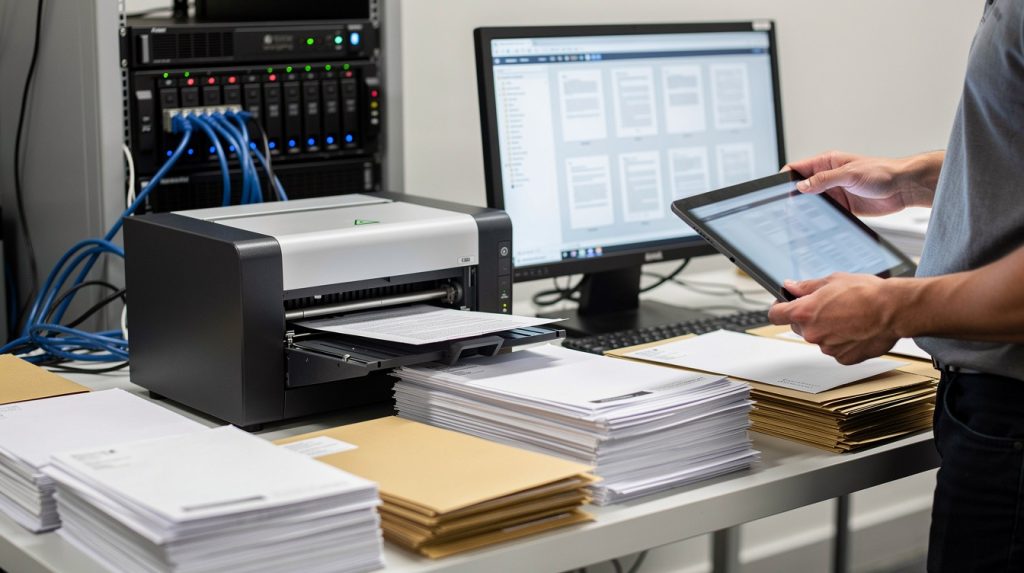
Most businesses still process incoming mail manually, wasting hours on sorting, scanning, and routing documents to the right departments. At Scan N More, we’ve seen firsthand how digital mailroom solutions eliminate these bottlenecks and transform how organizations handle their document flow.
This guide walks you through how modern digital mailroom systems work, what features matter most, and how to implement them successfully in your organization.
How Digital Mailroom Solutions Transform Business Operations
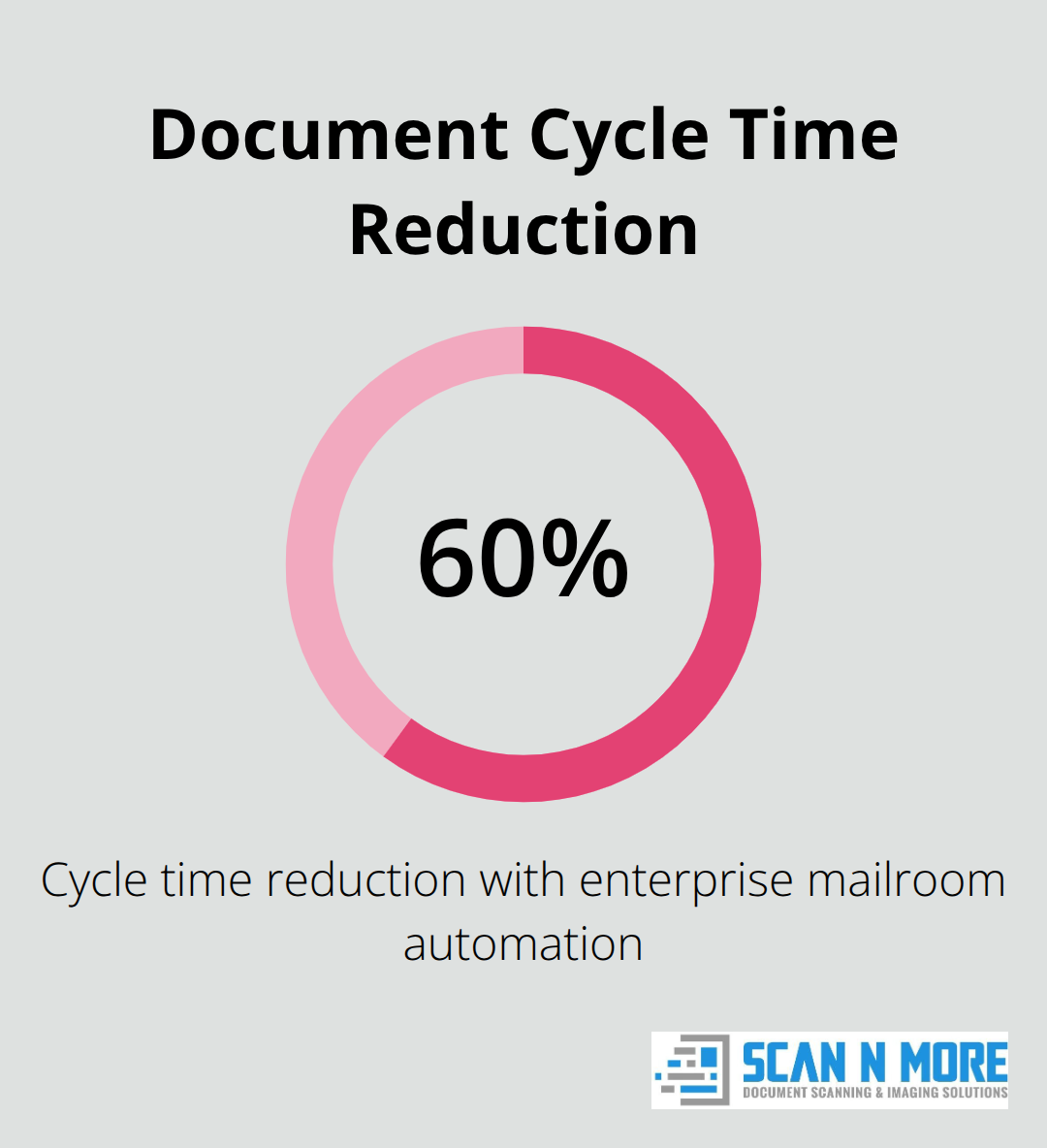
Enterprise mailroom automation cuts document cycle times by about 60%, according to industry research. Organizations that deploy digital mailroom systems immediately see staff redirect time away from manual sorting toward work that generates revenue. When mail arrives at your facility, it gets scanned, indexed, and routed to the correct department or system within minutes instead of days.
A global insurer deployed a cloud-based digital mailroom in just seven days, enabling 2,000 at-home workers across 600 teams to process inbound documents remotely without sacrificing security or compliance. That speed advantage matters because every day your mail sits in a physical mailroom is a day your business operates slower than it could.
Eliminate the Physical Mailroom Entirely
The real savings come from eliminating physical infrastructure. Digital mailroom solutions remove the need for dedicated mailroom staff, sorting equipment, and storage facilities. Organizations reduce postage costs, paper handling expenses, and courier charges while freeing up prime office real estate. A vehicle manufacturer deployed a digital mailroom for over 300 employees, scanning and classifying inbound mail before delivering it through email or designated workflows. Digitized mail becomes instantly accessible anywhere, which means your remote workforce accesses documents the same way as office-based teams. No more waiting for mail to be manually delivered between locations. The sustainability benefit is significant too-less paper usage directly lowers your carbon footprint while reducing printing and copying costs simultaneously.
Route Documents Intelligently Without Manual Intervention
Intelligent Document Processing can reduce error rates by over 52%, meaning extracted metadata like sender information, customer numbers, and invoice amounts reaches the correct destination with greater accuracy. Machine learning continuously improves routing rules, so exceptions and manual rework decrease over time. Documents flow to ERP systems, CRM platforms, or department-specific workflows based on content and business context, not human judgment. This automation accelerates everything downstream-check deposits post faster, invoices get processed without manual data entry, and customer inquiries reach the right team immediately. One multi-line insurer handles millions of claim documents annually with a cloud-based solution, where 1,500 claims agents process documents faster and improve customer satisfaction simultaneously because nothing gets lost in routing delays.
What Comes Next in Your Digital Transformation
The operational gains from digital mailroom solutions form the foundation for broader automation initiatives. Once you centralize and digitize your incoming mail, you unlock opportunities to automate invoice processing, contract management, and claims handling across your organization. The next chapter explores the specific features that make modern digital mailroom systems effective and how to evaluate them for your business needs.
Key Features of Modern Digital Mailroom Systems
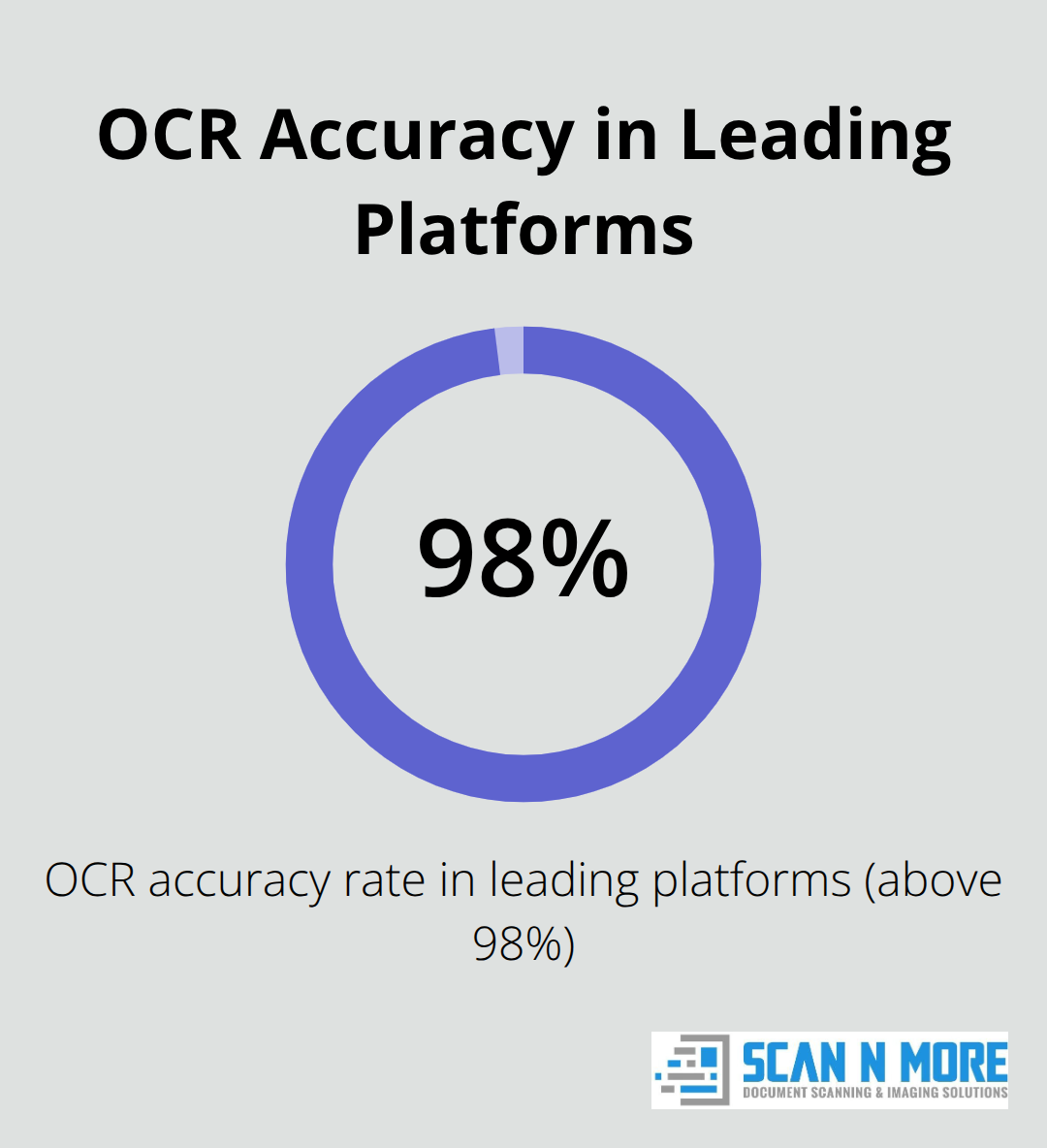
The difference between a digital mailroom that delivers results and one that creates frustration comes down to three core capabilities that must work together seamlessly. Leading digital mailroom platforms maintain OCR accuracy rates above 98%, which means the metadata extracted from your incoming mail reaches downstream systems with minimal errors. This accuracy matters because even small error rates compound across thousands of documents monthly, forcing staff to correct misclassified invoices, misdirected customer inquiries, or incorrectly routed claims. Modern systems use machine learning to continuously improve these accuracy rates, so your error handling actually decreases over time rather than staying flat. The scanning technology captures documents at high resolution, but the real power lies in what happens next: the system automatically recognizes document type, extracts critical data fields, and routes the document based on predefined business rules without human intervention. Organizations processing high volumes of similar documents see the biggest gains because the system learns from patterns and refines its classification logic automatically.
Intelligent Mail Scanning and OCR Technology
Cloud-based digital mailrooms eliminate the delay between when mail physically arrives and when decision-makers can act on it. Mail reaches the right hands in 24-48 hours instead of 5-7 days with traditional mail distribution, enabling one global insurer to move 2,000 remote workers across 600 teams into a fully operational digital mail environment, processing inbound documents from home offices with enterprise-grade security. This speed advantage compounds across your organization because faster mail processing means faster customer response times, which directly impacts satisfaction and retention. Real-time tracking provides visibility at every step, so you know exactly where each document sits in the workflow and can flag bottlenecks immediately.
Access from anywhere means your team works at the speed of your business needs, not at the speed of physical mail delivery between locations.
Automated Document Classification and Distribution
The most underestimated benefit of modern digital mailroom systems is the reduction in manual exception handling and rework. When document classification accuracy reaches high levels, your staff spends less time correcting misrouted documents and more time on work that generates value. An exception processing dashboard shows which documents the system flagged as uncertain, allowing supervisors to review edge cases quickly rather than having errors cascade downstream. One multi-line insurer processes millions of claim documents annually with 1,500 claims agents handling the volume faster because documents arrive pre-classified and pre-extracted, eliminating manual data entry that previously consumed hours daily. The system learns from these exception cases, so the next similar document routes correctly without supervisor intervention.
Cloud-Based Access and Remote Retrieval
Centralized cloud storage with role-based access controls lets your distributed workforce retrieve documents instantly while maintaining compliance with security requirements like GDPR, HIPAA, and SOC 2 Type II standards that auditors actually care about. Integration with your existing ERP or CRM systems means validated data flows directly into databases, triggering workflows automatically and reducing the manual handoff steps that typically introduce delays and errors. Your remote teams access the same documents as office-based staff, eliminating the friction that comes from physical mail delivery between locations. The next section covers how to assess your organization’s readiness for these systems and select a provider that matches your security and scale requirements.
Getting Started With Digital Mailroom Implementation
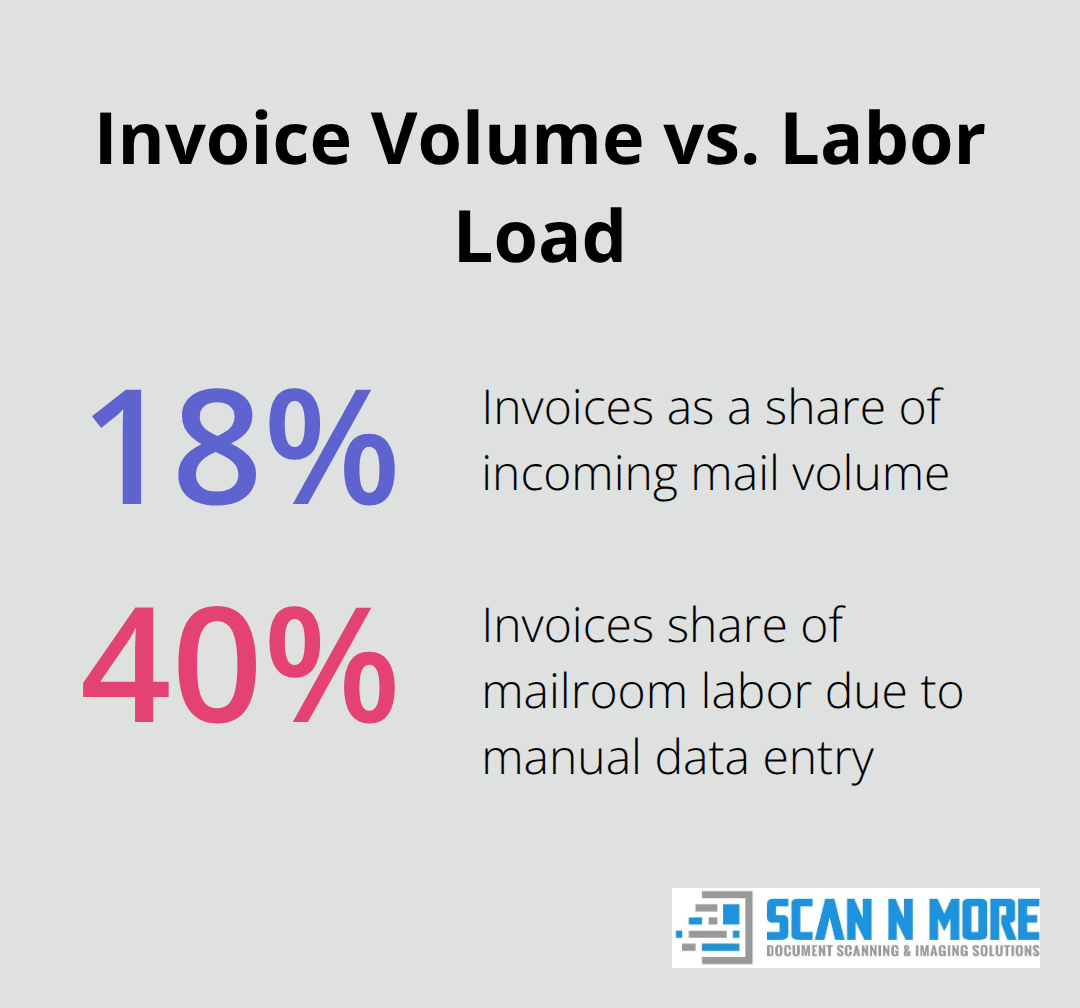
Launching a digital mailroom requires three distinct phases that most organizations rush through, creating problems downstream that cost far more to fix than proper planning would have cost upfront. Start by mapping your current mail volume and processing patterns across every department that touches incoming documents. Count not just the volume arriving daily, but the types of documents, their destinations, and where bottlenecks actually occur. A vehicle manufacturer processing mail for 300 employees discovered that invoices represented only 18% of incoming volume but consumed 40% of mailroom labor because they required manual data entry into the accounting system. Without this granular understanding, you’ll select a digital mailroom system optimized for the wrong document types or workflows.
Schedule two weeks to track mail patterns, document processing times, and failure points where mail gets lost or misrouted. Interview the staff actually opening and sorting mail because they know where the real problems hide. This assessment directly informs your provider selection because different platforms excel at different document types and volume ranges. A provider optimized for insurance claims handling may perform poorly with mixed invoice and correspondence processing. The assessment also establishes your baseline metrics for measuring ROI after deployment, which matters because enterprise mailroom automation delivers productivity increases of 60-75% according to industry research, but your actual improvement depends entirely on your starting point.
Evaluate Providers on Security and Industry Experience
Choosing the right provider matters more than choosing the right technology because implementation success hinges on the partner’s willingness to customize workflows to your specific needs rather than forcing your processes into their standard templates. Evaluate providers on three non-negotiable criteria: proven security certifications including SOC 2 Type II, GDPR compliance, and HIPAA if you handle protected health information, plus documented experience in your specific industry since healthcare mailroom workflows differ fundamentally from financial services or government processing. Request references from organizations similar to yours in size and document complexity, then contact those references directly and ask specifically about implementation timeline and whether the provider met their promises on accuracy and cycle time improvements. One global insurer moved 2,000 remote workers into a fully operational digital mailroom within seven days, which sounds impressive until you learn that organization had already completed a thorough assessment and selected a provider with proven experience in insurance claims processing. Your timeline depends entirely on preparation quality.
Test With Your Actual Documents
During vendor evaluation, insist on a proof of concept using your actual documents and workflows, not sample data that makes every system look good. This proof of concept reveals whether the provider’s OCR accuracy actually reaches the claimed rates with your document types, and whether their classification rules handle your edge cases without excessive manual review. The results from this test directly predict your real-world performance after full deployment, so treat it as seriously as you would treat a financial investment decision (because it is one). Providers who resist proof of concepts or push you toward generic demonstrations lack confidence in their actual capabilities. Organizations that skip this step often discover post-deployment that their document types perform poorly with the selected system, forcing expensive migrations or workarounds that undermine the entire project.
Structure Training in Phases
Training staff on the new system happens last, not first, because rushing into training before your workflows are finalized wastes time and creates cynicism about the entire project. Structure training in three phases: first, technical training on how to access documents and use the interface, second, workflow training specific to each department showing how documents now flow to their desks, and third, ongoing support training so staff know exactly who to contact when exceptions occur. One multi-line insurer handling millions of claim documents annually invested heavily in department-specific training sessions rather than single organization-wide training, which increased adoption rates significantly because claims adjusters learned workflows tailored to their actual work patterns rather than generic procedures. Department-specific training costs more upfront but delivers substantially higher adoption rates and faster time-to-productivity than generic training approaches. Staff who understand how the new system affects their specific work embrace the change rather than resist it.
Conclusion
Digital mailroom solutions deliver measurable financial returns that extend far beyond the initial implementation period. Organizations that cut document cycle times by 60% immediately redirect staff toward revenue-generating work while simultaneously reducing postage, paper, and storage costs. A vehicle manufacturer processing mail for 300 employees freed up prime office real estate and eliminated dedicated mailroom infrastructure entirely, translating physical space savings into operational budget reductions.
The long-term value compounds as your organization builds on this foundation. Once incoming mail flows digitally through your systems, you gain the infrastructure to automate invoice processing, contract management, and claims handling across departments. Machine learning continuously improves document classification accuracy, meaning your error rates actually decrease over time rather than remaining flat, and one multi-line insurer handling millions of claim documents annually discovered that faster document routing improved customer satisfaction measurably because claims adjusters spent less time correcting misrouted documents and more time resolving actual claims.
Organizations ready to digitize should start by assessing current mail volume and processing patterns across every department, then evaluate providers based on security certifications, industry experience, and proven results with organizations similar to yours. Request a proof of concept using your actual documents before committing to full deployment-this test reveals whether the provider’s accuracy claims hold up with your specific document types. We at Scan N More understand that transitioning to digital requires more than technology selection, and our professional document scanning services transform paper-based processes into digital solutions with on-site and off-site scanning for all formats, ensuring data security and compliance throughout the process.