
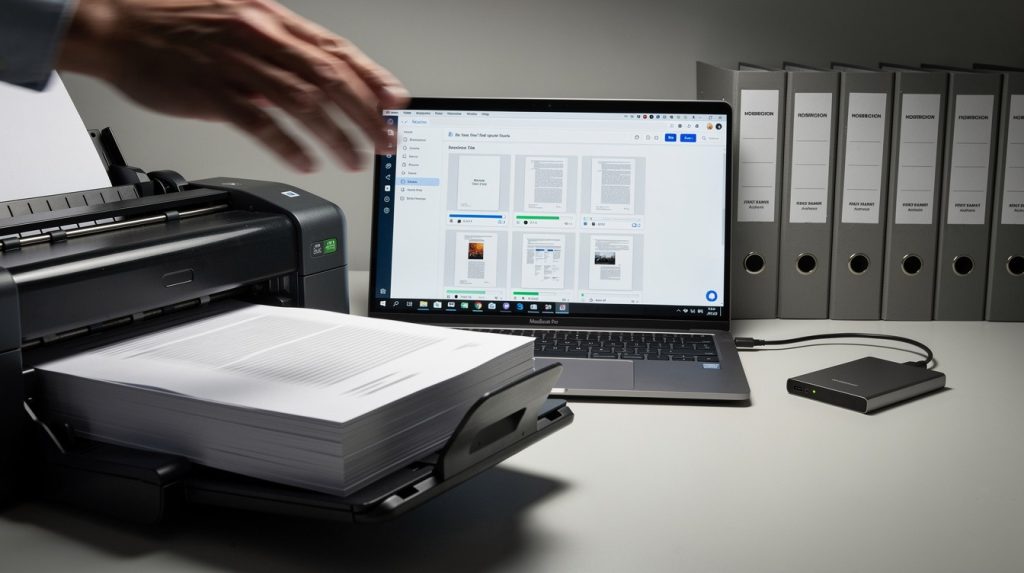
Paper piles up fast. Most businesses still waste hours hunting through filing cabinets for a single document.
At Scan N More, we’ve helped hundreds of companies transform their document digitization workflow into a streamlined process that cuts retrieval time from minutes to seconds. This guide walks you through each phase, from planning your scan to securing your files.
Assessment and Planning Phase
Count Your Documents First
Most companies have no idea how many documents they actually store. Businesses typically underestimate their document volume by 30 to 40 percent when first conducting an audit. Before you scan a single page, count what you have. Walk through your storage areas and categorize documents by type: contracts, invoices, medical records, legal files, employee records, or compliance documents. This step takes time, but it prevents costly mistakes later. A manufacturing company with 50 employees might have anywhere from 100,000 to 500,000 stored documents depending on industry regulations. Legal firms and healthcare practices face even higher volumes due to retention requirements. Document your findings in a spreadsheet with columns for document type, approximate quantity, age, and current storage location. This baseline becomes your planning reference.
Compliance Requirements Drive Your Strategy
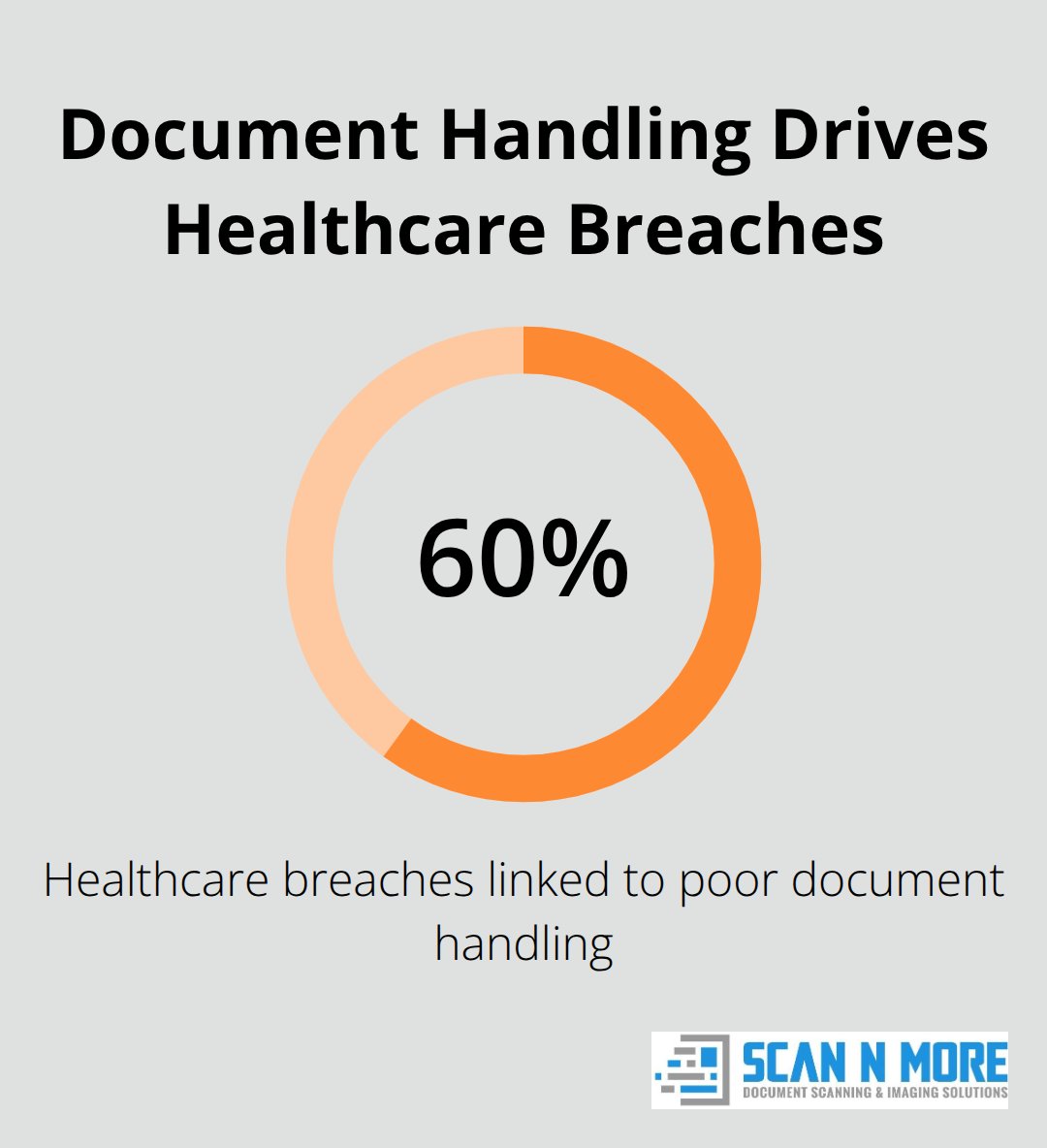
Compliance requirements should drive your digitization strategy, not follow it. Different industries have vastly different retention mandates. Healthcare providers must comply with HIPAA, which requires specific security measures and retention periods for patient records. Legal firms face state bar association rules that often demand documents stay for seven years or longer. Financial services companies must follow SEC regulations that specify retention timelines for transaction records. Construction companies need to retain project documents for warranty periods that can extend a decade. Before selecting scanning methods or storage solutions, research the exact regulations your industry requires. The Healthcare Information and Management Systems Society reports that 60 percent of healthcare data breaches result from poor document handling practices. Your scanning process must address these vulnerabilities directly.
Contact your compliance officer or legal team and ask for a written list of retention requirements specific to your document types. This prevents you from destroying records too early or storing them insecurely.
Your Retrieval Needs Shape Technology Choices
Your retrieval requirements should guide whether you choose cloud storage, on-premise servers, or a hybrid approach. If your team needs to access documents from multiple locations or remote workers access files regularly, cloud storage makes sense. If your industry prohibits cloud storage due to data sovereignty rules, on-premise solutions become necessary. Ask yourself these practical questions: How many people need simultaneous access to documents? How quickly must documents be retrieved? Do you need to search across thousands of files instantly? What’s your budget for ongoing storage and maintenance? A dental practice with 10 employees searching for patient files occasionally needs different infrastructure than a law firm with 100 employees conducting daily research across millions of documents. The average cost to retrieve a physical document from storage runs about $20 per document. Digital retrieval costs drop to cents per search. Calculate your current retrieval costs by tracking how much staff time goes toward finding documents monthly, then multiply that by your hourly labor rates. This calculation usually justifies digitization investments within six to twelve months.
Your document audit and compliance review now complete, you’re ready to select the right scanning equipment and methods for your specific needs.
Scanning and Quality Control Process
Select Your Scanning Equipment Strategically
Scanner selection determines everything that follows. You have three main paths: high-speed production scanners, mid-range departmental scanners, or outsourcing to a professional service. Production scanners process 60 to 300 pages per minute and cost $15,000 to $50,000 upfront, plus maintenance contracts running $2,000 to $5,000 annually. These work for organizations digitizing 500,000 documents or more.
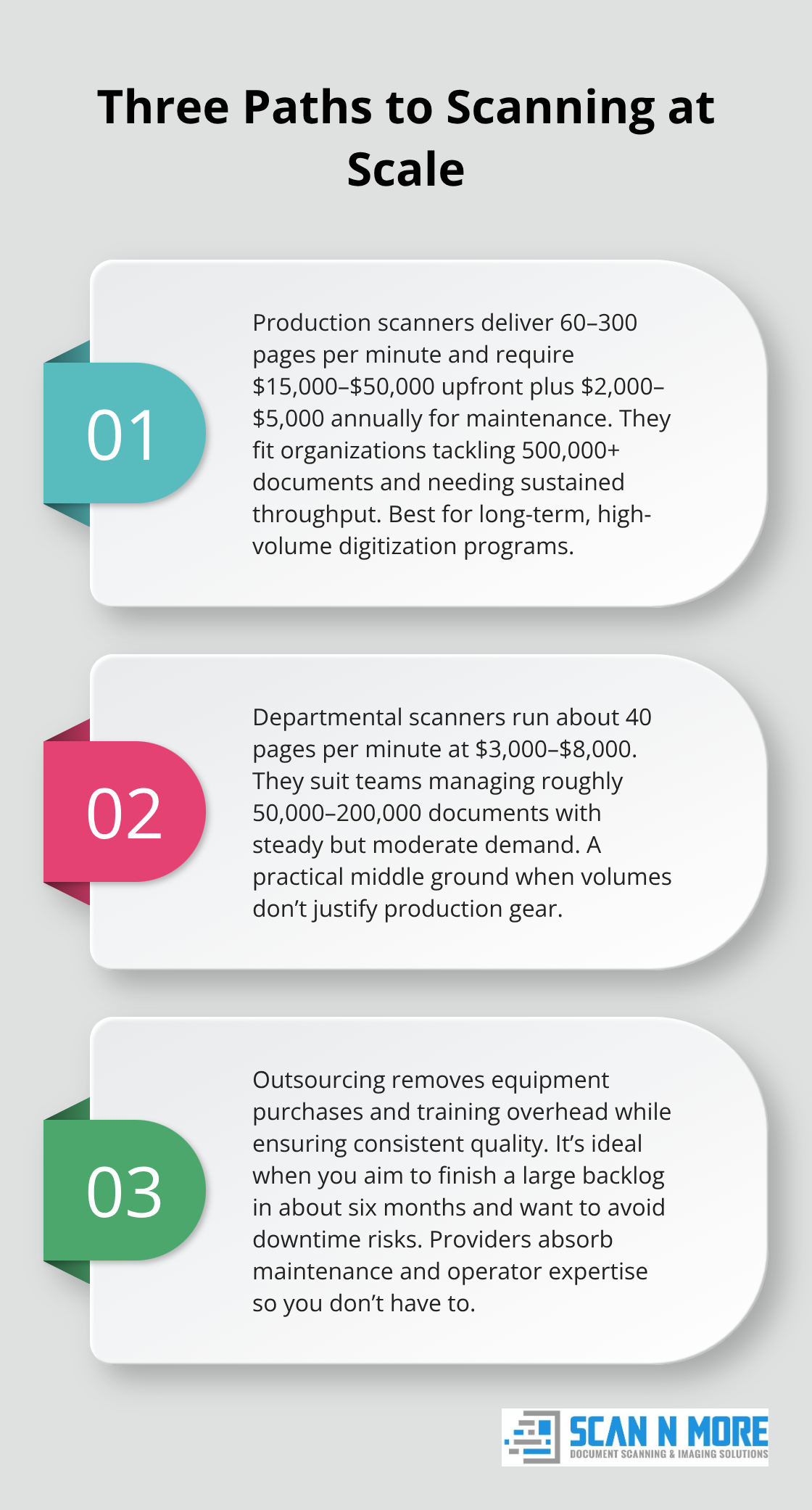
Mid-range departmental scanners handle 40 pages per minute at $3,000 to $8,000, suitable for companies with 50,000 to 200,000 documents.
Many organizations underestimate their real digitization timeline and end up with equipment sitting idle. Professional scanning services eliminate equipment costs entirely while guaranteeing consistent output quality. When you outsource, you avoid the hidden expense of staff training, operator errors, and equipment downtime. Your choice depends on volume and timeline. If you digitize everything within six months, outsourcing beats buying equipment. If you scan ongoing documents for years, internal equipment becomes cost-effective.
Establish Quality Standards Before Scanning Starts
Quality control separates successful digitization from expensive failures. Set your quality standards before scanning begins, not after. Establish three measurable criteria: resolution (minimum 300 DPI for text, 200 DPI for archives), accuracy (fewer than 0.1% unreadable pages), and completeness (no missing pages or sections).
Test your chosen equipment or service provider with a sample batch of 500 to 1,000 of your most difficult documents first. If your documents include handwritten notes, faded copies, or colored paper, scan these during testing. Reject any equipment or provider that cannot consistently meet your standards on difficult originals. The Association of Records Managers and Administrators reports that image quality problems cause digitization projects to fail or require expensive rescanning.
Verify Quality Through Spot-Checking and Indexing
After scanning, implement verification by having staff spot-check batches randomly. Scan 50 pages from every 5,000-page batch and verify they’re legible, correctly oriented, and properly indexed. This catches problems early before thousands of documents move into storage.
Index your scanned documents immediately using metadata that matches your retrieval requirements from the planning phase. If your team searches by invoice date, document type, and vendor name, your indexing system must capture exactly those fields. Inconsistent indexing destroys the speed advantage of digital storage. Train whoever handles indexing on your specific system and enforce consistency through automated validation rules whenever your software allows it.
With quality standards met and documents properly indexed, you’re ready to establish the storage and retrieval systems that will serve your organization for years to come.
Storage and Retrieval Systems
Choose Your Storage Foundation
Cloud storage and on-premise solutions represent fundamentally different philosophies about document control and accessibility. Cloud platforms like Microsoft 365, Google Workspace, and Amazon S3 offer immediate access from anywhere with internet connection, automatic backups, and zero infrastructure maintenance. On-premise servers give you complete physical control but require IT staff, regular maintenance, hardware replacement costs, and responsibility for disaster recovery. The choice isn’t about which is objectively better-it’s about matching your operational reality to your infrastructure.
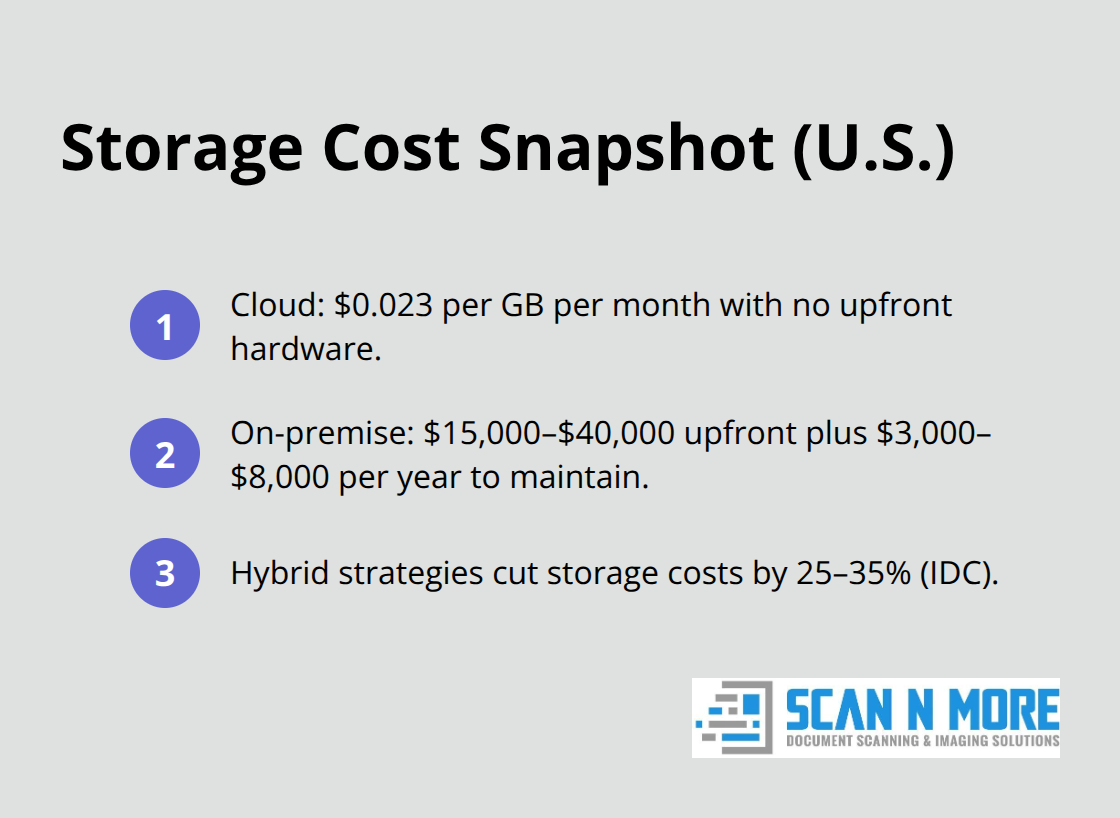
If your team works across multiple locations or includes remote workers, cloud storage eliminates the friction of VPN connections and synchronized local copies. If your compliance officer insists data never leaves your physical building due to data sovereignty requirements, on-premise becomes non-negotiable. Hybrid approaches work too: store active documents in cloud for accessibility while archiving older records on-premise servers to reduce cloud storage costs. IDC reports that organizations using hybrid storage strategies reduce overall storage expenses by 25 to 35 percent compared to single-platform approaches.
Calculate your actual costs before deciding. Cloud storage typically runs $0.023 per gigabyte monthly with no upfront equipment costs. On-premise servers cost $15,000 to $40,000 initially plus $3,000 to $8,000 annually in maintenance and electricity.
Implement Metadata and Tagging Protocols
Metadata and tagging protocols determine whether your digital documents become instantly findable or permanently lost in digital clutter. When you indexed documents during scanning, you created the foundation for retrieval. Now you must enforce consistent tagging across your entire system so searches actually work. If one department tags invoices as Vendor-Name and another uses Vendor_Name, your search fails.
Establish a controlled vocabulary before documents enter storage. Create a master list of all acceptable values for critical fields like document type, date, department, project code, and vendor. Use dropdown menus or autocomplete fields in your document management system to prevent typos and variations. This consistency transforms your digital repository from a filing cabinet into a searchable database.
Control Access With Role-Based Permissions
Access controls prevent unauthorized viewing while maintaining workflow efficiency. Implement role-based permissions where accounting staff see financial documents, HR sees personnel files, and management sees everything relevant to their department. Most document management systems allow you to restrict access at the folder or document level.
Set these restrictions immediately during initial setup, not after documents are already stored and discoverable. Test your access controls with actual users from each department before full deployment to catch permission gaps that block legitimate work. Organizations with poorly implemented access controls experience more data breaches than those with strict permission hierarchies.
Final Thoughts
Your document digitization workflow transforms how your organization handles information from day one. Staff retrieve documents in seconds instead of hunting through filing cabinets for hours, compliance becomes automatic through controlled retention schedules, and remote workers access files instantly without technical friction. Most organizations recover their digitization investment within six to twelve months through labor savings alone.
Professional scanning services eliminate the burden of equipment selection and staff training when your document volume or compliance requirements become complex. We at Scan N More handle on-site and off-site scanning for all document formats, including legal and medical records, while you focus on your core business. Our services guarantee fast, cost-effective digitization with data security and compliance built in, plus additional services like mail scanning and secure hard drive destruction.
Start with your highest-priority documents first-contracts, invoices, or patient records that your team searches most frequently. Success with one category builds momentum for expanding across your entire organization, and Scan N More can streamline your digitization process to accelerate that growth.