

Law firms still manage mountains of paper files. Searching through cabinets for a single document wastes hours every week, and that’s money your firm can’t get back.
At Scan N More, we’ve seen how law firm imaging transforms this chaos into organized digital systems. When your case files are instantly searchable and securely accessible from any office, your team works faster and your clients see real results.
Why Law Firms Lose Money on Paper
Paper-based systems drain law firm finances in ways that aren’t always obvious until you calculate the real costs. The American Bar Association found that lawyers spend an average of 2.5 hours per week searching for documents, which adds up to roughly 130 hours annually per attorney. At billing rates of $150 to $300 per hour, that’s $19,500 to $39,000 in lost billable time per lawyer each year. A ten-attorney firm hemorrhages nearly $200,000 to $390,000 annually just searching filing cabinets.
The Hidden Cost of Physical Storage
Physical storage itself carries heavy expenses that accumulate quickly. PwC research shows that filing a single document costs $20, while searching for a misfiled one costs $120. Some law firms have reduced document storage costs by up to 75% in the first year after switching to digital systems, reclaiming office space that can be repurposed for client work or additional staff. Case files frequently exceed 1,000 pages, and maintaining these in paper form creates space bottlenecks that force firms toward expensive off-site storage facilities. Off-site records storage improves organization through indexing, but those monthly fees accumulate. Digital scanning eliminates both the physical storage headache and the recurring costs associated with maintaining paper archives.
How Speed Transforms Case Outcomes
Instant document retrieval changes how quickly your firm responds to clients and courts. When attorneys locate a specific clause in a 200-page contract within seconds rather than hours, case preparation accelerates dramatically. OCR technology makes scanned documents fully searchable, enabling lawyers to find phrases or terms across entire case files without manual review. Altman Weil reports that integrated document management systems increase productivity by 20%, meaning your team completes more work in the same timeframe.
This speed advantage directly impacts client satisfaction. Faster access to digital documents enables quicker responses to client inquiries, which boosts trust and retention. Courts and opposing counsel notice when your firm responds to discovery requests in days instead of weeks. Digital systems also prevent the costly errors that plague paper workflows, like misfiling evidence or missing critical documents during case preparation. When documents are encrypted, password-protected, and accessible only to authorized team members, you eliminate the security risks inherent in physical files.
Moving Forward With Digital Infrastructure
The transition from paper to digital systems requires the right partner and approach. Professional document scanning services handle the heavy lifting of converting your existing archives while your team continues serving clients. The scanning process follows a clear path: organize documents, obtain quotes, choose offsite or onsite processing, upload to cloud or server indexing, and decide on shredding versus retention.

This structured approach minimizes disruption to your daily operations and accelerates your timeline to a fully digital practice.
How Digital Systems Replace Manual Document Management
Switching from paper to digital transforms more than just storage-it fundamentally changes how your team works. Scanned documents with OCR technology become instantly searchable, so a lawyer looking for a specific contract clause across fifty case files finds it in seconds instead of hours. This shift removes the bottleneck that slows down case preparation and client responses. Your team stops wasting time navigating filing cabinets and off-site retrieval requests, and instead focuses on actual legal work.

Cloud-based indexing with law-firm-specific categories and metadata tagging organizes documents according to your practice’s actual workflow, not some generic system. When a new associate joins your firm, they locate any document within minutes without bothering experienced staff. The searchability advantage extends to e-discovery work, where keyword searches through thousands of pages replace manual document review. This capability cuts discovery response times dramatically and reduces the risk of missing critical evidence.
Breaking Down Collaboration Barriers
Remote work and multi-office operations become seamless when documents live in a centralized digital repository. Attorneys at your main office, satellite locations, and home offices access the same files simultaneously without waiting for courier services or email attachments. Encryption and strict access controls keep sensitive client information protected even as multiple team members collaborate on the same case. Version control prevents the chaos of multiple edited versions circulating, ensuring everyone works from the current document. When opposing counsel requests documents, your team uploads them to a secure platform instantly instead of printing, binding, and mailing physical copies. Courts increasingly expect digital submissions, and firms with established digital workflows respond faster than competitors still managing paper processes.
Protecting Your Files From Loss and Disaster
Disaster recovery becomes automatic with regular backups that protect your files from theft, fire, or natural disasters. A law firm operating from a single location loses all its case files if that location burns down, but a firm with cloud-based digital storage continues operating within hours.
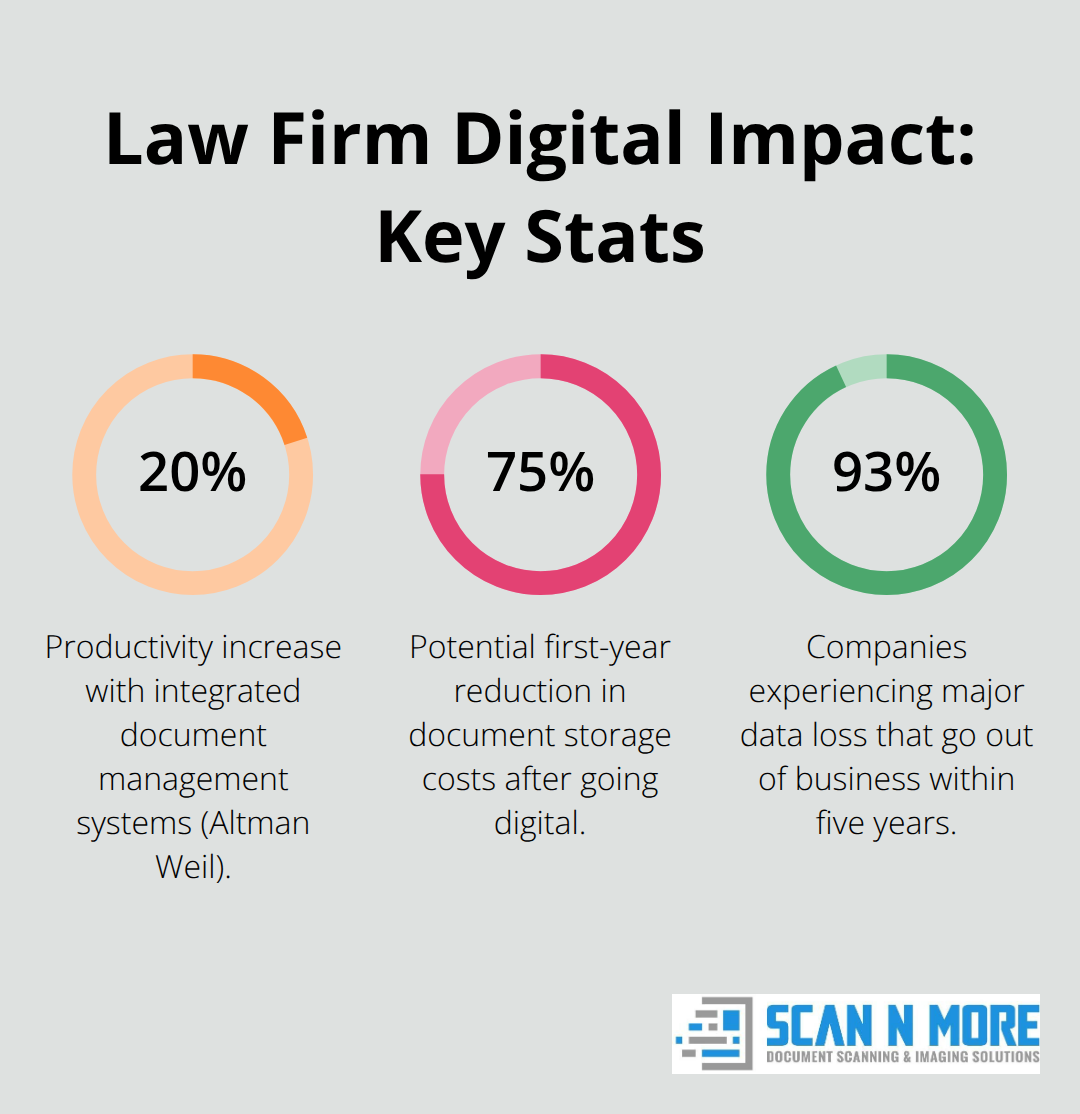
93% of companies experiencing a major data loss go out of business within five years, underscoring why secure digital document management matters for law firm survival. Your files remain accessible and recoverable no matter what happens to your physical office space.
Compliance Without the Paperwork
Retention schedules and regulatory compliance become automated rather than manual. Your document management system tracks retention timelines by document type and matter, automatically flagging files for secure destruction when retention periods expire. This automation eliminates the risk of violating litigation holds or destroying documents prematurely. HIPAA and GDPR compliance becomes easier when your data lives in encrypted, access-controlled systems with audit trails showing exactly who accessed what documents and when. Secure shredding of original paper documents after digitization protects client confidentiality and aligns with data minimization practices required by modern privacy regulations. Your firm demonstrates compliance during audits through detailed access logs and chain-of-custody records that prove proper handling of sensitive information.
Choosing the Right Partner for Your Transition
Professional legal document scanning services handle the technical aspects of secure document processing, meaning your team focuses on legal work while professionals manage the digitization process according to industry standards. The scanning process follows a clear path: organize documents, obtain quotes, choose offsite or onsite processing, upload to cloud or server indexing, and decide on shredding versus retention. This structured approach minimizes disruption to your daily operations and accelerates your timeline to a fully digital practice. With the right partner managing your document conversion, your firm transitions smoothly while maintaining security and compliance throughout every step.
Making Document Scanning Work in Your Law Firm
Selecting a Scanning Partner With Legal Credentials
Your scanning partner must hold HIPAA and FERPA compliance certifications and maintain chain-of-custody documentation throughout the entire process. Verify that the provider operates secure facilities with encryption protocols that align with ABA information security guidelines. When you evaluate vendors, ask specifically about their dual-review quality control process. Professional document scanning services handle the technical aspects of secure processing according to industry standards, allowing your team to focus on legal work. Beyond certifications, confirm that your partner’s software integrates directly with your existing case management system. This integration eliminates manual data entry and enables automatic indexing immediately after scanning completes. Firms using integrated document management systems can increase productivity, so compatibility matters far more than selecting the cheapest option.
Establishing Naming Conventions and Folder Structures
Naming conventions determine whether your digital system becomes a searchable asset or a frustrating maze. Establish a standardized format like ClientName_CaseNumber_DocumentType_Date before scanning starts, then enforce it consistently across your entire practice. Metadata fields should include document type, date created, author, and case number at minimum. These standards seem tedious until your team realizes that a new associate can locate any document in seconds without interrupting experienced attorneys. Set up folder structures that mirror how your firm actually works, not how some generic software suggests. If your practice focuses on corporate litigation, contracts, and discovery documents, organize those categories prominently rather than burying them in generic file trees. Test your naming system with a pilot group of five to ten attorneys before rolling out firm-wide. Their feedback reveals whether your structure matches real workflow patterns or creates additional steps. Once implemented, audit compliance quarterly by sampling randomly selected files to confirm staff follow naming conventions. Non-compliance erodes searchability quickly, so designate scanning champions within each practice area who troubleshoot issues and reinforce standards.
Training Staff for Successful Adoption
Staff adoption determines whether your scanning investment succeeds or stalls. Provide thorough training that shows attorneys and paralegals exactly how your new system saves them time on tasks they perform daily. Generic training sessions fail because they don’t connect digital workflows to actual case work. Instead, demonstrate how a lawyer finds contract language across fifty files in seconds using keyword search, then show how that same task took hours in the paper system. This concrete comparison motivates adoption far more effectively than abstract efficiency arguments. Schedule training in small groups rather than firm-wide sessions, allowing questions specific to different practice areas. Paralegals managing document intake need different training than partners conducting discovery, so customize content accordingly. Monitor adoption metrics during the first ninety days by tracking system usage rates and document retrieval times. If certain practice areas lag behind, investigate whether your folder structure doesn’t match their workflow or whether staff need additional support. Early adoption resistance often signals a real problem with system design rather than staff resistance, so listen carefully to feedback.
Final Thoughts
Law firm imaging transforms your operations into a competitive advantage that compounds over time. Your team recovers 130 hours annually per attorney by eliminating document searches, which translates directly into billable work and stronger client relationships. Security and compliance shift from manual processes to automated systems that run continuously in the background, with encryption, access controls, and audit trails handling regulatory requirements without staff intervention.
Firms responding to discovery requests in days instead of weeks win client trust and court respect. Associates locate any document in seconds rather than interrupting experienced attorneys, which accelerates case preparation and reduces overhead. Remote work becomes seamless when your entire team accesses the same centralized repository from any location, and disaster recovery happens automatically through regular backups that protect your firm’s survival if physical offices become inaccessible.
The transition requires choosing a partner who understands legal workflows and maintains compliance standards throughout digitization. Scan N More offers professional document scanning services with on-site and off-site options, ensuring your sensitive case files receive secure handling while your team continues serving clients. Law firm imaging delivers speed, security, and reliability while reducing costs and freeing your team to focus on actual legal work rather than document management.