
Most businesses still manage documents the old way: filing cabinets, manual searches, and scattered paper trails. This approach costs time, money, and creates serious compliance risks.
At Scan N More, we’ve seen firsthand how digital document scanning transforms operations. Converting paper into searchable, organized data eliminates these problems and gives businesses back their efficiency.
Why Paper Documents Cost More Than You Think
Paper-based document management drains resources in ways most businesses underestimate. Filing cabinets consume valuable office space that could serve employees or clients. A standard four-drawer cabinet occupies roughly 18 square feet and costs between $200 and $500 annually to maintain in a climate-controlled office. For a mid-sized company with 50 such cabinets, that’s 900 square feet dedicated to storage and $10,000 to $25,000 yearly in real estate costs alone.
Beyond space, manual document handling creates hidden labor expenses. Employees spend an average of 1.8 hours each day just searching for information. When an invoice gets lost in a filing cabinet or a contract requires manual retrieval from archives, that delay cascades through accounts payable, legal review, or contract management. A single lost invoice can trigger duplicate payments, missed discounts, or payment delays that damage vendor relationships.
The Real Cost of Manual Retrieval
Finding a specific document in a paper system takes minutes to hours depending on filing consistency and archive depth. Digital scanning with searchable text eliminates this bottleneck entirely. A keyword search returns results in seconds, not hours, freeing employees to focus on decisions and client interactions rather than file hunting. This speed advantage compounds across teams-finance departments process invoices faster, legal teams locate contracts immediately, and operations teams access critical records without delay.
Security Gaps That Create Liability
Paper documents sit vulnerable to unauthorized access, theft, and environmental damage. Digital scanning with encryption and access controls protects sensitive information while creating audit trails that satisfy regulatory inspectors. Professional scanning providers offer secure data destruction services that ensure no data remnants remain after digitization, eliminating the risk of sensitive information falling into the wrong hands.
Compliance Complexity Without Digital Records
Retention policies, audit readiness, and regulatory reporting require documented proof of document handling. Paper systems cannot provide this automatically, forcing manual compliance efforts that consume time and create gaps. GDPR violations can cost up to 4% of global annual revenue. Healthcare and financial institutions face even steeper penalties when audits reveal missing documentation or broken chains of custody.
Poor image quality from aging or damaged documents makes OCR extraction unreliable, forcing teams to manually re-enter data and verify accuracy. This manual verification introduces human error and extends processing cycles by days or weeks. Companies operating with paper workflows face a critical decision: invest heavily in physical infrastructure and labor, or modernize their approach to document management. The next section shows how digital scanning transforms these operations and what to expect when you make the transition.
How Digital Scanning Delivers Immediate Business Results
Digital scanning converts paper into searchable text within days, not months. When you scan documents with OCR technology, every word becomes indexed and retrievable through a simple keyword search. An accounts payable team that previously spent 45 minutes locating a specific invoice now finds it in 10 seconds. A legal department managing thousands of contracts can instantly pull every agreement mentioning a particular vendor or clause. This speed advantage directly reduces cycle times. Organizations implementing AI-enhanced capture see measurable reductions in decision cycles and project delivery timelines. The transformation happens immediately after scanning completes-no lengthy integration periods or complex setup. Your team starts working faster on day one.
Why Speed Translates to Real Productivity Gains
Employees spend significant time searching for information in paper systems. Moving to digital scanning recovers that time instantly. A 50-person accounting department recovers 450 hours monthly just from faster invoice retrieval. At an average loaded cost of $35 per hour, that equals $15,750 in monthly productivity recovery. Finance teams process invoices 60 to 70 percent faster when documents are searchable and organized digitally. Contract review cycles compress from weeks to days because lawyers access complete files immediately rather than waiting for physical retrieval. Manufacturing operations teams locate critical specifications and compliance records without delays that previously halted production decisions. This productivity gain compounds across every department touching documents-customer service, human resources, vendor management, and operations all work faster.
Storage Costs Drop Dramatically When You Go Digital
A standard four-drawer filing cabinet occupies 18 square feet and costs $200 to $500 annually to maintain in climate-controlled office space. Most mid-sized companies maintain 30 to 100 such cabinets. Eliminating 50 cabinets frees 900 square feet of premium office real estate worth $12,000 to $30,000 annually depending on your location. Beyond square footage, physical document storage requires ongoing maintenance, environmental controls, and security infrastructure. Digital storage costs a fraction of this amount. Cloud-based document management systems typically cost $20 to $100 per user monthly, far below the per-square-foot expense of maintaining physical archives. Companies with significant backlogs or compliance-mandated retention periods see the largest savings. A financial services firm holding seven years of transaction records across thousands of files recovers substantial real estate and eliminates the risk of document loss or unauthorized access that paper storage creates. The space freed becomes available for productive work areas, client meeting rooms, or simply reduces the overall footprint your organization maintains.
What Happens Next: Selecting the Right Scanning Partner
The productivity gains and cost savings outlined above depend entirely on one critical factor-the quality of your scanning partner. Poor image quality, inadequate security measures, and hidden fees can turn a promising digitization project into a costly mistake. The next section reveals the pitfalls that derail scanning projects and how to identify a provider that delivers real results.
Common Pitfalls When Choosing a Scanning Service
Poor Image Quality Renders Digital Files Unusable
Most businesses discover scanning problems only after investing time and money into a project. Poor image quality ranks as the number one complaint from companies that switched scanning providers mid-project. When OCR cannot extract text reliably from blurry or low-resolution scans, teams end up manually re-entering data anyway, eliminating the speed advantage that justified the digitization investment in the first place.
A manufacturing company scanned technical specifications at 200 DPI instead of the recommended 300 DPI minimum and found that critical measurements and tolerances became illegible. Their OCR engine rejected 40 percent of pages, forcing engineers to manually verify every document before use. The project stretched from three weeks to eight weeks, and the promised productivity gains never materialized.
Image quality failures stem from outdated scanning equipment, inadequate document preparation, or providers cutting corners to maximize throughput. Ask potential scanning vendors specifically about their DPI standards, how they handle damaged documents, and what quality control process they use to verify each batch before delivery. Request sample scans of your actual documents before committing to a full project. If a provider refuses to provide samples, that hesitation reveals everything you need to know about their confidence in their output.
Inadequate Security Measures Expose Sensitive Information
Security failures expose sensitive information to unauthorized access, regulatory violations, and legal liability. A healthcare provider outsourced scanning to a vendor that stored unencrypted files on a shared server, later discovered during a routine audit. The breach affected patient records spanning ten years and triggered HIPAA investigations costing the organization over $500,000 in remediation and penalties.
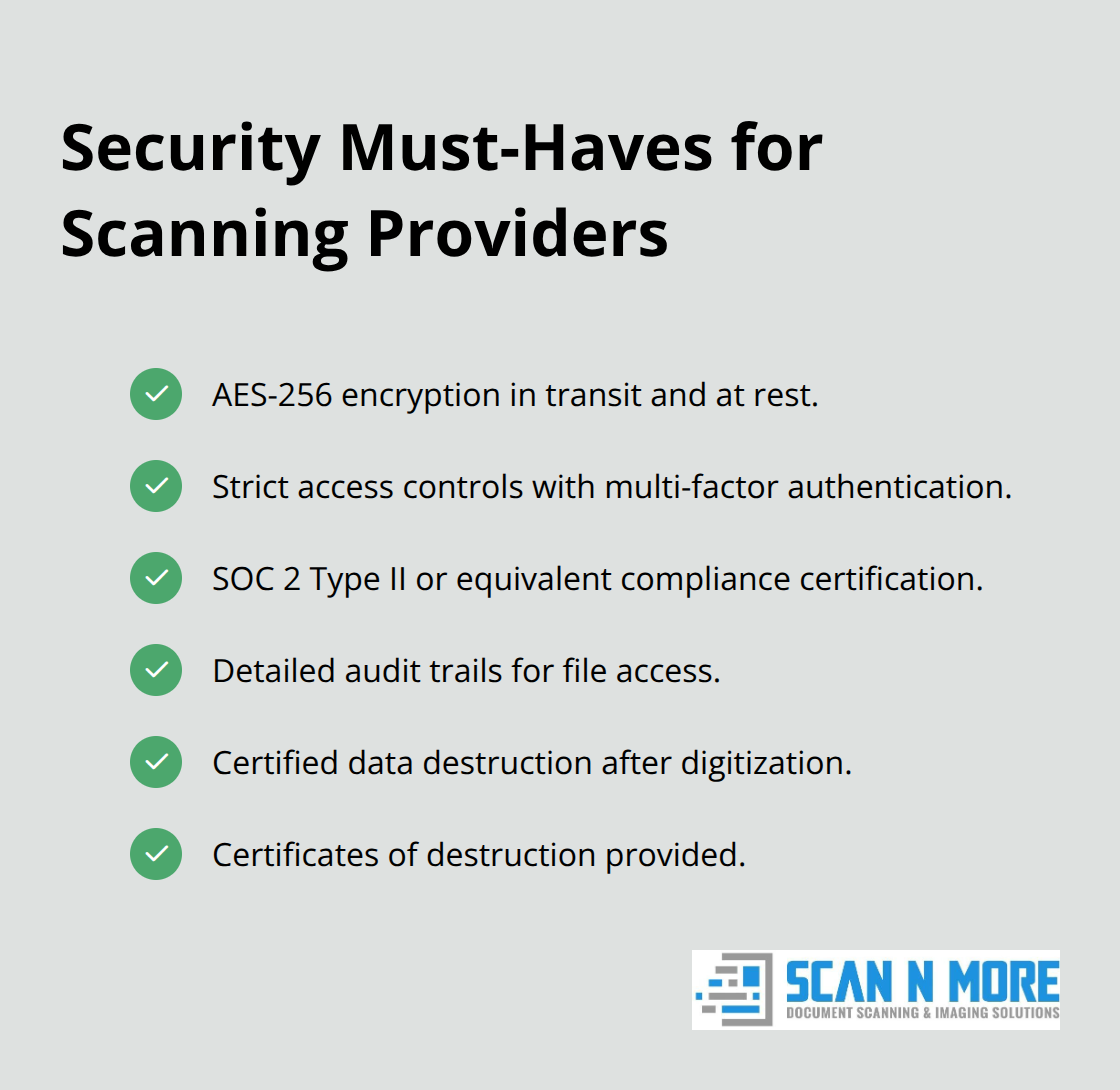
Professional scanning services must implement encryption during transit and storage, enforce strict access controls, and maintain detailed audit trails showing who accessed which files and when. Verify that your provider uses AES-256 encryption, implements multi-factor authentication for staff, and maintains SOC 2 Type II certification or equivalent compliance credentials. Equally important, confirm their data destruction process. After digitization completes, the original documents require secure destruction to eliminate any remaining copies of sensitive information. Reputable providers use certified destruction services with documented certificates proving complete destruction.
Hidden Fees and Processing Delays Derail Projects
Hidden fees and processing delays create another category of failure. Some vendors quote low per-page rates but add surcharges for rush processing, complex document types, quality verification, or file format conversion. A legal firm received a scanning estimate of $0.08 per page for 200,000 documents, only to discover that complex legal documents with handwritten annotations triggered a 50 percent markup, extending costs to $0.12 per page.
Processing timelines matter equally. Vendors promising turnaround within days sometimes deliver within weeks due to understaffing or equipment bottlenecks. Request written service level agreements specifying exact turnaround times, quality standards, and what happens if deadlines slip. Understand the complete pricing structure upfront, including all possible surcharges and whether rush processing carries premium fees.
The right scanning partner provides transparent pricing, guarantees specific quality standards, and demonstrates security practices through certifications and documentation. When choosing a scanning service, prioritize vendors who stand behind their work with clear guarantees and verifiable credentials.
Final Thoughts
Paper-based document management costs businesses time, money, and compliance headaches that compound daily. Digital document scanning solves these problems directly by converting physical records into searchable, organized data that your team accesses instantly. The productivity gains compound across every department, and the storage cost savings alone justify the investment within months.
The difference between a successful digitization project and a failed one comes down to your scanning partner. Poor image quality, weak security practices, and hidden fees have derailed countless projects. You need a vendor who guarantees high-resolution scans, implements encryption and access controls, and provides transparent pricing with clear service level agreements. Request sample scans of your actual documents before committing, verify their security certifications and data destruction processes, and ask for written guarantees on turnaround times and quality standards.
Contact Scan N More to discuss your digital document scanning project and start transforming your operations. Paper workflows drain resources every single day while your competitors move faster with digital systems. The time to modernize your document management is now.