
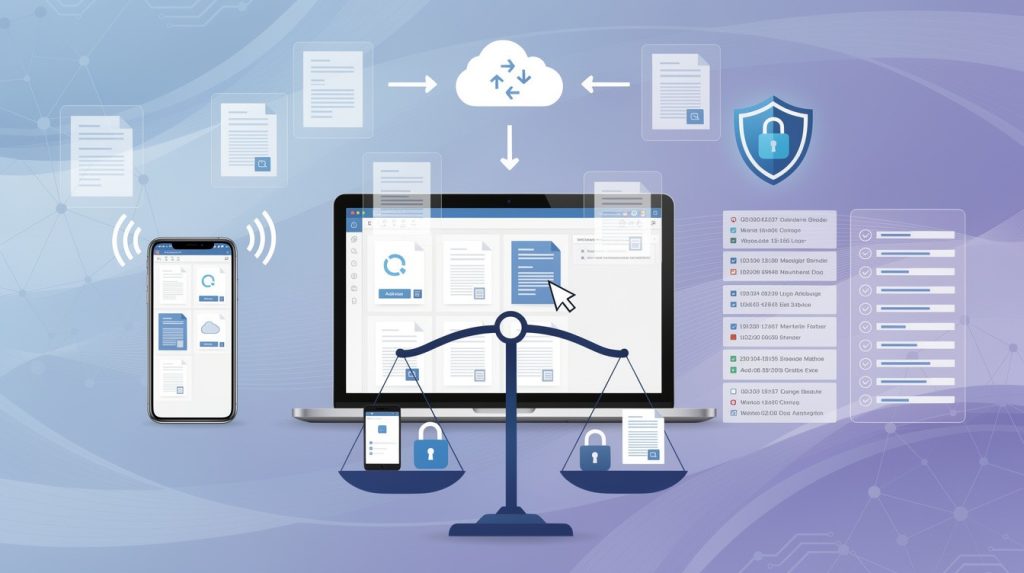
Remote access to documents has become standard practice, yet many organizations struggle to maintain security while enabling flexibility. At Scan N More, we’ve seen firsthand how the wrong approach creates compliance headaches and data vulnerabilities.
This guide shows you how to give your team the access they need without compromising on security or regulatory requirements.
Why Remote Document Access Matters Now
Employees expect to access documents from anywhere, and organizations that can’t deliver this capability lose talent to competitors who can. The shift toward flexible work arrangements isn’t slowing down-it’s accelerating. Six in 10 employees with remote-capable jobs want a hybrid work arrangement, with about one-third preferring fully remote work and less than 10% preferring to work on-site. Without remote access to critical files, your team either works from the office or productivity stalls entirely. Organizations that fail to enable this access see higher turnover and struggle to attract skilled workers who’ve grown accustomed to flexibility at other companies.
Speed Wins Business
Decision-making in modern organizations can’t wait for someone to return to the office. When a sales team needs to pull contract terms at 6 PM, or when a manager needs to approve a proposal from home, delayed access costs money and momentum. Companies with fast document access systems close deals faster and respond to market changes ahead of their competitors. The alternative-emailing documents, using personal devices, or accessing files through unsecured channels-creates compliance nightmares while still failing to deliver speed. Organizations that implement proper remote document systems report faster approval cycles and stronger competitive positioning.
Physical Storage Drains Resources
Maintaining paper-based document systems requires expensive office space, filing infrastructure, and staff time spent hunting for documents. A typical four-drawer filing cabinet costs between $300 and $500 to purchase and consumes roughly 15 square feet of prime office real estate. When you multiply that across an organization with hundreds or thousands of documents, the real estate and operational costs become staggering. Digital document systems eliminate this burden entirely. Beyond the immediate cost savings on space and storage, digitized documents reduce retrieval time from minutes or hours to seconds.
The Path Forward Demands Digital Infrastructure
Organizations that transition from paper-heavy environments to fully digital workflows cut their document management costs dramatically while improving accessibility across their teams. This shift requires more than just scanning documents-it demands secure remote access systems that protect sensitive information while enabling your workforce to operate flexibly. The next section explores the compliance and security risks that emerge when organizations implement remote access without proper safeguards.
What Compliance Risks Does Remote Document Access Create?
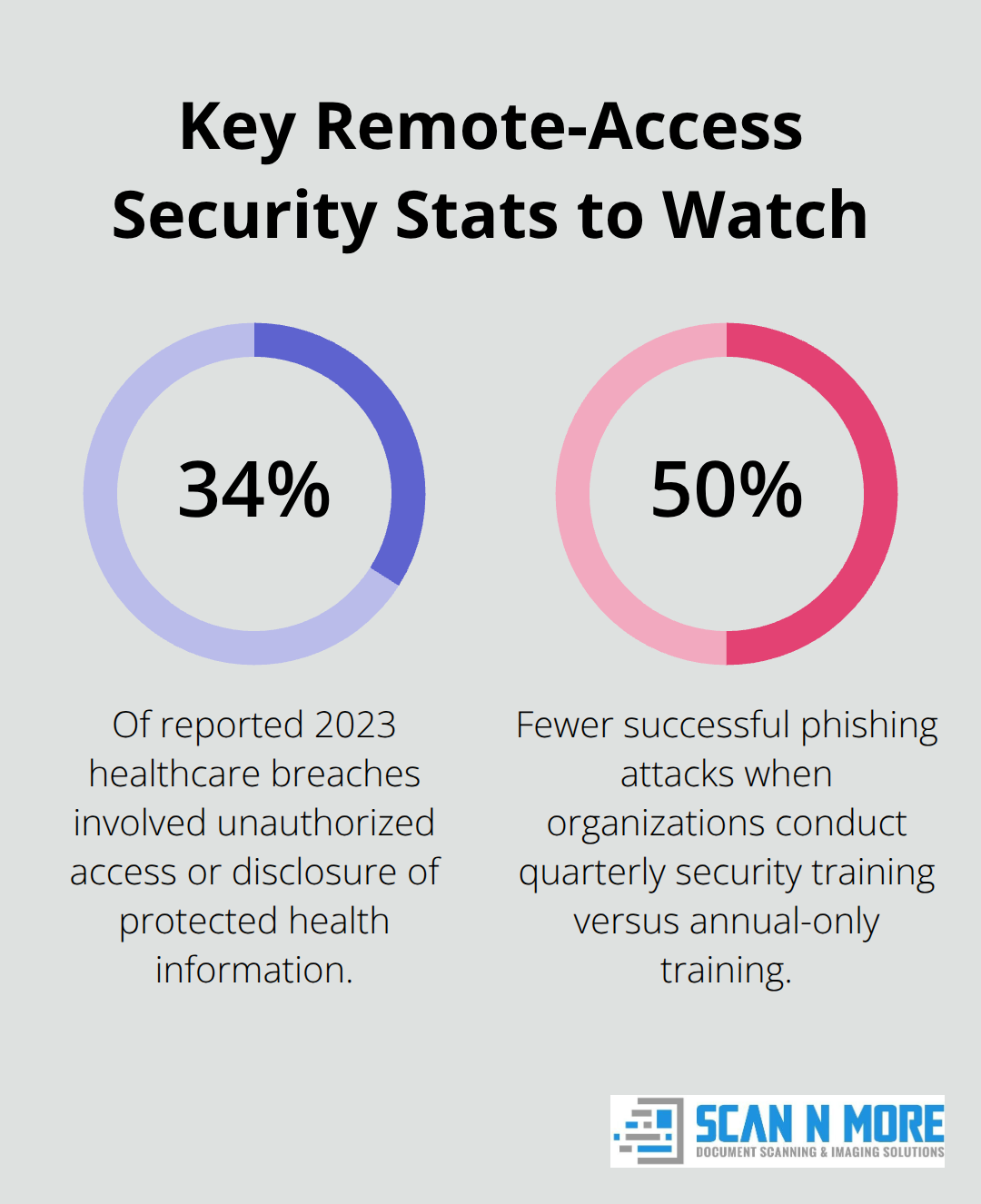
Remote document access exposes organizations to regulatory violations that carry steep financial penalties. In 2023, the Office for Civil Rights reported over 725 healthcare data breaches affecting more than 133 million records, with about 34 percent involving unauthorized access or disclosure of protected health information. HIPAA alone isn’t the only concern-GDPR fines reach up to 20 million euros or 4 percent of global revenue, whichever is higher, and state privacy laws like California’s CCPA impose penalties of $2,500 per violation or $7,500 per intentional violation.
These aren’t theoretical risks. Organizations that enable remote document access without proper controls face audit failures, regulatory investigations, and mandatory breach notifications that damage reputation and customer trust. The HIPAA Security Rule mandates unique user IDs, automatic logoff, session timeouts, and audit controls to track who accessed protected information, when, and what actions they took. Many organizations implement remote access without these foundational controls, leaving themselves vulnerable to both external attacks and insider threats.
Weak Authentication Opens the Door to Breaches
Static credentials, shared passwords, and single-factor authentication create scenarios where a stolen password opens complete document access. Multi-factor authentication cuts this risk dramatically-requiring a second verification step like a one-time code makes credential theft nearly useless to attackers. Organizations that enforce MFA across all remote document systems report significantly fewer successful breach attempts. The cost of implementing MFA is minimal compared to the expense of a data breach investigation or regulatory fine. Without this second layer of protection, your organization remains exposed to credential-based attacks that attackers execute routinely against healthcare and financial institutions.
Unencrypted Data in Transit and at Rest Invites Interception
Data transmitted over unsecured networks or stored without protection can be intercepted or exfiltrated. Virtual Private Networks encrypt traffic between devices and servers, reducing interception risk, but outdated VPN configurations introduce their own vulnerabilities. Organizations must also encrypt documents at rest-stored files without encryption protection remain accessible to anyone who gains unauthorized access to your systems. Unpatched endpoints and compromised devices accessing documents from public Wi-Fi amplify exposure significantly. Organizations must enforce device compliance checks before granting access-requiring updated software, active antivirus protection, and screen lock policies prevents compromised personal devices from becoming entry points for attackers.
Audit Trails Prove Compliance During Investigations
HIPAA requires continuous monitoring of remote access activity to detect unusual logins and generate compliant audit reports. Audit trails represent your only defense during investigations. Without this visibility, you cannot prove what happened during a breach or demonstrate that you met regulatory standards. Regular security audits provide clear records for regulatory investigations and show that your organization maintains control over sensitive documents. These logs also help identify insider threats-employees or contractors who access documents outside their job responsibilities trigger alerts that security teams can investigate immediately.
Speed and Usability Prevent Dangerous Workarounds
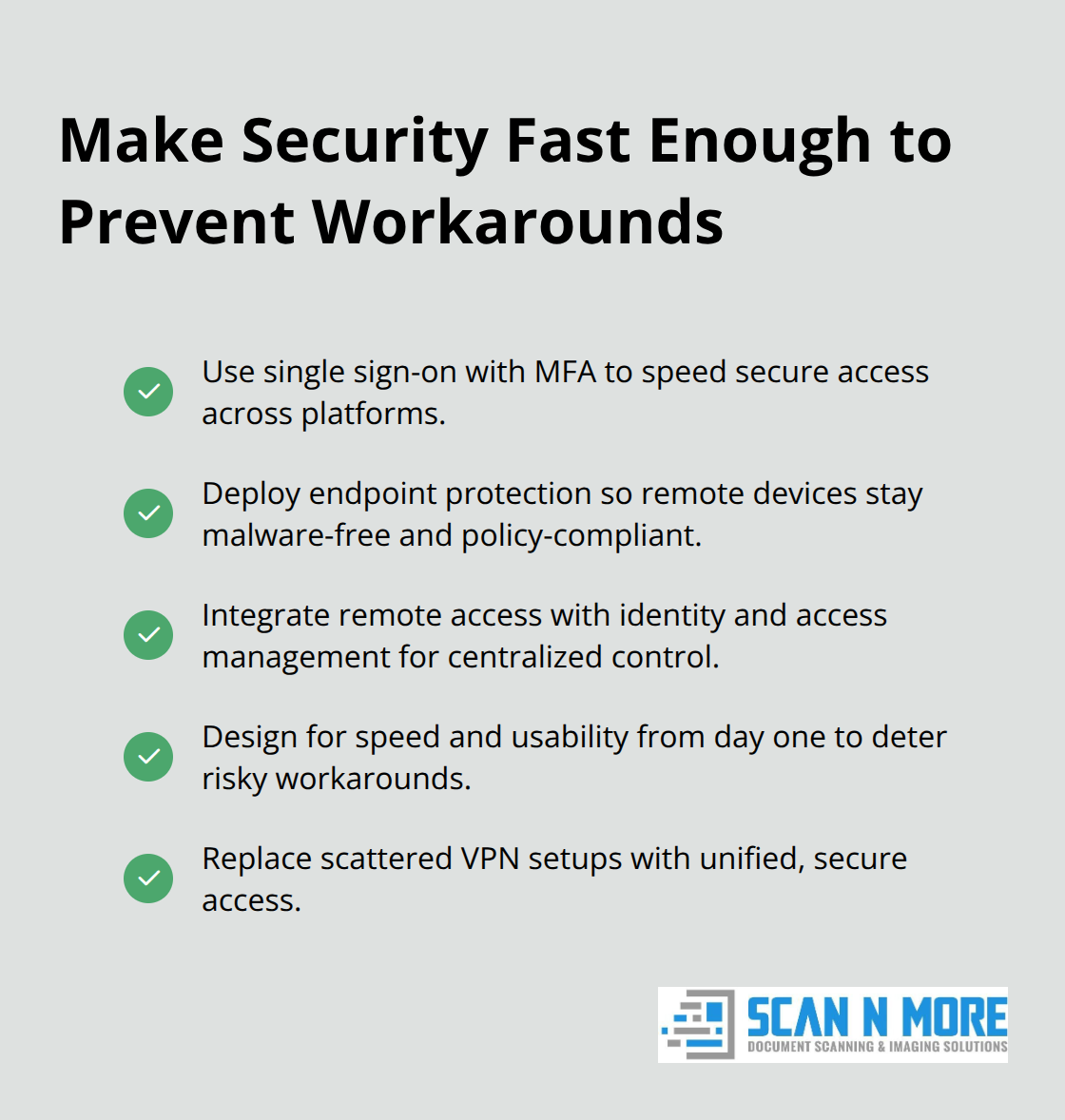
Overly complex remote access systems drive risky workarounds. When accessing documents requires multiple authentication steps or slow connections, employees email files to personal accounts, use consumer file-sharing apps, or bypass security entirely. This defeats the purpose of implementing remote access in the first place. The solution isn’t weaker security-it’s faster, more usable security. Single sign-on combined with multi-factor authentication improves security while speeding employee access across platforms. Endpoint protection software ensures remote devices are malware-free and policy-compliant without slowing productivity. Integration of secure remote access with identity and access management systems replaces scattered VPN setups, improving both security posture and user experience.
Organizations that invest in solutions designed for speed and usability from day one avoid the frustration that leads employees to create security gaps. The next section covers the specific practices that help you achieve this balance without sacrificing compliance.
Building Security Controls That Don’t Slow Your Team Down
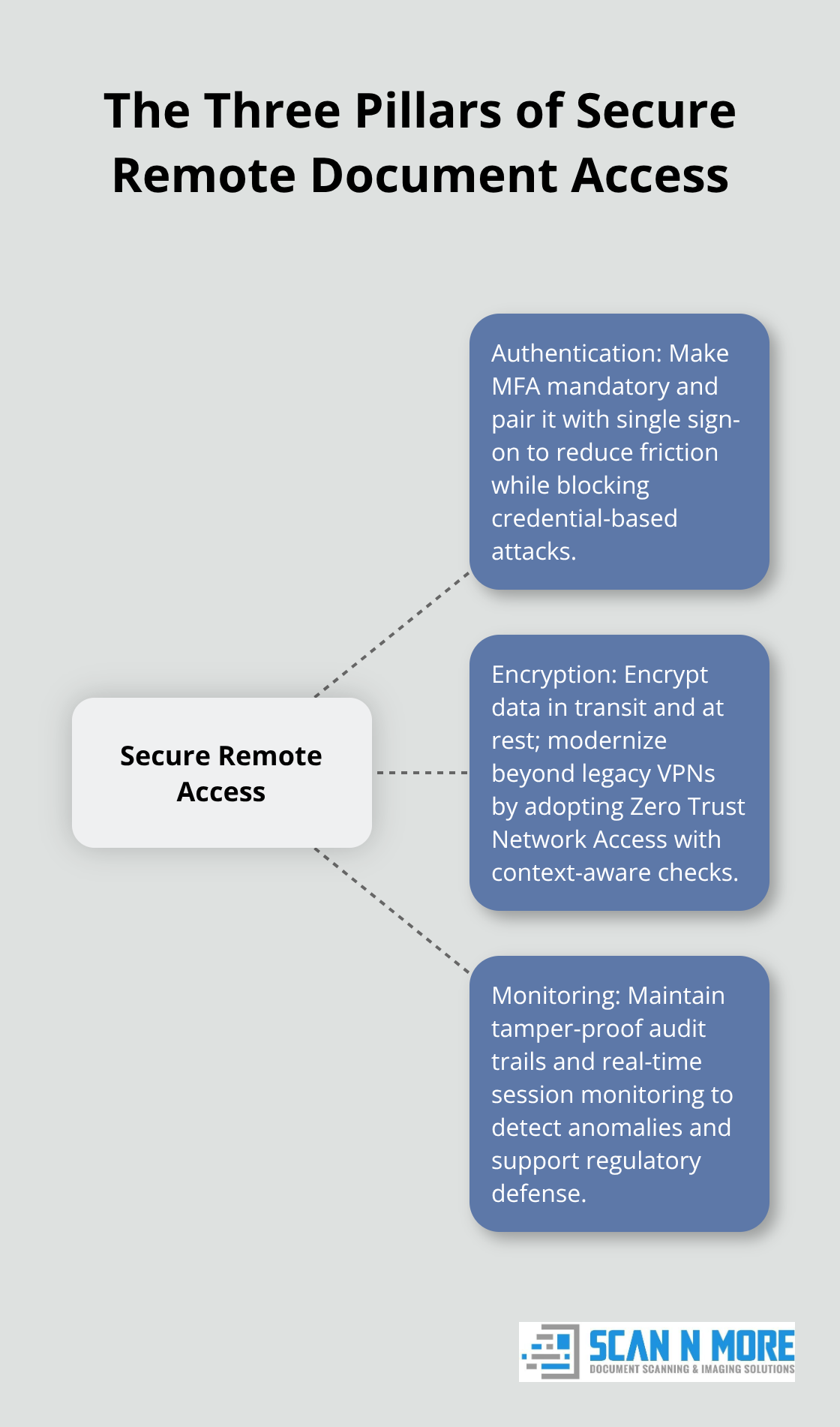
Remote document access security requires three interconnected practices that work together, not independently. Organizations that treat authentication, encryption, and monitoring as separate initiatives create gaps that attackers exploit. The most effective approach integrates these controls into a unified system that protects documents while maintaining the speed your team needs.
Multi-Factor Authentication Must Be Mandatory
Multi-factor authentication must be mandatory across all remote document access points, not optional or reserved for privileged accounts. When employees access documents remotely, a stolen password becomes useless without a second verification factor like a one-time code or biometric authentication. The implementation cost is negligible-most modern identity platforms charge under $5 per user monthly-while the protection value is substantial. Organizations enforcing MFA can help prevent account attacks.
However, MFA only works if your system makes it frictionless. If authentication takes 30 seconds, employees will find workarounds. Single sign-on combined with MFA solves this by reducing friction while maintaining security. Your endpoint protection must verify device health before granting access-requiring updated operating systems, active antivirus protection, and screen lock policies prevents compromised personal devices from becoming entry points.
Encryption Protects Documents in Transit and at Rest
Encryption protects documents both in transit and at rest, but implementation details matter significantly. Virtual Private Networks encrypt traffic between devices and your servers, but outdated VPN configurations introduce vulnerabilities that sophisticated attackers bypass routinely. Zero Trust Network Access, which continuously verifies identity and device health before granting access, has become the industry standard because it replaces the false security of perimeter-based VPNs with context-aware controls.
Documents stored without encryption remain accessible to anyone gaining unauthorized system access, so your document management system must encrypt files at rest using AES-256 encryption or equivalent standards. This protection becomes especially important when employees access documents from public Wi-Fi networks or personal devices that may lack robust security controls.
Audit Trails Enable Regulatory Defense
Audit trails represent your only defense during regulatory investigations and breach inquiries. HIPAA requires continuous monitoring that tracks who accessed documents, when they accessed them, and what actions they performed. These logs must be tamper-proof and retained according to regulatory requirements-typically six years for healthcare and financial records.
Organizations that implement real-time session monitoring can terminate suspicious access immediately, containing potential breaches before data exfiltration occurs. Your security team needs visibility into access patterns; unusual logins from new geographic locations or after-hours access by employees outside their normal roles should trigger automatic alerts. This visibility transforms audit trails from compliance paperwork into an active defense mechanism.
Security Training and Access Reviews Prevent Insider Threats
Security training must move beyond annual checkbox compliance to practical, role-specific guidance. Employees need to understand phishing tactics targeting their specific organization, how to recognize credential theft attempts, and why they cannot share passwords or use personal email for document access. Organizations conducting quarterly security training see 50 percent fewer successful phishing attacks than those relying on annual training alone.
Access reviews must happen quarterly, not annually, because employee roles change frequently and outdated access permissions create insider threat risks. When an employee transfers departments or leaves your organization, their document access should terminate immediately. Delayed access removal remains one of the most common causes of data breaches in regulated industries. Automation reduces this risk dramatically-integrating your document system with your human resources systems ensures access termination happens the same day employment ends.
Final Thoughts
Remote access to documents solves a real business problem, but only when security and compliance work together rather than against each other. Organizations that treat these as competing priorities end up with either weak security that invites breaches or overly complex systems that drive employees toward dangerous workarounds. The balance comes from integrating multi-factor authentication, encryption, and audit monitoring into systems designed for speed and usability from the start.
Your path forward requires three concrete actions. First, audit your current remote access to documents setup against HIPAA, GDPR, or whatever regulations govern your industry, then identify gaps in authentication, encryption, and monitoring. Second, implement mandatory multi-factor authentication across all remote access points and enforce device compliance checks before granting access (this foundation stops most credential-based attacks without slowing your team significantly). Third, establish quarterly access reviews tied to your human resources systems so that role changes and departures trigger immediate access termination.
The transition from paper-based or poorly secured digital systems to compliant remote access requires professional support. At Scan N More, we help organizations transform paper documents into secure digital systems that support remote work while maintaining regulatory compliance through professional document scanning services that handle everything from initial digitization to secure data destruction.