
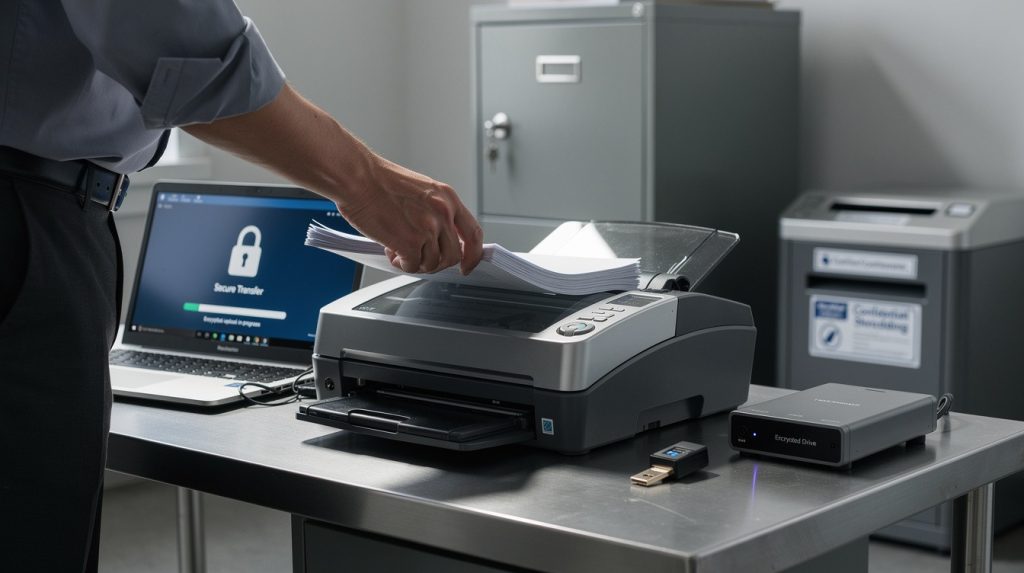
Converting paper documents to digital format exposes your organization to real security risks. Data breaches during digitization cost companies an average of $4.45 million per incident, according to IBM’s 2024 Data Breach Report.
At Scan N More, we’ve seen firsthand how poor secure document scanning practices leave sensitive information vulnerable. This guide walks you through the standards, certifications, and vendor questions that actually protect your data.
Why Your Documents Are at Risk During Digitization
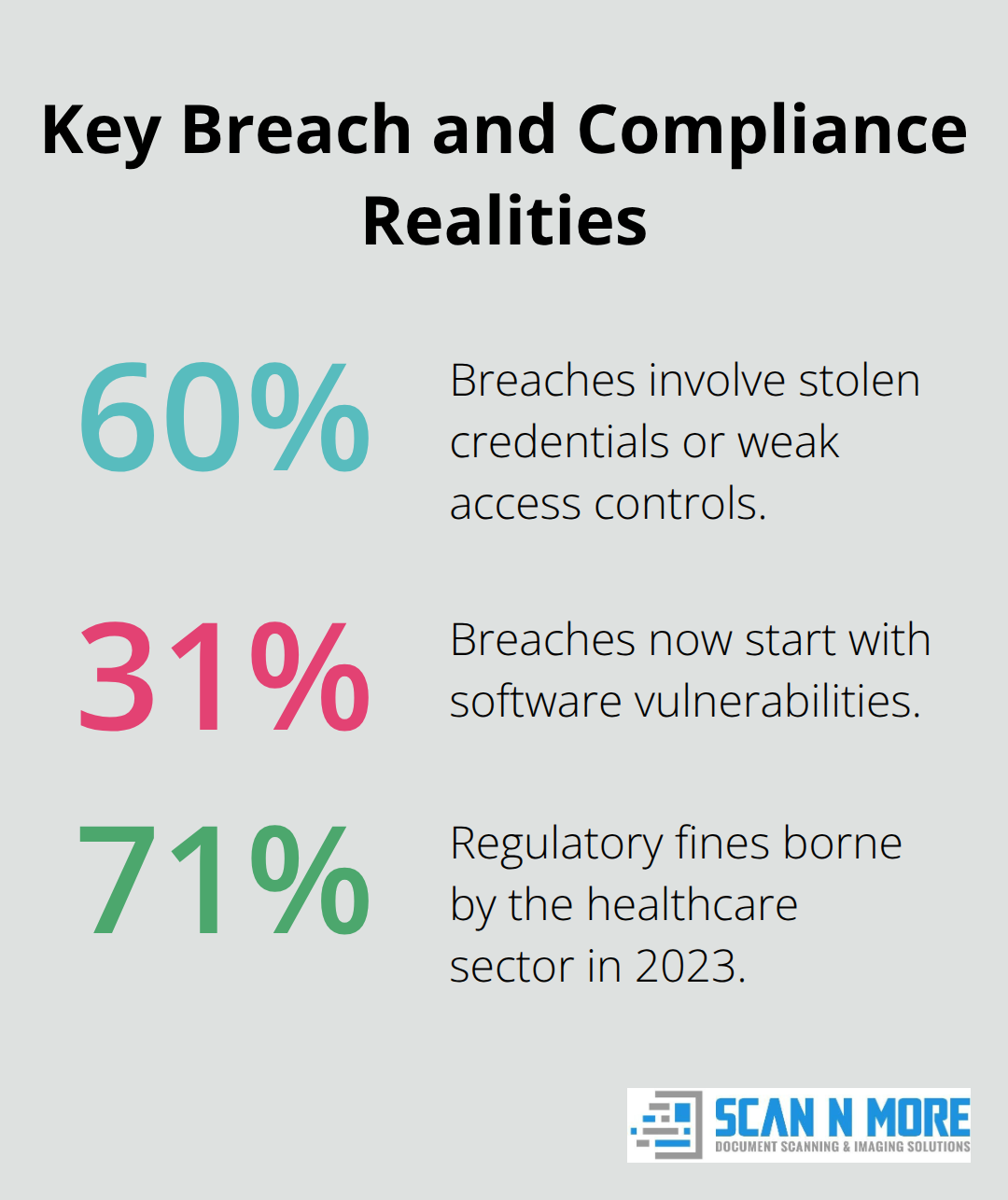
Digitizing documents creates multiple exposure points that don’t exist with paper files. When you scan, the document passes through your scanner’s memory, travels across your network, gets processed by OCR software, and lands in storage-each step presents a vulnerability. Hackers target scanning workflows because they’re often the weakest link in a company’s security chain. A single misconfigured folder or unencrypted file during the scanning process exposes thousands of records. Organizations often assume their security ends at the firewall, only to find their scanned files sit unprotected in shared drives. The reality is stark: 60% of data breaches involve stolen credentials or weak access controls, according to Verizon’s 2024 Data Breach Investigations Report. Your scanning workflow either prevents this or enables it.
The Financial Impact of Exposure During Conversion
The financial damage from a scanning-related breach extends far beyond the immediate $4.45 million average cost per incident. Regulatory fines add another layer. A GDPR violation can cost up to 20 million euros or 4% of global annual revenue, whichever is higher. HIPAA violations run 100 to 50,000 dollars per record exposed, and healthcare organizations scanning patient files face the steepest penalties. In 2023, the healthcare sector paid 71% of all regulatory fines related to data breaches. If you scan medical or financial documents without proper encryption and access controls, you’re not just risking a breach-you’re guaranteeing expensive compliance violations when one occurs. Organizations that outsource to providers without verified security certifications face additional liability because they can’t prove due diligence to regulators. Incident response, legal fees, notification expenses, and reputation damage multiply the total cost. One mid-sized law firm’s unencrypted scan of client contracts cost them 2.3 million dollars in fines and lost clients after files were intercepted during cloud upload.
Regulatory Requirements Vary by Industry
Different industries face different regulatory demands, and your scanning process must match them exactly. Financial institutions scanning account records fall under PCI-DSS, which requires encryption at rest and in transit, quarterly security audits, and documented access logs. Healthcare organizations scanning patient information must comply with HIPAA’s Security Rule, which mandates role-based access controls, automatic logoffs, and audit trails for every document accessed. Legal firms handling client communications face state bar ethics rules requiring confidentiality throughout digitization. EU-based organizations or those handling EU resident data must comply with GDPR, which treats scanned personal data the same as any other personal data-meaning you need written contracts with your scanning provider, data processing agreements, and proof of secure handling. Canada’s PIPEDA carries similar requirements. Most organizations treat scanning as a technical problem rather than a compliance requirement. Regulators don’t care about your scanner’s resolution or your OCR accuracy. They care about whether your scanned files have encryption, whether access is logged, whether your staff signed confidentiality agreements, and whether you can prove all of this during an audit. Non-compliance isn’t theoretical-it’s auditable and fined.
How to Build Security Into Every Stage of Your Scanning Process
Encrypt Files at Every Step
Encryption stops being optional the moment your documents leave paper form. End-to-end encryption protects your files during scanning, while they travel across your network, and while they sit in storage. AES-256 encryption is the industry standard for sensitive data, and financial institutions and healthcare providers use it because regulators recognize it as secure. Your scanning software should encrypt files immediately after the scan completes, before they touch any shared drive or cloud storage. If your provider offers unencrypted scanning, walk away.
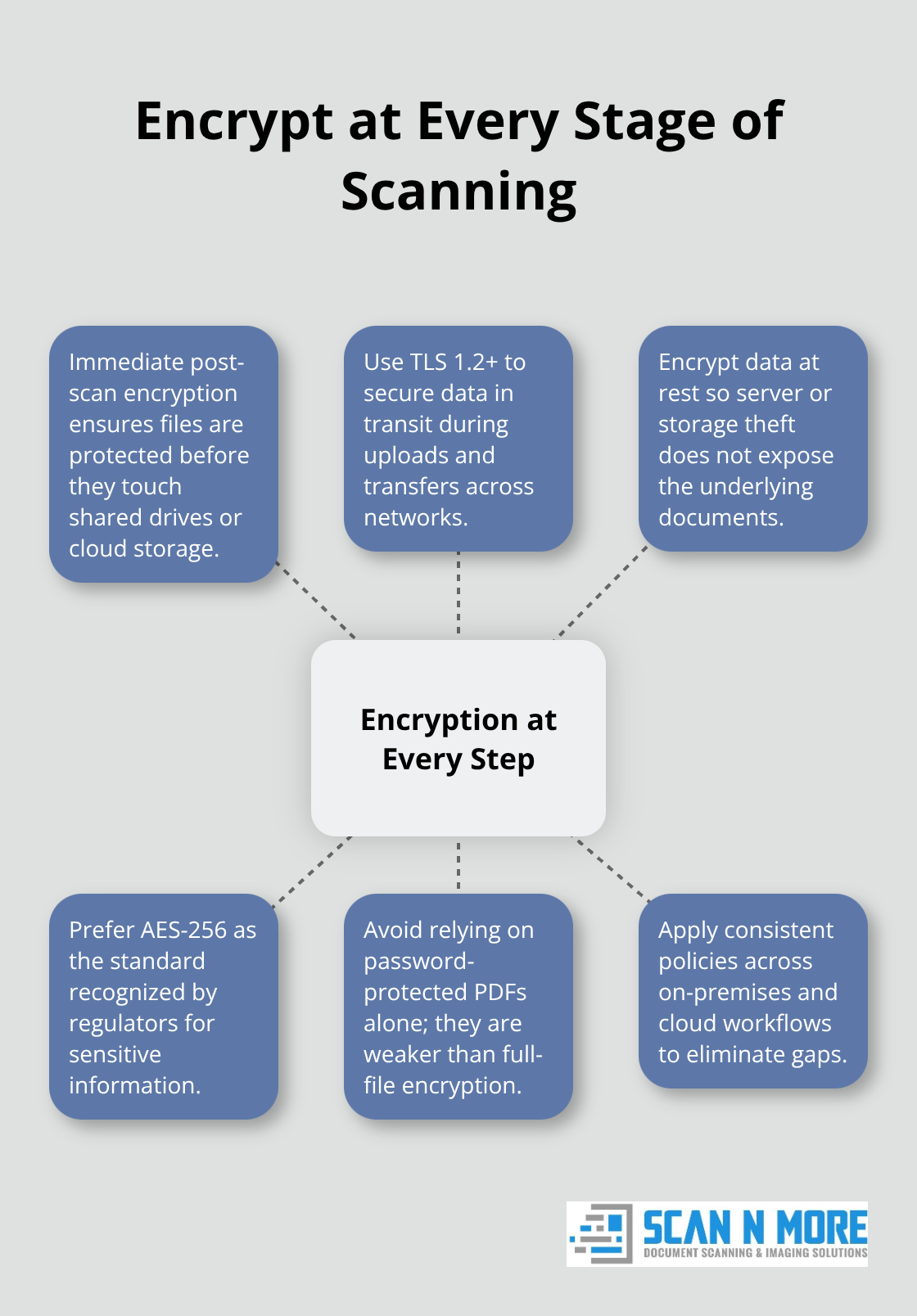
The technical implementation matters significantly. Files encrypted at rest protect against theft if someone physically accesses your servers, but encryption in transit protects against interception during upload or transfer. Use TLS 1.2 or higher for any data moving across networks. Password-protected PDFs add a second layer, but they’re not sufficient alone because password protection is easier to crack than full file encryption. One healthcare organization discovered their scanning vendor was password-protecting files but storing them unencrypted on shared cloud servers. A disgruntled employee copied thousands of patient records in minutes. The encryption looked good on paper until an audit revealed the actual storage was vulnerable.
Control Who Accesses What
Access controls determine who can see what, and weak controls are why 31% of breaches now start with software vulnerabilities. Role-based access control means a billing clerk scanning invoices cannot access patient files, and a junior staff member cannot export encrypted documents. Your scanning workflow should log every access, every download, and every export so auditors can trace exactly who touched which files and when.
Automatic logoff after 15 minutes of inactivity prevents someone from walking away from an unlocked workstation with sensitive documents visible. Multi-factor authentication for access to stored scans adds friction that stops stolen credentials from becoming breaches. If your provider doesn’t offer detailed audit logs showing who accessed what document at what time, they’re hiding something.
Store Scans Securely
Your storage solution determines whether encryption actually protects you long-term. Cloud storage from reputable providers like AWS or Microsoft Azure with compliant data centers beats self-managed servers because these providers invest heavily in security monitoring and redundancy. However, cloud storage only works if you encrypt files before uploading and verify that the provider’s data centers meet your regulatory requirements. GDPR requires data residency in the EU for EU resident information, and HIPAA requires audit trails showing access patterns.
Backup procedures matter because ransomware attacks against scanning systems are increasing. Your backups must be encrypted and stored separately from your primary systems so hackers cannot encrypt both the originals and the backups simultaneously. Test your backup restoration process quarterly to confirm you can actually recover files without paying attackers. One financial services firm had backups they’d never tested, only to discover during an actual incident that their restoration process was broken and would have cost them weeks to recover data manually.
Move Forward With Vendor Selection
These technical controls only work if your scanning provider implements them consistently. The next chapter walks you through the certifications, credentials, and specific questions that separate vendors who talk about security from vendors who actually build it into their operations.
Choosing a Secure Document Scanning Provider
Your scanning provider’s certifications determine whether they meet regulatory standards or just claim to. ISO 27001 certification proves they have documented information security management across their entire operation, not just scanning. SOC 2 Type II certification (not Type I) shows an independent auditor verified their security controls over at least six months, which matters because one-time audits miss operational failures. HIPAA Business Associate Agreement status is non-negotiable if you handle health information, and GDPR Data Processing Agreement compliance is mandatory for EU data. Ask your provider to show you the actual certification documents, not just a checkbox on their website. One healthcare organization signed with a vendor claiming HIPAA compliance only to discover during their own audit that the vendor had the certification but their specific scanning workflow wasn’t covered by it. The distinction matters enormously.
Verify Certifications and Audit Reports
Beyond certifications, verify that your provider conducts regular penetration testing (annual minimum) and security audits. Reputable vendors publish transparency reports showing breach incidents and remediation timelines. If a vendor refuses to share their certifications or audit reports, they are hiding something. Request their retention and destruction procedures in writing. NIST guidelines recommend secure shredding for physical documents after digitization is verified, and your provider should document the shredding process with certificates.
Examine the Actual Scanning Workflow
Certification means nothing if the workflow itself has gaps. Ask your provider exactly what happens to your documents from the moment they arrive at their facility through final storage. Specifically ask whether they encrypt files immediately after scanning completes, what encryption standard they use (AES-256 is the only acceptable answer), and whether encryption happens on-premises before files touch any network or cloud storage. Ask who has access to unencrypted files during the scanning process and whether those people have completed background checks and signed confidentiality agreements.
Request their backup procedures and whether backups are encrypted separately from primary storage. One financial services firm learned their vendor had excellent encryption for primary files but stored unencrypted backups in the same location, defeating the entire security strategy. Ask whether they perform OCR processing locally on their systems or send files to third-party cloud services for processing. Third-party OCR processing introduces additional exposure points and data transfer risks that you cannot control. Insist on local processing or documented data processing agreements with any third parties involved.
Identify Red Flags in Vendor Proposals
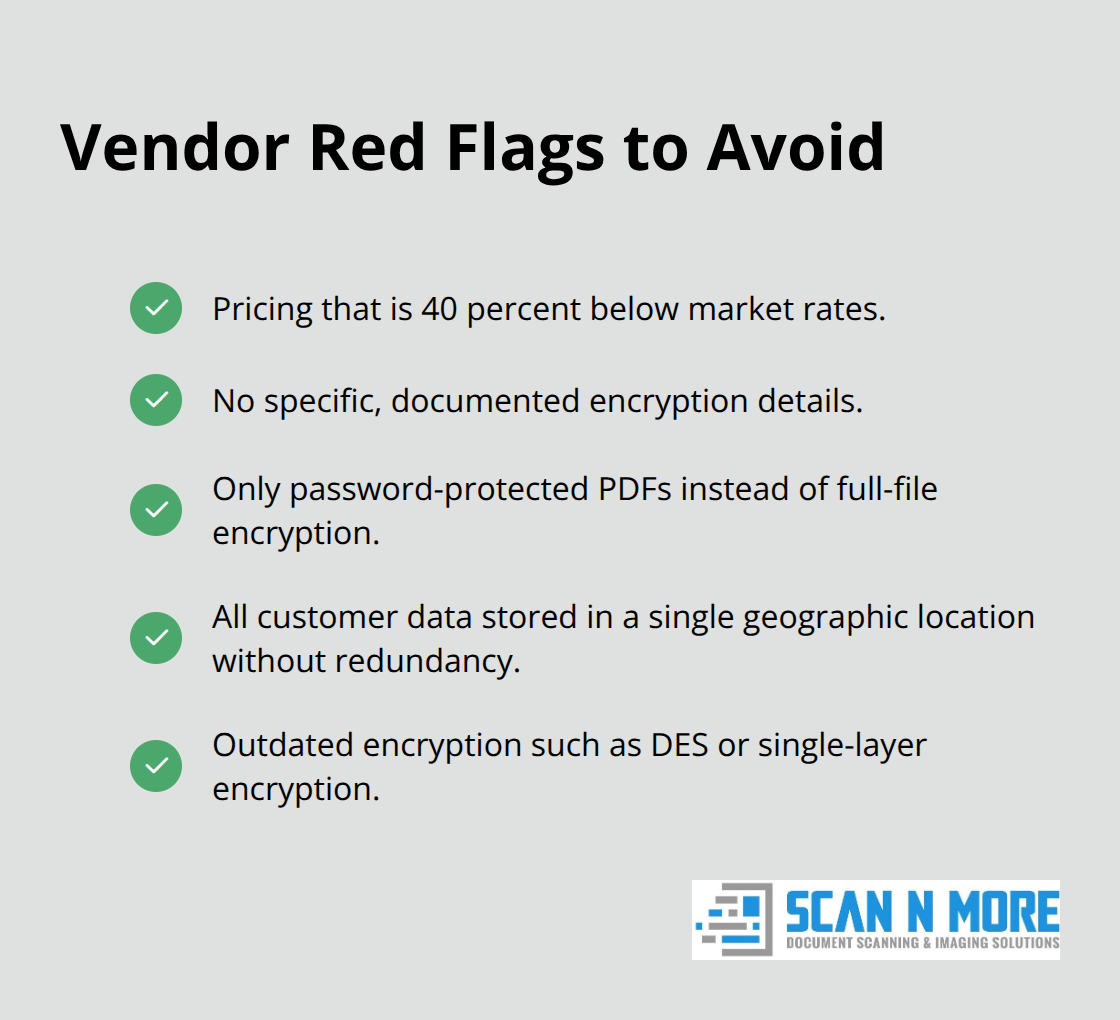
Vendors offering scanning at suspiciously low prices often cut security corners to maintain margins. If their pricing is 40 percent below market rates, they are not reinvesting in security infrastructure. Red flags include vendors who cannot provide specific encryption details, who offer only password-protected PDFs instead of full file encryption, or who store all customer data in a single geographic location without redundancy. Vendors using outdated encryption standards like DES or single-layer encryption actively expose your data.
Avoid vendors who lack written data processing agreements, who cannot produce audit reports on demand, or who refuse to sign HIPAA or GDPR agreements. Vendors who claim security is handled but cannot explain their access control mechanisms in detail are guessing, not implementing. Check whether your potential vendor has experienced security incidents. Reputable vendors disclose breaches publicly and explain how they remediated the issue. Vendors who claim zero security incidents in their history are either lying or have never been tested at scale.
Conclusion
Secure document scanning protects your organization at every stage, from the moment paper enters your facility through long-term storage and eventual destruction. The controls we’ve outlined-encryption, access restrictions, audit logging, and vendor verification-aren’t optional extras. They form the foundation that separates organizations that pass audits from those that face fines and reputation damage. Your scanning workflow determines your actual security posture, not your intentions.
Implementing secure document scanning requires three concrete actions. First, audit your current scanning process by documenting exactly what happens to files from intake through storage. Second, verify that your provider holds ISO 27001 and SOC 2 Type II certifications and can produce audit reports proving their controls work. Third, request their data processing agreements and encryption specifications in writing so you have documented proof of their security measures.
We at Scan N More understand that secure document scanning requires both technical expertise and operational discipline. Our professional document scanning services handle on-site and off-site digitization for all document formats while maintaining the encryption, access controls, and audit trails that regulators demand. Contact Scan N More today to start your transition to secure digital workflows.