
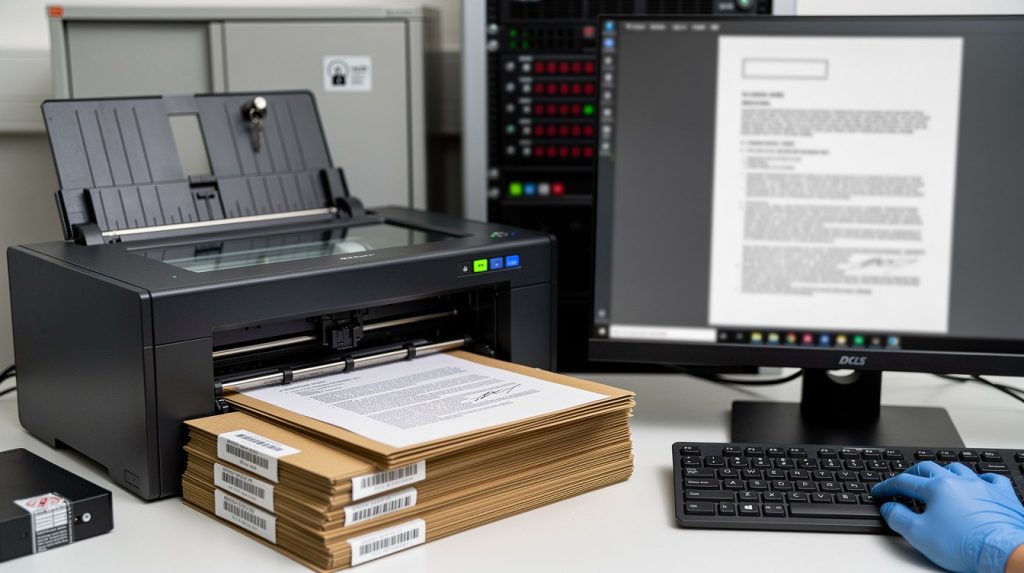
Healthcare providers are drowning in paper. Filing cabinets consume valuable floor space, retrieval takes hours, and compliance risks multiply with every misfiled record.
Clinical records imaging transforms this chaos into organized, accessible digital files. At Scan N More, we’ve helped hundreds of healthcare organizations move from paper-based systems to secure digital workflows that meet HIPAA requirements while cutting storage costs and improving patient care.
Why Digitizing Patient Records Isn’t Optional
HIPAA Compliance Demands Digital Safeguards
HIPAA compliance isn’t a suggestion-it’s a legal mandate with real penalties. The Office for Civil Rights reported enforcement actions totaling millions in fines, and most violations stem from inadequate safeguards on paper records.
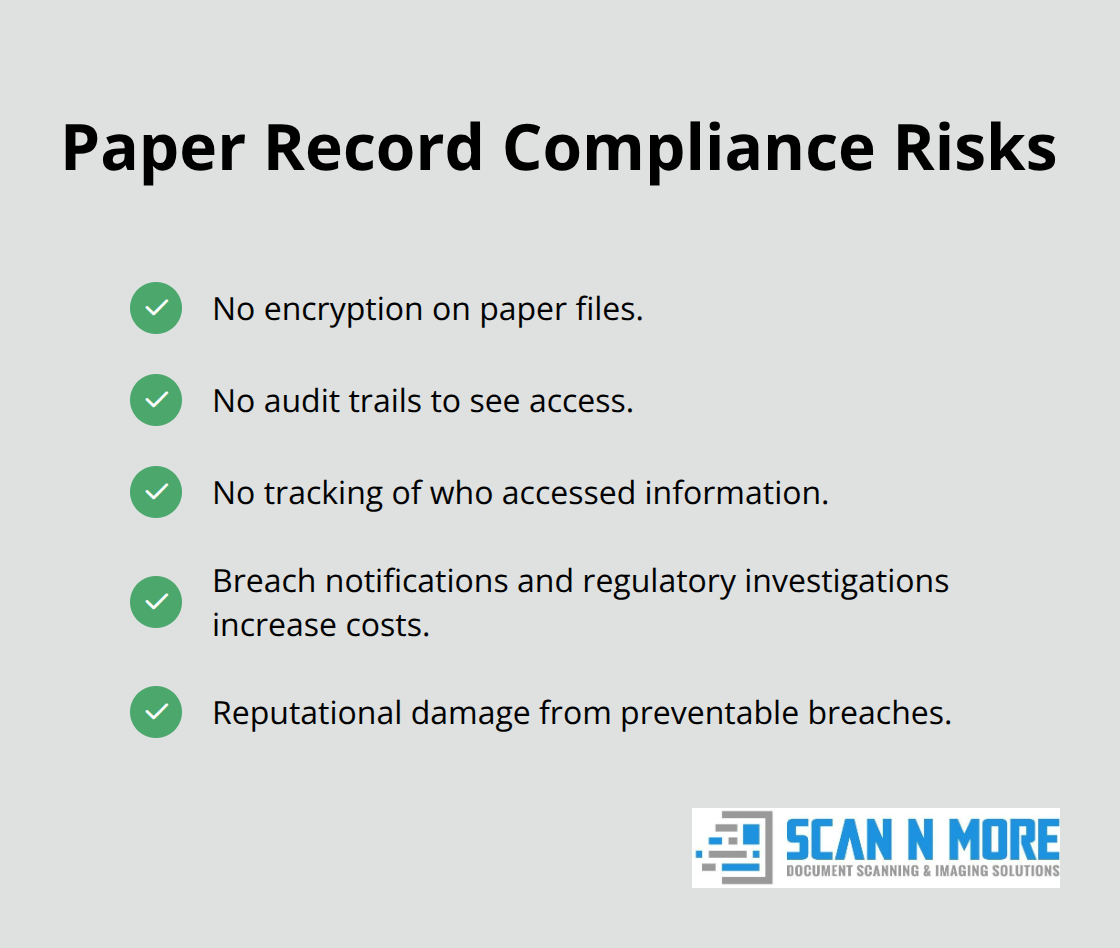
When patient files sit in filing cabinets, you have no encryption, no audit trails, and no way to track who accessed what information. The Security Rule under HIPAA explicitly requires administrative, physical, and technical safeguards, which paper systems fundamentally cannot provide.
Digital records let you implement role-based access control, encrypt data at rest and in transit using standards like AES and TLS, and maintain automatic audit logs documenting every access. Without digitization, you operate outside compliance. The moment a record gets misfiled or a cabinet sits unlocked, your organization faces breach notification costs, regulatory investigations, and reputational damage that no filing system can recover from.
Speed Transforms Clinical Decision-Making
Digitization directly impacts how fast your clinical team delivers care. Paper records mean waiting hours or days to locate a patient’s history, lab results, or imaging reports-delays that affect diagnosis and treatment decisions. Digital systems let clinicians retrieve complete patient histories in seconds, reducing errors and accelerating care decisions.
A study from PwC found that automating document processing streamlines processes and reduces repetitive tasks. Your staff spends less time hunting for files and more time with patients. When you integrate scanned records with your EHR system using structured data capture and OCR, you gain searchable, actionable information that paper can never provide-and your team stops re-entering data manually across multiple systems.
Physical Storage Costs Drain Resources
Physical storage also drains resources; most healthcare organizations spend thousands annually on off-site storage facilities, climate control, and staff time managing paper inventory. Digitization eliminates these costs while freeing physical space for patient care areas or administrative functions. The financial impact compounds over years as your paper volume grows and storage expenses rise.
These compliance, clinical, and financial pressures converge on one reality: paper-based patient records create risk and inefficiency at every level. The question isn’t whether to digitize-it’s how to do it right. Implementing secure clinical records imaging requires specific practices and partnerships that protect patient data while delivering the speed and accessibility your organization needs.
How to Secure Clinical Records During the Digitization Process
Digitizing patient records only works if your security matches the sensitivity of the data. HIPAA doesn’t just require you to scan files-it demands that you protect them during every step: pickup, processing, storage, and delivery. This means moving beyond basic scanning to implement layered technical, administrative, and physical controls that prevent breaches before they happen.
Encryption Protects Data at Every Stage
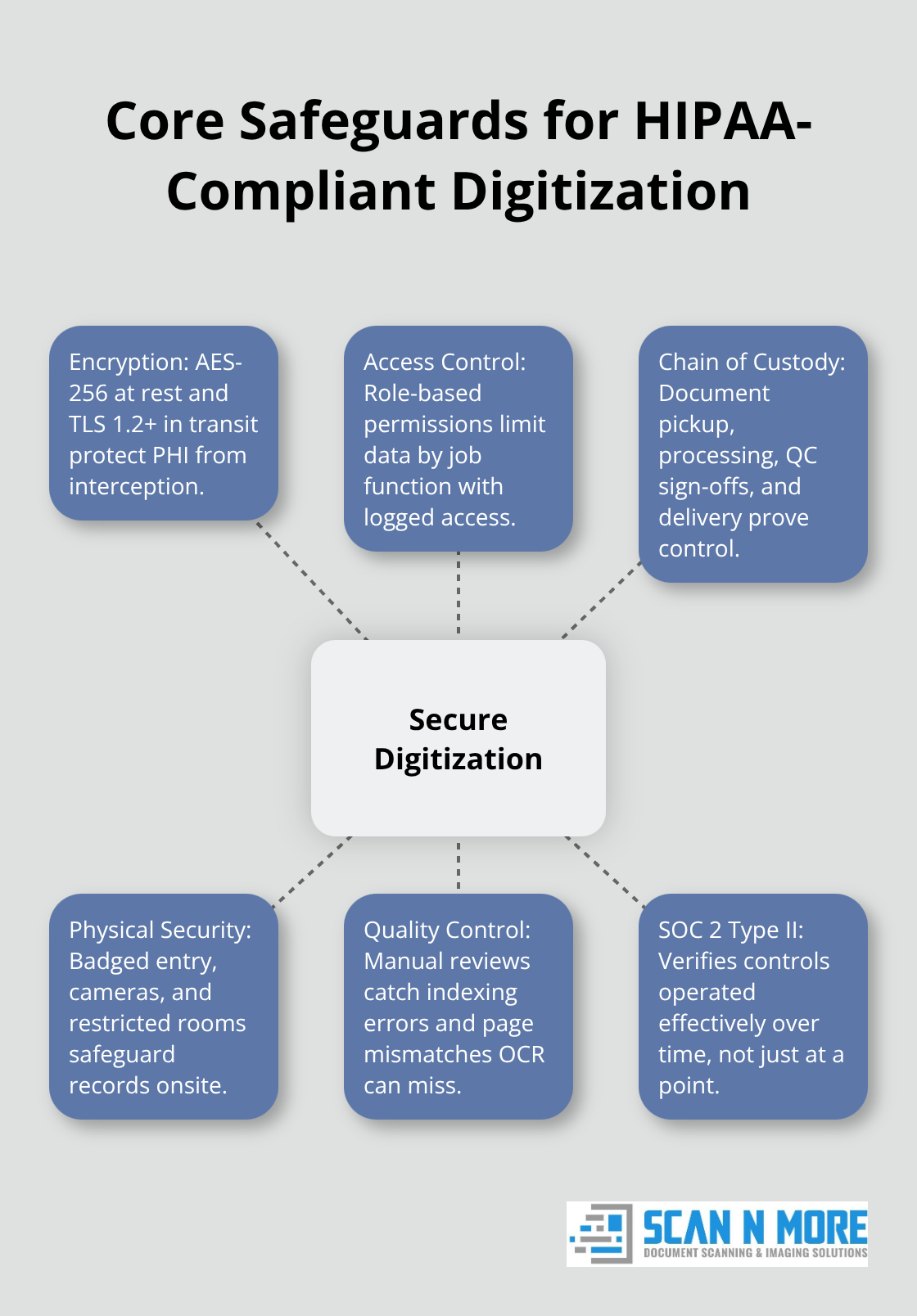
Encryption is non-negotiable. The HIPAA Security Rule requires encryption both at rest (stored files) and in transit (data moving between systems). Use AES-256 encryption for all stored digital records. Enforce TLS 1.2 or higher when files move to cloud storage, EHR systems, or secure portals. Never transfer patient files via email-email doesn’t meet HIPAA’s technical safeguards and leaves PHI exposed in multiple mailboxes and backup systems. Instead, deliver files through a secure portal with SSL/TLS encryption and multi-factor authentication for access.
Your scanning partner should provide encrypted file delivery as standard, not as an add-on option. If they hesitate on encryption details or suggest email transfer, find another vendor. Access controls must accompany encryption. Implement role-based access control so that billing staff cannot view clinical notes and clinical staff cannot access insurance information. Each user receives login credentials tied to their specific job function, and every access gets logged automatically. Audit trails documenting who accessed which records and when create accountability and satisfy regulatory inspectors. Conduct quarterly access reviews to remove staff permissions when roles change and to catch unauthorized access patterns before they become breaches.
Chain of Custody Tracks Records and Proves Compliance
A documented chain of custody tracks every box of records from your facility to the scanning vendor and through delivery of digital files. This creates proof that your records were handled securely and never left unattended. The chain should include pickup date, transport method, receipt confirmation at the scanning facility, processing dates, quality control sign-offs, and final delivery date. If original paper records require destruction rather than return, obtain a certified destruction certificate detailing the date, method, and volume destroyed. Many healthcare organizations overlook this step and face questions during audits about what happened to originals. A proper chain of custody closes that gap.
Physical security during scanning matters equally. Your vendor’s scanning facility should have badged or keyed entry, security cameras covering processing areas, visitor logs, and restricted access to rooms where patient records sit. Staff handling records should receive background checks and HIPAA-specific training on data handling, error spotting, and breach reporting. SOC 2 Type II compliance provides stronger assurance than SOC 1 certifications. SOC 2 Type II proves that security controls operated consistently over time, not just at a single point in time. Request this certification from any vendor you’re considering.
Quality Control and Structured Data Capture Eliminate Errors
Automated scanning catches obvious problems, but human quality control catches the mistakes that matter. Your vendor should perform manual review on every batch to verify page order, image clarity, correct patient matching, and accurate indexing. A single misfiled record that links one patient’s lab results to another patient’s chart creates clinical and legal risks that cost far more than the quality control process itself.
Structured data capture using OCR goes further-it extracts specific fields like patient name, date of birth, and document type and formats them for direct integration with your EHR system. This eliminates manual re-entry and reduces transcription errors that plague paper-to-digital conversions. A backlog project of several hundred boxes typically takes two to eight weeks from pickup to digital delivery, depending on volume and indexing complexity. Your scanning partner should provide a no-charge consultation to set realistic timelines based on your document types and volumes.
Moving Forward with Your Digitization Partner
Digitization at this scale requires partnership, not just vendor selection. Your vendor should demonstrate expertise in healthcare records, transparent security practices, and willingness to explain their processes in detail. The practices outlined here-encryption, chain of custody, physical security, and quality control-form the foundation of compliant clinical records imaging.
With these safeguards in place, your organization protects patient data while gaining the speed and accessibility that digital records provide. The next step involves selecting the right scanning partner and establishing the specific workflows that fit your facility’s volume, document types, and integration needs.
Scaling Digitization Without Losing Control
Audit Your Records and Plan in Phases
Legacy paper records accumulate faster than most healthcare organizations realize. A typical mid-size clinic holds 50,000 to 500,000 patient files spread across filing cabinets, storage boxes, and off-site warehouses. Start with a physical audit of your records. Count boxes, identify document types (charts, lab results, imaging reports, insurance records, consent forms), and note which files are active versus archived. This inventory becomes your project baseline and helps your scanning partner estimate timelines accurately.
A backlog project of several hundred boxes typically takes two to eight weeks from pickup to digital delivery, depending on volume and indexing complexity. Many healthcare organizations underestimate this timeline and rush the process, which introduces errors and compliance gaps. Instead, segment your project into phases. Digitize active patient records first because they deliver immediate clinical value and staff adoption accelerates when teams see faster access to current patient data. Archive legacy records second. This phased approach prevents overwhelming your team and allows your staff to adapt to new digital workflows incrementally.
Prepare Records to Reduce Scanning Time
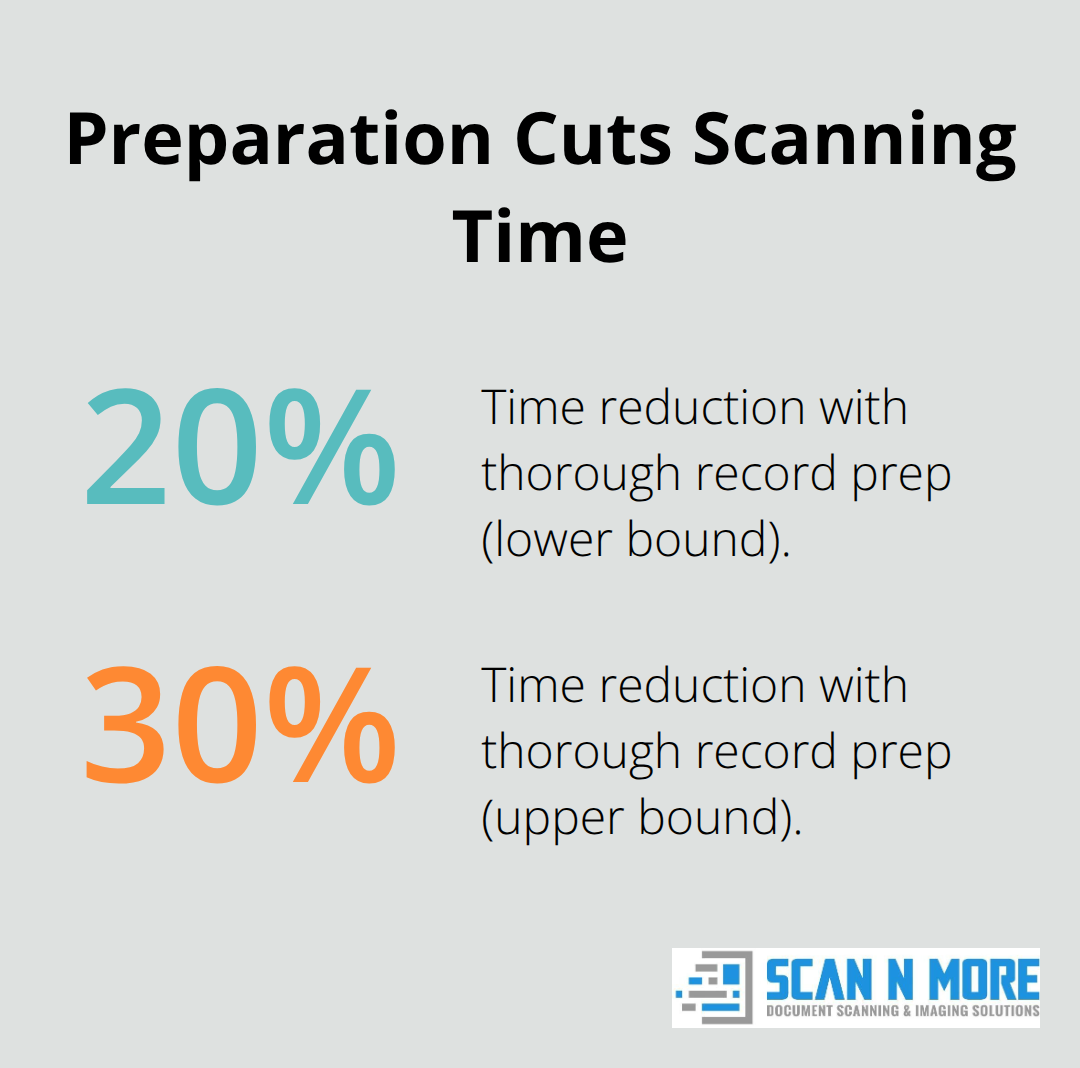
Before scanning begins, prepare your records physically. Remove staples, clips, and sticky notes that jam scanners and slow processing. Sort files by patient ID and flag duplicates or incomplete records. This preparation work reduces scanning time by 20 to 30 percent and prevents costly re-scans.
Your scanning partner should provide detailed preparation instructions specific to your document types and volumes.
Verify Accuracy Through Human Review and Structured Capture
Data accuracy during conversion separates professional digitization from amateur scanning. Automated OCR technology captures text but frequently misreads handwritten notes, faded photocopies, and non-standard formatting common in medical records. Your vendor must perform manual review on every batch to verify page order, image clarity, and correct patient matching. Structured data capture using OCR extracts critical fields like patient name, date of birth, and document type and formats them for direct EHR integration, eliminating manual re-entry that introduces transcription errors.
Train Staff Before Digital Files Arrive
Your staff needs training on new digital workflows before go-live. Resistance to change peaks when clinicians and administrative staff suddenly lose access to familiar paper systems. Schedule training sessions at least two weeks before the first digital files arrive in your EHR. Cover login procedures, search functions, access restrictions, and error reporting. Designate power users from each department who become internal experts and field questions from colleagues.
After go-live, expect a 30-day adjustment period where staff efficiency dips before improving. Document common questions and create simple reference guides for your team. Most healthcare organizations see productivity gains within 60 days as staff adapt to faster retrieval and reduced manual filing tasks.
Final Thoughts
Clinical records imaging delivers three measurable outcomes that justify the investment: your clinical team retrieves complete patient histories in seconds instead of hours, your compliance posture shifts from vulnerable paper systems to encrypted and auditable digital records, and your facility reclaims physical space while eliminating off-site storage costs. Encryption at rest and in transit protects PHI from interception, role-based access control restricts staff to job-specific information, and documented chain of custody proves that records remained secure from pickup through delivery. Human quality control catches indexing errors and page mismatches that automated scanning misses, while SOC 2 Type II certification from your vendor demonstrates that security controls operated consistently over time.
Healthcare organizations ready to move forward should start with a physical audit of their records, segment the project into phases, and prepare files before scanning begins. Active patient records should be digitized first to deliver immediate clinical value and accelerate staff adoption, with legacy records following in subsequent phases to prevent overwhelming your team with simultaneous change. This phased approach allows your staff to adapt to new digital workflows incrementally while your clinical team experiences faster access to current patient data.
We at Scan N More understand the complexity of clinical records imaging for healthcare organizations. Our professional document scanning services handle medical records with the security and compliance rigor your organization demands, providing encrypted delivery through secure portals and structured data capture that integrates directly with your EHR system. Contact us for a no-charge consultation to assess your records volume, document types, and timeline so we can build a digitization plan that protects patient data while transforming how your team accesses and manages clinical information.